1. Product Overview
This high-performance GPS/GLONASS antenna is designed to optimize the performance of your AT&T or T-Mobile SS2FII Cell Booster. It supports GPS synchronization, which is essential for femtocell devices to maintain precise location and timing, ensuring regulatory compliance and optimal network operation. The antenna features a secure MMCX connector and a 15ft RG-174 low-loss cable, offering flexible placement options. It can be mounted indoors or near a window using the included industrial-grade 3M GT7112 adhesive pad. The antenna supports the full frequency range for GPS L1 and GLONASS satellites (1575–1602 MHz), facilitating fast and stable signal acquisition even in challenging environments. It is an ideal solution for replacing faulty units or enhancing indoor coverage.
Key Features:
- Compatibility: Specifically designed for AT&T/T-Mobile SS2FII Cell Boosters to enable GPS synchronization.
- Dual-Band Support: Operates in the 1575–1602 MHz range for full L1 band coverage, ensuring fast and accurate satellite lock.
- MMCX Connector: Features a durable MMCX connector for a secure fit.
- Extended Cable: Includes a 15ft (4.58-meter) RG-174 low-loss cable for flexible placement.
- Easy Mounting: Comes with a high-strength 3M GT7112 adhesive pad for secure indoor or window mounting without tools.
- Compact Design: Lightweight (78 grams) and compact (38.0 x 34.5 x 12.5 mm) for discreet installation.
2. Setup and Installation
Proper installation of the GPS/GLONASS antenna is crucial for optimal performance of your cell booster. Follow these steps for setup:
- Identify Connection Point: Locate the MMCX antenna port on your AT&T/T-Mobile SS2FII Cell Booster. Refer to your cell booster's manual for exact port location.
- Connect the Antenna: Carefully align the MMCX connector of the GPS antenna with the port on your cell booster and push it firmly until it clicks into place. Ensure a secure connection.
- Choose Mounting Location: Select an indoor location with a clear, unobstructed view of the sky, preferably near a window. Avoid areas with heavy metal obstructions or electronic interference. The 15ft cable allows for flexible placement.
- Mount the Antenna: Clean the chosen surface thoroughly. Peel off the backing from the 3M GT7112 adhesive pad on the bottom of the antenna. Press the antenna firmly onto the surface for at least 30 seconds to ensure a strong bond.
- Cable Management: Route the RG-174 cable neatly to avoid kinks or damage. Secure it if necessary to prevent accidental dislodgement.
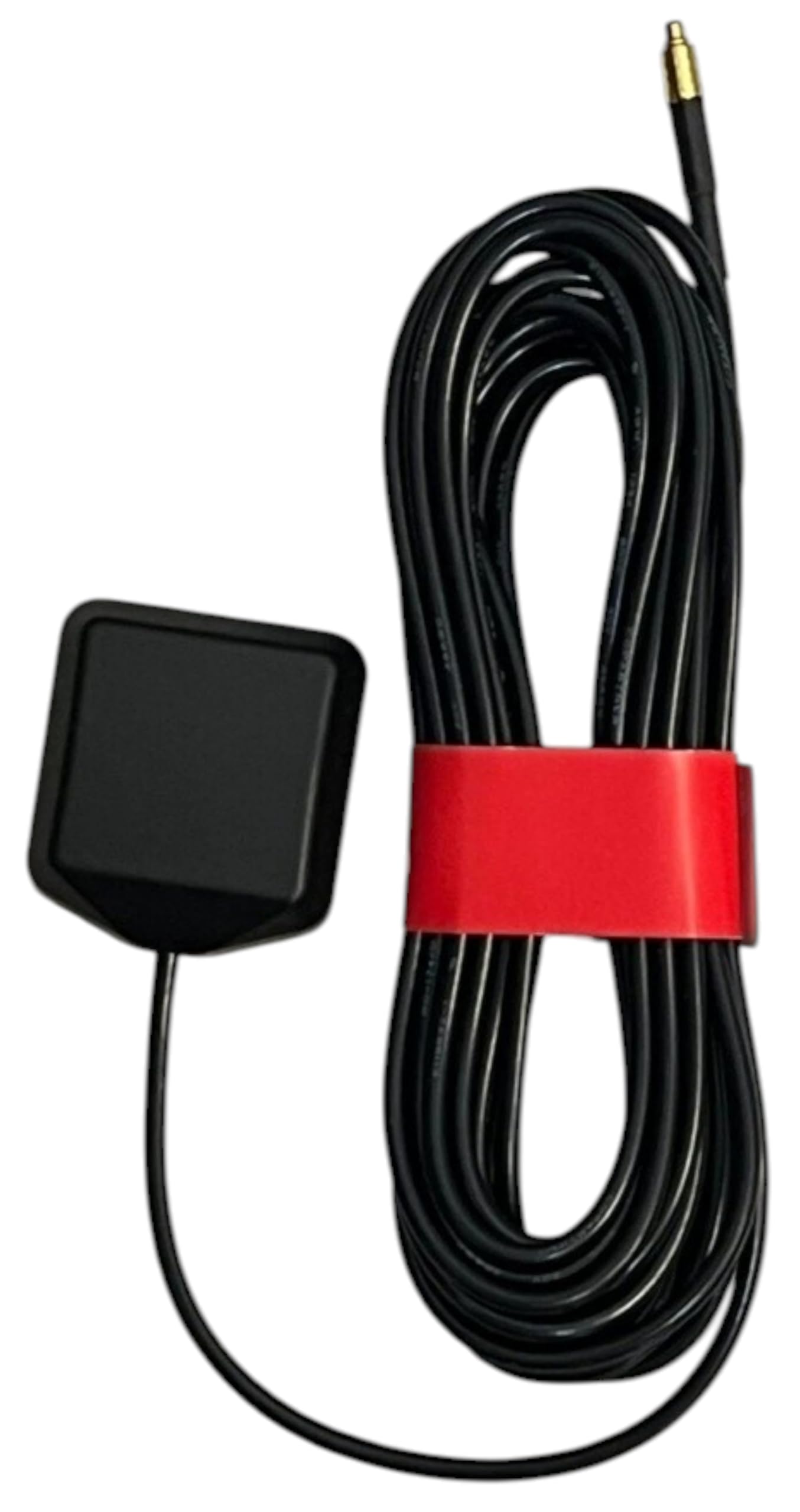
Image 1: Generic GPS GLONASS Antenna showing the main unit, coiled 15ft RG-174 cable, and MMCX connector.

Image 2: Close-up view of the Generic GPS GLONASS Antenna, highlighting the unit's top surface with a label indicating "GPS ANTENNA" and frequency range "1575-1602MHz", along with certification marks.
Installation Video Resources:
Video 1: This video demonstrates the physical appearance and rotation of a GPS antenna, similar to the product, showcasing its form factor and connector type.
Video 2: This video illustrates the magnetic properties of a dual-mode GPS active antenna, demonstrating how it can attach to metallic surfaces, and shows the connector type.
3. Operating Instructions
Once the GPS/GLONASS antenna is securely connected and mounted, it will automatically begin to acquire satellite signals. The primary function of this antenna is to provide precise GPS synchronization data to your AT&T/T-Mobile SS2FII Cell Booster.
- Signal Acquisition: The antenna will actively search for GPS L1 and GLONASS satellite signals within its operating frequency range of 1575–1602 MHz. This process typically begins automatically when the cell booster is powered on.
- Synchronization: The acquired satellite data is used by the femtocell to synchronize its internal clock and location. This synchronization is critical for the cell booster's regulatory compliance and efficient operation within the cellular network.
- Optimal Performance: Ensure the antenna maintains an unobstructed view of the sky for continuous and stable signal reception. Any significant blockage can degrade synchronization performance.
4. Maintenance
The Generic GPS GLONASS Antenna requires minimal maintenance to ensure long-term performance.
- Regular Inspection: Periodically check the antenna and its cable for any signs of physical damage, such as cuts, fraying, or loose connections.
- Cleanliness: Keep the antenna unit clean and free from dust, dirt, or debris. Use a soft, dry cloth for cleaning. Avoid using harsh chemicals or abrasive materials.
- Connection Check: Ensure the MMCX connector remains securely attached to the cell booster. A loose connection can lead to signal loss.
- Adhesive Integrity: If the antenna is mounted using the adhesive pad, periodically check that it remains firmly attached to the surface.
5. Troubleshooting
If you experience issues with your GPS/GLONASS antenna or cell booster's GPS synchronization, consider the following troubleshooting steps:
- No GPS Signal / Poor Synchronization:
- Check Placement: Ensure the antenna is placed in a location with a clear, unobstructed view of the sky. Move it closer to a window or to a higher position if possible.
- Verify Connection: Confirm that the MMCX connector is fully and securely plugged into the cell booster.
- Environmental Factors: Thick walls, metal roofs, or nearby electronic devices can interfere with GPS signals. Try relocating the antenna away from such obstructions.
- Booster Status: Check the status indicators on your AT&T/T-Mobile SS2FII Cell Booster. If it indicates a GPS error, power cycle the booster and allow time for re-acquisition.
- Physical Damage:
- Inspect the cable and antenna unit for any visible damage. Damaged components may need replacement.
- Incompatible Device:
- Ensure your cell booster is specifically the AT&T/T-Mobile SS2FII model, as this antenna is designed for that compatibility.
6. Specifications
| Feature | Detail |
|---|---|
| Brand | Generic |
| Model Number | GPS |
| Antenna Type | GPS GLONASS Antenna |
| Connector Type | MMCX |
| Operating Frequency Range | 1575-1602 MHz (GPS L1 & GLONASS) |
| Cable Type | RG-174 |
| Cable Length | 15 Feet (4.58 meters) |
| Mounting | 3M Adhesive Pad (GT7112) |
| Color | Black |
| Item Weight | 8 ounces (approx. 227 grams) |
| Product Dimensions | 4.5"L x 2"W x 3"H (approx. 11.4 x 5.1 x 7.6 cm) |
| Antenna Dimensions (approx.) | 38.0 x 34.5 x 12.5 mm |
| Impedance | 50 Ohms |
| Number of Channels | 1 |
7. Warranty and Support
This product is covered by a standard return policy. For specific details regarding returns or replacements, please refer to the retailer's policy at the time of purchase. Typically, a 30-day return window is provided for refunds or replacements.
For technical assistance, troubleshooting beyond the scope of this manual, or inquiries about product functionality, please contact the manufacturer or your point of purchase. Keep your purchase receipt or order information handy when seeking support.


