
1. Product Overview
The Dubstep Powerblitz X4 is a 20,000 mAh multi-device charging power bank designed for portable power needs. It features advanced two-way fast charging with USB and Type-C compatibility, offering 22.5W superfast charging. The device includes an LED battery indicator and supports simultaneous charging of up to three devices.

Image: Main product view of the Dubstep Powerblitz X4 power bank.
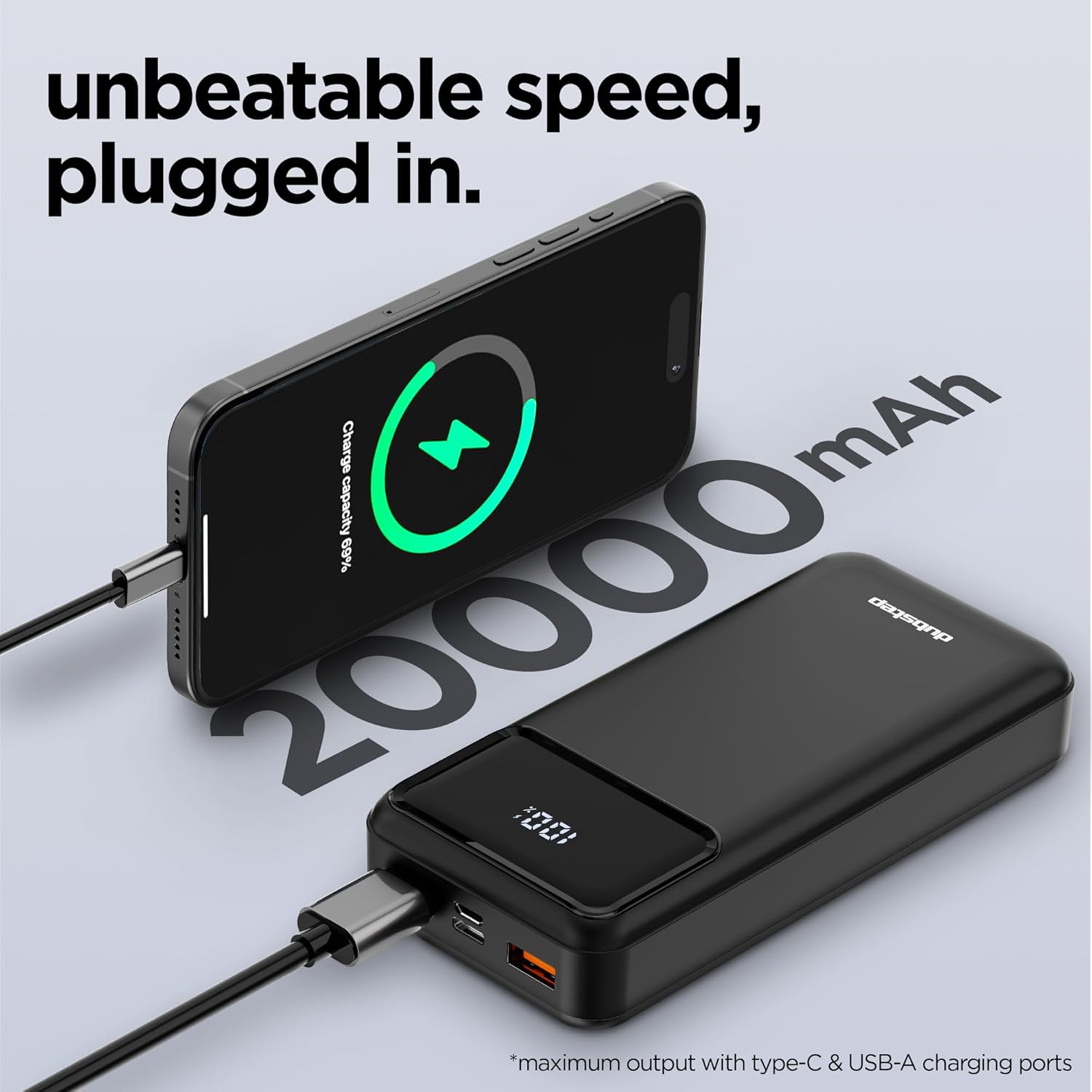
Image: The Powerblitz X4 is compact and offers 20,000 mAh of power.
2. What's in the Box
Upon unboxing your Dubstep Powerblitz X4, you will find the following items:
- 1x Dubstep Powerblitz X4 Power Bank
- 1x USB-A to Type-C Charging Cable

Image: Front view of the Powerblitz X4 power bank.
3. Key Features
- Massive Capacity: 20,000 mAh battery for extended power backup.
- Superfast Charging: 22.5W output for rapid device charging.
- Versatile Charging: Dual USB ports and Type-C compatibility for simultaneous charging of up to 3 devices.
- Smart Digital Display: Clear LED indicator shows precise battery levels.
- Two-Way Fast Charging: Supports fast charging for both the power bank and connected devices.
- Multiple Protection Layers: Built-in safeguards against overheating, overcharging, and short circuits.
- Compact Design: Stylish and portable for everyday use and travel.

Image: Overview of the Powerblitz X4's key features and technology.
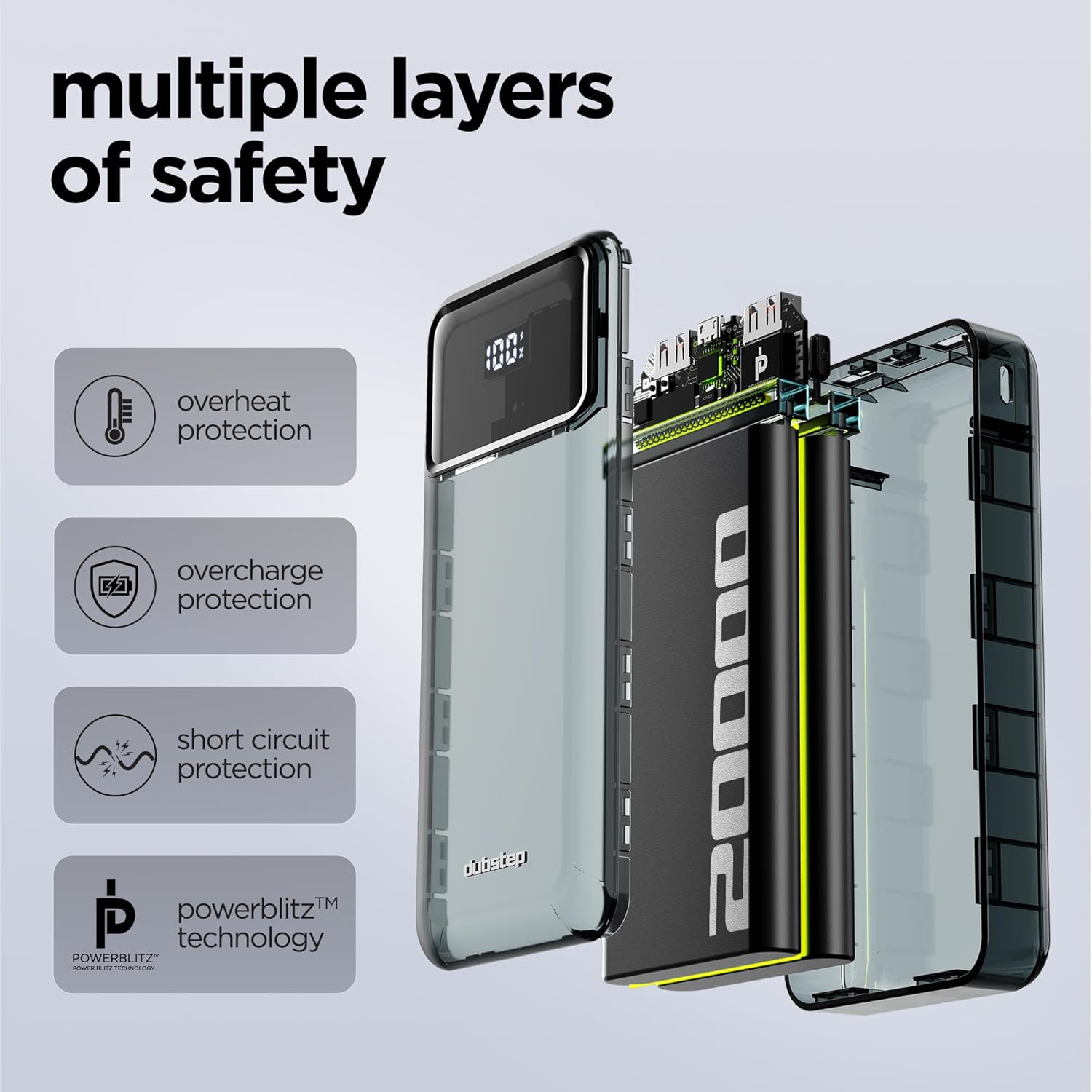
Image: Close-up of the Powerblitz X4's digital display and charging ports.
4. Initial Setup
Before first use, it is recommended to fully charge your Dubstep Powerblitz X4 power bank.
- Connect the provided USB-A to Type-C cable to the power bank's Type-C input port.
- Connect the other end of the cable (USB-A) to a compatible USB wall adapter (not included).
- Plug the wall adapter into a power outlet. The LED display on the power bank will show the charging progress.
- Charge until the LED display shows 100%.

Image: Side view of the Powerblitz X4, showing the various input/output ports.
5. Operating Instructions
5.1 Charging the Power Bank
To recharge your Powerblitz X4:
- Use the included USB-A to Type-C cable or a Type-C to Type-C cable (if available) to connect the power bank's Type-C input port to a power source.
- The LED display will show the current battery percentage and indicate charging status.
5.2 Charging Your Devices
The Powerblitz X4 can charge up to three devices simultaneously.
- Connect your device's charging cable to one of the available output ports on the power bank (USB-1A, USB-2A, or Type-C output).
- Connect the other end of the cable to your device.
- The power bank will automatically begin charging your device. The LED display will show the power bank's remaining charge.
- To stop charging, simply disconnect your device.
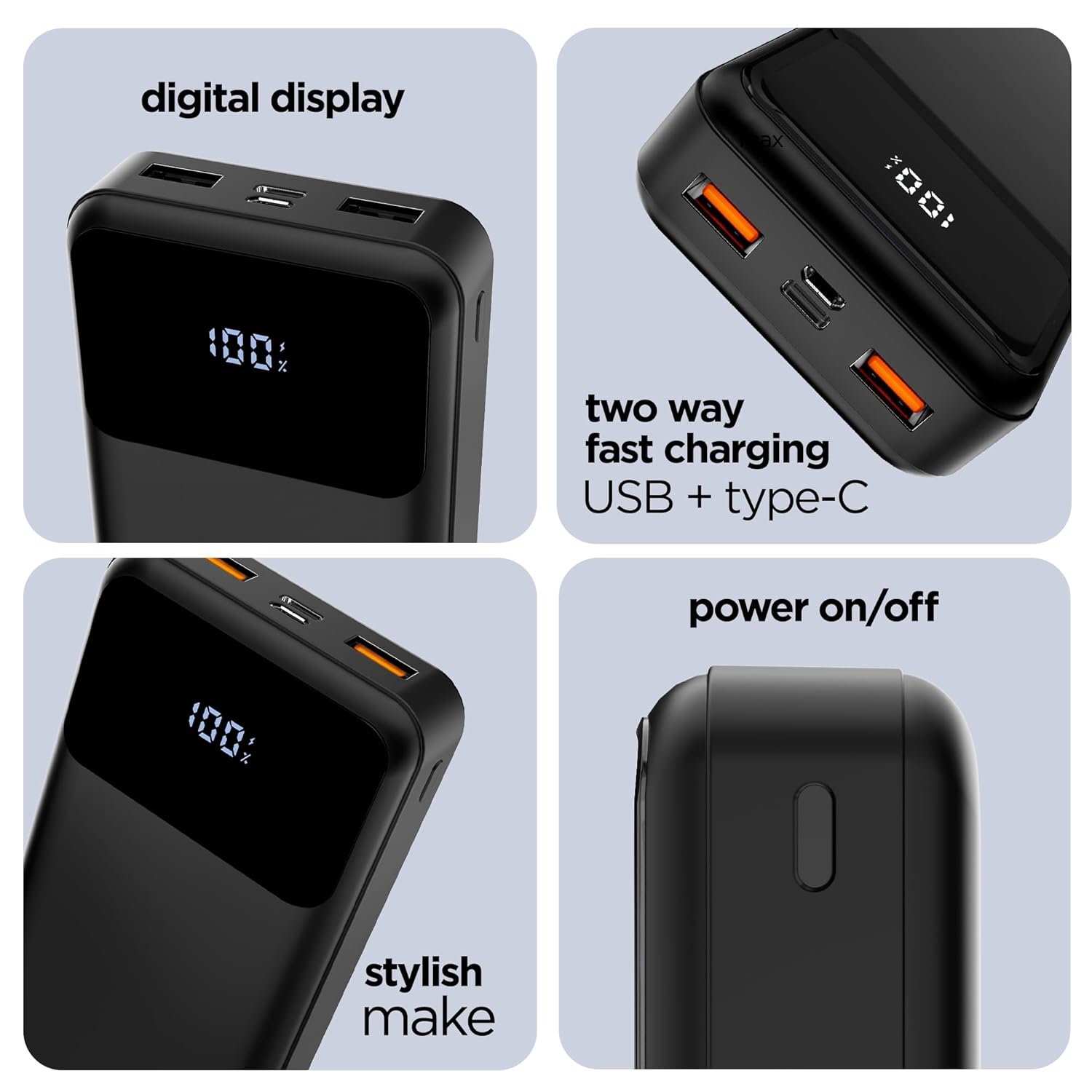
Image: The Powerblitz X4 charging multiple devices at once, demonstrating its multi-device capability.

Image: The Powerblitz X4 offers universal compatibility for a wide range of portable electronic devices.
6. Safety Information
Please read and follow these safety guidelines to ensure safe operation and prolong the life of your power bank:
- Do not expose the power bank to extreme temperatures (hot or cold), direct sunlight, or fire.
- Do not immerse the power bank in water or other liquids.
- Avoid dropping or subjecting the power bank to strong impacts.
- Do not attempt to disassemble, repair, or modify the power bank. This will void the warranty and may cause harm.
- Keep out of reach of children.
- Use only certified charging cables and adapters.
- If the power bank swells, emits smoke, or shows any other abnormal behavior, discontinue use immediately.

Image: The Powerblitz X4 incorporates multiple safety features for reliable operation.
7. Troubleshooting
| Problem | Possible Cause | Solution |
|---|---|---|
| Power bank not charging | Cable not connected properly; faulty cable/adapter; power bank fully charged. | Ensure connections are secure. Try a different cable or wall adapter. Check LED display for charge level. |
| Device not charging from power bank | Power bank battery low; faulty cable; device not compatible; power bank not turned on. | Recharge the power bank. Try a different charging cable. Ensure your device is compatible. Press the power button on the power bank. |
| Slow charging | Using a non-fast charging port/cable; multiple devices charging simultaneously. | Ensure you are using the 22.5W Type-C or appropriate USB port with a fast-charging cable. Charging multiple devices may reduce individual charging speed. |
| LED display not working | Power bank is off; internal issue. | Press the power button to activate the display. If issue persists, contact customer support. |
8. Product Specifications
| Model Name | Powerblitz X4 |
| Model Number | NPB06 |
| Battery Capacity | 20,000 mAh |
| Max Output Power | 22.5W |
| Connector Type | USB Type C |
| Number of Ports | 3 (1x Type-C Input/Output, 1x USB-1A Output, 1x USB-2A Output) |
| Battery Cell Type | Lithium Polymer |
| Dimensions (L x W x Thickness) | 14.9L x 6.6W x 2.5Th Centimeters |
| Item Weight | 392 Grams |
| Color | Matte Black |
| Country of Origin | India |
9. Warranty and Support
The Dubstep Powerblitz X4 comes with a 6-month warranty from the date of purchase.
To avail warranty services or for any product-related inquiries, please contact Dubstep customer support:
- Phone Number: +91-8826257630
- Email Id: hello@Dubstepworld.com
Manufacturer: Nuworld Retail Private Limited
Address: Plot No.17-18, Pole No.9, PO Dhoolsiras, Dwarka, Sector-28, New Delhi - 110077
10. Product Video Guide
Watch this official video for a quick overview of the Dubstep Powerblitz X4 power bank, demonstrating its features and usage.
Video: An overview of the Dubstep Powerblitz X4, showcasing its design, ports, LED indicator, and multi-device charging capabilities.