1. Introduction and Overview
The Rowenta Premiss 2.0 digital bathroom scale combines simplicity and practicality with a modern, ultra-slim design. It features a large tempered glass platform (30x30 cm) and an easy-to-read LCD display, ensuring comfortable use. This scale offers a weighing capacity of up to 160 kg with precise 100 g graduations, allowing for accurate weight monitoring. Its ultra-slim profile, measuring only 2.2 cm thick, enables easy storage in any space. Intelligent functions include automatic power-on and off, and the ability to select between metric (kg) or imperial (st, lb) units of measurement. The scale is ready for immediate use, requiring no configuration, and includes two AAA batteries.

Image 1.1: The Rowenta Premiss 2.0 Digital Bathroom Scale displaying a weight of 68.2 kg. This image highlights the scale's sleek design and clear LCD screen.

Image 1.2: A close-up view of the easy-to-read LCD display on the Rowenta Premiss 2.0 scale, showing a clear weight measurement.

Image 1.3: The Rowenta Premiss 2.0 scale being stored under a bathroom cabinet, demonstrating its ultra-slim 2.2 cm design for convenient storage.
2. Setup
2.1 Battery Installation
- Locate the battery compartment on the underside of the scale.
- Open the battery compartment cover.
- Insert the two included AAA batteries, ensuring correct polarity (+/-).
- Close the battery compartment cover securely.

Image 2.1: The underside of the Rowenta Premiss 2.0 scale, illustrating the battery compartment and the correct placement of two AAA batteries.
2.2 Initial Placement
- Place the scale on a hard, flat, and stable surface. Uneven or soft surfaces (like carpets) can affect accuracy.
- Ensure the scale is not exposed to direct sunlight or extreme temperature changes.
2.3 Unit Selection
The scale allows you to choose between metric (kilograms) and imperial (stones or pounds) units. A button for unit selection is located on the underside of the scale. Press this button to cycle through the available units (kg, st, lb) until your desired unit is displayed.
3. Operating Instructions
3.1 Taking a Measurement
- Step onto the scale with bare feet. The scale will automatically turn on.
- Stand still on the platform, distributing your weight evenly.
- Wait for the display to stabilize and show your weight. The reading will flash briefly to indicate it has been finalized.
- Step off the scale. The scale will automatically turn off after a few seconds to conserve battery life.

Image 3.1: A person standing on the Rowenta Premiss 2.0 scale, illustrating the process of taking a weight measurement. The image also highlights the scale's high capacity.
3.2 Automatic On/Off
The Rowenta Premiss 2.0 scale is equipped with an automatic on/off feature. It will power on when you step onto the platform and power off automatically after a period of inactivity, typically a few seconds after you step off, to save battery power.
4. Maintenance
4.1 Cleaning the Scale
The tempered glass platform of the Rowenta Premiss 2.0 scale is designed for easy cleaning, ensuring optimal hygiene.
- Wipe the surface with a soft, damp cloth.
- For stubborn marks, use a mild glass cleaner.
- Do not use abrasive cleaners or immerse the scale in water.
- Ensure the scale is completely dry before storage or next use.
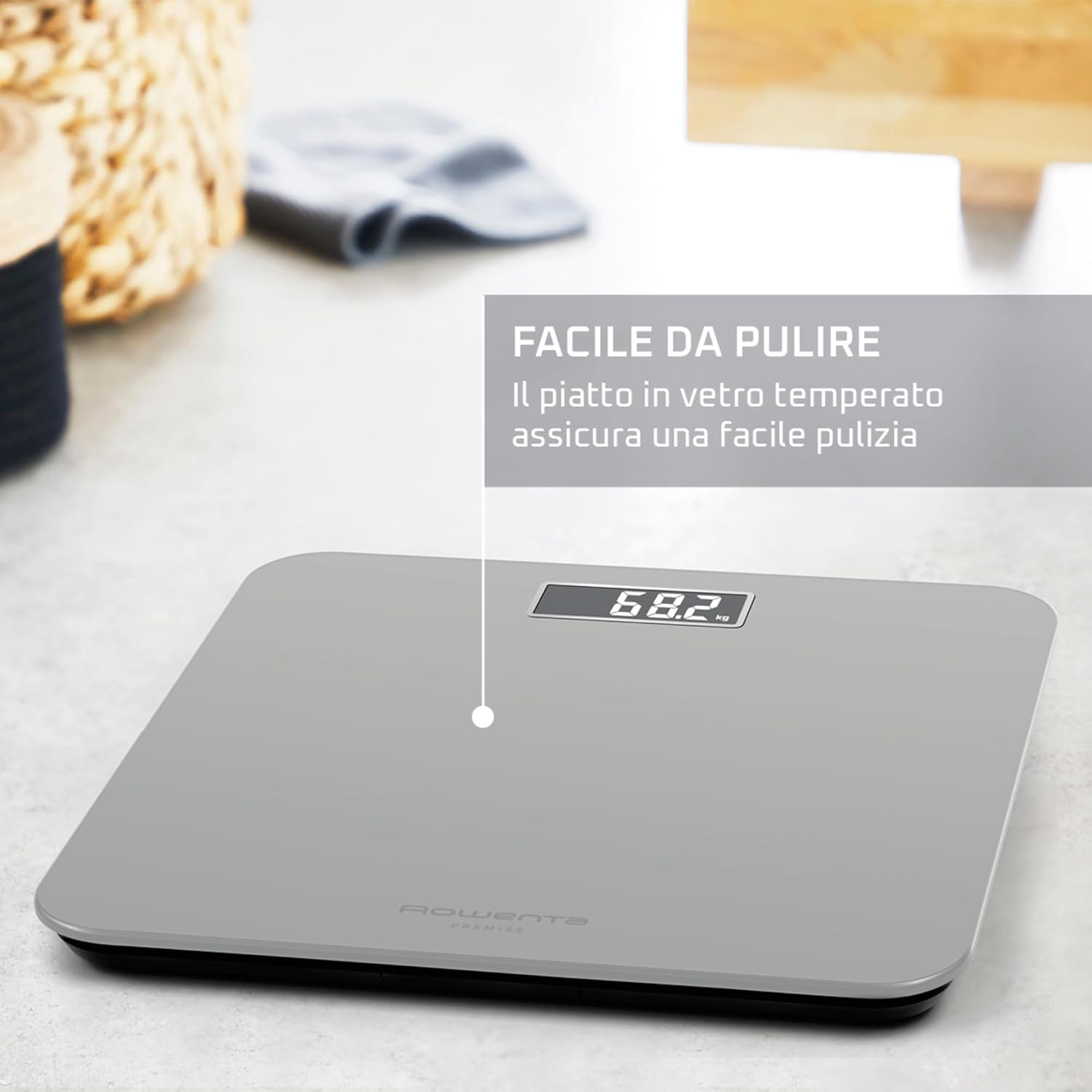
Image 4.1: The Rowenta Premiss 2.0 scale positioned in a bathroom setting, highlighting its smooth, tempered glass surface that is easy to clean and maintain.
4.2 Battery Replacement
When the display shows a 'Lo' indicator, it's time to replace the batteries. Follow the battery installation steps in Section 2.1.
5. Troubleshooting
If you encounter issues with your Rowenta Premiss 2.0 scale, please refer to the following common solutions:
| Problem | Possible Cause | Solution |
|---|---|---|
| No display / Scale does not turn on | Batteries are dead or incorrectly installed. | Check battery polarity or replace with new AAA batteries. |
| Inaccurate readings | Scale is on an uneven or soft surface; scale has been moved; initial calibration needed. | Place the scale on a hard, flat surface. Step on and off quickly to re-calibrate to zero before taking a measurement. |
| Display shows "Lo" | Low battery power. | Replace the AAA batteries. |
| Display shows "Err" or overload indicator | Weight exceeds maximum capacity (160 kg). | Ensure the weight on the scale does not exceed 160 kg. |
6. Specifications
| Feature | Detail |
|---|---|
| Model Number | BS1801V0 |
| Brand | Rowenta |
| Type | Digital Bathroom Scale |
| Color | Silver |
| Maximum Weight Capacity | 160 kg (352 lbs / 25 st) |
| Graduation | 100 g (0.2 lb) |
| Display Type | LCD |
| Platform Material | Tempered Glass |
| Dimensions (Platform) | 30 x 30 cm (11.8 x 11.8 inches) |
| Thickness | 2.2 cm (0.87 inches) |
| Power Source | 2 x AAA batteries (included) |
| Automatic Functions | Auto On/Off |
| Country of Origin | China |

Image 6.1: A visual representation of the Rowenta Premiss 2.0 scale's dimensions, indicating its 30 cm by 30 cm platform size.
7. Warranty and Support
7.1 Repairability
Rowenta is committed to product longevity and environmental protection. This product benefits from 15 years of repairability at a fair price. It is recommended to have the product repaired at one of Rowenta's 6,200 international repair centers to ensure a longer lifespan and reduce waste.
7.2 Customer Support
For any questions, technical assistance, or warranty claims, please contact Rowenta customer service. You can find contact information and support resources on the official Rowenta website or through your local retailer.