1. Introduction
This manual provides essential instructions for setting up, operating, and maintaining your IMSVEPR Smart Watch LC211. Please read this manual thoroughly before using the device to ensure proper function and safety. The IMSVEPR Smart Watch LC211 is designed to enhance your daily life with features such as Bluetooth calling, GPS tracking, health monitoring, and various sports modes.

Image 1.1: The IMSVEPR Smart Watch LC211 displaying time and date.
2. Package Contents
Verify that all items are present in your product package:
- IMSVEPR Smart Watch LC211 (1 unit)
- Watch Band (1 unit)
- Charging Cable (1 unit)
- User Manual (1 unit)

Image 2.1: Illustration of the IMSVEPR Smart Watch LC211 and its included accessories, along with product dimensions.
3. Setup
3.1 Charging the Device
Before initial use, fully charge your smart watch. Connect the magnetic charging cable to the charging contacts on the back of the watch and plug the USB end into a standard USB power adapter (not included). A full charge typically takes 2-3 hours.

Image 3.1: The smart watch connected to its magnetic charging cable, illustrating the charging process.
3.2 App Installation and Pairing
To unlock the full functionality of your IMSVEPR Smart Watch, download and install the companion app on your smartphone. The app is typically named 'Da Fit' and can be found on the App Store (iOS) or Google Play Store (Android).
- Scan the QR code in the manual or on the watch screen (if available) to download the 'Da Fit' app, or search for it directly in your phone's app store.
- Ensure Bluetooth is enabled on your smartphone.
- Open the 'Da Fit' app and follow the on-screen instructions to create an account or log in.
- In the app, navigate to 'Device' or 'Add Device' and select your IMSVEPR Smart Watch from the list of available devices.
- Confirm the pairing request on both your watch and smartphone.
4. Operating Instructions
4.1 Basic Navigation
- Touchscreen: Swipe left/right to navigate between main screens, swipe up/down to access quick settings or notifications. Tap to select.
- Side Button: Press to wake the screen, return to the home screen, or access the app menu.
4.2 Bluetooth Calling and Notifications
Once paired with your smartphone, the watch supports Bluetooth calls and message notifications.
- Making Calls: Access the dial pad or contacts list on your watch to initiate a call.
- Receiving Calls: When a call comes in, you can answer or reject it directly from your watch.
- Notifications: The watch will vibrate and display notifications from social media apps (e.g., Facebook, WhatsApp, Instagram, Twitter) and other applications configured in the 'Da Fit' app.

Image 4.1: The smart watch displaying call functions, including dial pad, contacts, and incoming call interface.
4.3 Customizable Watch Faces
Personalize your watch by choosing from over 200 watch faces available through the 'Da Fit' app. You can also upload your own photos to create custom watch faces.
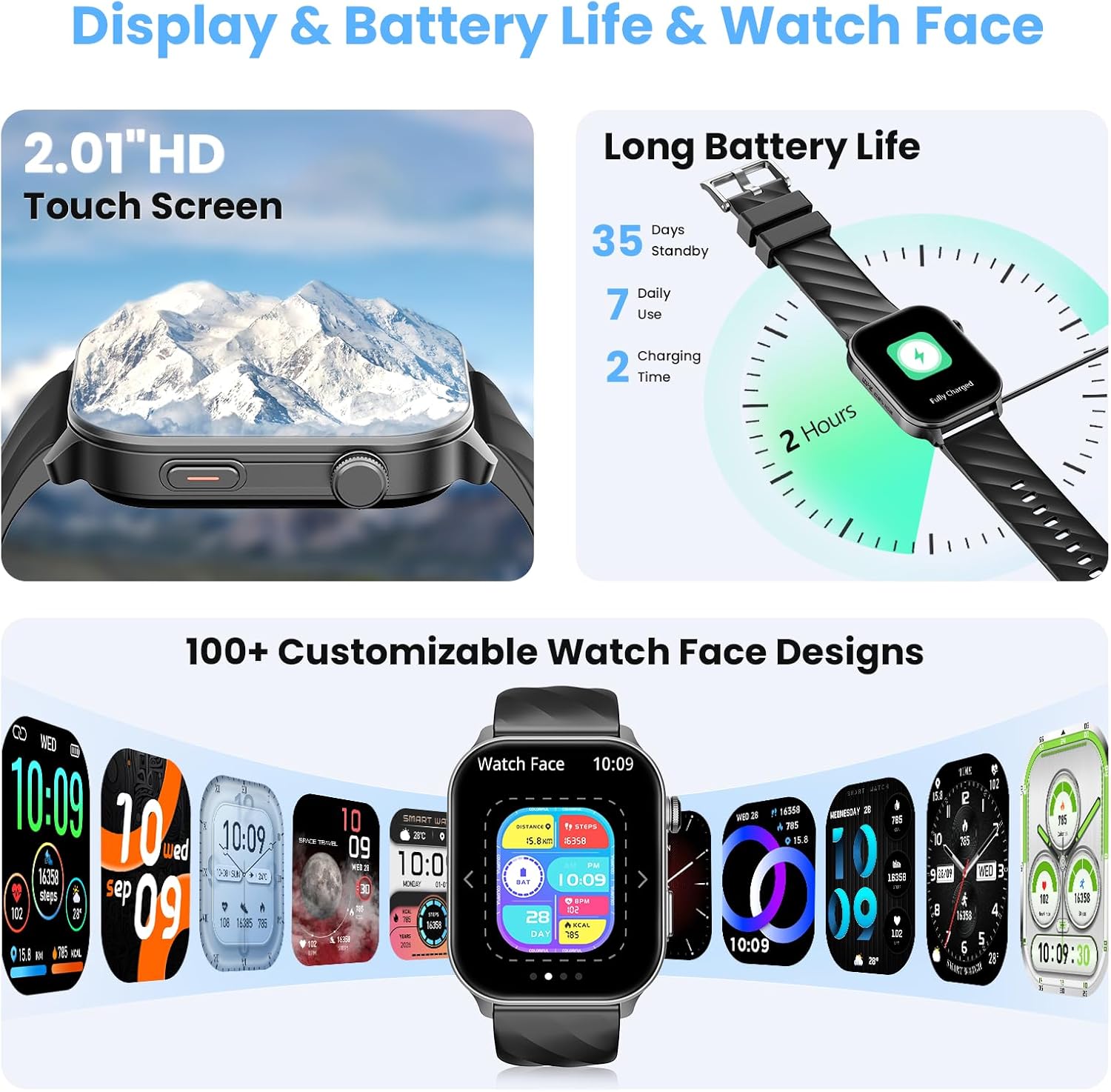
Image 4.2: A selection of customizable watch faces available for the IMSVEPR Smart Watch LC211.
5. Health Monitoring
The IMSVEPR Smart Watch LC211 is equipped with an optical sensor for comprehensive health tracking.
- Heart Rate Monitoring: Tracks your heart rate continuously throughout the day. View real-time data and historical trends in the app.
- Blood Oxygen (SpO2) Monitoring: Measures your blood oxygen saturation levels.
- Sleep Tracking: Monitors your sleep patterns, including deep sleep, light sleep, and awake times, providing a detailed sleep quality report.
- Stress Monitoring: Assesses your stress levels over time.
- Female Cycle Tracking: Provides scientific cycle tracking to predict menstruation and ovulation, helping you manage your body rhythms.
- Water Drinking Reminder: Set reminders to ensure adequate hydration.
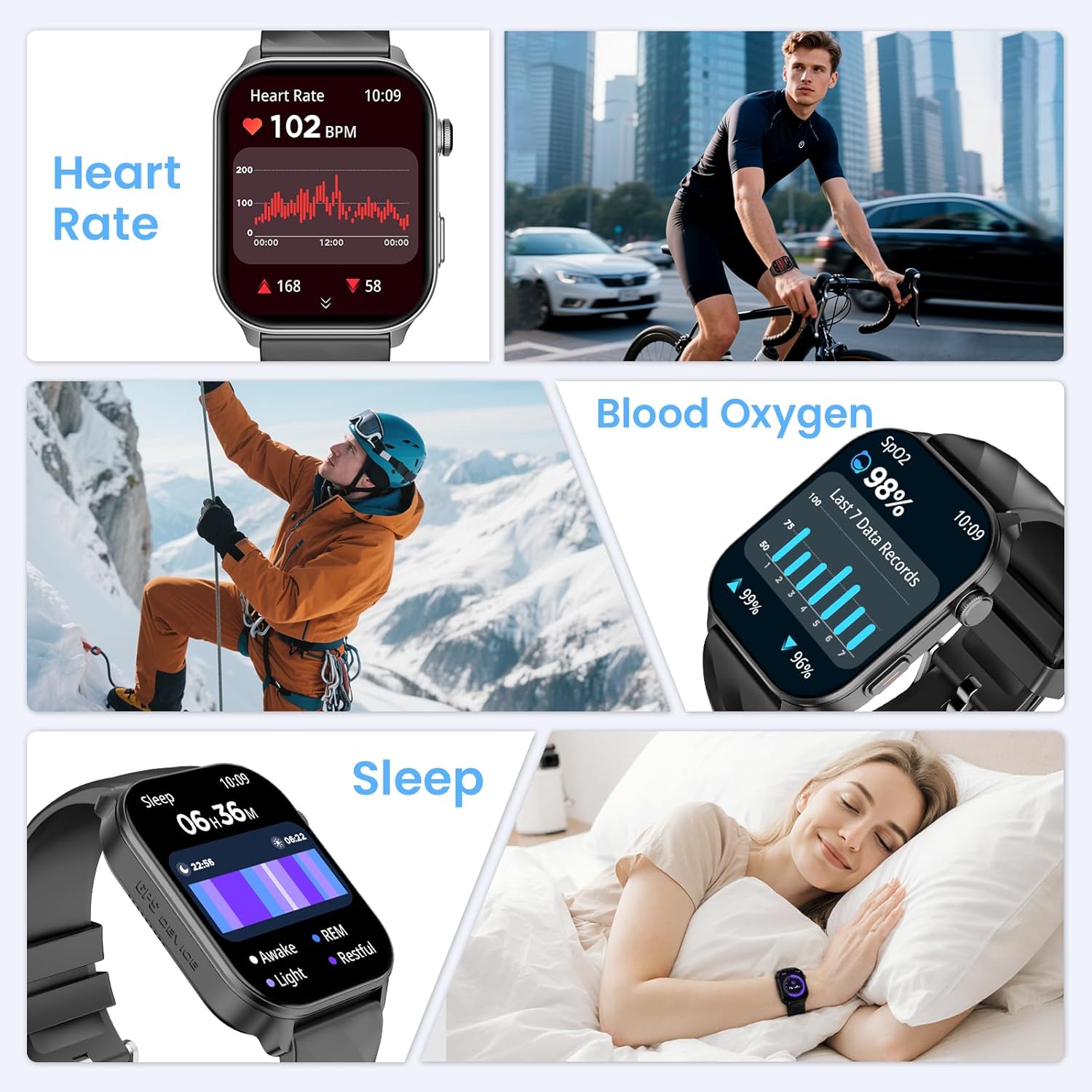
Image 5.1: Displays of heart rate, blood oxygen, and sleep tracking data on the smart watch.
6. Sports Tracking
The watch features built-in GPS and supports over 110 sport modes to accurately track your physical activities.
- Built-in GPS: Provides precise location tracking for outdoor activities like running, cycling, and hiking.
- Compass Navigation: Utilize the high-precision outdoor compass for navigation during adventures.
- 110+ Sport Modes: Select from a wide range of activities to track real-time data such as calorie consumption, steps, distance, pace, and duration.
- Activity Tracking: Monitors daily steps, distance covered, and calories burned.

Image 6.1: The smart watch displaying compass navigation and GPS outdoor sports tracking with a map route.
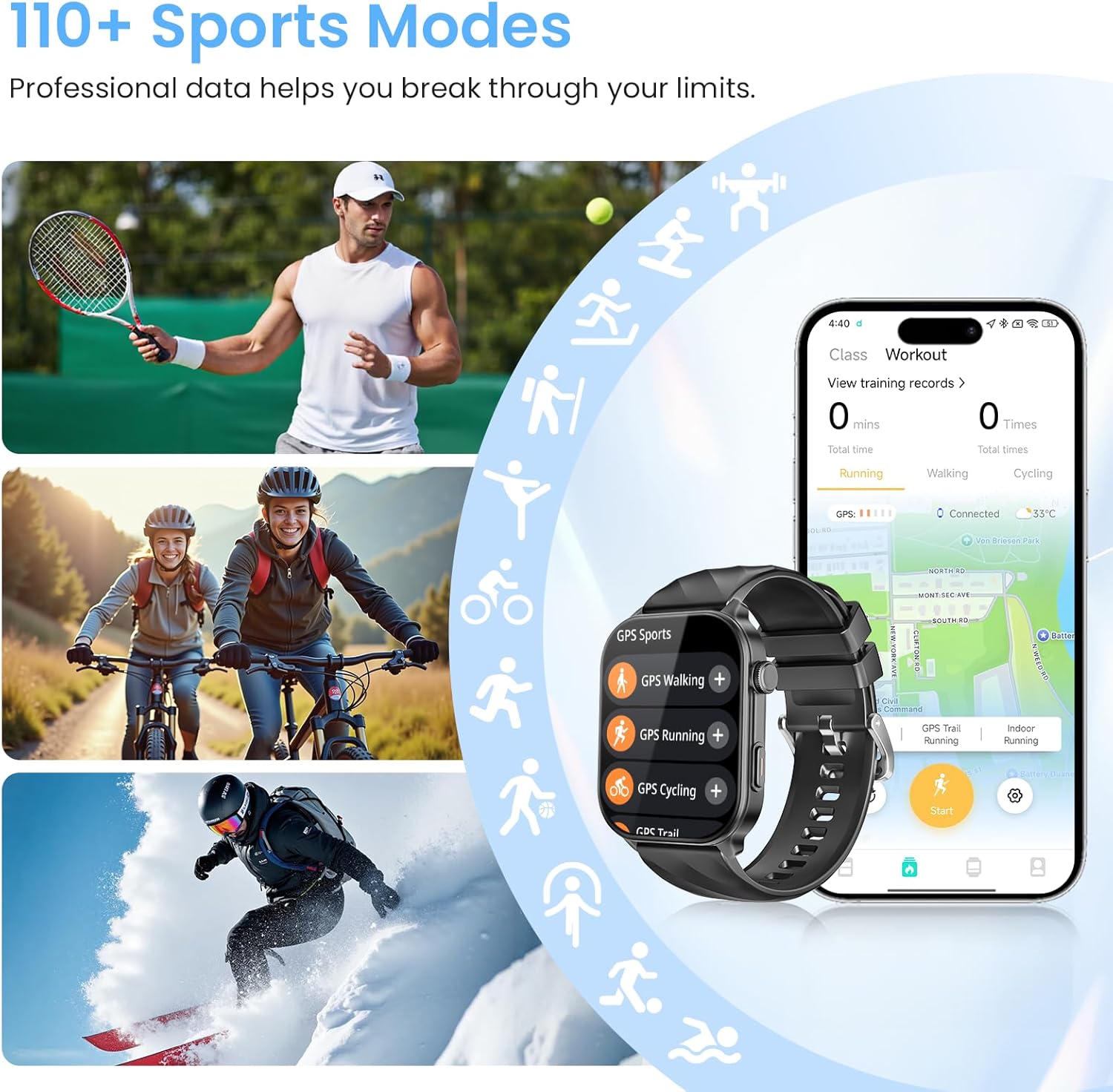
Image 6.2: Various sports activities being tracked by the smart watch, highlighting the 110+ sports modes feature.
7. Water Resistance
The IMSVEPR Smart Watch LC211 boasts a 1 ATM water resistance rating. This means it is suitable for daily activities such as hand washing, showering, and sweating during workouts. It is not recommended for swimming, diving, or exposure to high-pressure water.

Image 7.1: Visual representation of the smart watch's 1 ATM water resistance, showing it can withstand hand washing, showering, and sweating.
8. Battery Life
The smart watch is equipped with a 360mAh battery, offering:
- Up to 35 days of standby time.
- Up to 7 days of typical daily use.
- Approximately 3 days with extended use of calls and GPS.
Charging time is 2-3 hours for a full charge.
9. Multifunctional Applications
Beyond core features, the IMSVEPR Smart Watch LC211 includes several practical applications:
- Voice Assistant: Control your watch and phone with voice commands.
- Music Control: Manage music playback on your smartphone directly from your wrist.
- Weather Forecast: Get real-time weather updates.
- Photo Control: Use your watch as a remote shutter for your phone's camera.
- Find Your Phone: Locate your misplaced smartphone by triggering an alarm.
- Timer & Stopwatch: Essential tools for timing activities.
- Alarm Clock: Set silent vibrating alarms.
- Mini-games: Includes 'Jumping Bird' and '2048' for entertainment.

Image 9.1: Overview of various multifunctional applications available on the smart watch, including music control, weather, and find phone.
10. Troubleshooting
If you encounter issues with your IMSVEPR Smart Watch LC211, refer to the following common solutions:
| Issue | Possible Solution |
|---|---|
| Watch not turning on | Ensure the watch is fully charged. Connect it to the charger for at least 30 minutes. |
| Unable to pair with phone | Make sure Bluetooth is enabled on your phone. Restart both the watch and phone. Ensure the 'Da Fit' app is open and searching for devices. Check if the watch is already paired with another device. |
| Notifications not appearing | Verify that notification permissions are enabled for the 'Da Fit' app in your phone's settings. Ensure app notifications are enabled within the 'Da Fit' app itself. |
| Inaccurate health data | Ensure the watch is worn snugly on your wrist, not too tight or too loose. Clean the sensor on the back of the watch. Avoid excessive movement during measurements. |
| Short battery life | Reduce screen brightness, disable continuous heart rate monitoring if not needed, limit GPS usage, and turn off unnecessary notifications. |
11. Specifications
| Feature | Detail |
|---|---|
| Model Name | LC211 |
| Brand | IMSVEPR |
| Screen Size | 2.01 Inches |
| Display Type | HD Touchscreen |
| GPS | Built-in GPS |
| Water Resistance | 1 ATM |
| Battery Capacity | 360mAh |
| Connectivity | Bluetooth |
| Operating System | watchOS 3 (as per product data, though this is typically Apple's OS, it's listed in the source) |
| Item Weight | 3.84 ounces |
| Package Dimensions | 5.87 x 2.99 x 1.22 inches |
12. Maintenance
- Cleaning: Regularly clean your watch and watch band with a soft, dry cloth. If necessary, use a slightly damp cloth and mild soap, then rinse and dry thoroughly.
- Avoid Chemicals: Do not expose the watch to strong chemicals, solvents, or detergents, as these can damage the finish and seals.
- Storage: Store the watch in a cool, dry place when not in use. Avoid extreme temperatures.
- Charging: Use only the provided charging cable. Avoid overcharging the battery.
13. Warranty and Support
IMSVEPR is committed to providing quality products and customer satisfaction.
- Warranty: The product includes a 2-year free replacement warranty.
- Lifetime Support: IMSVEPR offers lifetime support and satisfied solutions for its products.
- Customer Service: For any inquiries or support needs, quick service is available via email within 24 hours. Please refer to the contact information provided in your product packaging or on the official IMSVEPR website.
14. Safety Information
- Do not attempt to disassemble or modify the watch.
- Keep the watch away from extreme heat or open flames.
- Consult a medical professional before starting any new exercise regimen or if you have pre-existing health conditions. The health monitoring features are for informational purposes and not intended for medical diagnosis or treatment.
- Keep out of reach of children.


