
1. Introduction
This manual provides detailed instructions for setting up, operating, and maintaining your LOUTOC Voice Replacement Remote Control (Model GY3LE). This remote is designed to function seamlessly with Chromecast with Google TV (4K/HD) and Google TV Streamer 4K devices, offering voice control and dedicated shortcut buttons for an enhanced user experience.
2. Compatibility
The LOUTOC Voice Replacement Remote Control is compatible with the following devices:
- Chromecast with Google TV (4K)
- Chromecast with Google TV (HD)
- Google TV Streamer 4K

The remote control is compatible with Chromecast with Google TV (4K/HD) and Google TV Streamer (4K).
3. Features
3.1 Voice Interaction
Control your entertainment hands-free using the integrated voice interaction feature. Simply speak commands to search for shows, adjust volume, or launch applications instantly.
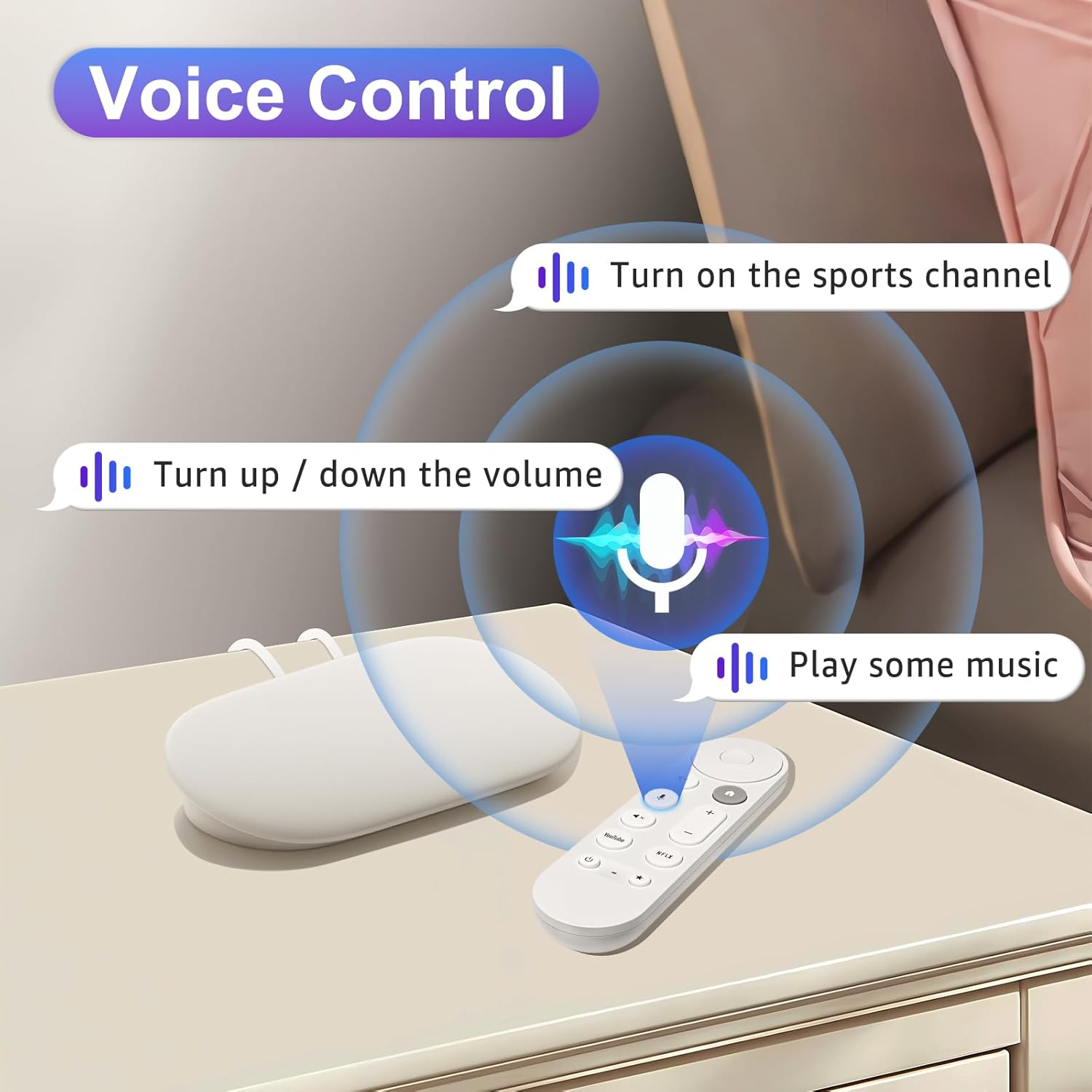
Voice control allows for hands-free operation of your device.
3.2 Shortcut Keys
The remote features dedicated YouTube and Netflix buttons for quick access to these popular streaming services, enhancing your streaming experience.

Dedicated buttons provide quick access to YouTube and Netflix.
3.3 Rapid Response
Experience a 0.2-second fast response time and a long-distance control range of up to 26 feet, ensuring reliable and efficient operation from various positions in your room.

The remote offers quick response and extended range for convenient use.
4. Setup and Pairing
Follow these two simple steps to pair your LOUTOC Voice Replacement Remote Control with your Google device:
- Connect the Google device: Ensure your Google device (Chromecast or Streamer) is connected to your TV's HDMI port and powered on.
- Insert Batteries: Open the battery compartment on the back of the remote and insert two (2) AAA batteries. (Batteries are not included in the package).
- Initiate Pairing Mode on Google Device: Press the button located on the back of your Google device for 5-10 seconds to activate its pairing mode.
- Pair the Remote: On the remote control, simultaneously hold down the "Back" button (left arrow) and the "Home" button (house icon) for 10 seconds until the LED indicator on the remote begins to flash. This indicates successful pairing.

Visual guide for the remote control pairing process.
4.1 Setting Up Volume, Power, and Customizable Buttons
For optimal functionality, certain buttons may require initial setup through your Google TV settings:
- From the top right of your TV screen, select All Settings.
- Navigate to Remotes & Accessories.
- Select Set up remote buttons.
- Configure Volume control/Power button settings as desired.
- For customizable buttons, select Chromecast. If you haven't added a device yet, you'll need to select: Add a device > your device type > your device brand. Options include: Open Google Home, Open a Favorite App, Display device inputs, or Edit a shortcut.

Instructions for configuring remote buttons through the device settings.
5. Operating Instructions
The LOUTOC Voice Replacement Remote Control features a user-friendly layout with clearly labeled buttons for intuitive navigation and control.

Overview of the remote control buttons and their functions.
Button Functions:
- D-pad (Up, Down, Left, Right): Navigates through menus and content.
- Select (Center Button): Confirms selections.
- Home: Returns to the home screen.
- Back: Goes back to the previous screen or menu.
- Assistant / Mic Button: Activates voice control for commands and searches.
- Volume (+/-): Adjusts the volume level.
- Mute: Mutes or unmutes audio.
- Netflix: Direct access to the Netflix application.
- YouTube: Direct access to the YouTube application.
- Power: Turns the connected device on or off.
- Customizable Button (Star Icon): Can be programmed for a specific function or app (refer to Section 4.1).
- LED Indicator: Provides feedback on remote status, such as pairing mode or low battery.
6. Maintenance
Battery Replacement:
The remote requires two (2) AAA batteries. When the remote's performance degrades or the LED indicator signals low power, replace both batteries with new ones. Ensure correct polarity when inserting the batteries.
To replace batteries:
- Slide open the battery compartment cover on the back of the remote.
- Remove the old batteries.
- Insert two new AAA batteries, matching the (+) and (-) terminals correctly.
- Close the battery compartment cover securely.
7. Troubleshooting
Remote Not Responding:
- Check Batteries: Ensure batteries are correctly inserted and have sufficient charge. Replace if necessary.
- Re-pair Remote: If the remote becomes unresponsive, try re-pairing it by following the steps in Section 4.
- Obstructions: Ensure there are no physical obstructions between the remote and your Google device.
- Distance: Confirm you are within the effective operating range (up to 26 feet).
Voice Control Not Working:
- Microphone Access: Ensure your Google TV device has microphone access enabled in its settings.
- Speak Clearly: Speak clearly and directly into the remote's microphone.
- Internet Connection: Voice commands require an active internet connection for processing.
Volume/Power Buttons Not Controlling TV:
- Setup Required: These buttons often require initial setup through your Google TV settings to control your specific TV model. Refer to Section 4.1 for instructions.
8. Specifications
| Model Number | GY3LE |
| Brand | LOUTOC |
| Compatible Devices | Chromecast with Google TV 4K/HD, Google TV Streamer 4K |
| Item Weight | 1.44 ounces |
| Package Dimensions | 6.77 x 2.17 x 0.83 inches |
| Power Source | 2 x AAA Batteries (not included) |
| Special Feature | Ergonomic, Lightweight |
| Max Number of Supported Devices | 1 |
9. Product Video
Official product video demonstrating the LOUTOC Voice Remote for Google TV Streamer & Chromecast with Google TV.
10. Warranty and Support
For any questions, technical assistance, or support regarding your LOUTOC Voice Replacement Remote Control, please refer to the manufacturer's official website or contact their customer service. Specific warranty details may vary and are typically provided with your purchase documentation.