
1. Product Overview
The Ruko 8809 T-Rex Dinosaur Robot is an interactive remote-controlled toy designed for engaging play. It features walking, roaring, LED eyes, dart shooting, dancing, and programmable actions, offering a dynamic experience for users.
What's in the Box
- RC Dinosaur x 1
- Remote Control x 1
- Foam Darts x 10
- Charging Cable x 1
- User Manual x 1

The Ruko 8809 offers T-Rex simulation with vivid appearance and realistic roars, dual control options (remote and touch interaction), and multiple functions including 29 commands and 50 programmable actions.

2. Setup
Before operating your Ruko 8809 T-Rex Dinosaur Robot, please follow these setup steps:
- Unboxing: Carefully remove all components from the packaging. Ensure all items listed in 'What's in the Box' are present.
- Attach the Dinosaur Tail: Locate the dinosaur tail and align it with the connection point at the rear of the main dinosaur body. Gently push until it clicks securely into place.
- Battery Installation (Remote Control): The remote control requires 2 'AA' batteries (not included). Open the battery compartment on the back of the remote, insert the batteries with correct polarity, and close the compartment.
- Dinosaur Battery: The dinosaur robot comes with a built-in rechargeable Lithium Ion battery. Ensure it is fully charged before first use. Refer to Section 3 for charging instructions.
3. Operating Instructions
Remote Control Functions
The Ruko 8809 is controlled using a 2.4GHz remote control. Familiarize yourself with the buttons and their corresponding actions:

- Directional Buttons: Control forward, backward, left, and right movement.
- Roar Button: Activates the dinosaur's roaring sound effect.
- Shoot Button: Fires soft foam darts from the launcher on its back.
- Dance Button: Initiates a pre-programmed dance sequence with music.
- Program Button: Enters programming mode to create custom action sequences.
- Volume Control: Adjusts the sound level of the dinosaur.
- Bite Button: Activates a biting action.
Basic Movement
Use the directional buttons on the remote control to make the dinosaur walk forward, backward, turn left, or turn right. The robot is designed for smooth movement on various indoor and outdoor surfaces.
Special Features
- Roaring and LED Eyes: Press the Roar button to hear the T-Rex roar. Its LED eyes will light up during operation and specific actions.
- Soft Dart Shooting: Load the foam darts into the launcher on the dinosaur's back. Press the Shoot button on the remote to fire them. Ensure darts are loaded correctly for optimal performance.

- Dancing and Music: Activate the Dance function via the remote control. The dinosaur will perform a dance routine accompanied by music, swaying its head and tail.
- Programming Mode: Enter programming mode by pressing the Program button on the remote. You can program up to 50 custom actions, including walking, roaring, turning, and shooting. Follow the remote control's prompts or refer to the detailed programming section in the included user manual for specific sequences.

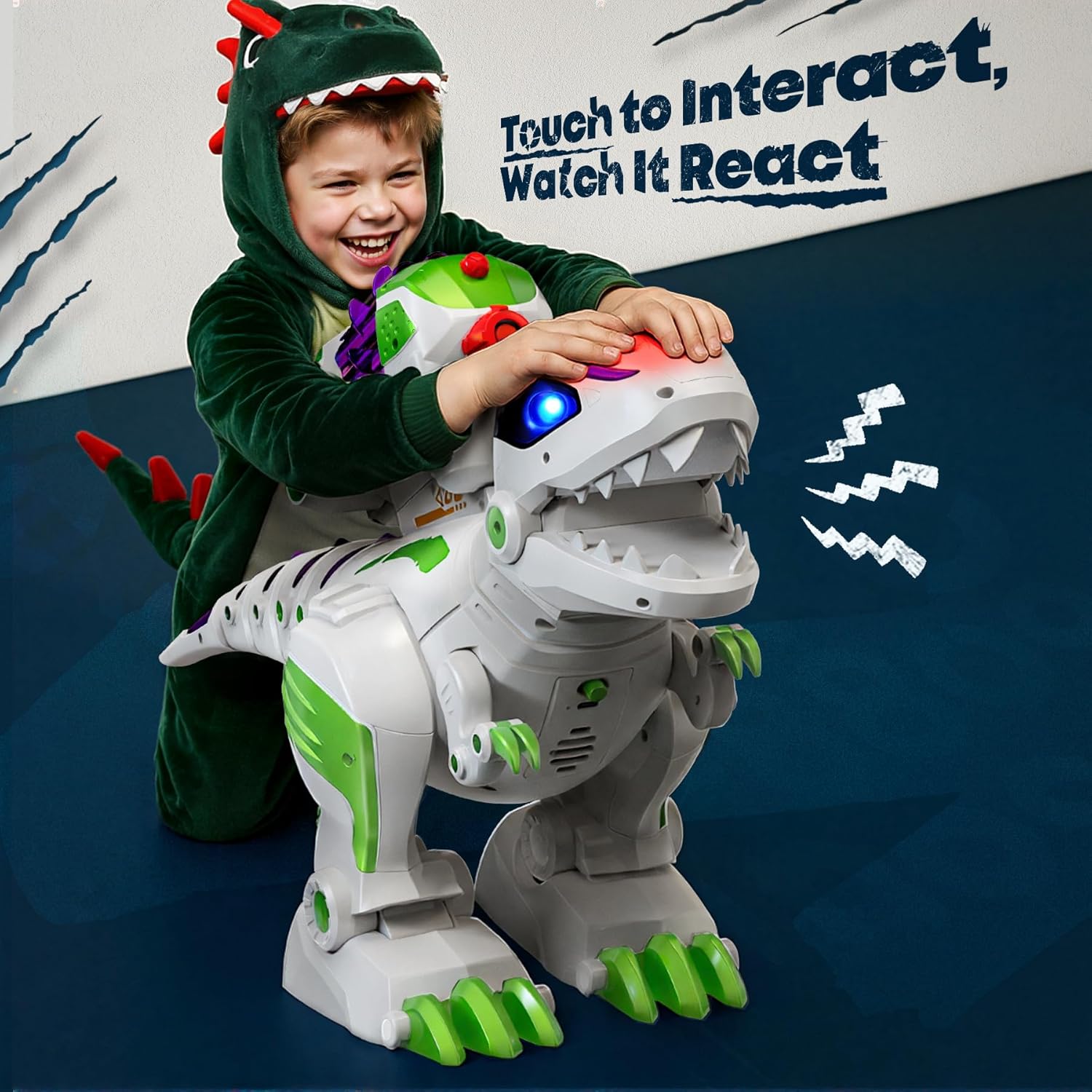
- Touch Interaction: The dinosaur features a touch-sensitive head. A gentle pat on its head can trigger reactions such as tail wagging, head shaking, or roaring, simulating a playful pet.
4. Charging the Dinosaur
The Ruko 8809 T-Rex Dinosaur Robot is equipped with a rechargeable Lithium Ion battery. To charge the dinosaur:
- Locate the charging port on the dinosaur (usually on the underside or side).
- Connect the provided charging cable to the dinosaur's charging port.
- Plug the other end of the charging cable into a compatible USB power source (e.g., computer USB port, USB wall adapter).
- The charging indicator light on the dinosaur will illuminate during charging and turn off or change color when fully charged.
- Charging time may vary. Refer to the full user manual for specific charging duration.

5. Maintenance
To ensure the longevity and optimal performance of your Ruko 8809 T-Rex Dinosaur Robot, follow these maintenance guidelines:
- Cleaning: Wipe the dinosaur and remote control with a soft, dry cloth. Do not use harsh chemicals or abrasive cleaners. Avoid exposing the toy to water or excessive moisture.
- Storage: When not in use, store the dinosaur and its accessories in a cool, dry place away from direct sunlight. Remove batteries from the remote control if storing for extended periods.
- Dart Care: Keep foam darts clean and free from debris to prevent jamming in the launcher.
6. Troubleshooting
If you encounter any issues with your Ruko 8809 T-Rex Dinosaur Robot, please refer to the following common problems and solutions:
| Problem | Possible Cause | Solution |
|---|---|---|
| Dinosaur does not turn on or respond. | Low battery in dinosaur or remote control. | Ensure dinosaur battery is fully charged. Replace batteries in the remote control. |
| Darts are not firing or getting stuck. | Darts are damaged or improperly loaded. | Use only undamaged foam darts. Ensure darts are fully inserted into the launcher. |
| Limited range or intermittent control. | Interference or low remote battery. | Operate within the specified 50-foot range. Replace remote control batteries. Avoid areas with strong electromagnetic interference. |
| Dinosaur is not performing programmed actions. | Incorrect programming sequence. | Clear existing program and re-enter the desired sequence carefully. |
If the problem persists after trying these solutions, please contact Ruko customer support for further assistance.
7. Specifications
Key technical specifications for the Ruko 8809 T-Rex Dinosaur Robot:
- Product Dimensions: 22.28 x 7.95 x 12.32 inches
- Item Weight: 4.19 pounds
- Item Model Number: 8809
- Manufacturer Recommended Age: 36 months - 3 years
- Batteries: 1 Lithium Ion battery (included)
- Remote Control Frequency: 2.4GHz
- Remote Control Range: Up to 50 feet

8. Warranty and Support
Ruko is committed to providing reliable support for its products. The Ruko 8809 T-Rex Dinosaur Robot includes:
- 30-Day Returns or Exchanges: For initial product issues.
- 90-Day Coverage: For manufacturing defects or malfunctions.
- Ongoing Expert Assistance: Dedicated customer support is available to help with any questions or concerns.
For customer support, please refer to the contact information below:

Contact Ruko Customer Support:
- Phone: +1 (888) 892-0155 (Mon-Fri: 8 AM to 2 AM PST, Sat-Sun: 8 AM to 5 PM PST)
- Email: service@rukotoy.com


