1. Important Safety Instructions
Please read all instructions carefully before using the dehumidifier and keep this manual for future reference. Always follow basic safety precautions to reduce the risk of fire, electric shock, or injury.
- Ensure the power supply matches the voltage specified on the rating label.
- Do not operate the unit with a damaged cord or plug.
- Do not block air inlets or outlets.
- Always place the unit on a stable, level surface.
- Do not immerse the unit, cord, or plug in water or other liquids.
- Unplug the unit before cleaning or performing any maintenance.
- This appliance is not intended for use by persons (including children) with reduced physical, sensory or mental capabilities, or lack of experience and knowledge, unless they have been given supervision or instruction concerning use of the appliance by a person responsible for their safety.
2. Product Overview
The COLAZE PD12R-03AE is an efficient electric dehumidifier designed to remove excess moisture from your environment, improving air quality and comfort. It features a digital display, smart touch controls, and multiple drainage options.

Front view of the COLAZE PD12R-03AE Dehumidifier, showcasing its compact design.
Key Components:
- Control Panel with Digital Display
- Air Inlet/Outlet
- Removable Water Tank (2.5L capacity)
- Continuous Drainage Outlet
- Washable Air Filter
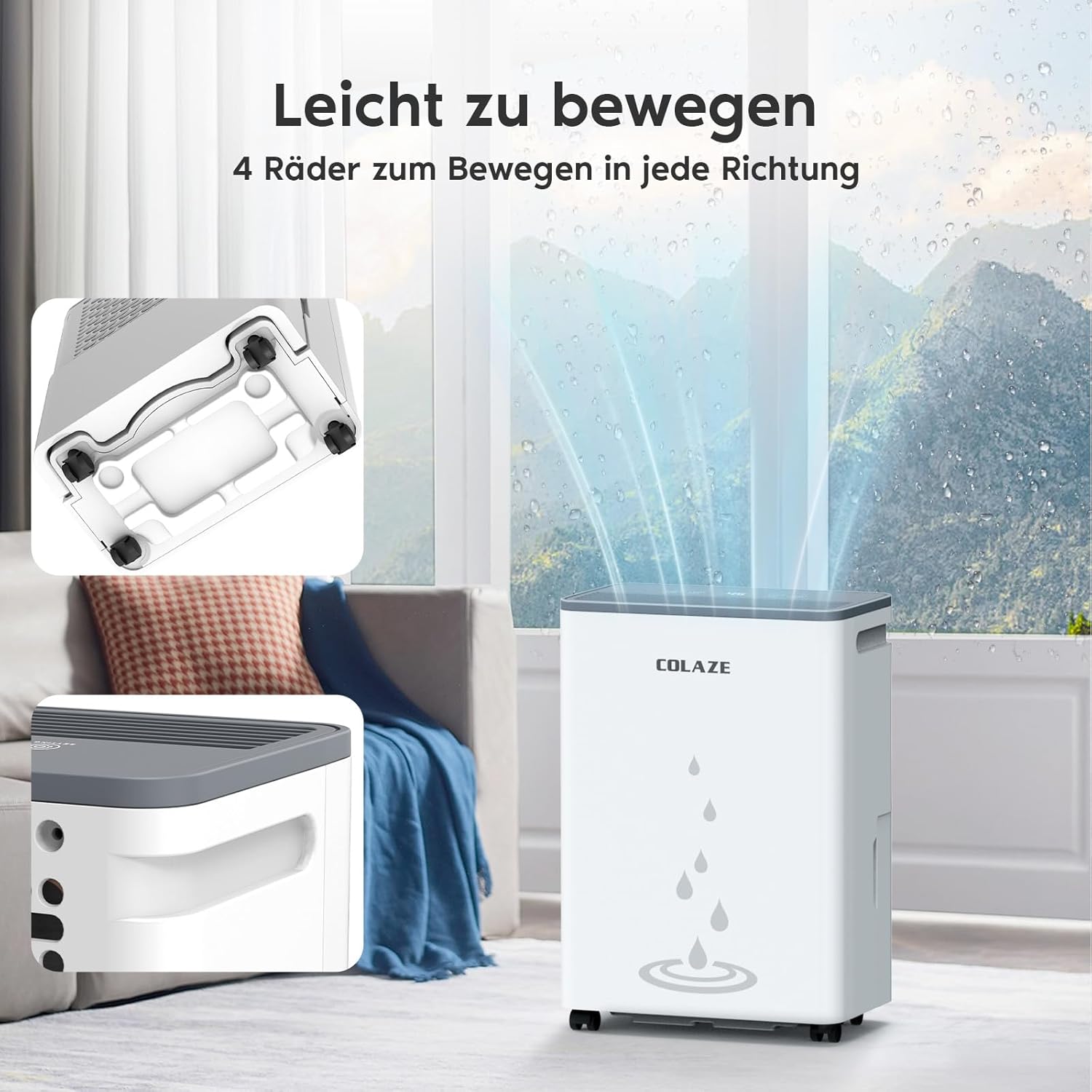
- Universal Wheels for Mobility
3. Setup
3.1 Unpacking
- Carefully remove the dehumidifier from its packaging.
- Remove all packing materials and ensure no components are missing.
- Inspect the unit for any damage incurred during shipping.
3.2 Placement
Place the dehumidifier on a firm, level surface in the desired location. Ensure there is at least 20 cm (8 inches) of space around the unit for proper airflow. The universal wheels allow for easy movement between rooms such as basements, bedrooms, bathrooms, living rooms, or laundry rooms.

The dehumidifier effectively removing moisture from the air in a living space.
3.3 Power Connection
Plug the power cord into a grounded electrical outlet. The unit is now ready for operation.
3.4 Water Drainage Options
The dehumidifier offers two methods for water drainage:
- Manual Drainage (Water Tank): The unit collects water in its 2.5-liter removable water tank. When the tank is full, the 'FULL' indicator will illuminate, and an alarm will sound. Empty the tank and reinsert it to resume operation.
- Continuous Drainage: For extended use without manual emptying, connect the included drainage hose to the continuous drainage outlet on the unit. Route the hose to a suitable drain, ensuring it is sloped downwards to allow gravity to drain the water.

Illustration of the two drainage methods: using the 2.5L water tank or connecting a continuous drainage hose.
4. Operating Instructions
4.1 Control Panel
The dehumidifier features an intuitive digital display and smart touch controls for easy operation.

The control panel showing the digital display of current humidity and touch buttons for settings, timer, speed, and power.
- POWER Button: Press to turn the unit ON or OFF.
- SETTING Button: Press to adjust the target humidity level. The digital display shows the current humidity. You can set the target humidity between 30% and 90%.
- SPEED Button: Selects the fan speed (e.g., Low, High).
- TIMER Button: Activates the 24-hour timer function.
- DEFROST Indicator: Illuminates when the unit is in defrost mode.
- FULL Indicator: Illuminates when the water tank is full.
4.2 Setting Target Humidity
- Turn on the dehumidifier using the POWER button.
- Press the SETTING button repeatedly to cycle through desired humidity levels (30% to 90%).
- The unit will operate until the room humidity reaches the set target, then it will pause. It will resume operation if the humidity rises above the target.
4.3 Timer Function
The 24-hour timer allows you to set a specific operating duration.
- Press the TIMER button.
- Use the SETTING button to adjust the desired operating hours (1-24 hours).
- The unit will automatically turn off after the set time.
4.4 Laundry Drying Mode
This dehumidifier can assist in drying laundry faster by continuously removing moisture from the air. Place the unit in the laundry room and select a continuous operation mode or a low humidity target.

The dehumidifier positioned in a laundry room to help accelerate the drying process of clothes.
5. Maintenance
Regular maintenance ensures optimal performance and longevity of your dehumidifier.
5.1 Cleaning the Water Tank
- Turn off the unit and unplug it from the power outlet.
- Carefully remove the water tank.
- Empty any collected water.
- Clean the tank with mild detergent and warm water. Rinse thoroughly.
- Dry the tank completely before reinserting it into the unit.
5.2 Cleaning the Air Filter
The washable air filter should be cleaned regularly (e.g., every two weeks or as needed) to maintain efficiency.
- Turn off and unplug the dehumidifier.
- Locate and remove the air filter (typically at the back or side of the unit).
- Wash the filter with warm, soapy water.
- Rinse thoroughly and allow it to air dry completely before reinstalling.

Illustration highlighting the washable filter, drainage hose, and handles of the dehumidifier.
6. Troubleshooting
If you encounter issues with your dehumidifier, refer to the following common problems and solutions:
| Problem | Possible Cause | Solution |
|---|---|---|
| Unit does not turn on | No power supply; Power cord not plugged in; Water tank full. | Check power connection; Empty water tank. |
| Dehumidifier not collecting water | Room temperature too low; Air filter clogged; Humidity setting too high. | Ensure room temperature is above 5°C (41°F); Clean air filter; Lower target humidity setting. |
| Unit is noisy | Unit not on a level surface; Air filter clogged. | Place on a flat, stable surface; Clean air filter. |
| 'FULL' indicator is on, but tank is not full | Water tank not properly inserted; Sensor malfunction. | Reinsert water tank correctly; Contact customer support if issue persists. |
The dehumidifier features automatic defrosting and a water-full sensor for overflow protection.
7. Specifications
| Feature | Specification |
|---|---|
| Brand | COLAZE |
| Model Number | PD12R-03AE |
| Color | White |
| Dehumidification Capacity | 20 Liters/day (at 86°F, 80% RH) |
| Power Consumption | 250 Watts |
| Water Tank Volume | 2.5 Liters |
| Product Dimensions (L x W x H) | 17 x 29 x 41 cm |
| Item Weight | 8.6 Kilograms |
| Special Features | Automatic Defrosting, Washable Filter, Timer, Removable Tank, Automatic Humidity Removal |
| Certifications | GS, EC Certified |
8. Warranty and Support
The COLAZE PD12R-03AE Dehumidifier comes with a two-year warranty, ensuring peace of mind. This includes free replacement for eligible issues and lifetime technical support.
For any questions, technical assistance, or warranty claims, please contact COLAZE customer support through the retailer where you purchased the product or visit the official COLAZE website for contact information.


