
Introduction
This manual provides detailed instructions for the installation, operation, and maintenance of your Lamicall BP12-RD Motorcycle & Bike Phone Mount. Please read thoroughly before use to ensure proper functionality and safety.
Setup: Handlebar Installation
The Lamicall BP12-RD features an upgraded handlebar clip for quick installation. It is designed to fit handlebar diameters from 0.59 to 1.57 inches (15-40mm).


Operating: Phone Installation & Removal
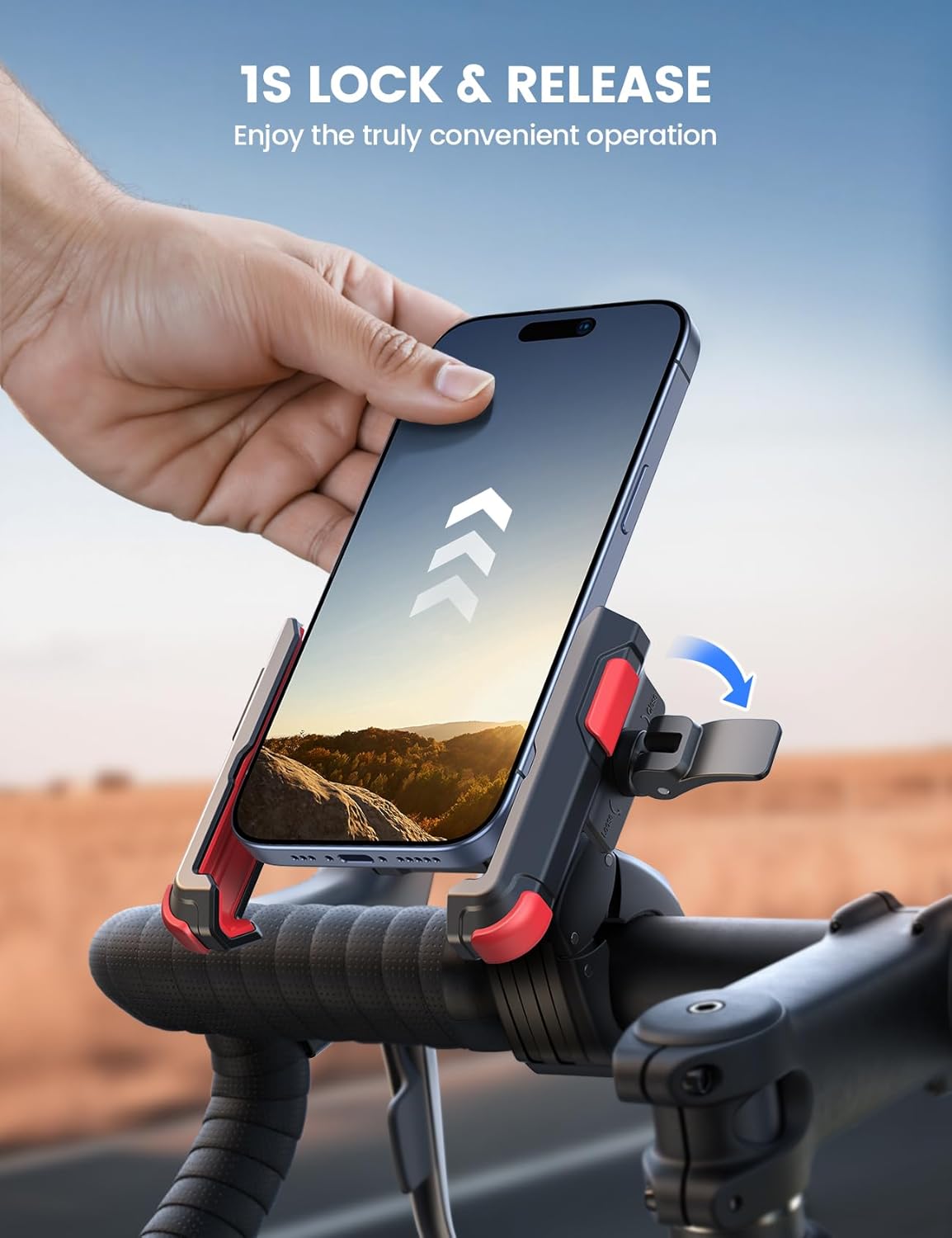
The mount features a 1-second lock and release mechanism for convenient one-hand operation. It accommodates phones with a width of 2.3 - 3.54 inches and a thickness of up to 0.59 inches.
Camera Access
The design ensures the rear camera remains uncovered, allowing you to record videos or take photos while riding.


Maintenance
- Regularly check all screws and connections to ensure they are tight and secure.
- Clean the mount with a damp cloth. Avoid harsh chemicals.
- Inspect the silicone pads for wear and tear. Replace if necessary to maintain grip.
- Store the mount in a cool, dry place when not in use for extended periods.
Troubleshooting
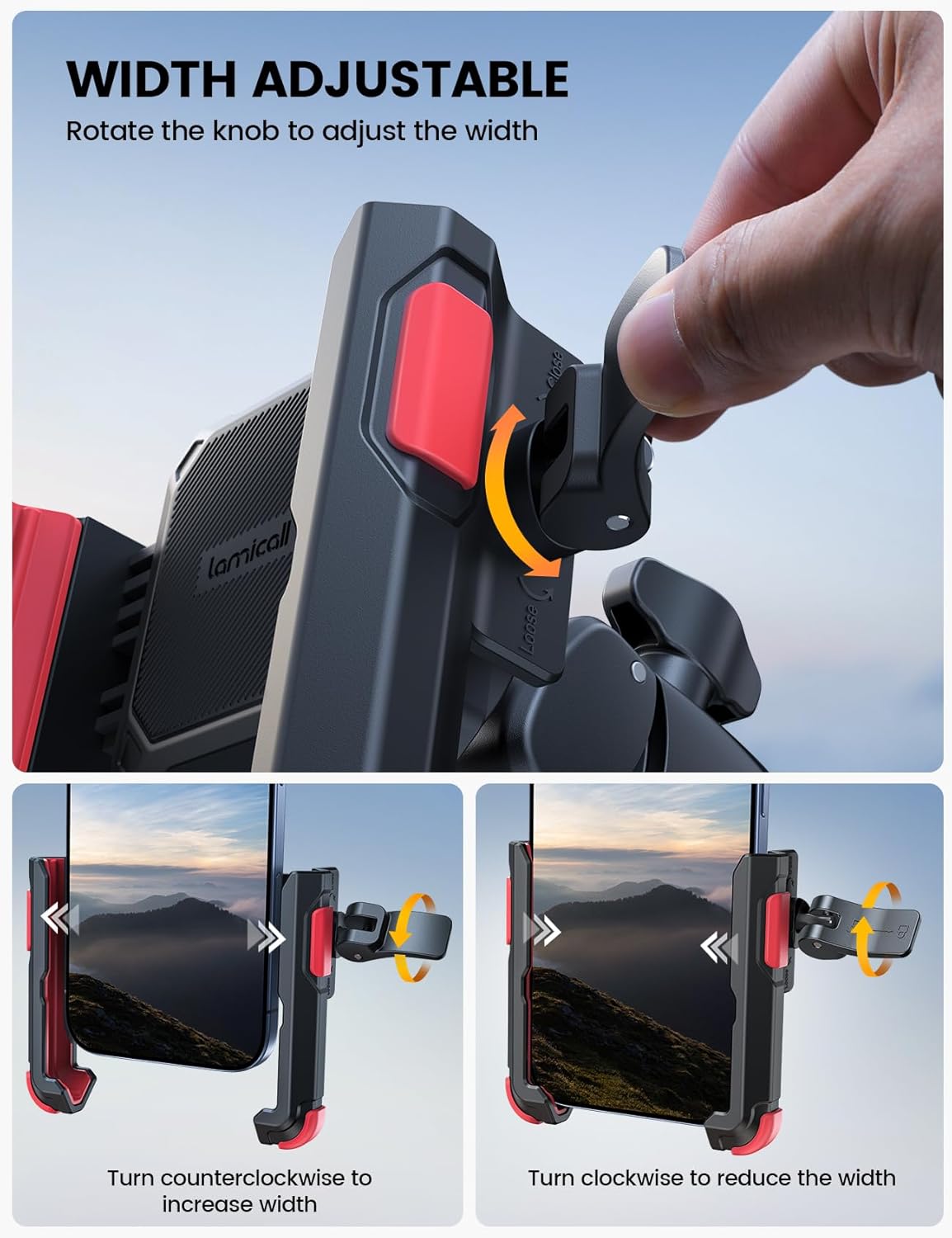
- Phone feels loose: Ensure the knob is tightened clockwise until the phone is securely gripped and the safety lock is engaged.
- Mount slides on handlebar: Verify the handlebar clamp is tightened sufficiently. The non-slip silicone pads should prevent movement.
- Difficulty inserting/removing phone: Ensure the knob is turned counterclockwise to fully expand the clip before inserting, and the safety lock is disengaged before removal.
Specifications
| Feature | Detail |
|---|---|
| Brand | Lamicall |
| Model Name | BP12-RD |
| Color | Red |
| Compatible Devices | Smartphones (4.7-7" phones, up to 0.59" thickness, 2.3-3.54" width) |
| Mounting Type | Handlebar |
| Compatible Handlebar Diameter | 0.59 - 1.57 inches (15 - 40mm) |
| Material | Plastic |
| Additional Features | Adjustable, 1s Quick Lock & Release, Camera Friendly |
Warranty
This Lamicall product comes with a 2-Year Warranty. Please retain your proof of purchase for warranty claims.
Support
For further assistance or inquiries, please visit the official Lamicall website or contact customer support through your purchase platform.
Official Lamicall Store: Lamicall Store on Amazon