
Humuge YPD2106
Contents
Humuge Mini Portable Air Conditioner User Manual
Model: YPD2106
Introduction
This manual provides essential information for the safe and efficient operation of your Humuge Mini Portable Air Conditioner. This versatile 4-in-1 device functions as a personal air cooler, humidifier, fan, and night light. Designed for personal space cooling, it is highly portable and energy-efficient.

Image: The Humuge Mini Portable Air Conditioner, showcasing its compact design, water reservoir with ice cubes, and the included USB-C charging cable.
Safety Instructions
- Ensure the device is placed on a stable, flat surface to prevent tipping.
- Do not overfill the water tank.
- Keep out of reach of children and pets.
- Do not block the air inlets or outlets during operation.
- Unplug the device before cleaning or when not in use for extended periods.
- Use only the provided Type-C cable for power.
- This device is designed for personal space cooling and will not cool an entire room or house.
What's in the Box
- 1 x Humuge Mini Portable Air Conditioner
- 4 x Sponge Sticks (for humidification)
- 1 x Type-C USB Cable
- 1 x User Manual
Setup
- Unpack the Device: Carefully remove all components from the packaging.
- Access Water Tank: Gently lift the top section of the air cooler to reveal the water tank.
- Add Water/Ice: Fill the water tank with clean water. For enhanced cooling, add ice cubes. The tank has a capacity of 1500ml.
- Replace Top Section: Securely place the top section back onto the water tank.
- Connect Power: Insert the Type-C USB cable into the device's port and connect the other end to a 5V/2A power source (e.g., computer USB port, power bank, car USB). The device does not have a built-in battery and requires continuous power during operation.

Image: Illustration of how to add water and ice to the device's reservoir for cooling and humidification.

Image: Various power options for the portable air conditioner, including power bank, USB socket, computer USB interface, and car charge.
Video: A demonstration of the portable air conditioner's unboxing, setup, and basic operation, including how to add water and connect power.
Operating Instructions
Control Panel Overview

Image: Detailed view of the control panel with buttons for Power On/Off, Timer, Cooling, and Ambient Light.
- Power On/Off: Press the power button (⏻) to turn the device on or off.
- Fan Speed Adjustment: The device offers three wind speeds (Low, Medium, High). Press the fan speed button (⇋) repeatedly to cycle through the speeds.

Image: Visual representation of the three adjustable fan speeds: Natural Breeze, Low Speed, and High Speed.
- Cooling/Humidifier Function: Press the cooling button (❄️) to activate the evaporative cooling and humidification function. This function sprays cool mist.
- Timer Function: Press the timer button (⏱) to set an automatic shut-off time. Options include 2 hours, 4 hours, or OFF (continuous operation).
- Night Light: Press the light button (💡) to activate the 7-color changing LED night light. Press again to cycle through colors or turn off.
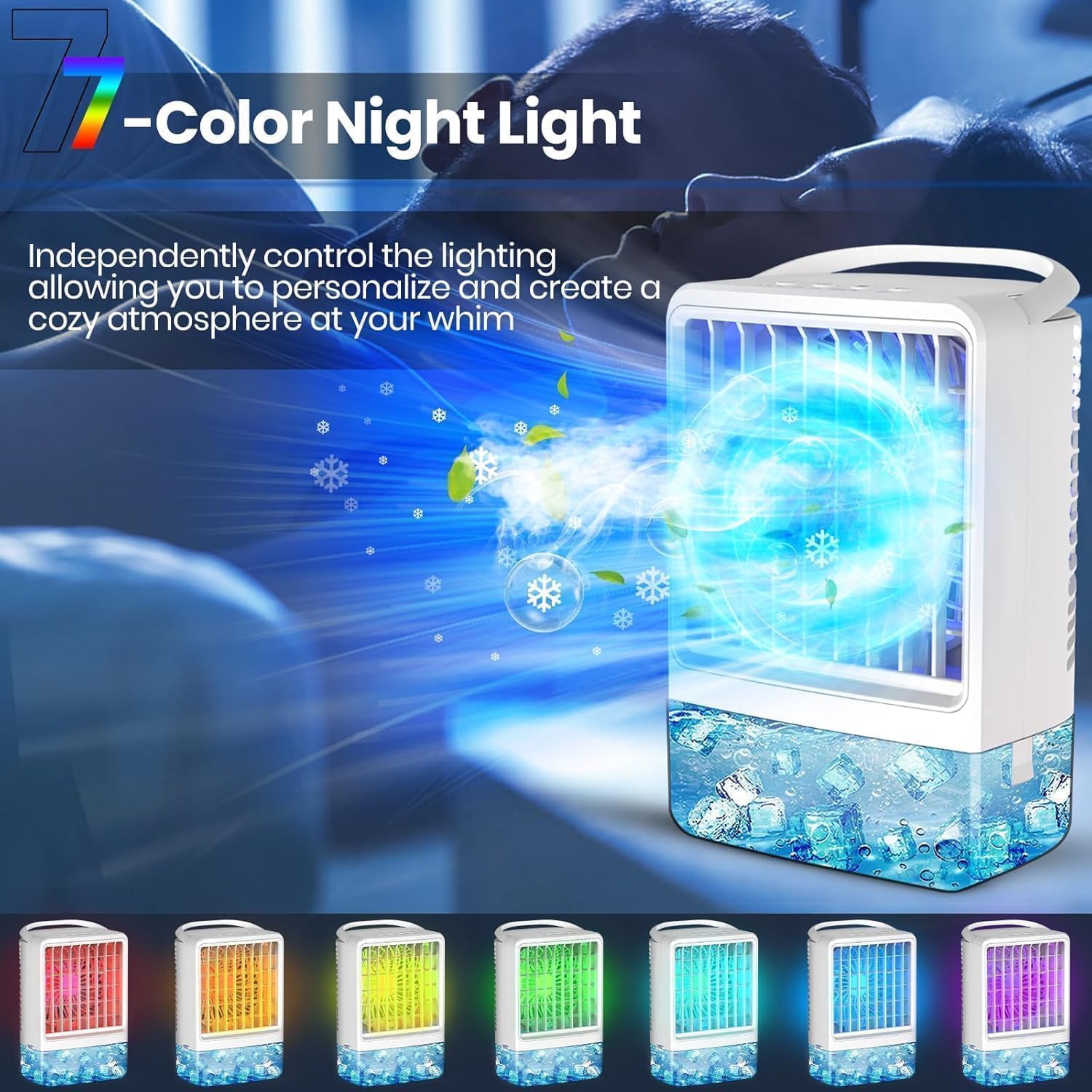
Image: The portable air conditioner displaying its 7-color night light feature, creating a cozy atmosphere.
- Adjustable Wind Direction: Manually adjust the air outlet up or down by 120° to direct the airflow.
Maintenance
- Water Tank Cleaning: Regularly empty and clean the water tank to prevent mold and mildew buildup. Use a soft cloth and mild detergent if necessary, then rinse thoroughly.
- Sponge Stick Replacement/Cleaning: The device comes with extra sponge sticks. If the humidification performance decreases, replace or clean the existing sponge stick. To access, gently open the device as shown in the setup section.
- Exterior Cleaning: Wipe the exterior of the device with a soft, damp cloth. Do not use abrasive cleaners or immerse the device in water.
- Storage: When not in use for extended periods, empty the water tank, clean the device, and store it in a cool, dry place away from direct sunlight.
Troubleshooting
| Problem | Possible Cause | Solution |
|---|---|---|
| Device does not turn on. | Not connected to power or insufficient power supply. | Ensure the Type-C cable is securely connected and the power source is 5V/2A. |
| No mist/humidification. | Water tank is empty or sponge stick is clogged/dry. | Refill water tank. Clean or replace the sponge stick. |
| Weak airflow. | Fan speed is too low or air inlets/outlets are blocked. | Increase fan speed. Clear any obstructions from air inlets/outlets. |
| Unpleasant odor from device. | Stagnant water or dirty water tank. | Empty and thoroughly clean the water tank. Use fresh, clean water. |
Specifications
- Brand: Humuge
- Model: YPD2106
- Dimensions: 5 x 11 x 7 inches
- Item Weight: 11.2 ounces
- Water Tank Capacity: 1500 Milliliters
- Voltage: 5 Volts
- Wattage: 6 watts
- Noise Level: ≤30 dB (at lowest speed)
- Special Features: 4-in-1 (Fan, Humidifier, AC, Night Light), Portable, 3-Speed Wind, 7-Color LED Light, Timer Function (2/4/OFF)
Warranty and Support
For warranty information or technical support, please refer to the contact details provided on the product packaging or reach out to the seller directly. Keep your purchase receipt for any warranty claims.
Ask a question about this manual
Ask about setup, troubleshooting, compatibility, parts, safety, or missing instructions. Manuals+ will review the question and use this page’s manual context to help answer it.