
Introduction
This manual provides detailed instructions for the ANRAN 5MP Solar Outdoor Security Camera, Model Q04. This device is a completely wireless, solar-powered surveillance camera designed for outdoor use. It features 5-megapixel high-definition video, 360° pan-tilt-zoom (PTZ) functionality, AI-powered human detection, color night vision, two-way audio communication, and compatibility with Alexa. Please read this manual thoroughly before installation and operation to ensure proper use and optimal performance.
Setup
Package Contents
- ANRAN 5MP Solar Outdoor Security Camera (Model Q04)
- Mounting Bracket
- Mounting Screws and Anchors
- USB Charging Cable
- User Manual
Installation
The camera and solar panel are integrated into a single unit, eliminating the need for complex wiring. This allows for flexible placement. For optimal solar charging, install the camera in an area that receives ample direct sunlight throughout the day. The camera is designed for wall mounting.

Image: ANRAN Solar Outdoor Security Camera with integrated solar panel. The camera is shown mounted on a wall, with the solar panel positioned above it to capture sunlight.
Wi-Fi Connection
The camera connects wirelessly via 2.4GHz Wi-Fi. For stable connectivity, ensure the camera is installed within 8 meters of your Wi-Fi router. During setup, you may need to enter your Wi-Fi password. If issues arise, verify you are using the correct encryption key for your 2.4GHz network.
MicroSD Card Installation (Optional)
The camera supports up to 128GB MicroSD cards for local video storage. Locate the MicroSD card slot, typically protected by a rubber cover, and insert the card with the contacts facing the correct direction. Ensure the cover is securely closed after installation to maintain the camera's waterproof rating.

Image: Close-up view of the MicroSD card slot on the ANRAN camera, showing where to insert the card.
Operating Instructions
High-Definition Video and PTZ Control
The camera captures video at 5-megapixel resolution, providing clear and detailed images. Utilize the Pan-Tilt-Zoom (PTZ) function via the mobile application to remotely adjust the camera's viewing angle, covering a 360° area. This allows for comprehensive surveillance without blind spots.

Image: ANRAN camera demonstrating 360-degree PTZ capability, with arrows indicating horizontal (355°) and vertical (90°) movement. A smartphone screen shows the live feed.

Image: A side-by-side comparison showing the difference between 2K (2304x1296) and 5MP (2592x1944) video resolution, highlighting the enhanced clarity of 5MP.
AI Human Detection and Night Vision
The camera features AI-powered human detection, which initiates recording and sends notifications only when human movement is detected, reducing unnecessary recordings and conserving power. In low-light conditions, the camera can capture full-color images at night. When an intruder is detected, the camera can activate LED lights and an alarm sound to deter them. Light and sound alarms can be toggled on/off via the app.
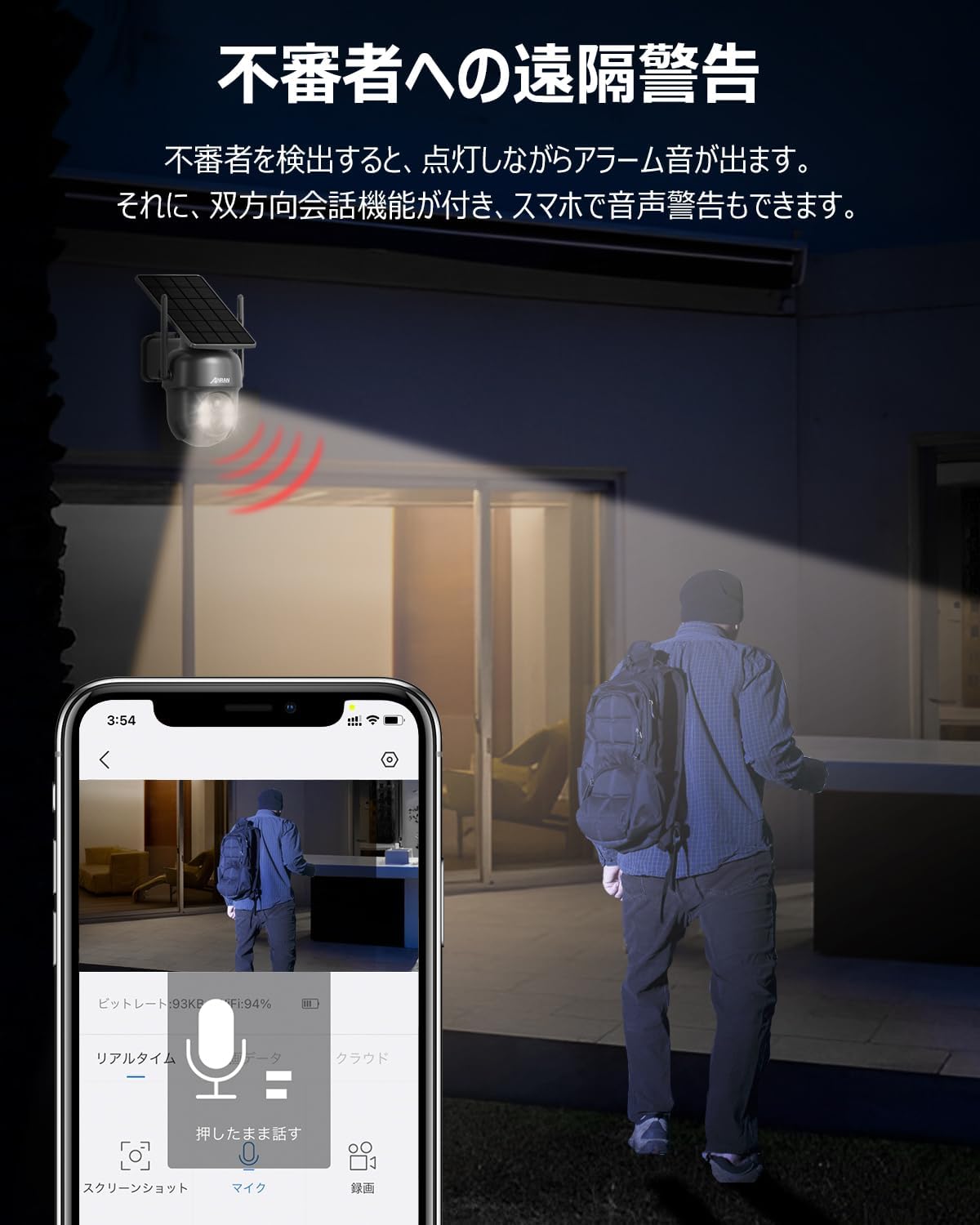
Image: ANRAN camera detecting an intruder at night, emitting light and sound. A smartphone screen shows the live feed with a microphone icon for two-way audio.

Image: Three different night defense modes: Siren Warning (camera detects motion, alarm sounds), Light Warning (camera detects motion, light illuminates), and Light & Sound Warning (camera detects motion, light and sound alarm activate).
Two-Way Audio Communication
Equipped with a built-in microphone and speaker, the camera enables two-way communication. This feature is useful for speaking with delivery personnel or family members remotely. The camera's feed can be shared across multiple devices, allowing family members to monitor in real-time.
Alexa Compatibility
The camera is compatible with Alexa, allowing for voice control and integration into your smart home system. You can view the camera feed on compatible Alexa-enabled devices using voice commands.
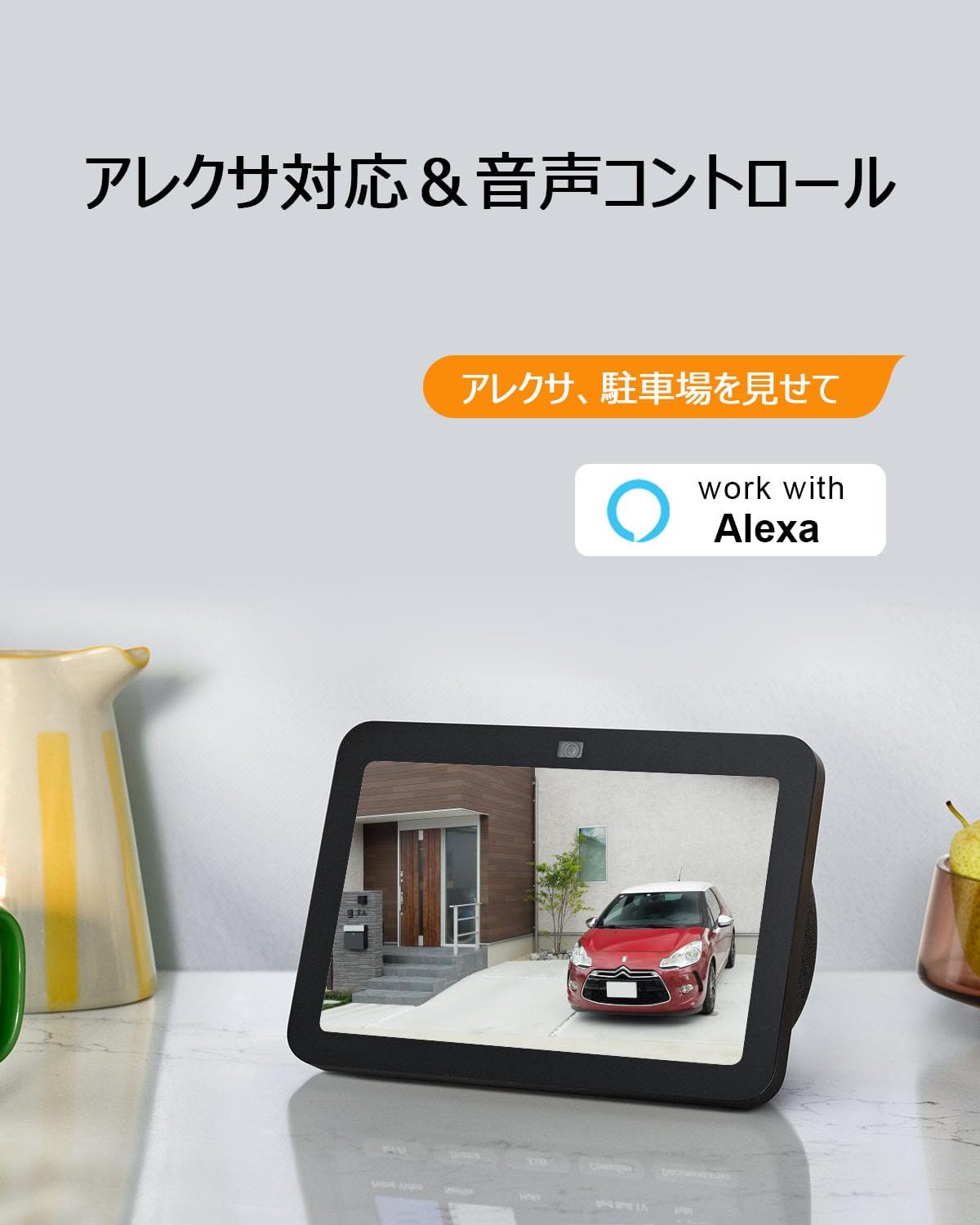
Image: An ANRAN camera feed displayed on an Alexa-enabled smart display, demonstrating voice control functionality.
Motion Detection Sensitivity Adjustment
The motion detection sensitivity can be adjusted in 10 levels via the mobile application. If you receive too many notifications, lower the sensitivity. If some events are missed, increase the sensitivity.

Image: An illustration showing an adjustable alarm area for motion detection and a 10-level slider for sensitivity adjustment.
Remote Viewing and Sharing
Access live camera feeds and recorded footage from your smartphone or tablet. The camera supports sharing access with multiple users, allowing family members to view the camera simultaneously.

Image: A smartphone and tablet displaying live camera feeds, with location pins indicating remote access for multiple users.
Maintenance
Weather Resistance
The camera has an IP65 waterproof and dustproof rating, ensuring normal operation in various weather conditions, including rain and snow. It is designed to operate within a temperature range of -10°C to 50°C.

Image: ANRAN camera shown outdoors in various weather conditions (cloudy, snowy, sunny), highlighting its IP65 waterproof rating and operating temperature range of -10°C to 50°C.
Solar Panel Care
Regularly clean the surface of the solar panel to ensure maximum sunlight absorption and efficient battery charging. Dust, dirt, or debris can reduce charging efficiency.
Battery Level Monitoring
Monitor the battery level via the smartphone app. You will receive a notification when the battery level drops below 20%, allowing you to take action before it runs out completely.
Troubleshooting
- Camera not connecting to Wi-Fi: Ensure your Wi-Fi network is 2.4GHz. Verify the camera is within 8 meters of the router. Double-check the Wi-Fi password.
- Battery not charging: Confirm the solar panel is positioned in an area with sufficient direct sunlight. Clean the solar panel surface if it is dirty.
- Frequent false alarms: Adjust the motion detection sensitivity to a lower setting via the mobile application.
- Missed recordings: Increase the motion detection sensitivity. Check if the MicroSD card is properly inserted and has sufficient storage space.
- Poor image quality: Ensure the camera lens is clean and free from obstructions. Check your network connection speed.
For further assistance, please refer to the Warranty & Support section for contact information.
Specifications
| Feature | Specification |
|---|---|
| Brand | ANRAN |
| Model Number | Q04 |
| Connectivity Technology | Wireless |
| Indoor/Outdoor Use | Outdoor |
| Power Source | Battery powered |
| Connectivity Protocol | Wi-Fi (2.4GHz) |
| Mounting Type | Wall Mount (Screw-in) |
| Video Capture Resolution | 5 Megapixels (2592x1944) |
| Color | Black |
| Included Components | Camera |
| Form Factor | Dome |
| Night Vision Range | 15 meters |
| Product Dimensions | 22 x 16 x 27 cm |
| Video Capture Format | MP4 |
| Audio Visual Recording | Video with Two-Way Audio |
| Operating Temperature | -10°C to 50°C |
| Waterproof Rating | IP65 |
| MicroSD Card Support | Up to 128GB (sold separately) |
MicroSD Card Recording Times (Approximate for 5MP)
| MicroSD Card Capacity | Recording Time (5MP, 2592x1944) |
|---|---|
| 16GB | Approx. 146 hours |
| 32GB | Approx. 293 hours |
| 64GB | Approx. 586 hours |
| 128GB | Approx. 1172 hours |
Note: Recording times are approximate and may vary depending on installation location and video quality settings. File sizes are larger in areas with frequent motion.

Image: A visual chart illustrating approximate recording durations for different MicroSD card capacities at 5MP resolution.
Warranty & Support
This product has obtained PSE certification and Technical Conformity certification in Japan, ensuring compliance with safety and radio wave standards. We are committed to providing a reliable product.
Should you have any questions or encounter any issues, please do not hesitate to contact our support team:
- Phone Support: Monday - Friday, 10:00-13:00 / 14:30-19:30 (Japan Standard Time)
- Email Support: Available 24 hours a day
Please refer to the product packaging or official ANRAN website for the most current contact details.


