
1. Introduction
Thank you for purchasing the LG Split Smart Inverter Air Conditioner S3UQ12JA31E. This manual provides essential information for the safe and efficient operation, installation, and maintenance of your air conditioning unit. Please read this manual thoroughly before using the product and keep it for future reference.
This LG air conditioner features advanced Inverter technology for energy efficiency, Smart AI for optimized comfort, and can be controlled remotely via the LG ThinQ application.
2. Safety Information
To prevent injury to the user or other people and property damage, the following instructions must be followed. Incorrect operation due to ignoring instructions may cause harm or damage.
- Installation: Installation must be performed by qualified service personnel in accordance with the National Wiring Standards. Do not attempt to install the unit yourself.
- Power Supply: Ensure the power supply matches the unit's specifications (220V). Do not use multi-outlet adapters or extension cords.
- Operation: Do not insert fingers or foreign objects into the air inlet/outlet. Do not spray water directly onto the unit.
- Maintenance: Always turn off the power and unplug the unit before cleaning or performing any maintenance.
- Refrigerant: This unit contains R32 refrigerant. Do not attempt to repair or tamper with the refrigerant circuit. Contact qualified service personnel.
3. Product Overview
The LG Split Smart Inverter Air Conditioner S3UQ12JA31E is a 12000 BTUs cooling-only unit designed for residential use, featuring advanced technology for comfort and efficiency.
3.1. Main Components
- Indoor Unit: Mounted inside the room, responsible for air intake and discharge.
- Outdoor Unit: Mounted outside, houses the compressor and condenser.
- Remote Control: For convenient operation of the unit.
3.2. Key Features
- 12000 BTUs Cooling Capacity: Ideal for cooling rooms such as bedrooms or offices.
- Inverter Technology: Provides energy-efficient operation, precise temperature control, and quiet performance.
- Smart AI: Learns user habits and automatically adjusts settings for optimal comfort.
- LG ThinQ App Control: Allows remote control and monitoring of the unit via a smartphone.
- Washable Air Filter: Contributes to healthier indoor air quality by reducing dust and particles.
- Low Noise Level: Operates at a quiet 22 Decibels.
- Modern Design: Discreet and blends easily with various interior decors.
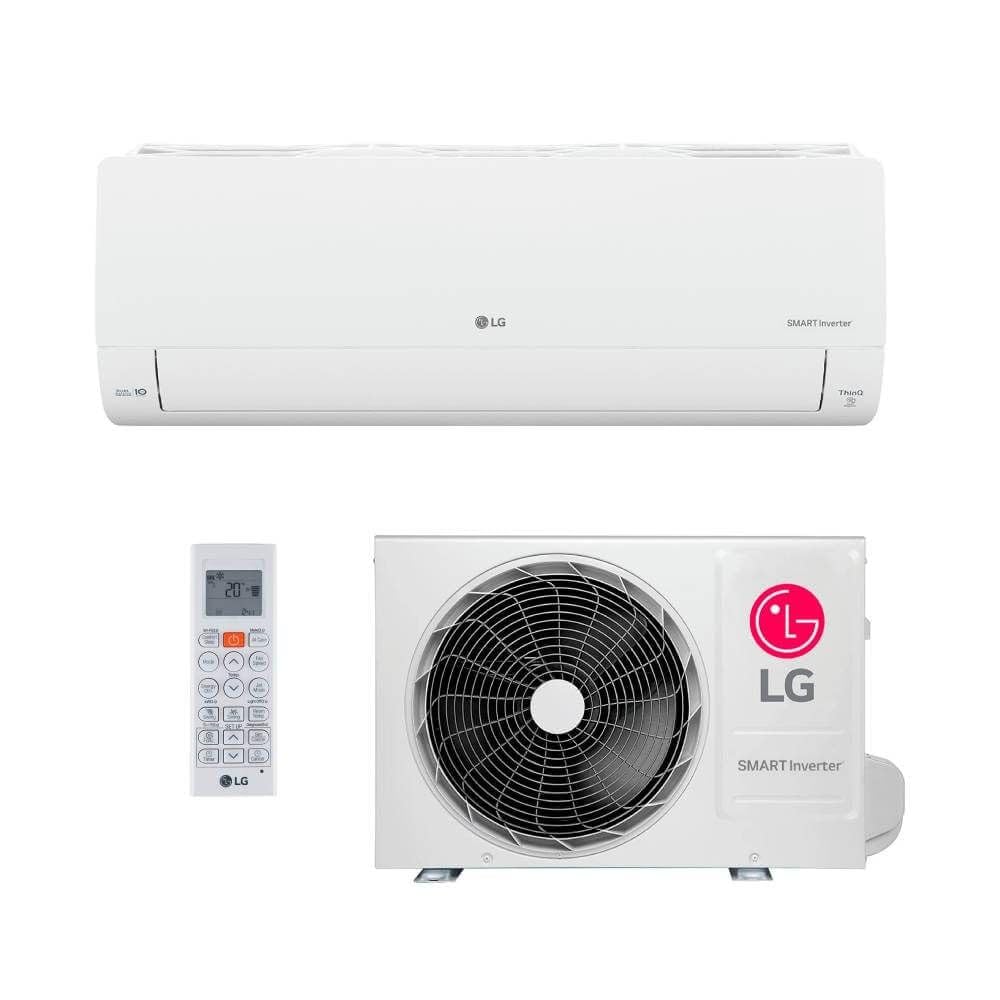
Image 3.1: The indoor unit of the LG Split Smart Inverter Air Conditioner S3UQ12JA31E, showcasing its modern and discreet design.
4. Setup
4.1. Installation
The LG Split Smart Inverter Air Conditioner requires professional installation. Due to the complexity of split systems, including refrigerant lines and electrical connections, it is highly recommended to hire a certified HVAC technician for installation. Improper installation can lead to reduced performance, energy inefficiency, and safety hazards.
4.2. Initial Power-up
- After professional installation is complete, ensure all electrical connections are secure.
- Turn on the main power supply to the air conditioner unit.
- The unit may perform an initial self-check. Wait for any indicator lights to stabilize.
5. Operating Instructions
5.1. Basic Operation (Using Remote Control)
- Power On/Off: Press the POWER button to turn the unit on or off.
- Mode Selection: Press the MODE button to cycle through available modes. This model primarily supports COOLING mode.
- Temperature Adjustment: Use the TEMP UP (▲) or TEMP DOWN (▼) buttons to set your desired temperature.
- Fan Speed: Press the FAN SPEED button to adjust the fan intensity.
- Swing Function: Use the SWING button to adjust the louver direction for optimal air distribution.
5.2. Smart Features (LG ThinQ App)
The LG ThinQ app allows you to control and monitor your air conditioner from your smartphone, offering enhanced convenience and smart functionalities.
- Download App: Download the LG ThinQ app from your smartphone's app store (Google Play Store or Apple App Store).
- Connect to Wi-Fi: Follow the in-app instructions to connect your air conditioner to your home Wi-Fi network.
- Remote Control: Use the app to turn the unit on/off, change modes, adjust temperature, and set fan speed from anywhere.
- Smart AI Functionality: The integrated AI learns your usage patterns and environmental conditions to automatically optimize settings for comfort and energy saving. Ensure the AI function is enabled in the app settings for this feature to work effectively.
6. Maintenance
Regular maintenance ensures optimal performance, energy efficiency, and longevity of your air conditioner.
6.1. Air Filter Cleaning
The air filter should be cleaned regularly, typically every two weeks, or more frequently depending on usage and air quality.
- Turn off the air conditioner and disconnect the power supply.
- Open the front panel of the indoor unit.
- Carefully remove the air filters.
- Wash the filters with lukewarm water and a mild detergent. Rinse thoroughly.
- Allow the filters to dry completely in a shaded area before reinserting them. Do not expose to direct sunlight.
- Close the front panel and restore power.
6.2. General Cleaning
- Indoor Unit: Wipe the exterior of the indoor unit with a soft, damp cloth. Do not use harsh chemicals or abrasive cleaners.
- Outdoor Unit: Ensure the outdoor unit's coils and fins are free from debris, leaves, and dirt. This can be done by gently brushing them or using a low-pressure water spray. Ensure power is off before cleaning.
7. Troubleshooting
If you encounter issues with your air conditioner, refer to the following common troubleshooting steps before contacting service personnel.
| Problem | Possible Cause | Solution |
|---|---|---|
| Unit does not turn on | No power supply; Remote control batteries dead. | Check circuit breaker; Replace remote control batteries. |
| Insufficient cooling | Dirty air filter; Blocked outdoor unit; Room too large for capacity; Doors/windows open. | Clean air filter; Clear obstructions from outdoor unit; Ensure proper room size; Close doors/windows. |
| Unusual noise | Loose parts; Obstruction in fan; Unit not level. | Contact service for inspection; Check for obstructions; Ensure unit is level. |
| LG ThinQ app not connecting | Wi-Fi issue; Incorrect app settings; Router problem. | Check Wi-Fi connection; Reconfigure app settings; Restart router. |
If the problem persists after attempting these solutions, please contact LG customer support or a qualified service technician.
8. Specifications
| Brand | LG |
| Model Number | S3UQ12JA31E |
| Cooling Capacity | 12000 BTUs |
| Special Features | Remote Controlled, Air purification filter, Inverter compressor, Modern and discreet design |
| Product Dimensions (Indoor Unit) | 18.9D x 83.7W x 30.8H cm |
| Noise Level | 22 Decibels |
| Inverter Type | Yes |
| Installation Type | Split |
| Compressor Type | Rotary Scroll |
| External Unit Required | Yes |
| Application | Residential |
| Control Method | Application (LG ThinQ) |
| Operating Mode | Cooling |
| Form Factor | Minisplit |
9. Warranty and Support
9.1. Warranty Information
This LG Air Conditioner comes with a Limited Warranty provided by the manufacturer, LG. The specific terms and duration of the warranty may vary by region and purchase date. Please refer to the warranty card included with your product or visit the official LG website for detailed warranty information.
9.2. Customer Support
For technical assistance, service requests, or further inquiries, please contact LG Customer Support:
- Online Support: Visit the official LG website for support resources, FAQs, and contact options.
- Phone Support: Refer to your product documentation or the LG website for local customer service phone numbers.
When contacting support, please have your product model number (S3UQ12JA31E) and serial number ready.


