
Introduction
This manual provides detailed instructions for the setup, operation, and maintenance of your Feihe SR-16ST 15.6-inch Smart TV with integrated Bluetooth Speaker and Karaoke System. Please read this manual thoroughly before using the product to ensure proper function and to maximize your user experience. Keep this manual for future reference.
Product Overview
The Feihe SR-16ST is a versatile entertainment system combining a 15.6-inch Full HD Smart TV with a powerful Bluetooth speaker and a karaoke function. It features a retro-style design with modern capabilities, including Android TV, Chromecast built-in, and Google Assistant voice control. It is designed for various environments such as home, RVs, or camping, requiring a nearby power source for operation.

Image: The Feihe SR-16ST unit, showcasing its 15.6-inch screen, integrated speaker, control knobs, and two wireless microphones.
Key Features:
- 15.6-inch Full HD Smart TV: Features Android TV with built-in Chromecast and Google Assistant voice control.
- 200W Peak Power Bluetooth Speaker: Equipped with four 2-inch tweeters and two 5-inch woofers for immersive audio, supporting Bluetooth 5.3.
- Karaoke System: Includes two wireless microphones for entertainment. Bass and treble settings are adjustable.
- Retro-Style Design: Combines a classic aesthetic with modern 1080p display technology.
- Multiple Connectivity Options: HDMI, USB, AUX inputs, and an external ATSC tuner for live television.
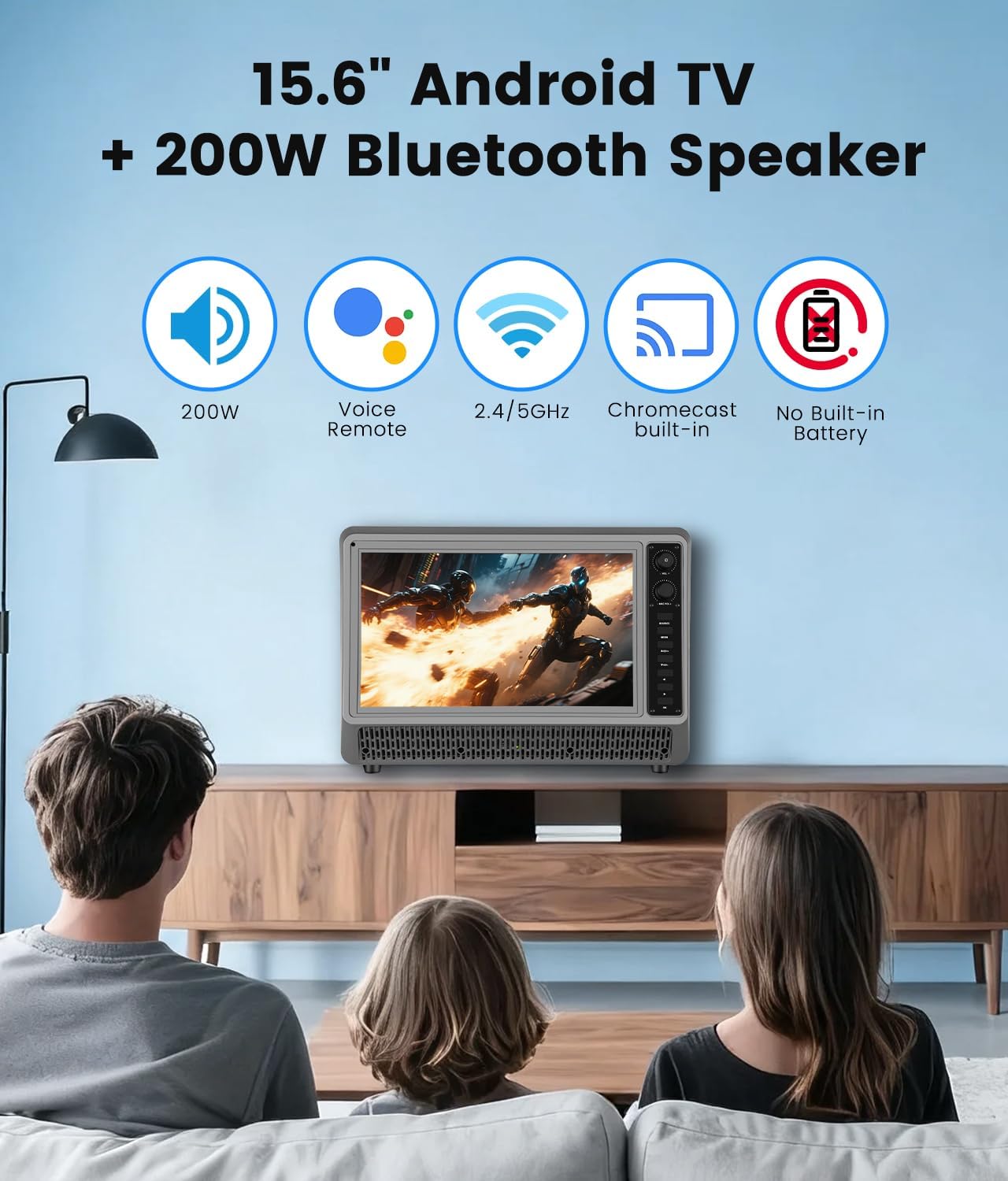
Image: Visual representation of the product's core features, including Android TV, Bluetooth speaker, voice remote, Wi-Fi, Chromecast, and the absence of a built-in battery.
What's in the Box
Carefully unpack your Feihe SR-16ST and ensure all items listed below are present:
- 15.6 inch Small Smart TV with Speaker System
- Remote Control
- AC Adapter
- 2x Wireless Microphones
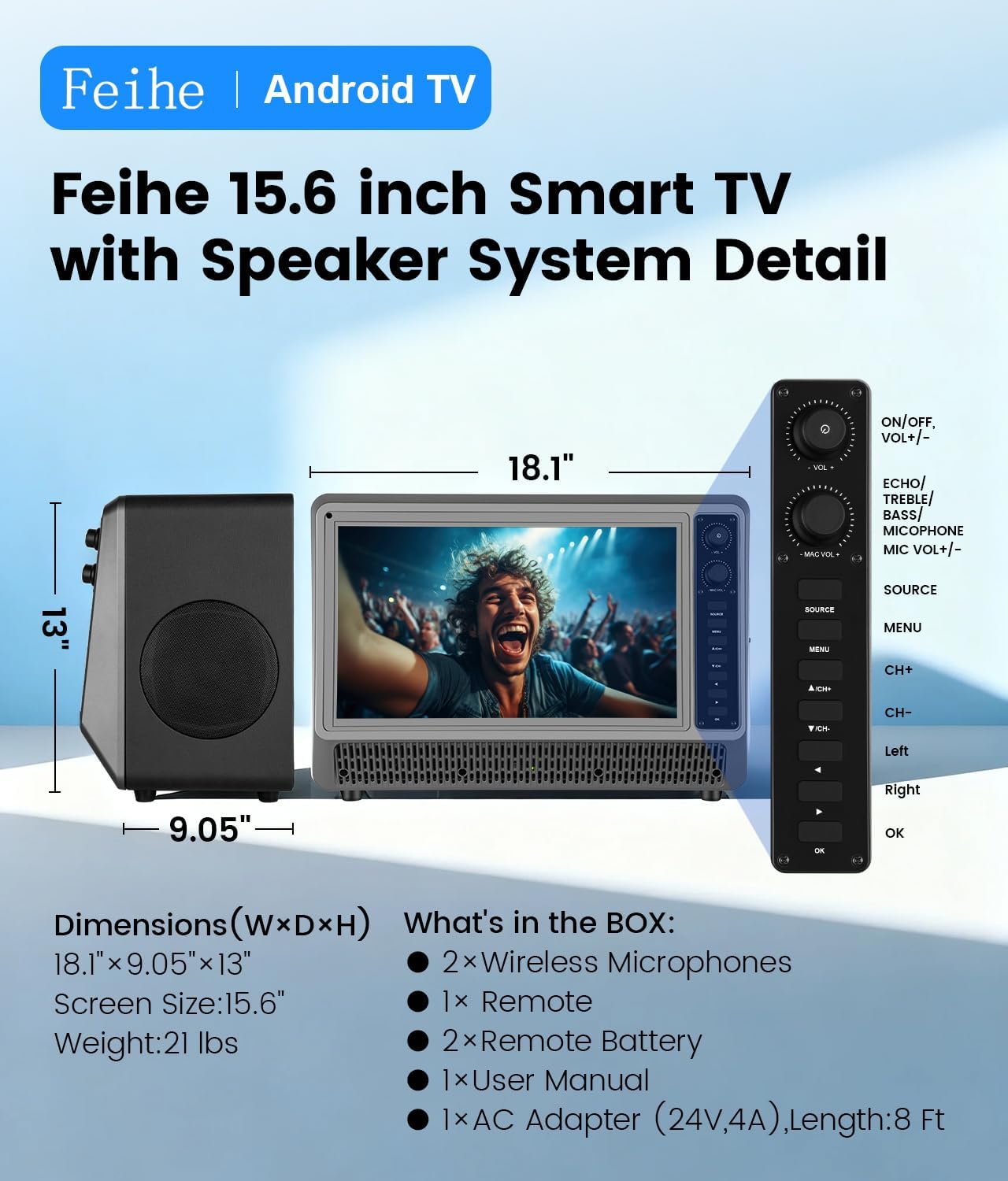
Image: A diagram illustrating the product dimensions and listing the contents of the package.
Setup Guide
1. Power Connection
- Place the Feihe SR-16ST on a stable, flat surface.
- Connect the AC adapter to the power input port on the back of the unit.
- Plug the AC adapter into a standard 110V AC power outlet. The unit requires a continuous power source as it does not have a built-in battery.
2. Initial Android TV Setup
- Press the Power button on the unit or the remote control to turn on the TV.
- Follow the on-screen instructions to complete the initial setup, which includes selecting your language, connecting to a Wi-Fi network (2.4GHz or 5GHz supported), and signing in with your Google account.
- The Google Assistant voice control remote will guide you through its pairing process during the initial setup.
3. Wireless Microphone Setup
- Insert batteries into the wireless microphones (batteries not included).
- Turn on the microphones. The TV system should automatically detect and connect to them.
- Adjust microphone volume and echo settings using the controls on the unit or remote.
Operating Instructions
1. Basic TV Operation
- Power On/Off: Use the power button on the unit or remote.
- Navigation: Use the directional pad and OK button on the remote to navigate the Android TV interface.
- Input Selection: Press the "Source" button on the remote to switch between HDMI, AUX, USB, and ATSC tuner inputs.
- Google Assistant: Press the Google Assistant button on the remote and speak your commands for content search, app control, and more.
2. Bluetooth Speaker Operation
- Pairing:
- Ensure Bluetooth is enabled on your smartphone, tablet, or laptop.
- On the Feihe SR-16ST, navigate to the Bluetooth settings or select the Bluetooth input source.
- Search for "KT-010" (or similar device name) on your external device and pair.
- Audio Control: Adjust volume using the TV remote or the dedicated volume knob on the unit. The speaker system provides 200W peak power with deep bass and clear treble.
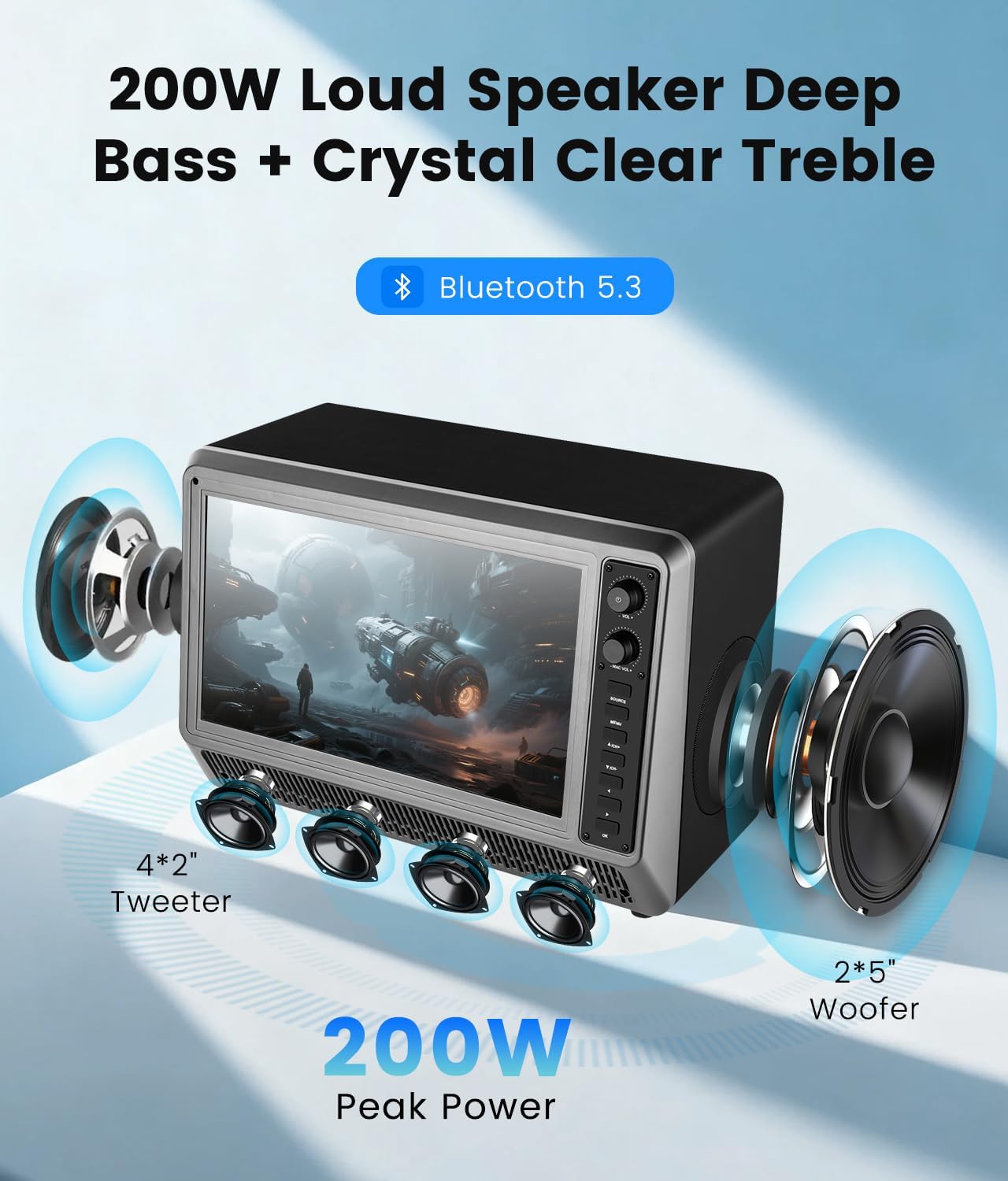
Image: An exploded view illustrating the speaker configuration with tweeters and woofers, emphasizing the audio power.
3. Karaoke System Operation
- Microphone Usage: Once paired, the wireless microphones are ready for use.
- Sound Customization: Use the dedicated controls on the unit or remote to adjust microphone volume, echo, bass, and treble settings for optimal karaoke performance.
- Note: The system does not support lyric display directly. You will need to use a separate app or source for lyrics.

Image: A group of people using the Feihe SR-16ST for karaoke, illustrating the wireless microphone functionality and Bluetooth range.
4. Connectivity Options
- HDMI: Connect external devices such as gaming consoles or streaming sticks.
- USB: Play media files from a USB drive.
- AUX: Connect audio devices via a 3.5mm audio cable.
- ATSC Tuner: Connect an antenna to receive live over-the-air television broadcasts.
- Chromecast Built-in: Cast content directly from compatible apps on your smartphone or tablet.
- OTG (On-The-Go): Supports USB OTG for connecting peripherals.
- Earphone: Connect headphones for private listening.
Important Compatibility Note:
- This TV is not compatible with Xfinity, Comcast, Verizon, Spectrum, or DirecTV Cable Services.
- The remote control is not compatible with Fire Stick or Roku devices.

Image: An illustration detailing the available input and output ports on the rear of the unit.
Maintenance
- Cleaning the Screen: Use a soft, lint-free cloth specifically designed for electronics screens. Do not use harsh chemicals or abrasive materials.
- Cleaning the Unit: Wipe the exterior with a soft, dry cloth. Avoid getting moisture into any openings.
- Storage: If storing the unit for an extended period, disconnect it from power and store it in a cool, dry place.
Troubleshooting
| Problem | Possible Cause | Solution |
|---|---|---|
| No power | Power cable not connected; outlet not working. | Ensure AC adapter is securely connected to the unit and a working power outlet. |
| No picture/sound | Incorrect input source selected; external device not connected properly. | Press the "Source" button to select the correct input. Check all cable connections. |
| Bluetooth device won't pair | Bluetooth not enabled on external device; device too far. | Ensure Bluetooth is active on your device. Move the device closer to the Feihe SR-16ST (within 50ft). |
| Microphones not working | Microphones not powered on; batteries low. | Turn on microphones. Replace batteries if needed. |
| Cannot connect to cable services (Xfinity, etc.) | Product incompatibility. | This product is not designed to be compatible with these specific cable services. Use the ATSC tuner for over-the-air broadcasts or other input methods. |
Specifications
| Feature | Detail |
|---|---|
| Brand | Feihe |
| Model Number | SR-16ST |
| Screen Size | 15.6 Inches |
| Display Technology | LED |
| Resolution | 1080p Full HD |
| Refresh Rate | 60 Hz |
| Aspect Ratio | 16:9 |
| Speaker Output | 200W Peak Power |
| Bluetooth Version | 5.3 |
| Connectivity | HDMI, USB, AUX, Bluetooth, Wi-Fi (2.4/5GHz), OTG, Earphone |
| Special Features | Android TV, Chromecast Built-in, Google Assistant Voice Remote, Wireless Microphones, ATSC Tuner, Retro-Style Design |
| Power Input | 110 Volts (AC) |
| Power Consumption | 96 watts |
| Product Dimensions (W x D x H) | 18.11" x 9.05" x 12.99" |
| Item Weight | 27.8 pounds |

Image: The retro design of the Feihe SR-16ST, highlighting its 1080p display and tactile quality.
Warranty and Support
Feihe provides a one-year warranty for the SR-16ST Smart TV with Bluetooth Speaker and Karaoke System. This warranty covers manufacturing defects and ensures responsive customer support.
If you encounter any issues or have questions regarding your product, please contact Feihe customer support. Refer to the product packaging or the official Feihe website for the most current contact information.