
Tecno Spark GO 5G Smartphone User Manual
Model: KM8
1. Getting Started
1.1. What's in the Box
Upon unboxing your Tecno Spark GO 5G, ensure all components are present:
- Tecno Spark GO 5G Smartphone
- Protective Phone Case
- Power Adapter
- USB Cable
- SIM Tray Ejector

The retail package includes the Tecno Spark GO 5G smartphone, a protective phone case, a power adapter for charging, a USB cable, and a SIM tray ejector tool.
1.2. Device Overview
Familiarize yourself with the physical layout of your Tecno Spark GO 5G.

This image shows the Tecno Spark GO 5G smartphone in Ink Black, highlighting its sleek design and dual camera setup on the rear.
1.3. Inserting SIM Card and Powering On
- Locate the SIM card tray on the side of the device.
- Insert the SIM tray ejector tool into the small hole next to the tray and push gently until the tray pops out.
- Place your Nano-SIM card(s) and/or microSD card into the tray with the gold contacts facing down.
- Carefully reinsert the tray into the phone.
- Press and hold the Power button (usually on the right side) until the Tecno logo appears.
- Follow the on-screen instructions to complete the initial setup, including language selection and Wi-Fi connection.
1.4. Charging the Battery
Before first use, it is recommended to fully charge the device. Connect the USB cable to the power adapter and then to your phone's charging port. Plug the adapter into a power outlet. The battery indicator on the screen will show charging progress.
The image prominently displays the 6000mAh battery capacity of the Tecno Spark GO 5G, indicating long-lasting power.
2. Operating Your Device
2.1. Basic Navigation
Your Tecno Spark GO 5G features a responsive touchscreen for interaction. Use gestures such as tapping, swiping, pinching, and spreading to navigate the interface.

A close-up of the Tecno Spark GO 5G's display, illustrating the vibrant user interface and screen layout.
2.2. Connectivity
- Wi-Fi: Go to Settings > Network & internet > Wi-Fi to connect to available networks.
- Bluetooth: Go to Settings > Connected devices > Bluetooth to pair with other Bluetooth devices.
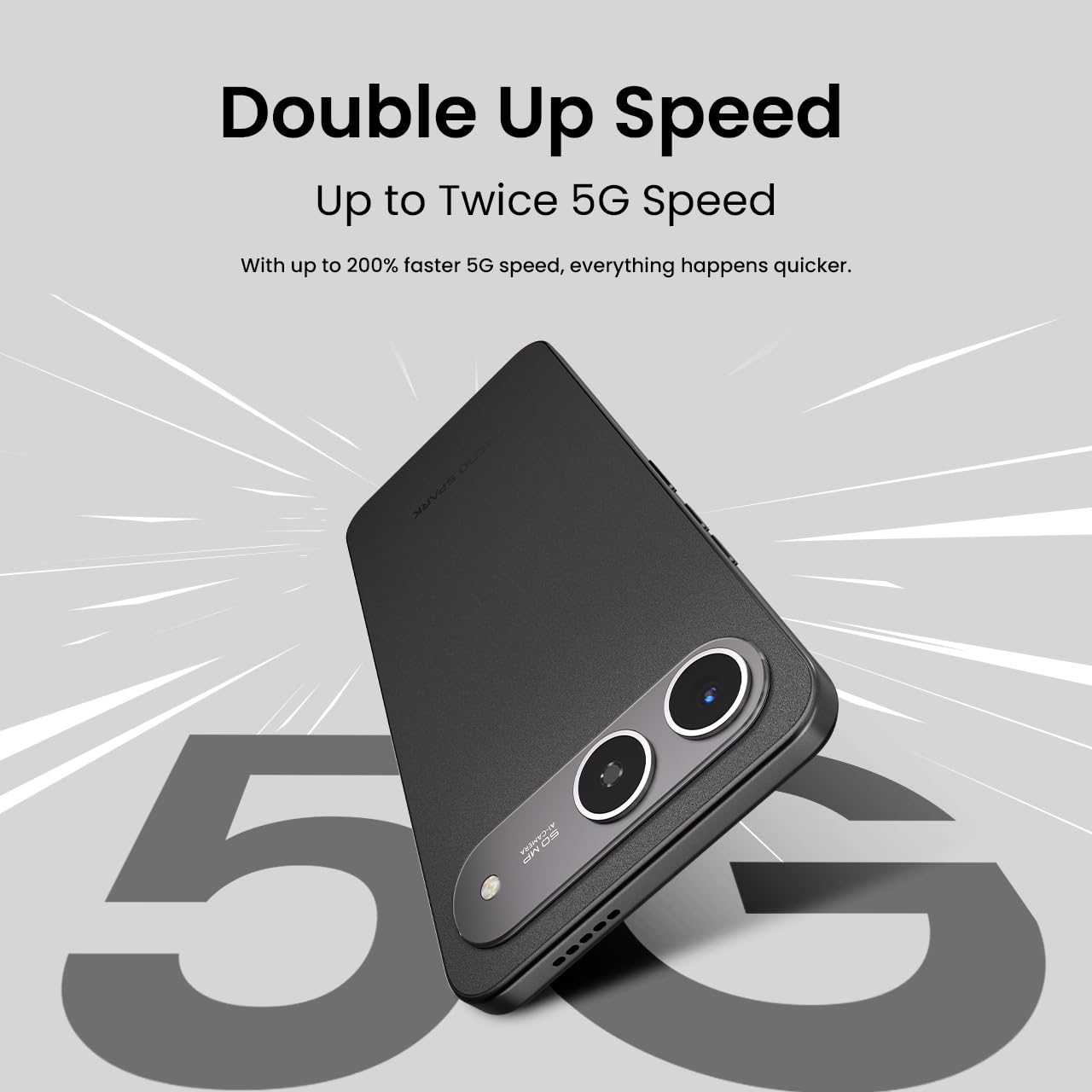
- 5G Network: The device supports 5G Carrier Aggregation for enhanced speed and signal strength.

This image emphasizes the smartphone's capability for up to double 5G speed, indicating enhanced network performance.

The image illustrates the 4x4 MIMO technology integrated into the Tecno Spark GO 5G, which uses four antennas for faster and stronger network connectivity.
2.3. Camera Functions
The Tecno Spark GO 5G is equipped with a 50MP AI Camera. Open the Camera app from your home screen or app drawer. Select different modes like Photo, Video, Portrait, or Night mode. Tap the shutter button to capture images or start/stop video recording.

A detailed view of the Tecno Spark GO 5G's 50MP AI Camera, designed for capturing high-resolution images.
2.4. Ella AI Features
Your device includes Ella AI with support for Indian languages, enhancing daily tasks and interactions.
- Voice Support: Use voice commands in supported Indian languages for various tasks.
- Circle to Search: Draw a circle around any object or text on your screen to initiate a search.
- AI Writing Assistant: Utilize AI to help draft messages, emails, or other text content.
A visual representation of the Ella AI interface on the Tecno Spark GO 5G, showcasing its support for various Indian languages.

This image demonstrates Ella AI's productivity tools, such as 'Circle to Search' for quick information retrieval and an 'AI Writing Assistant' for drafting content.
3. Maintenance and Care
3.1. Cleaning Your Device
Use a soft, lint-free cloth to clean the screen and body of your phone. Avoid using harsh chemicals or abrasive materials that could damage the finish.
3.2. Battery Care
To prolong battery life, avoid exposing your phone to extreme temperatures. It is generally recommended to keep the battery charge between 20% and 80% for optimal longevity. The 6000mAh battery is designed for extended use.
3.3. Software Updates
Regularly check for and install software updates to ensure your device has the latest features, security patches, and performance improvements. Go to Settings > System > System update.
3.4. Dust and Water Resistance
The Tecno Spark GO 5G has an IP64 rating, meaning it is resistant to dust ingress and splashes of water. While it can withstand splashes, it is not designed for submersion in water. Avoid intentional exposure to water or dust.

This image visually represents the IP64 rating of the Tecno Spark GO 5G, signifying its resistance to dust and water splashes.
4. Troubleshooting
If you encounter issues with your device, try the following common troubleshooting steps:
- Device Not Powering On: Ensure the battery is charged. Connect the phone to its charger and wait a few minutes before attempting to power it on again.
- Apps Crashing or Freezing: Close the problematic app and reopen it. If the issue persists, restart your phone. You can also clear the app's cache or data via Settings > Apps > [App Name] > Storage.
- Network Connectivity Issues: Check if Airplane Mode is off. Restart your phone. Verify your SIM card is properly inserted. If using Wi-Fi, restart your router.
- Slow Performance: Close unused apps. Clear cache and temporary files. Consider uninstalling apps you no longer use.
- Factory Reset: As a last resort, if software issues persist, you may perform a factory reset. This will erase all data on your phone, so back up important information first. Go to Settings > System > Reset options > Erase all data (factory reset).
5. Specifications
Key technical specifications for the Tecno Spark GO 5G (Model: KM8):
| Feature | Specification |
|---|---|
| Operating System | Android 15 |
| Item Model Number | KM8 |
| Product Dimensions | 16.8 x 7.8 x 0.8 cm |
| Item Weight | 194 g |
| Battery Power Rating | 6000 mAh |
| RAM Memory Installed Size | 4 GB (up to 8GB with Memory Fusion) |
| Internal Storage | 128 GB ROM |
| CPU Model | MediaTek D6400 5G Processor |
| CPU Speed | 3.4 GHz |
| Connectivity Technologies | Bluetooth, Infrared, USB, Wi-Fi |
| Other Display Features | Wireless |
| Device Interface - Primary | Touchscreen |
| Audio Jack | No headphone jack |
| Form Factor | Touch |
| Color | Ink Black |
| Manufacturer | G Mobiles India |
| Country of Origin | India |

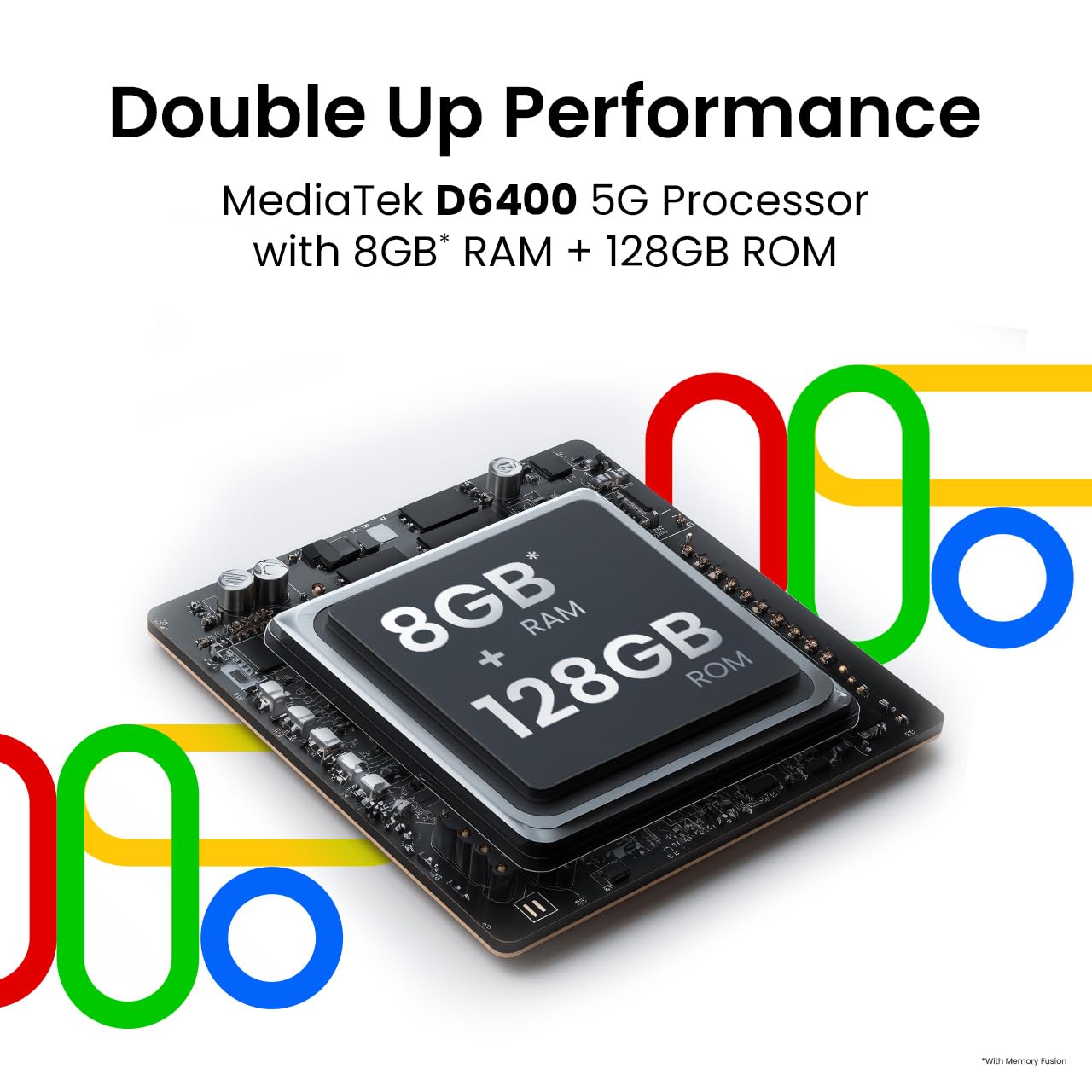
This image highlights the MediaTek D6400 5G Processor, 8GB RAM (with Memory Fusion), and 128GB ROM of the Tecno Spark GO 5G.

This image highlights the Tecno Spark GO 5G's slim 7.99mm body and light 194g weight, emphasizing its ergonomic design.
6. Warranty and Support
6.1. Warranty Information
Your Tecno Spark GO 5G smartphone comes with a manufacturer's warranty. Please refer to the warranty card included in your product packaging or visit the official Tecno website for detailed terms and conditions regarding warranty coverage, duration, and service procedures. Keep your proof of purchase for warranty claims.
6.2. Customer Support
For further assistance, technical support, or service inquiries, please contact Tecno customer support. You can find contact details, FAQs, and service center locations on the official Tecno website: Tecno Mobile India.


