
CQH TY600T
CQH TY600T 6MP TUYA Outdoor Security Camera User Manual
Model: TY600T
Introduction
This manual provides detailed instructions for the installation, operation, and maintenance of your CQH TY600T 6MP TUYA Outdoor Security Camera. Please read this manual thoroughly before using the product to ensure proper functionality and safety. Keep this manual for future reference.
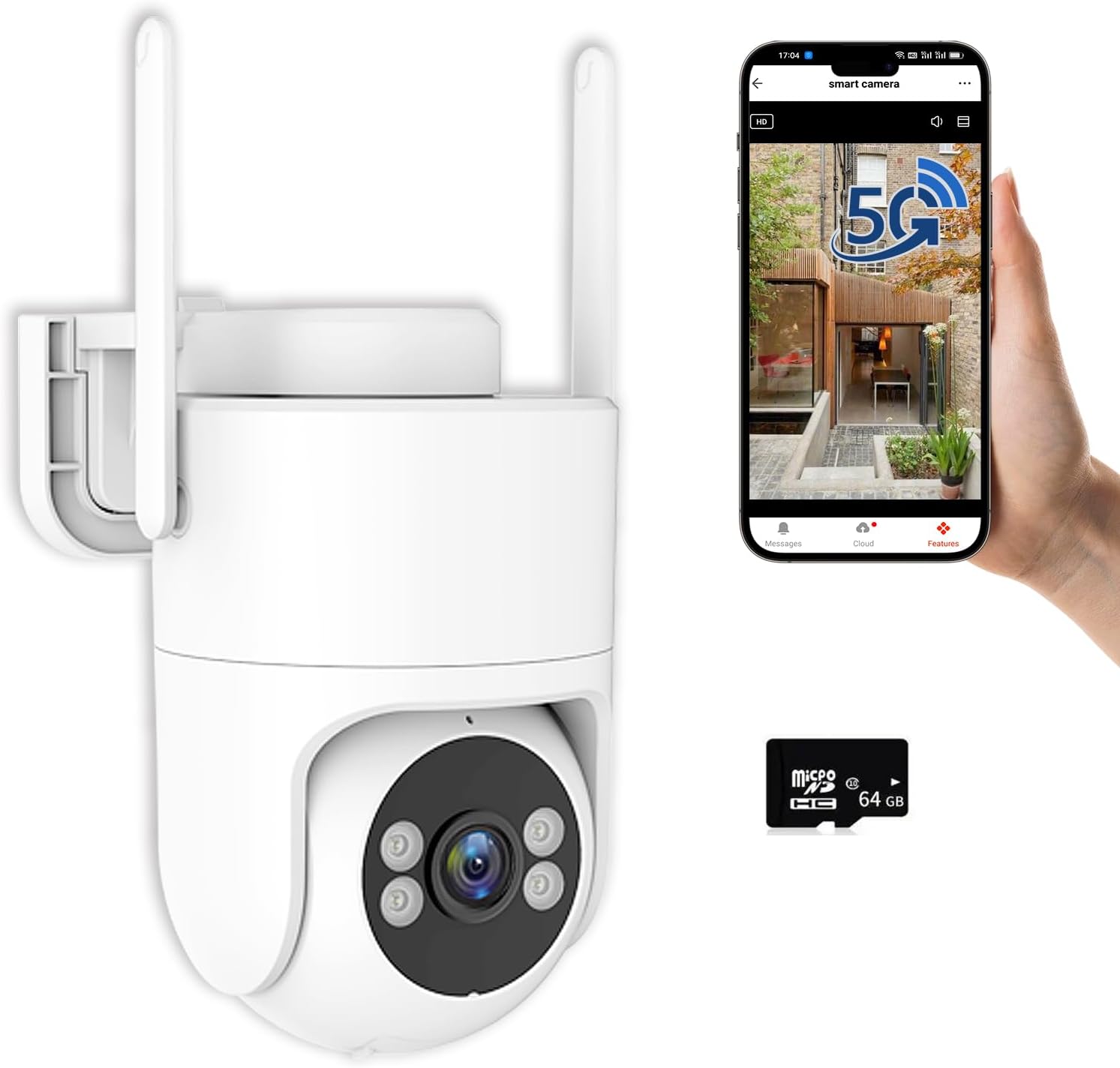
Image: CQH TY600T 6MP TUYA Outdoor Security Camera, showing the camera unit, a smartphone displaying the live feed, and a 64GB Micro SD card.
What's in the Box
Verify that all components are present upon unpacking:
- Smart baby camera
- Power adapter
- USB power cord
- Screw accessories package
- Manual
Setup
1. Physical Installation
The camera is designed for both indoor and outdoor use, with an IP65 rating for weather resistance. It can be mounted on a ceiling, table, or crib. Ensure the camera is placed within range of your Wi-Fi network and has access to a power outlet.

Image: Diagram illustrating the CQH TY600T camera's components, including the reset key, TF card slot, Wi-Fi antenna, microphone, camera lens, white light, and speaker, along with its dimensions (160mm height, 98mm width).
2. App Installation and Wi-Fi Connection
To connect your camera to the network and access its features, follow these steps using the Tuya app:
- Turn on your phone's Wi-Fi and Bluetooth.
- Open the "Tuya" app and tap "Add Device".
- Wait for the device icon (smart camera) to appear in the app.
- Click on the device icon and confirm your Wi-Fi details (2.4GHz or 5GHz network).
- Wait for the device to connect.
Note: If unable to connect, hold the reset button for 5 seconds while powered on to restore factory settings. Repeat the connection process if necessary.

Image: A sequence of five smartphone screenshots demonstrating the step-by-step process of connecting the camera to the Tuya app via Bluetooth, including enabling Wi-Fi and Bluetooth, adding a device, selecting the camera, entering Wi-Fi credentials, and confirming successful connection.
Video: How to Connect the PTZ Camera to the APP (Bluetooth Version)
Video: This video demonstrates the process of connecting the CQH PTZ camera to the mobile application using Bluetooth, guiding users through each step for successful device pairing.
Operating Instructions
Pan-Tilt 360° View
The camera features a 6MP CMOS sensor and supports 355° horizontal and 90° vertical adjustment. This allows for comprehensive coverage, minimizing blind spots. You can control the camera's movement remotely through the mobile app.

Image: The CQH TY600T camera demonstrating its 355-degree pan and 90-degree tilt functionality, with an accompanying smartphone screen showing the live view and directional controls for movement.
Color Night Vision & Two-Way Audio
Equipped with four infrared lights, the camera offers clear night vision, which can be set to infrared or full-color mode, with a range of up to 65 feet. A built-in microphone and speaker enable two-way audio communication, allowing you to speak with individuals near the camera through the Tuya mobile app. The app also supports manual zoom in and out.

Image: A split image comparing the camera's infrared night vision (monochrome) on the left with its full-color night vision on the right, showcasing the enhanced visibility in low-light conditions.
Motion Detection & Smart Alerts
The camera features motion detection and tracking. Upon detecting movement, it records video and sends real-time alerts to your phone. You can configure sound and light alarms, causing the camera to emit an alarm and flash its lights when motion is detected.

Image: An illustration of the camera's smart deterrence features, showing a person detected by the camera and various alert options such as app push notifications, siren activation, email alerts, and spotlight activation.
24/7 Recording & Storage
The camera supports 24/7 loop recording. It comes with a 64GB micro SD card for local storage, and cloud storage options are also available. A privacy mode ensures video data security.

Image: A graphic detailing the camera's 24/7 loop recording capability, highlighting storage options including up to 128GB Micro SD Card and cloud storage, with smartphone screens showing recorded footage.
Video: 6MP Security Camera Outdoor Monitoring Screen
Video: This video displays the monitoring screen of the 6MP security camera in an outdoor setting, showcasing its live feed capabilities and image quality.
Maintenance
To ensure optimal performance and longevity of your CQH TY600T camera, follow these maintenance guidelines:
- Cleaning: Gently wipe the camera lens and exterior with a soft, dry cloth. Avoid using harsh chemicals or abrasive materials that could damage the surface or lens.
- Power Supply: Ensure the power adapter and cable are free from damage. Do not expose the power connections to excessive moisture.
- Firmware Updates: Periodically check the Tuya app for available firmware updates. Keeping the camera's firmware updated ensures access to the latest features and security enhancements.
- Environmental Conditions: While the camera is IP65 rated for outdoor use, extreme weather conditions (e.g., severe storms, prolonged sub-zero temperatures) may affect performance. Ensure proper installation to protect against direct, heavy impacts from rain or snow.
Troubleshooting
| Problem | Possible Cause | Solution |
|---|---|---|
| Camera fails to connect to Wi-Fi. | Incorrect Wi-Fi password; camera too far from router; 5GHz network selected when camera only supports 2.4GHz (or vice versa); network interference. | Verify Wi-Fi password. Move camera closer to router. Ensure correct Wi-Fi band is selected (camera supports both 2.4GHz and 5GHz). Try resetting the camera (hold reset button for 5 seconds) and re-pairing. |
| No image or black screen in the app. | Camera is offline; poor network connection; power issue. | Check if the camera is powered on and connected to Wi-Fi. Restart the camera and the app. Verify network stability. |
| Motion detection alerts are not received. | Motion detection is disabled; app notifications are turned off; sensitivity settings are too low. | Enable motion detection in the app settings. Check phone notification settings for the Tuya app. Adjust motion detection sensitivity. |
| Two-way audio not working. | Microphone/speaker disabled in app; volume too low; network latency. | Ensure microphone and speaker functions are enabled in the app. Adjust volume settings. Check network connection for stability. |
| SD card not recording or recognized. | SD card full; card not inserted correctly; card is faulty or incompatible. | Format the SD card via the app. Reinsert the SD card. Try a different compatible SD card (up to 128GB). |
Specifications
| Feature | Detail |
|---|---|
| Model Name | TY600T |
| Brand | CQH |
| Video Capture Resolution | 1920p (6MP CMOS sensor, 3072×1728) |
| Connectivity Technology | Wireless (Wi-Fi) |
| Wireless Communication Technology | Wi-Fi (2.4GHz and 5GHz) |
| Special Features | 2-Way Audio, HD Resolution, Motion Sensor, Night Vision (Infrared/Full Color) |
| Indoor/Outdoor Usage | Indoor, Outdoor (IP65 rated) |
| Power Source | Corded Electric |
| Controller Type | Amazon Alexa (Compatible) |
| Mounting Type | Ceiling, Table, Crib |
| Item Dimensions L x W x H | 4.3 x 5.5 x 6.1 inches |
| Item Weight | 1.64 pounds |
| Storage Options | Micro SD card (up to 128GB, 64GB included), Cloud Storage |
| Pan/Tilt Range | 355° Horizontal, 90° Vertical |
| Night Vision Distance | 65 ft |
Warranty and Support
Your CQH TY600T Security Camera is covered by a standard manufacturer's warranty. For specific warranty details, please refer to the documentation included with your purchase or contact CQH customer support.
For technical assistance, troubleshooting, or any product-related inquiries, please contact CQH customer support through the following channels:
- Online Support: Visit the official CQH website for FAQs and support resources.
- Email Support: Refer to your product packaging or the CQH website for the customer service email address.
Please have your product model number (TY600T) and purchase information ready when contacting support.
Ask a question about this manual
Ask about setup, troubleshooting, compatibility, parts, safety, or missing instructions. Manuals+ will review the question and use this page’s manual context to help answer it.