
Introduction
Thank you for choosing the Ertuly LX410 Pro Sleep Earbuds. These wireless earbuds are specifically designed to provide unparalleled comfort and effective noise blocking, making them ideal for side sleepers, work, hiking, and general relaxation. Featuring an LED power display and dual music/sleep modes, the LX410 Pro ensures a peaceful and uninterrupted audio experience.

Image: Ertuly LX410 Pro Sleep Earbuds and their compact charging case.
What's Included
Your Ertuly LX410 Pro package contains the following items:
- 2x Sleep earbuds (Left and Right)
- 3x Pairs of eartips (S/M/L)
- 1x Type C Charging box
- 1x USB-C Charging cable
- 1x Detailed user manual (this document)
Product Features
Comfort and Design
The Ertuly LX410 Pro earbuds are engineered for maximum comfort, especially for side sleepers. They feature 3-size soft silicone ear caps that perfectly fit your ear, ensuring a comfortable wearing experience without discomfort or pressure. Their ultra-light design (3g per earbud) makes them barely noticeable.

Image: A close-up of the ultra-light Ertuly LX410 Pro earbuds, highlighting their compact size and 3g weight.
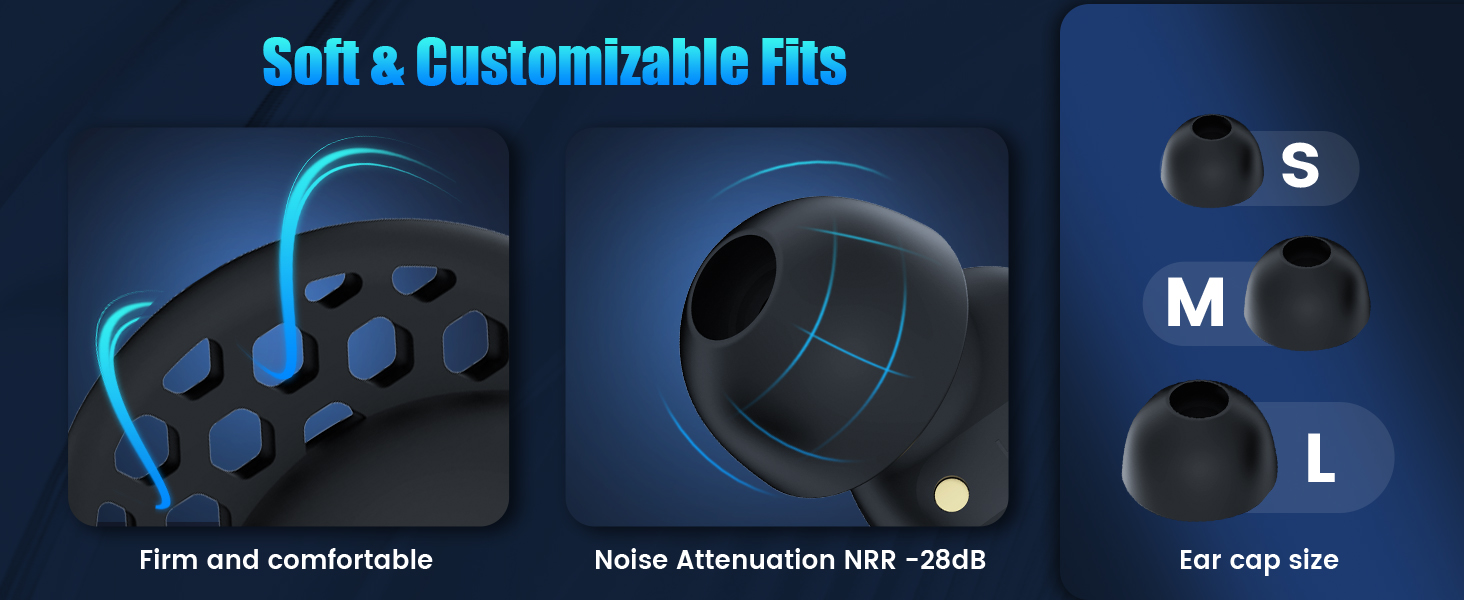
Image: Diagram illustrating the soft and customizable fit of the earbuds with different ear tip sizes (S, M, L) and noise attenuation.
Sleep Mode
A unique Sleep Mode is designed to prevent interruptions during rest. When activated, touch controls are disabled, low battery alarms are silenced, and flashing lights are turned off. This ensures a quiet and undisturbed experience, allowing you to enjoy music or white noise without sudden beeps or changes.

Image: A person sleeping peacefully with earbuds, illustrating the benefits of Sleep Mode: no touch control, no low battery alerts, and no shutdown alarm.
Noise Blocking
The ergonomically designed earbuds provide effective soundproofing and sealing, blocking up to 24dB of external noise. This helps to reduce disturbances from snoring, urban sounds, or noisy neighbors. Please note: These earbuds do not feature Active Noise Cancelling (ANC).

Image: A person sleeping with the earbuds, emphasizing the comfort and noise-blocking capabilities for undisturbed sleep.

Image: A couple sleeping, with the earbuds shown to block out snoring for a more comfortable sleep.
Sound Quality & Connectivity
Equipped with advanced driver units and high-quality audio technology, the LX410 Pro delivers realistic sound effects and enjoyable music. Utilizing the latest Bluetooth 5.3 technology, it offers improved connection stability, signal strength, and faster pairing with various devices.

Image: An exploded view of the earbud's internal components, showcasing the 6mm dynamic drivers responsible for exceptional sound quality.

Image: Illustration emphasizing the LX410's custom dynamic drivers producing low-frequency sounds, 10dB softer than traditional drivers, enhancing white noise and sleep sounds.
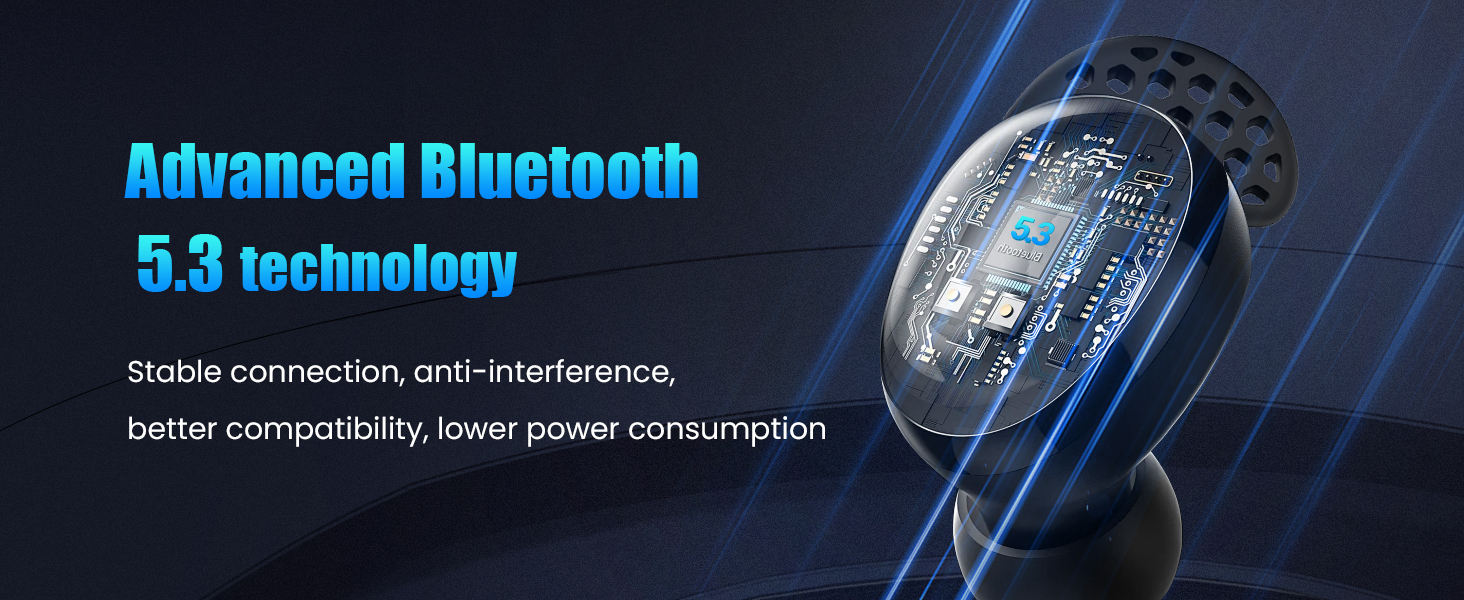
Image: A close-up of an earbud with a circuit board overlay, highlighting the advanced Bluetooth 5.3 technology for stable connection, anti-interference, better compatibility, and lower power consumption.
Battery Life
Enjoy extended listening with up to 4-6 hours of playback on a single charge. The compact charging case provides an additional 30 hours of playtime, ensuring your earbuds are ready for use throughout the day or night. The case also features an LED display to show the remaining battery life.

Image: Visual representation of the earbuds and charging case, indicating 1.5 hours fast charging, 30 hours charging capacity, and 6 hours of battery life per charge.
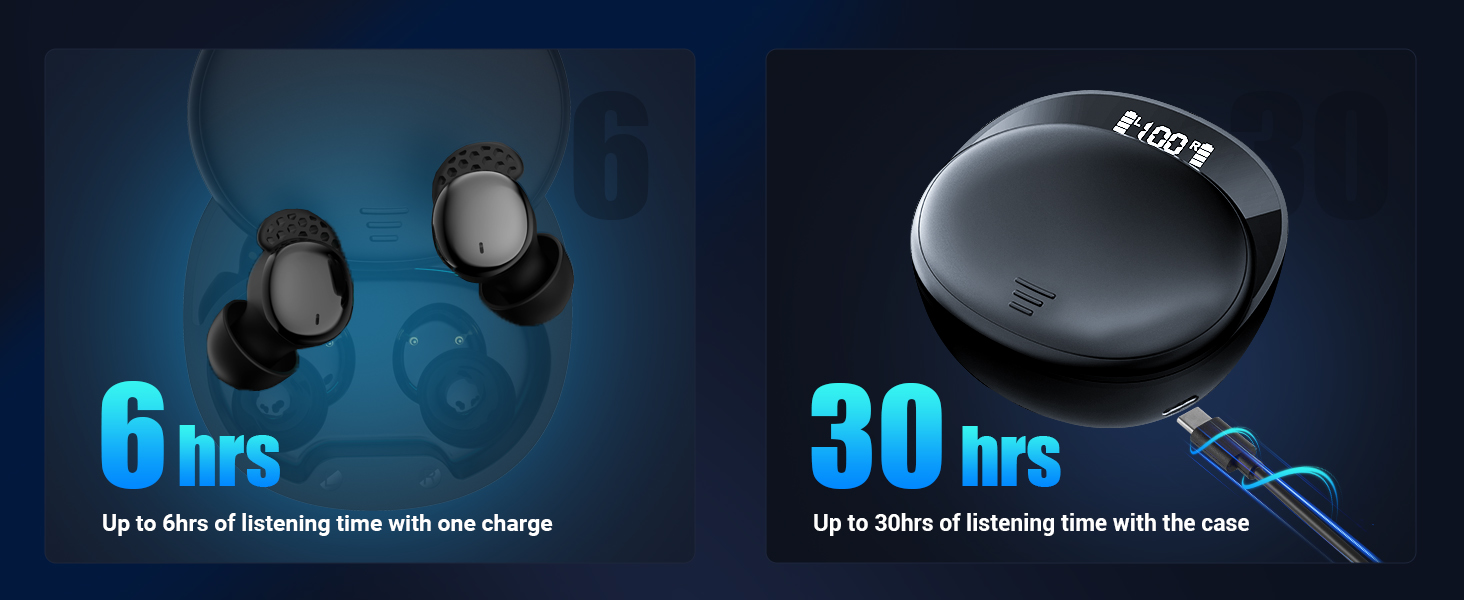
Image: Graphic showing 6 hours of listening time with one charge and up to 30 hours of listening time with the charging case.
Getting Started
Charging the Earbuds and Case
Before first use, fully charge your Ertuly LX410 Pro earbuds and charging case. Connect the provided USB-C charging cable to the charging port on the case and a suitable power source. The LED display on the case will indicate the charging status and battery percentage.
Pairing with Your Device
- Open the charging case. The earbuds will automatically enter pairing mode.
- On your device (smartphone, tablet, laptop), enable Bluetooth.
- Search for available Bluetooth devices and select "LX410" from the list.
- Once connected, you will hear an audio prompt, and the earbuds will be ready for use.
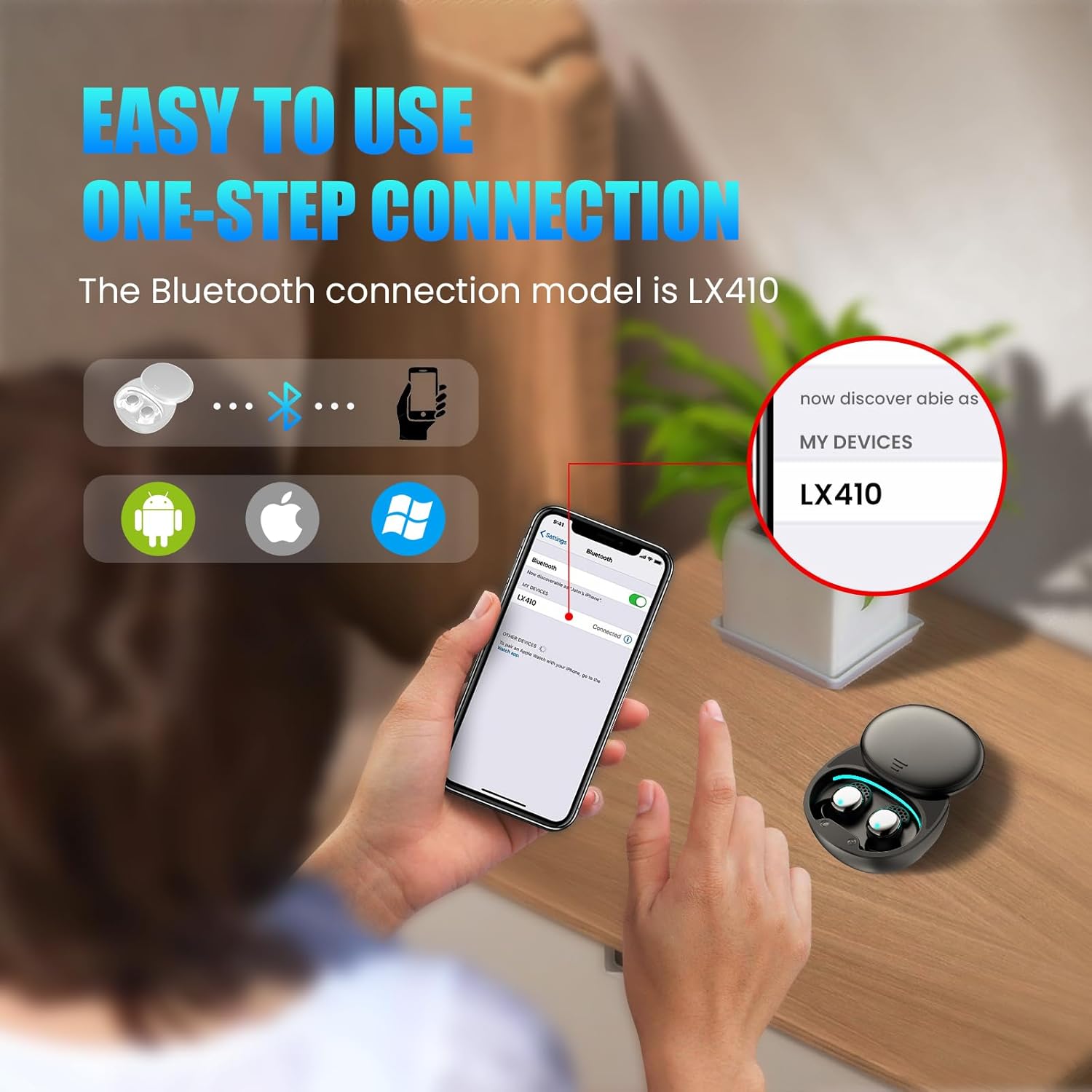
Image: A visual guide demonstrating the one-step connection process for the LX410 Pro earbuds with various devices.
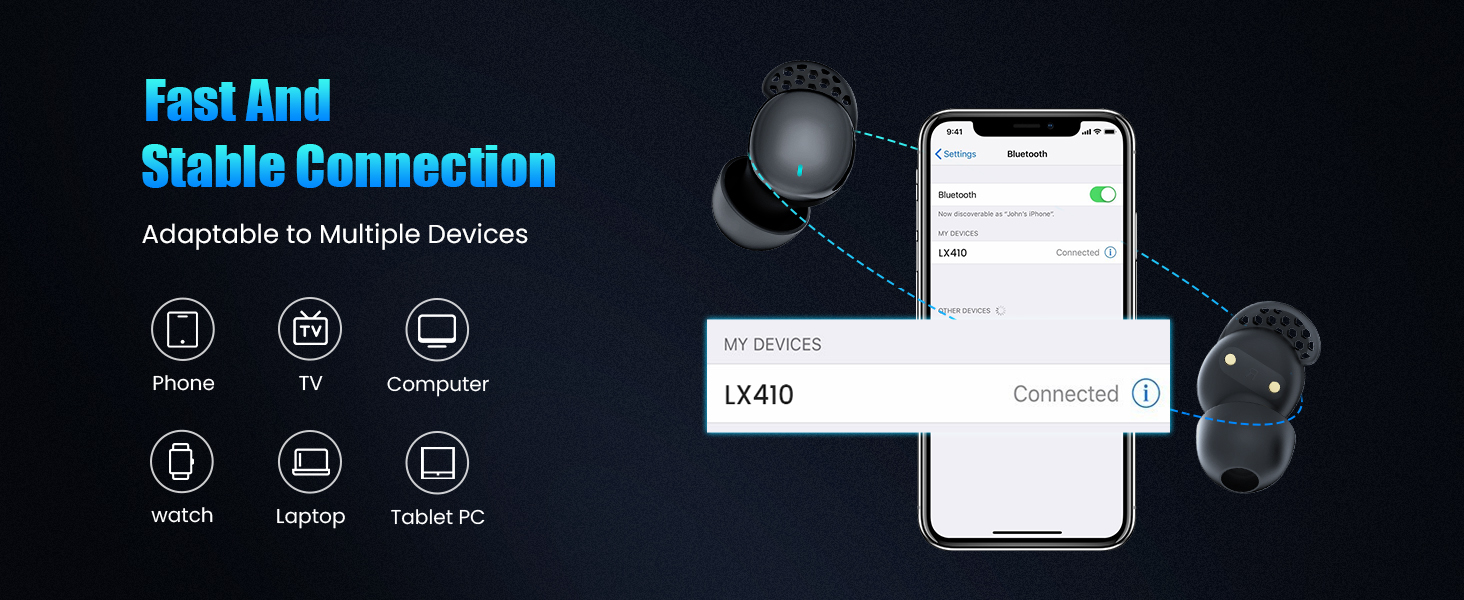
Image: Diagram showing the LX410's fast and stable connection capability with phones, TVs, computers, watches, laptops, and tablet PCs.
Wearing the Earbuds
For optimal sound experience and comfort, ensure the earbuds are properly positioned in your ears.
- Select the ear tips that fit your ears best (S, M, or L).
- Point the ear tip downward and gently insert the earbud into your ear canal.
- Twist slightly to lock it in place, ensuring a secure and comfortable fit.
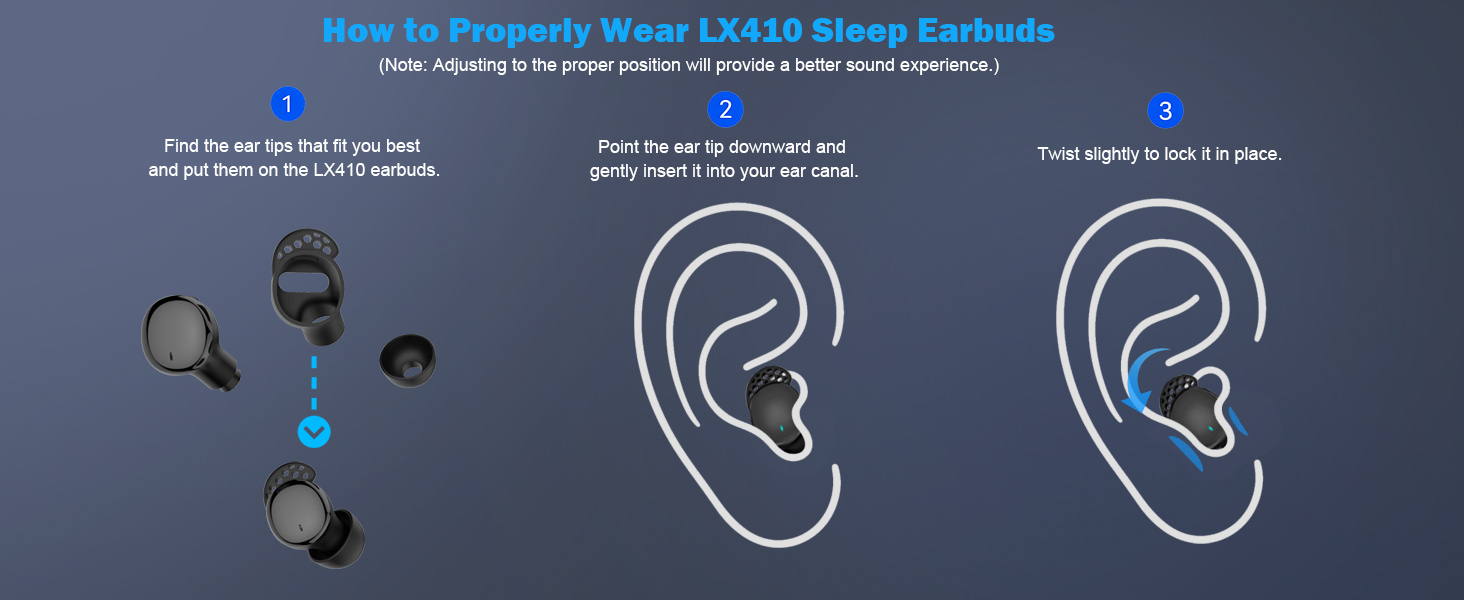
Image: A three-step visual guide on how to properly wear the LX410 Sleep Earbuds for a better sound experience.
Operating Instructions
Touch Controls (Binaural Mode)
| Action | Control |
|---|---|
| Play / Pause | Double tap (L/R) |
| Activate Siri | Long press for 2s (L/R) |
| Answer a call | Tap once (L/R) |
| End a call | Double tap (L/R) |
| Reject a call | Long press for 2s (L/R) |
| Next song | Triple tap (R) |
| Previous song | Triple tap (L) |
| Sleep Mode On/Off | Tap four times quickly (L/R) |
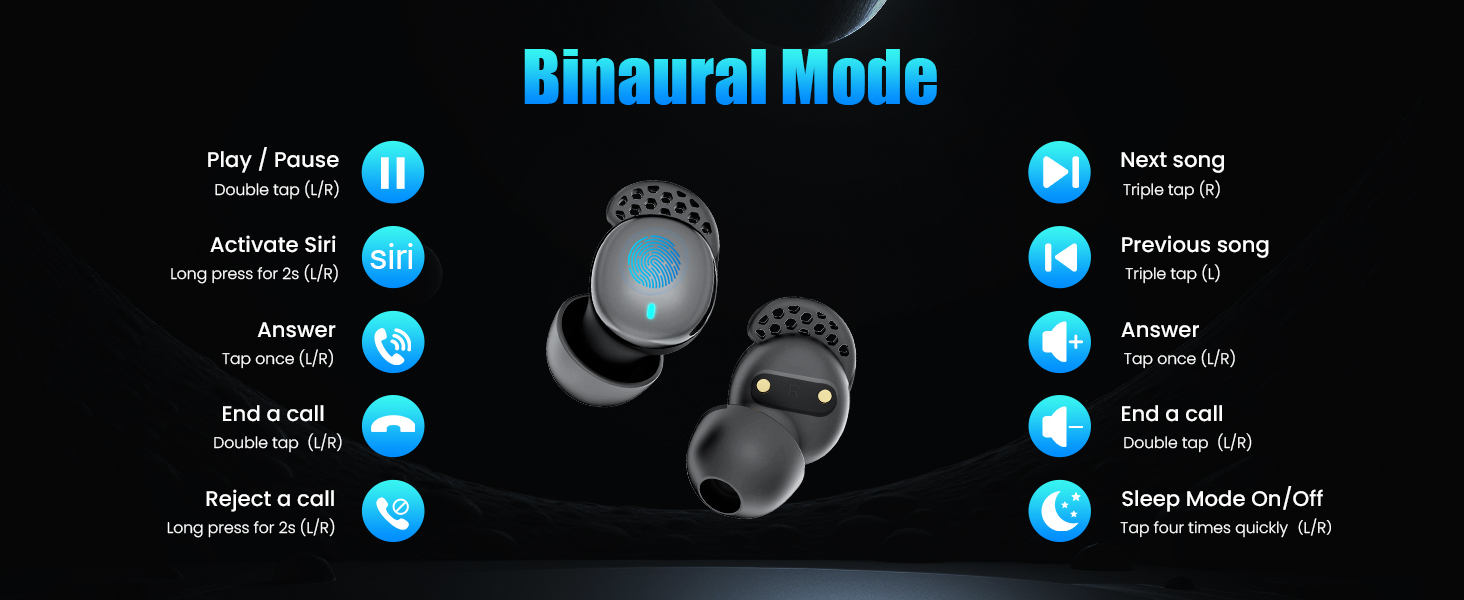
Image: Visual guide to touch controls in Binaural Mode, showing actions like Play/Pause, Siri, Answer/End/Reject Call, Next/Previous Song, and Sleep Mode On/Off.
Touch Controls (Single Mode)
| Action | Control |
|---|---|
| Play / Pause | Double tap (L/R) |
| Answer a call | Tap once (L/R) |
| End a call | Double tap (L/R) |
| Reject a call | Long press for 2s (L/R) |
| Activate Siri | Long press for 2s (L/R) |
| Sleep Mode On/Off | Tap four times quickly (L/R) |
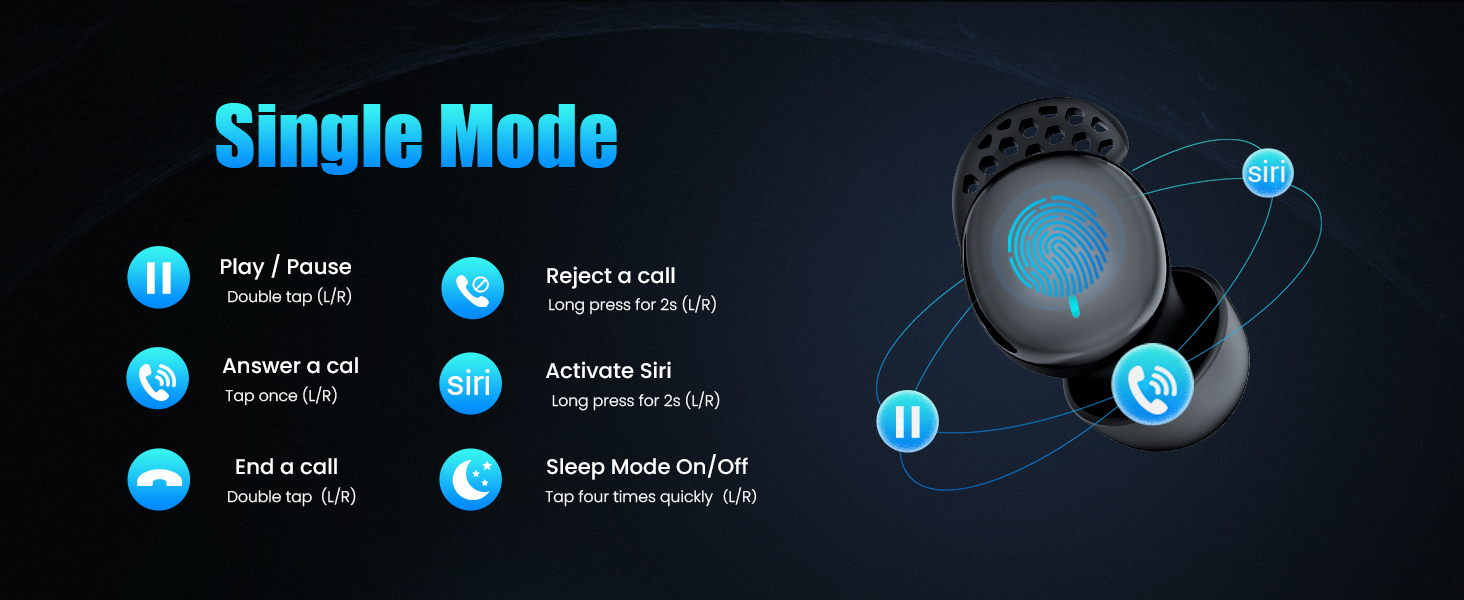
Image: Visual guide to touch controls in Single Mode, showing actions like Play/Pause, Answer/End/Reject Call, Siri, and Sleep Mode On/Off.
Activating/Deactivating Sleep Mode
To enter Sleep Mode, quickly tap either earbud four times. In Sleep Mode, touch controls, low battery alarms, and flashing lights are disabled to ensure an uninterrupted experience. To exit Sleep Mode and restore full functionality, quickly tap either earbud four times again.
Care and Maintenance
- Cleaning: Gently wipe the earbuds and charging case with a soft, dry, lint-free cloth. Do not use harsh chemicals or abrasive materials.
- Storage: When not in use, store the earbuds in their charging case to protect them and keep them charged. Store in a cool, dry place away from extreme temperatures.
- Water Resistance: The earbuds are waterproof. However, avoid prolonged submersion in water. Ensure they are dry before placing them back in the charging case.
- Battery Care: To prolong battery life, avoid fully discharging the earbuds frequently. Charge them regularly, even if not in constant use.
Troubleshooting
- No Sound/Low Volume: Ensure earbuds are charged, connected to your device, and volume is turned up on both the earbuds and your device.
- Earbuds Not Pairing: Make sure Bluetooth is enabled on your device and the earbuds are in pairing mode. Try turning Bluetooth off and on, or restarting your device.
- Intermittent Connection: Ensure there are no obstructions between the earbuds and your device. Move closer to your device.
- Sleep Mode Issues: If Sleep Mode isn't activating/deactivating, ensure you are tapping four times quickly. If issues persist, try resetting the earbuds (refer to full manual for specific reset instructions if needed).
- Charging Issues: Check the charging cable and port for damage. Ensure the power source is working. Clean charging contacts on earbuds and case if necessary.
Video: A demonstration of the Ertuly LX410 Sleep Earbuds, showcasing their features and ease of use.
Product Specifications
| Feature | Detail |
|---|---|
| Brand | Ertuly |
| Model Name | LX410 Pro |
| Connectivity Technology | Wireless (Bluetooth 5.3) |
| Noise Control | Sound Isolation |
| Ear Placement | In Ear |
| Form Factor | In Ear (Bud) |
| Material | Plastic, Silicone |
| Control Type | Touch Control |
| Water Resistance Level | Waterproof |
| Item Weight | 3.1 ounces |
| Product Dimensions | 0.69 x 0.61 x 0.98 inches |
| Impedance | 32 Ohm |
| Audio Driver Type | Dynamic Driver |
| UPC | 612715640787 |
Warranty and Support
Ertuly products are designed for reliability and performance. For any questions, technical support, or warranty inquiries, please contact Ertuly customer service through the retailer's platform or visit the official Ertuly store on Amazon: Ertuly Store.