
1. Introduction
This manual provides essential information for setting up, operating, maintaining, and troubleshooting your DOOGEE Note 59 Pro+ 5G Smartphone. Please read this guide thoroughly to ensure optimal performance and longevity of your device.
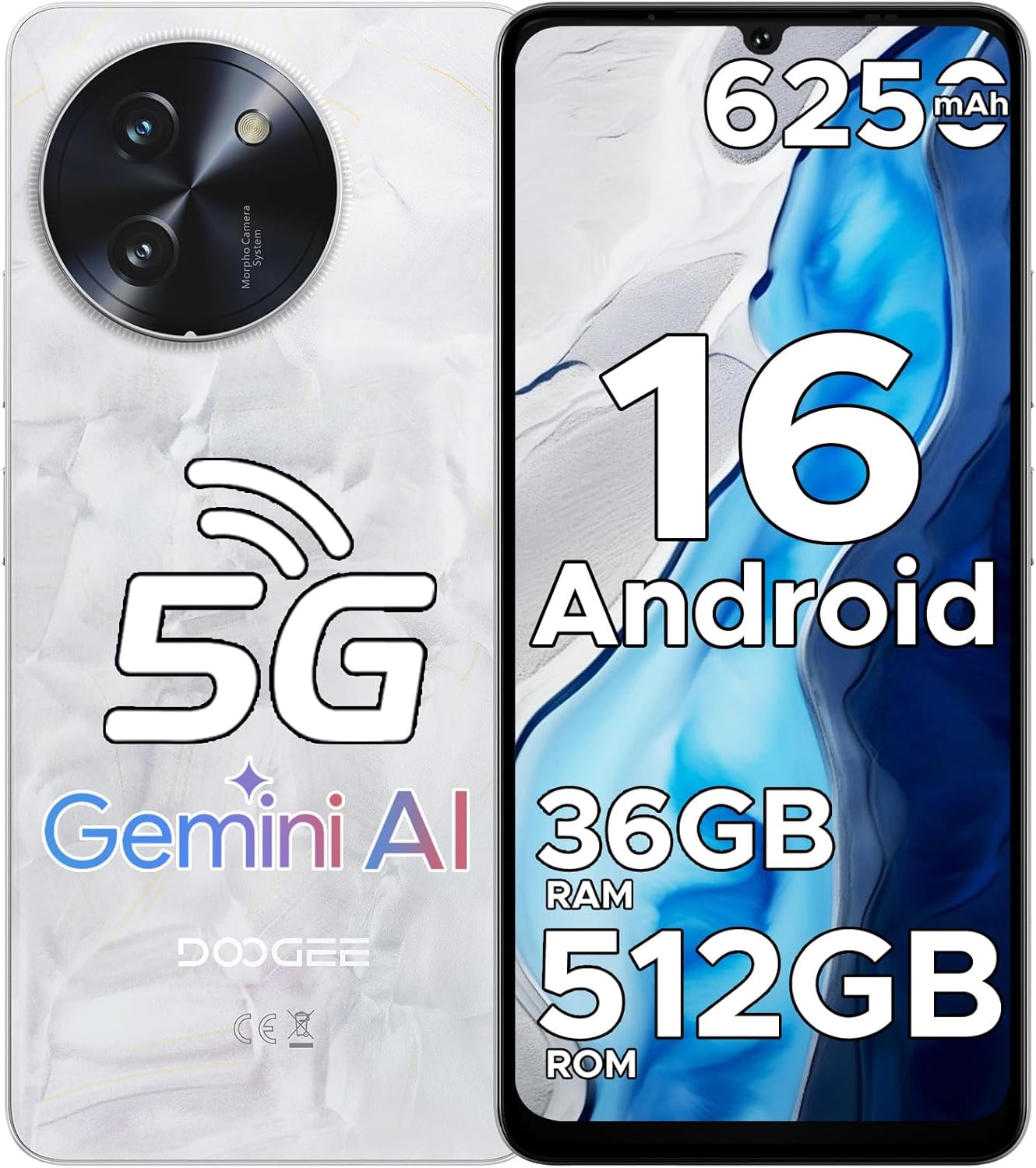
Figure 1: DOOGEE Note 59 Pro+ 5G Smartphone Overview
2. Device Setup
2.1. Unboxing and Package Contents
Upon opening your DOOGEE Note 59 Pro+ 5G Smartphone package, verify that all components are present:
- 1 x Cellphone (DOOGEE Note 59 Pro+ 5G Smartphone)
- 1 x Type-C Cable
- 1 x Charger
- 1 x SIM Card Pin
- 1 x Mobile Phone Case
- 1 x Manual

Figure 2: Packaging Contents
2.2. SIM Card and Storage Card Installation
- Locate the SIM card tray on the side of your device.
- Insert the provided SIM card pin into the small hole next to the tray to eject it.
- Place your Nano-SIM card(s) and/or microSD card (for up to 2TB expandable storage) into the tray, ensuring correct orientation.
- Carefully reinsert the tray into the phone.
2.3. Powering On and Initial Setup
- Press and hold the Power button until the DOOGEE logo appears.
- Follow the on-screen instructions to select your language, connect to a Wi-Fi network, and set up your Google account.
- Configure security features such as Face Recognition and Fingerprint Unlock for enhanced device protection.

Figure 3: Swift and Secure Unlock Options
3. Operating Your Smartphone
3.1. Android 16 and Gemini AI
Your DOOGEE Note 59 Pro+ 5G Smartphone runs on the latest Android 16 operating system, enhanced with Gemini AI for improved performance, multitasking, and privacy. This includes features like Smart Sensing, Screen Sensing, and Dual System Mode.

Figure 4: Android 16 Smart Features

Figure 5: Android 16 Productivity Features
3.2. Display and Visuals
The device features a 6.75-inch HD+ waterdrop display with a 120Hz refresh rate and 450 nits brightness, providing smooth and vibrant visuals. It also supports Widevine L1 for high-definition streaming content.

Figure 6: Display Specifications

Figure 7: Visionary Screen Features
3.3. Camera Functions
Capture high-quality photos and videos with the 50MP AI main camera and 8MP front camera. The Google Intelligent Camera offers various smart features.
- 50MP AI Main Camera: Features F/1.8 ± 5% Aperture and 77° FOV, supporting PDAF for sharp, detailed images.
- 8MP Front Camera: Equipped with F/2.2 ± 5% Aperture and 78° FOV for clear selfies and video calls.
- Smart AI Identification: The rear cameras can automatically identify 12 independent scenarios to optimize photo settings.
- Google Intelligent Camera: Utilize features like View search, Text extraction and translation, E-commerce search, Homework analysis, and Plant and animal identification.
- Enhancements: Anti-Flicker mode to eliminate visible flickering on display devices and HDR Enhancement for more colorful and dynamic photos.
- 4K Video Recording: Record ultra-clear, high-definition videos with remarkable clarity and vibrant colors.

Figure 8: 50MP High-Resolution AI Photography

Figure 9: Capturing Moments with the Front Camera

Figure 10: Google Intelligent Camera Features

Figure 11: Ultra-clear 4K Video Recording
3.4. Connectivity
The DOOGEE Note 59 Pro+ supports a range of connectivity options:
- 5G Network: Experience ultra-fast mobile data speeds.
- Wi-Fi 5: High-speed 2.4GHz / 5GHz Wi-Fi transmission for stable internet connection.
- NFC: Multifunctional Near Field Communication for contactless payments (supports Google Pay) and quick data exchange.
- GPS: Accurate navigation system supporting GPS, Glonass, Galileo, and Beidou for precise location services.

Figure 12: Multifunctional NFC with Google Pay

Figure 13: Accurate Navigation System

Figure 14: High-speed Wi-Fi 5 Transmission
3.5. Battery and Charging
The device is equipped with a large 6250mAh battery, providing extended usage times. It also supports OTG (On-The-Go) reverse charging.
- Battery Life: Enjoy up to 1266 hours standby, 36.3 hours calling, 27 hours music playing, 11 hours web browsing, and 9 hours video watching.
- OTG Reverse Charging: Use your smartphone to charge other devices like wireless earphones, other smartphones, or smartwatches via a 2.0 Type-C connection.
- Charging: Use the provided charger and Type-C cable for optimal charging.

Figure 15: Extended Battery Life

Figure 16: OTG Reverse Charging
3.6. Storage and Performance
The DOOGEE Note 59 Pro+ 5G Smartphone is powered by an advanced UNISOC T8200 6nm octa-core processor (up to 2.3GHz) for fast performance. It offers substantial memory and storage capacity.
- RAM: 36GB RAM (12GB physical + 24GB virtual) for smooth multitasking.
- ROM: 512GB internal storage, expandable up to 2TB with a microSD card.

Figure 17: T8200 5G Octa-core Chipset

Figure 18: Storage and RAM Configuration
4. Maintenance and Care
4.1. Cleaning Your Device
To clean your smartphone, use a soft, lint-free cloth. Avoid abrasive materials or harsh chemicals that could damage the screen or casing. For stubborn smudges, slightly dampen the cloth with water or a screen-cleaning solution.
4.2. Software Updates
Regularly check for and install software updates to ensure your device has the latest features, security patches, and performance improvements. You can usually find this option in your phone's Settings menu under "System" or "About phone."
4.3. Physical Protection
The DOOGEE Note 59 Pro+ is designed with durability in mind, featuring upgraded glass (10 times stronger), aviation-grade aluminum titanium alloy, and high-performance wear-resistance PC material. For additional protection, utilize the included mobile phone case.

Figure 19: Durable Construction
5. Troubleshooting
If you encounter issues with your DOOGEE Note 59 Pro+ 5G Smartphone, consider the following common solutions:
- Device Not Responding: Press and hold the Power button for about 10-15 seconds to force a restart.
- Network Issues: Check if your SIM card is properly inserted. Try toggling Airplane Mode on and off. Verify your mobile data settings.
- Wi-Fi Connection Problems: Restart your Wi-Fi router. Forget the network on your phone and reconnect.
- App Crashes: Clear the cache and data of the problematic app in Settings > Apps. If the issue persists, uninstall and reinstall the app.
- Battery Draining Quickly: Reduce screen brightness, close unused apps, and disable unnecessary background processes. Check battery usage in Settings to identify power-hungry apps.
- Slow Performance: Clear unnecessary files and apps to free up storage space. Restart your device regularly.
- Overheating: Avoid using the phone in direct sunlight or while charging for extended periods during heavy use. Close demanding applications.
For persistent issues, refer to the official DOOGEE support website or contact customer service.
6. Specifications
| Feature | Specification |
|---|---|
| Model Name | NOTE59PRO+ |
| Operating System | Android 16 with Gemini AI |
| Processor | UNISOC T8200 6nm Octa-Core (up to 2.3GHz) |
| RAM | 36GB (12GB physical + 24GB virtual) |
| Internal Storage (ROM) | 512GB |
| Expandable Storage | Up to 2TB via microSD card |
| Display | 6.75-inch HD+ Waterdrop Display, 120Hz Refresh Rate, 450 nits brightness, Widevine L1 Support |
| Main Camera | 50MP AI Camera (F/1.8 ± 5% Aperture, 77° FOV, PDAF) |
| Front Camera | 8MP (F/2.2 ± 5% Aperture, 78° FOV) |
| Battery Capacity | 6250mAh |
| Charging | 18W Fast Charging, OTG Reverse Charging |
| Connectivity | 5G, Wi-Fi 5 (2.4GHz/5GHz), Bluetooth, NFC (Google Pay), GPS (GPS, Glonass, Galileo, Beidou) |
| Security | Face Unlock, Side Fingerprint Unlock |
| Dimensions | 8.66mm thin |
| Weight | 199g |
7. Warranty and Support
7.1. Product Warranty
The DOOGEE Note 59 Pro+ 5G Smartphone comes with a 1-year warranty service from the manufacturer. Please retain your proof of purchase for warranty claims.
7.2. Customer Support
For technical assistance, warranty inquiries, or further support, please visit the official DOOGEE website or contact their customer service channels. Refer to the packaging or official website for specific contact details.
