1. Introduction
The WAYXIN X6S is an advanced motorcycle intercom system designed for clear and reliable communication. Featuring Mesh 5.0 technology and dual Qualcomm Bluetooth 5.1 chips, it supports group communication for up to 8 riders over a 2 km range. The system integrates Hi-Fi audio, multi-channel open mesh, audio multitasking, music sharing, and FM radio. It is built for ease of use, with all functions controllable directly on the device without the need for an external application.
Important Note: For optimal performance and to ensure proper operation, please read this user manual thoroughly before first use. All functions of the X6S are controlled via the intercom button and the selection wheel. Familiarize yourself with these controls for smooth operation.
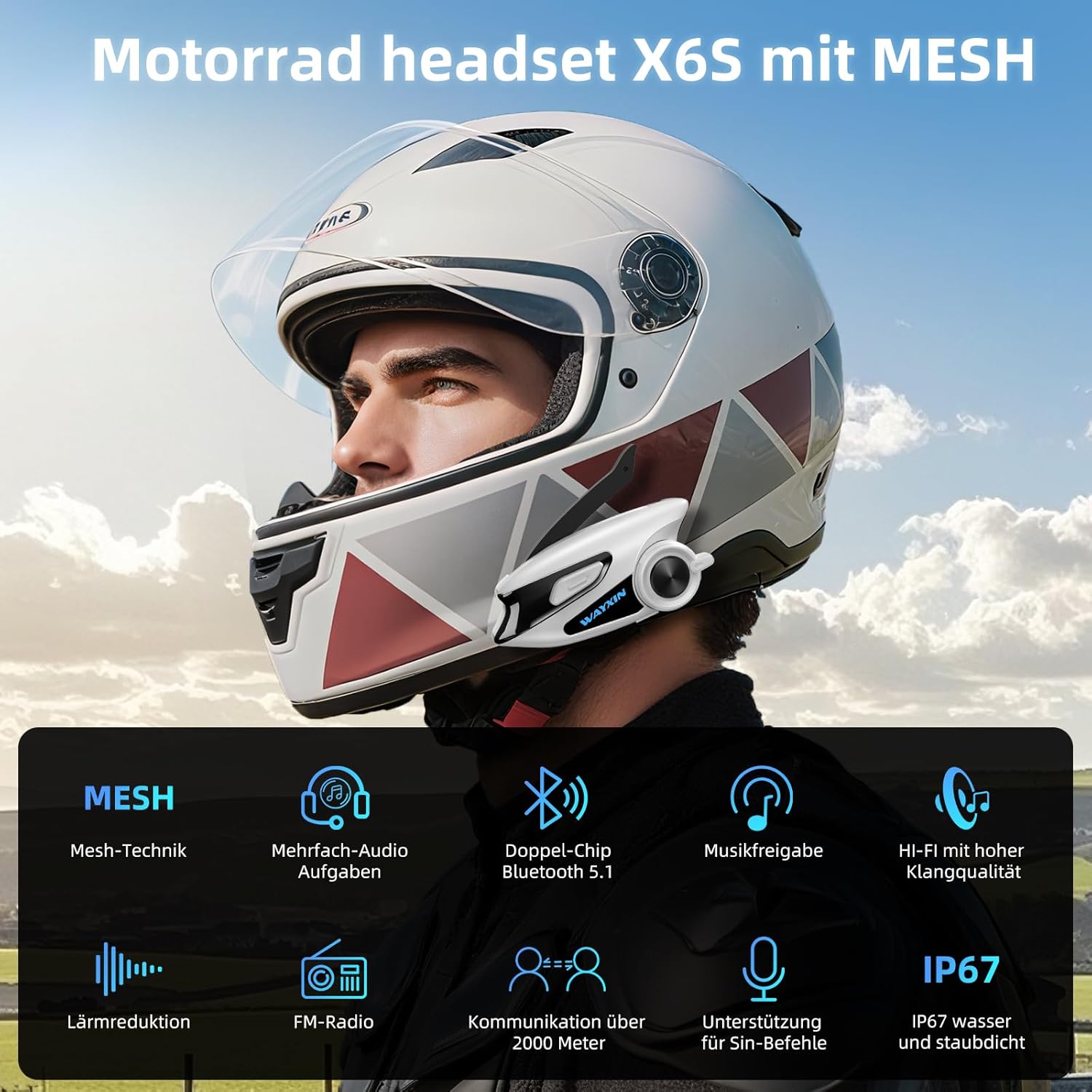
Image 1: WAYXIN X6S Intercom mounted on a motorcycle helmet, highlighting key features like Mesh, Audio Multitasking, Dual-Chip, Music Sharing, Hi-Fi, Noise Reduction, FM Radio, 2000m range, Siri support, and IP67 water resistance.
2. Setup and Installation
2.1 Package Contents
- WAYXIN X6S Intercom Unit
- Helmet Speakers
- Microphone (boom and soft wire options)
- Mounting Brackets (clip and adhesive)
- USB Type-C Charging Cable
- User Manual
2.2 Charging the Device
Before first use, fully charge the X6S unit. Connect the provided USB Type-C cable to the charging port on the intercom and to a compatible USB power adapter (QC3.0 fast charging supported). A full charge takes approximately 1.5 hours.
- Charging Indicator: The LED indicator will show charging status.
- Battery Life: Provides 15-20 hours of talk time and up to 360 hours of standby time.
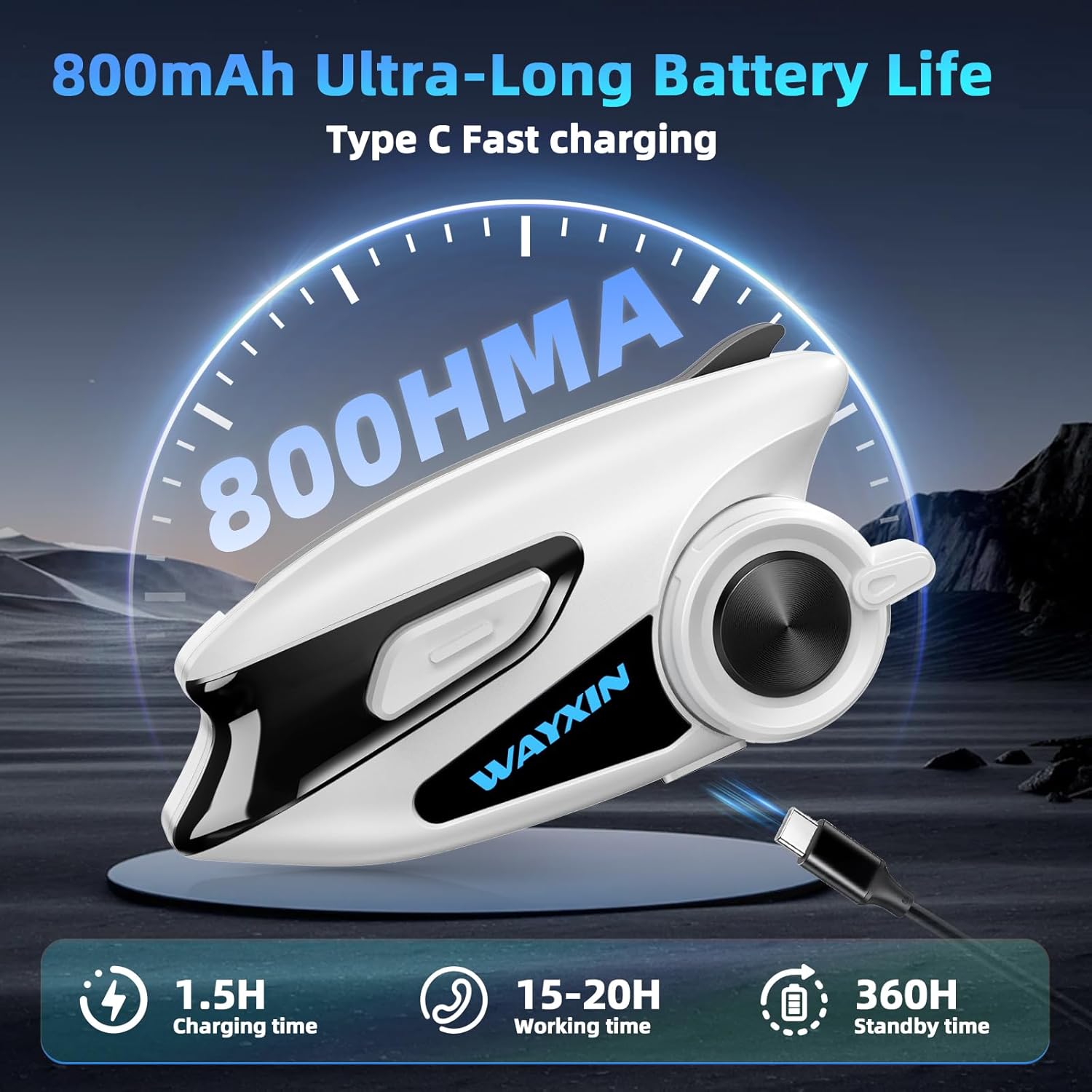
Image 2: WAYXIN X6S Intercom unit displaying battery life indicators, including 1.5 hours charging time, 15-20 hours working time, and 360 hours standby time.
2.3 Helmet Installation
- Choose the appropriate mounting bracket (clip or adhesive) for your helmet.
- Securely attach the bracket to the side of your helmet.
- Mount the X6S intercom unit onto the bracket.
- Install the speakers inside the helmet's ear pockets, ensuring they are positioned directly over your ears for optimal audio.
- Attach the microphone to the helmet, positioning it close to your mouth.
- Connect the speaker and microphone cables to the X6S unit. Ensure the Type-C plug is fully inserted to maintain IP67 water and dust resistance.
3. Operating Instructions
3.1 Power On/Off
- Power On: Press and hold the Intercom button for approximately 3 seconds until the LED indicator lights up.
- Power Off: Press and hold the Intercom button for approximately 5 seconds until the LED indicator turns off.
3.2 Bluetooth Pairing (Single Device)
- Ensure the X6S is powered off.
- Press and hold the Intercom button for about 7 seconds until the LED flashes red and blue alternately, indicating pairing mode.
- On your mobile phone or GPS device, enable Bluetooth and search for "WAYXIN X6S".
- Select the device to pair. Once connected, the LED will flash blue slowly.
3.3 Universal Pairing (Other Brands)
The X6S supports universal pairing with most other brands of intercoms (e.g., Cardo, Sena) via a generic Bluetooth protocol.
- Limitation: When connecting to external devices of other brands, only one external device can be paired at a time. If more than two external devices are attempted, successful pairing may not be possible.
3.4 Mesh Intercom Communication (Group Pairing)
The X6S features Mesh 5.0 technology, allowing multi-channel open mesh communication for groups of up to 8 riders with an effective range of 2 km. It supports up to 60 radio channels.
- One-Button Pairing: For X6S units of the same model, a single press on one device is sufficient to pair all devices, simplifying the group setup process.
- Refer to the specific group pairing instructions in the quick start guide for detailed steps on initiating and managing mesh groups.

Image 3: Illustration of multiple motorcycles connected via the Mesh 5.0 intercom system, demonstrating group communication with a maximum distance of 2000 meters and audio multitasking capabilities.
3.5 Audio Multitasking
The dual-chip system enables seamless audio multitasking. Voice radio, music, and GPS navigation can be combined without interference or mode switching.

Image 4: Diagram illustrating the Dual Qualcomm Bluetooth Chips (Bluetooth 5.1) that enable audio multitasking, allowing simultaneous intercom communication with music or GPS navigation.
3.6 Music Sharing & FM Radio
- Music Sharing: Connect two X6S devices to create a private audio channel for synchronous transmission of navigation instructions and music from apps like Spotify or Apple Music. Two riders can enjoy music together.
- FM Radio: The integrated FM module supports 32 country traffic radio bands (87.5-108 MHz automatic tuning).

Image 5: Two motorcyclists riding together, illustrating the music sharing feature and the availability of FM radio functionality (87.5-108.0 MHz).
3.7 Voice Assistant
The X6S is compatible with voice assistants such as Siri, Google Assistant, and Bixby. Activate your device's voice assistant through the intercom for hands-free control.
3.8 Volume Control and Sound Profiles
Use the ergonomically designed rotary knob on the unit to adjust volume. The 40mm Hi-Fi speakers with graphene diaphragm offer optimized sound with enhanced volume, bass, and clarity. Four adjustable sound qualities (Bass, Rock, Pop, Vocal) are available.

Image 6: Detailed view of the pressure-free 40mm Hi-Fi headphones with graphene diaphragm, illustrating four adjustable sound qualities: Bass, Rock, Pop, and Vocal.

Image 7: Close-up of the ergonomically designed rotary knob on the WAYXIN X6S intercom, emphasizing its clear tactile feedback and ease of use even with gloves.
4. Maintenance
4.1 Battery Care
- The X6S uses an 800 mAh Li-polymer battery.
- Operate the device within the recommended temperature range of -10°C to 40°C.
- Avoid extreme temperatures to prolong battery life.
- A red LED indicates battery level below 20%. A voice alarm will sound every minute if not charged. Battery level can be checked via an Android smartphone.
4.2 Water and Dust Resistance
The X6S is IP67 rated for water and dust resistance. Ensure all ports, especially the Type-C charging port, are completely plugged or sealed when not in use to maintain this protection.
4.3 Cleaning
Wipe the intercom unit with a soft, damp cloth. Do not use harsh chemicals or abrasive cleaners. Ensure the unit is dry before charging or storing.
5. Troubleshooting
5.1 Pairing Issues
- Device Not Found: Ensure the X6S is in pairing mode (red and blue flashing LED). Check that Bluetooth is enabled on your phone/GPS.
- Universal Pairing Failure: Remember that only one external device of another brand can be paired at a time. Exceeding this limit will prevent successful pairing.
- Group Pairing: For X6S units, ensure all devices are of the same model for one-button pairing. If issues persist, try resetting devices and re-initiating the pairing process.
5.2 Audio Quality Issues
The X6S features triple noise reduction (ENC2.0, DSP, CVC8.0) and an anti-wind microphone for clear communication, even at high speeds (up to 120 km/h).

Image 8: The intercom unit highlighting multiple noise reduction technologies (ENC 2.0, DSP, and CVC 8.0) and a high-density sponge, which together reduce ambient noise by 95% for clear voice transmission.
- Distorted Sound: Check speaker placement inside the helmet. Ensure microphone is positioned correctly and not obstructed.
- Low Volume: Adjust volume using the rotary knob. Check device settings on your connected phone/GPS.
- Excessive Noise: Ensure the anti-wind microphone is properly installed. The triple noise reduction system should minimize ambient noise.
5.3 Battery Warnings
- Low Battery Indication: A red LED and voice alarm indicate low battery. Recharge the device promptly.
- Device Not Charging: Check the USB Type-C cable and power adapter. Ensure the charging port is clean and free of debris.
6. Specifications
| Feature | Specification |
|---|---|
| Model Number | X6S |
| Brand | WAYXIN |
| Connectivity Technology | Wireless (Bluetooth 5.1, Mesh 5.0) |
| Intercom Range | Up to 2 km |
| Group Communication | Up to 8 riders (60 Mesh channels) |
| Battery Capacity | 800 mAh Li-polymer |
| Charging Time | Approx. 1.5 hours (QC3.0) |
| Talk Time | 15-20 hours |
| Standby Time | Up to 360 hours |
| Water Resistance | IP67 |
| Noise Cancellation | Active Noise Cancellation (ENC2.0, DSP, CVC8.0) |
| Speakers | 40mm Hi-Fi with Graphene Diaphragm |
| Impedance | 32 Ohms |
| Charging Port | Type-C |
| Control Method | Rotary Knob, Voice (Siri/Google Assistant) |
| Material | Acrylonitrile Butadiene Styrene (ABS) |
| Operating Temperature | -10°C to 40°C |
7. Warranty and Support
For warranty information and technical support, please refer to the documentation included with your purchase or contact WAYXIN customer service directly. Keep your proof of purchase for any warranty claims.
Manufacturer: WAYXIN


