
1. Product Overview
The MECHEN X55 is a versatile MP3 and MP4 player designed for both local and streaming media. Running on Android 10 OS, it features a 4-inch HD touchscreen, Bluetooth 4.1, and Wi-Fi connectivity. It supports a wide range of audio and video formats and comes with pre-installed popular streaming applications.

Image 1.1: Front view of the MECHEN X55 MP3 Player.
Key Features:
- Android 10 OS: Provides a familiar and intuitive user experience.
- 4-inch HD Touchscreen: For clear visuals and easy navigation.
- 96GB Storage: Includes 32GB internal ROM and a 64GB expansion card, expandable up to 1TB.
- Bluetooth 4.1: For wireless audio connections with headphones, speakers, and car systems.
- Wi-Fi Connectivity: Enables online streaming, app downloads, and internet access.
- HiFi Lossless Sound: Equipped with an intelligent noise reduction chip for high-fidelity audio.
- 2000mAh Battery: Offers extended music and video playback time.
Video 1.1: An overview of the MECHEN X55 MP3 Player's features, including its touchscreen, music and video playback, Bluetooth connectivity, parental controls, and storage expansion.
2. Getting Started
2.1 What's in the Box
Carefully unpack the box and ensure all items are present:
- 1 x MECHEN X55 Music Player
- 1 x USB-C Cable
- 1 x Earphones
- 1 x Protective Film
- 1 x Protective Case
- 1 x User Manual
- 1 x 64GB TF Card (pre-installed or separate)

Image 2.1: Contents included with the MECHEN X55 MP3 Player.
2.2 Charging the Device
Before first use, fully charge the MECHEN X55. Use the provided USB-C cable and a certified 5V 1A charger. Avoid fast chargers or wireless pads to prevent over-voltage protection issues.
- Connect the USB-C cable to the player's charging port.
- Connect the other end to a compatible USB power adapter.
- The charging indicator will illuminate. A full charge typically takes approximately 2.5 hours.

Image 2.2: MECHEN X55 MP3 Player connected for charging.
2.3 Powering On/Off
- To Power On: Press and hold the Power button (located on the side) until the screen illuminates.
- To Power Off: Press and hold the Power button until a power-off menu appears. Select 'Power off'.
- To Restart: From the power-off menu, select 'Restart'.
3. Basic Operation
3.1 Touchscreen Navigation
The MECHEN X55 features a responsive 4-inch IPS full-touch HD screen. Navigate the interface using standard Android gestures:
- Tap: To select an item or open an app.
- Swipe: To scroll through lists or switch between screens.
- Pinch-to-Zoom: In supported applications like image galleries or web browsers.
3.2 Connecting to Wi-Fi
Wi-Fi connectivity allows for online streaming, app downloads, and internet browsing.
- Go to Settings > Network & internet > Wi-Fi.
- Toggle Wi-Fi On.
- Select your desired network from the list.
- Enter the password if prompted and tap Connect.
3.3 Connecting via Bluetooth
The device supports Bluetooth 4.1 for connecting to wireless headphones, speakers, and other Bluetooth-enabled accessories.
- Go to Settings > Connected devices > Bluetooth.
- Toggle Bluetooth On.
- Ensure your Bluetooth accessory is in pairing mode.
- Select the accessory from the list of available devices to pair.

Image 3.1: Bluetooth connectivity options for the MECHEN X55 MP3 Player.
4. Media Playback
4.1 Music Playback
The MECHEN X55 supports various audio formats and streaming services.
- Supported Formats: FLAC, APE, WAV, MP3, AAC, WMA, OGG, DSD (DSF/DFF), MQA, AIFF.
- Streaming Applications: Pre-installed apps include Spotify, Amazon Music, Oto Music, Audible, VLC Music, and more. Additional apps can be downloaded from the Play Store.
- Local Music: Transfer music files from your computer to the device's internal storage or the installed TF card. Use the pre-installed music player app to browse and play your library.

Image 4.1: Music library interface and equalizer on the MECHEN X55 MP3 Player.
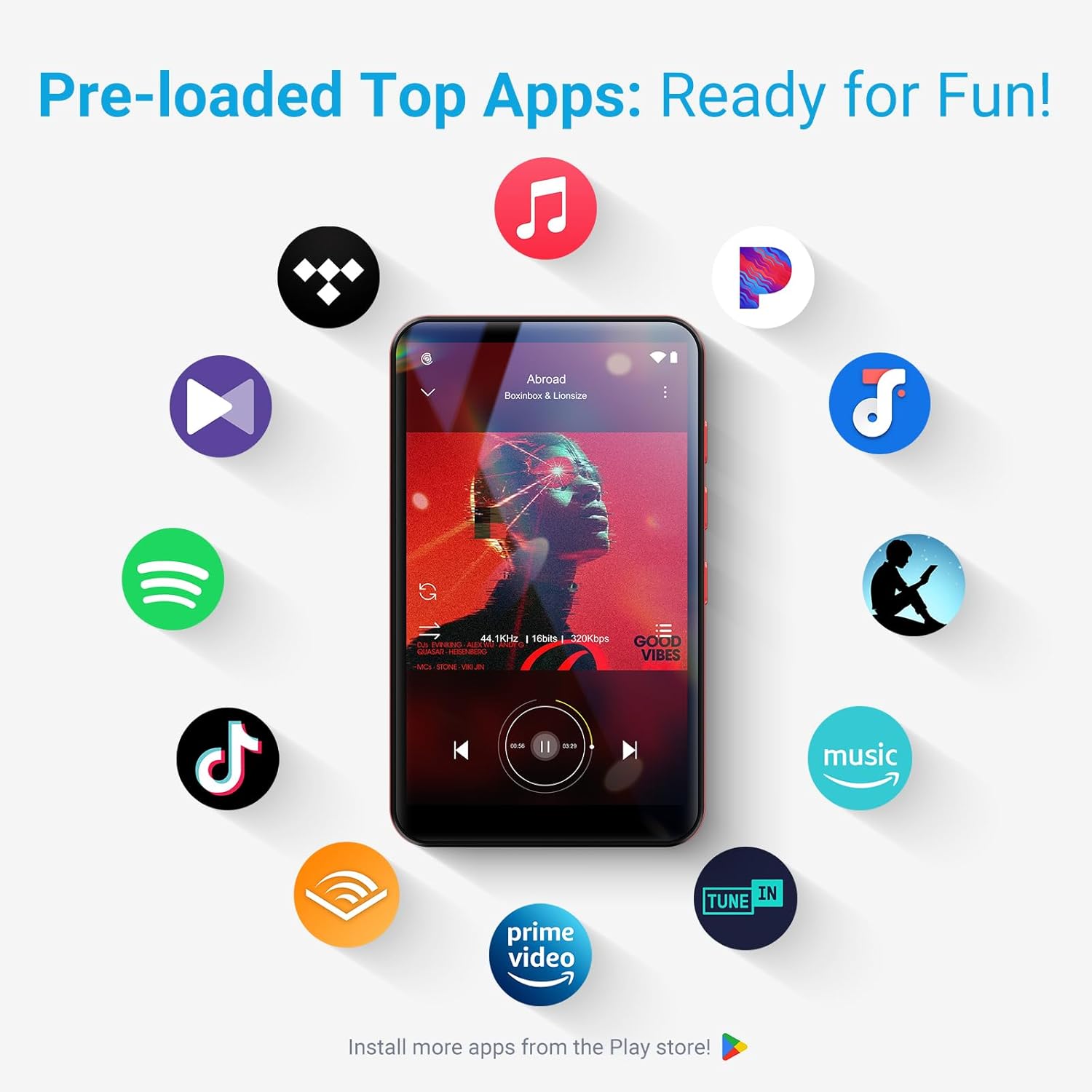
Image 4.2: Pre-loaded streaming applications on the MECHEN X55 MP3 Player.
4.2 Video Playback
The device supports high-definition video playback on its 4-inch screen.
- Supported Formats: MP4, MKV, MOV, FLV, RMVB, DAT, MPG, TS, AVI, WMV, MPEG, WebM.
- Use the pre-installed video player app to enjoy your media.

Image 4.3: Video playback on the MECHEN X55 MP3 Player.
5. Storage Management
The MECHEN X55 comes with 32GB of internal storage and a 64GB TF card, totaling 96GB. Storage can be expanded further.
- Internal Storage: 32GB ROM.
- Included Expansion: 64GB TF Card.
- Maximum Expansion: Supports Micro SD cards up to 1TB.

Image 5.1: Storage capacity and expansion options for the MECHEN X55 MP3 Player.
6. Advanced Features
6.1 FM Radio, Voice Recorder, E-Book
Beyond music and video, the MECHEN X55 includes several utility features:
- FM Radio: Tune into local radio stations.
- Voice Recorder: Record audio using the built-in microphone.
- E-Book Reader: Read digital books and documents.

Image 6.1: Additional features of the MECHEN X55 MP3 Player.
6.2 Parental Controls
The device supports parental control features to manage usage and content access.
- Install the Family Link app on a parent device.
- Bind the MECHEN X55 device via a pairing code.
- Set daily usage limits and content filters as desired.

Image 6.2: Parental control interface for managing device usage.
7. Maintenance
7.1 Charging Guidelines
- Always use a certified 5V 1A charger.
- Avoid fast chargers and wireless charging pads, as they may trigger over-voltage protection and potentially damage the device.
7.2 Firmware Upgrades
Periodically check for and install firmware upgrades to ensure optimal performance and access to new features.
- Connect the device to Wi-Fi.
- Go to Settings > System > System update.
- Follow the on-screen instructions to download and install any available updates.

Image 7.1: Firmware upgrade process on the MECHEN X55 MP3 Player.
8. Troubleshooting
This section addresses common issues you might encounter.
8.1 Common Issues and Solutions
- Device not turning on: Ensure the battery is charged. Connect to a charger for at least 15 minutes.
- Apps crashing or freezing: Close background applications. Restart the device. Clear app cache in Settings.
- Wi-Fi/Bluetooth connectivity issues: Toggle Wi-Fi/Bluetooth off and on. Restart the device. Forget and re-connect to the network/device.
- Poor sound quality: Check headphone connection. Ensure volume is adequate. Try different audio files.
8.2 Google Account Precautions
If you plan to perform a factory reset, ensure you sign out of your Google account on the device and remove the device from your Google account settings online (google.com/devices). Failure to do so may result in a login loop after the reset.

Image 8.1: Troubleshooting tips for the MECHEN X55 MP3 Player.
9. Specifications
| Feature | Specification |
|---|---|
| Product Dimensions | 4.06 x 0.39 x 2.4 inches |
| Item Weight | 7.8 ounces |
| Manufacturer | MECHEN |
| Item Model Number | X55 |
| Batteries | 1 A batteries required (included) |
| Brand | MECHEN |
| Special Feature | FM Radio, Touch Screen, Video Playback, Voice Recorder |
| Connectivity Technology | Bluetooth, Wi-Fi |
| Memory Storage Capacity | 96 GB (32GB ROM + 64GB TF Card) |
| Color | Gray |
| Screen Size | 4 Inches |
| Compatible Devices | Headphone |
| Media Type | Micro SD |
10. Warranty and Support
For any product malfunctions or issues not covered in this manual, please contact MECHEN customer support. We are committed to providing assistance and resolving any problems you may encounter.

Image 10.1: MECHEN Aftersales Service information.


