
Introduction
This manual provides detailed instructions for the setup, operation, and maintenance of your ARENTI P2Q 4MP Pet Camera. Please read this manual thoroughly before using the product to ensure correct usage and optimal performance.
What's in the Box
- ARENTI P2Q Camera
- Power Adapter
- Mounting Screw (x3)
- Stand/Bracket
- Instruction Manual (this document)
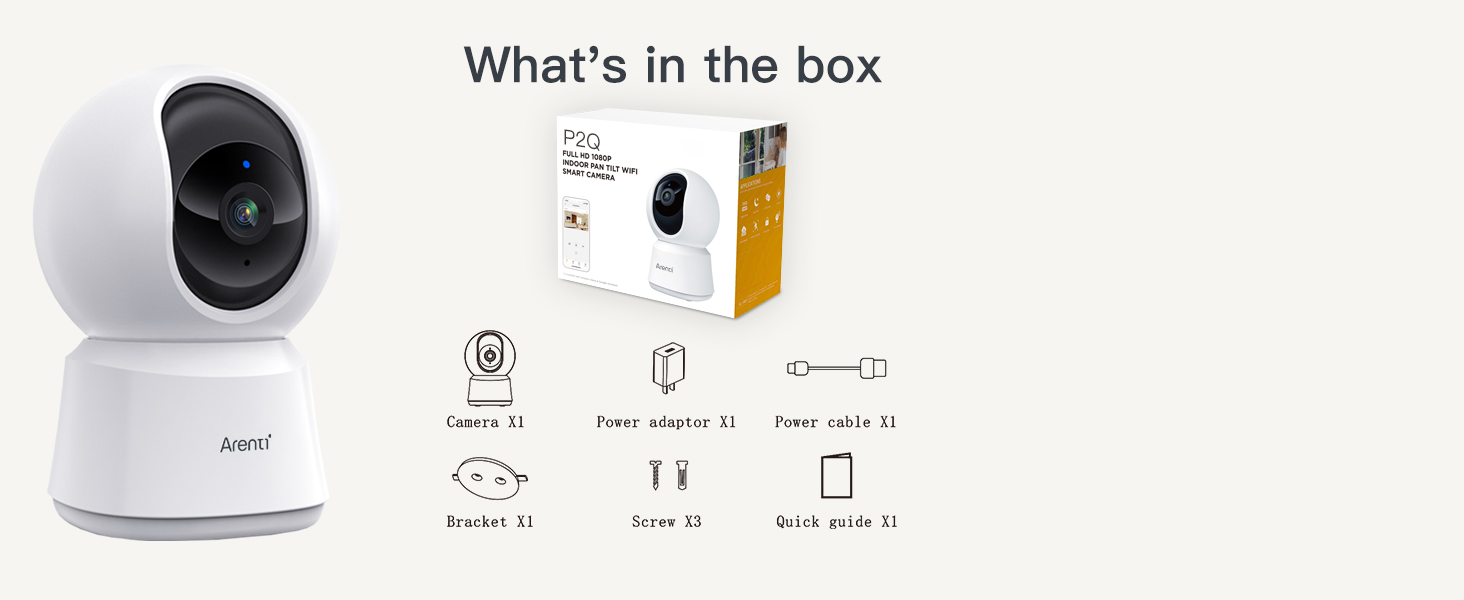
Image: Contents of the ARENTI P2Q Camera package.
Product Features
- 4MP Resolution & Dual WiFi Bands: Provides 2.5K 4MP ultra-clear live stream and supports both 2.4GHz and 5GHz WiFi for stable connectivity.
- AI Human Motion/Sound Detection & Auto Tracking: Distinguishes human movement from other objects, sends real-time notifications, and automatically rotates to follow activity.
- Enhanced Infrared Night Vision & Two-way Talk: Features high-sensitivity CMOS sensor, F2.0 aperture, and 8pcs 840nm infrared lights for clear night vision up to 32ft. Built-in microphone and speaker enable two-way communication.
- Privacy Mode & Flexible Storage: Temporarily disables live streaming and recording. Supports Micro SD card (up to 256GB, not included) for 24/7 recording and cloud storage.
- Web Browser Access & Multi-Viewing & Sharing: Access the camera via web browser, view up to 4 live feeds simultaneously on the app, and share access with up to 5 family members.

Image: Overview of ARENTI P2Q camera features.
Setup Instructions
- Power On: Connect the camera to a power source using the provided power adapter. The camera will power on and indicate readiness for pairing.
- Download the App: Download the "ARENTI" app from your smartphone's app store (available on iOS and Android).
- Create Account: Open the app and create a new user account or log in if you already have one.
- Add Device: Follow the in-app instructions to add your new ARENTI P2Q camera. This typically involves scanning a QR code on the camera or selecting the device type manually.
- Connect to Wi-Fi: Ensure your phone's Bluetooth is enabled. The app will guide you through connecting the camera to your home Wi-Fi network (supports both 2.4GHz and 5GHz).
- Mounting (Optional): Use the included stand and screws to mount the camera on a wall or ceiling if desired. Ensure the camera is placed in a location with good Wi-Fi signal and a clear view of the area you wish to monitor. Avoid placing it directly facing bright lights or glass to prevent image clarity issues and motion tracking interference.
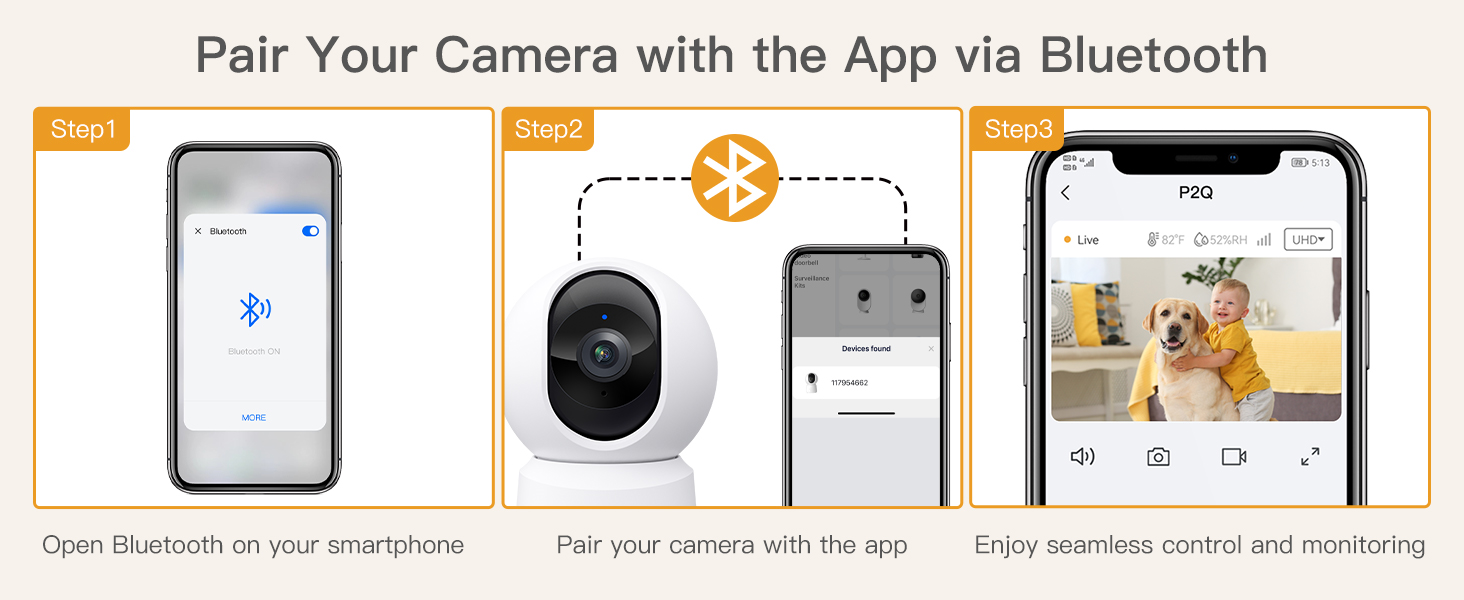
Image: Flexible installation options for the ARENTI P2Q Camera.
Operating Instructions
Live View and Control
Once connected, open the ARENTI app to access the live feed from your camera. You can pan and tilt the camera remotely using the controls within the app to view different areas.

Image: Live view and pan/tilt control via the app.
Two-Way Audio
Use the microphone icon in the app to speak through the camera's speaker. This allows you to communicate with pets or family members remotely. The camera's built-in microphone will transmit audio back to your phone.
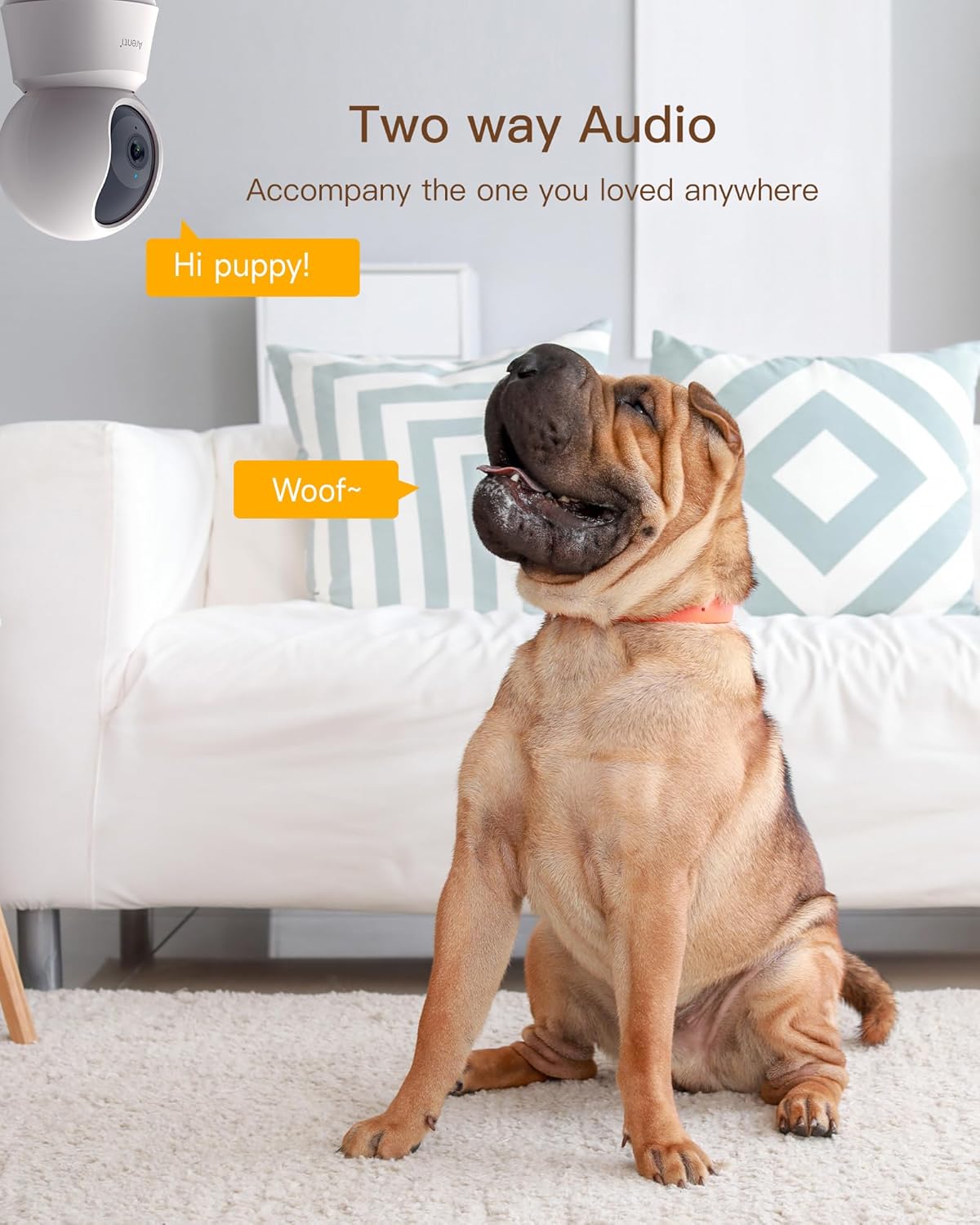
Image: Two-way audio feature in use.
Motion and Sound Detection
Enable motion and sound detection in the app settings to receive real-time alerts on your smartphone when activity is detected. The camera's AI can differentiate between humans and other objects to reduce false alarms.

Image: Motion detection and instant alerts.
Auto Tracking
When motion is detected, the camera can automatically track the moving object within its field of view. This feature can be enabled or disabled in the app settings.
Night Vision
The camera automatically switches to infrared night vision in low-light conditions, providing clear black and white images up to 32 feet.

Image: Enhanced night vision for monitoring in low light.
Privacy Mode
Activate Privacy Mode via the app to temporarily disable live streaming and recording. This is useful when you are home and do not wish to record.

Image: Privacy mode with customizable schedule.
Storage Options
The camera supports local storage via a Micro SD card (up to 256GB, FAT32 format, not included) for continuous 24/7 recording. Cloud storage options are also available through the app for event-based recordings.

Image: Micro SD card slot and cloud storage options.
Multi-Viewing and Sharing
The ARENTI app allows you to add multiple cameras and view up to 4 live feeds simultaneously. You can also share camera access with up to 5 family members.

Image: Multi-viewing and sharing capabilities.
Maintenance
- Cleaning: Use a soft, dry cloth to clean the camera lens and body. Do not use liquid cleaners or aerosols.
- Placement: Ensure the camera is placed in a stable location, away from direct sunlight, heat sources, and moisture.
- Software Updates: Regularly check the ARENTI app for firmware updates to ensure optimal performance and security.
- SD Card Management: If using a Micro SD card, periodically check its status and format it as needed to maintain recording quality and prevent data corruption.
Troubleshooting
- Camera not connecting to Wi-Fi:
-
- Ensure your Wi-Fi network is 2.4GHz or 5GHz.
- Check that the Wi-Fi password is entered correctly.
- Move the camera closer to your Wi-Fi router.
- Restart your router and the camera.
- Ensure your phone's Bluetooth is enabled during the setup process.
- Poor image quality or night vision:
-
- Clean the camera lens with a soft cloth.
- Ensure there are no obstructions in front of the lens.
- Avoid placing the camera directly facing bright lights or windows at night, as this can cause glare.
- Motion detection alerts are too frequent or not working:
-
- Adjust the motion detection sensitivity in the app settings.
- Set up specific activity zones to monitor only relevant areas.
- Ensure the camera's firmware is up to date.
- Camera rotates automatically or patrols unexpectedly:
-
- Turn off the motion tracking function under PTZ settings in the app.
- Turn on noise detection under Alarm management, then turn off the abnormal noise inspection function.
- Turn off the scheduled inspection function.
- After these steps, the camera should remain fixed in the position you set.
- Two-way audio quality is poor:
-
- Ensure your internet connection is stable.
- Reduce background noise near the camera or your phone.
- Adjust volume settings in the app.
Specifications
| Feature | Detail |
|---|---|
| Model Name | P2Q |
| Resolution | 4MP (2.5K) |
| Connectivity | Wired, Wi-Fi (2.4GHz & 5GHz) |
| Night Vision Range | Up to 32 feet |
| Storage Options | Micro SD (up to 256GB), Cloud Storage |
| Audio | Two-Way Audio |
| Detection | AI Human Motion, Sound Detection, Auto Tracking |
| Viewing Angle | 95 degrees (lens), 355 degrees (pan/tilt) |
| Power Source | Corded Electric (230V, 5W) |
| Dimensions | 3.31 x 3.31 x 6.69 inches |
| Compatible Devices | Amazon Alexa, Google Assistant |
Warranty Information
The ARENTI P2Q camera comes with a 1-year manufacturer's warranty. Please retain your proof of purchase for warranty claims. For detailed terms and conditions, refer to the official ARENTI website or contact customer support.
Customer Support
For further assistance, technical support, or inquiries, please visit the official ARENTI website or contact their customer service team. Support is typically available Monday-Friday, 9 AM - 5 PM (PT), with replies within 24 hours.
You can find more information and support on the ARENTI Brand Store.

Image: Professional support team ready to assist.


