
1. Introduction
Thank you for choosing the MusicMan BT-X63 True Wireless Bluetooth In-Ear Headphones. This manual provides essential information for the safe and efficient use of your device. Please read it carefully before use and retain it for future reference.
2. Safety Instructions
- Do not expose the device to extreme temperatures, direct sunlight, or high humidity.
- Avoid dropping or subjecting the device to strong impacts.
- Do not attempt to disassemble, repair, or modify the device yourself. Refer all servicing to qualified personnel.
- Keep the device away from water and other liquids.
- Use only the provided USB-C charging cable or a certified equivalent.
- Dispose of batteries and electronic components responsibly according to local regulations.
- Avoid listening at high volume levels for extended periods to prevent hearing damage.
3. Package Contents
Please check the package for the following items:
- MusicMan BT-X63 True Wireless In-Ear Headphones (Left and Right)
- Charging Box
- USB Type-C Charging Cable
- Silicone Ear Tips (2 different sizes)
- User Manual (this document)
4. Product Overview
Familiarize yourself with the components of your MusicMan BT-X63 headphones and charging box.

Image: The MusicMan BT-X63 True Wireless Earbuds are shown removed from their open charging case. The white earbuds feature a stem design, and the white charging case has the 'MusicMan Germany' logo on its lid.
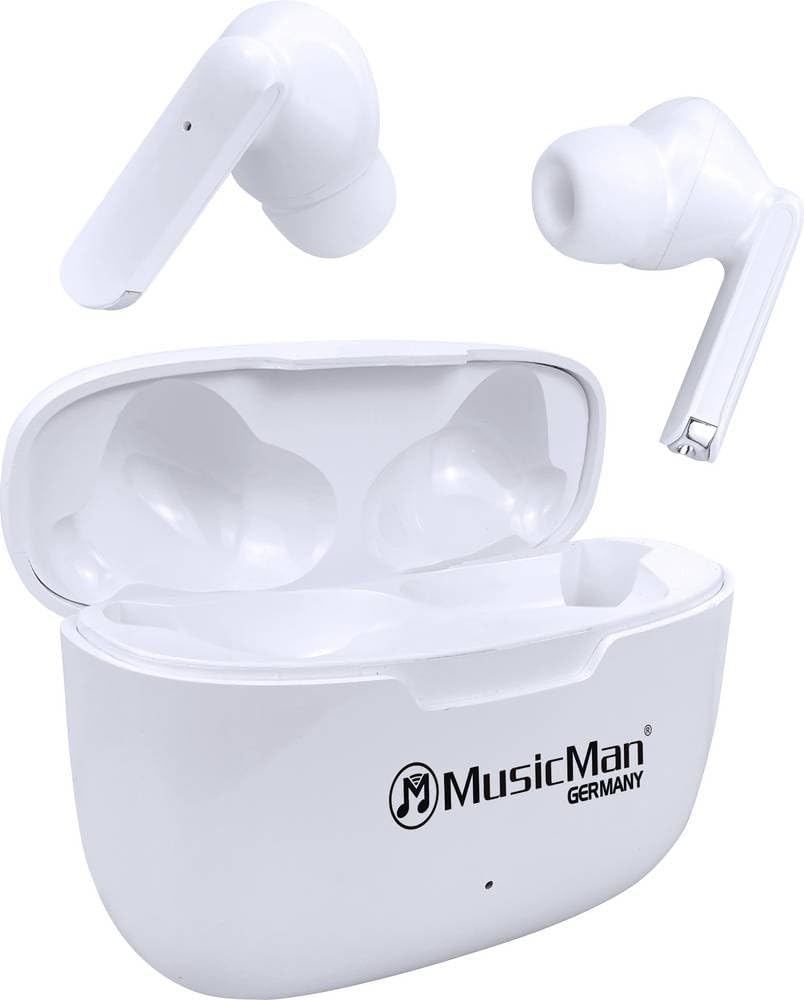
Image: The MusicMan BT-X63 True Wireless Earbuds are placed inside their open charging case. The white earbuds fit snugly into their respective slots, and the 'MusicMan Germany' logo is visible on the case lid.

Image: The MusicMan BT-X63 charging case is shown closed, displaying its compact, white design. The 'MusicMan Germany' logo is prominently featured on the top surface of the case.
5. Setup
5.1 Charging the Device
- Charging the Charging Box: Connect the provided USB Type-C cable to the charging port on the charging box and the other end to a USB power adapter (not included) or a computer's USB port. The indicator light on the charging box will show charging status. A full charge takes approximately 2 hours.
- Charging the Earbuds: Place the earbuds into their respective slots in the charging box. Ensure they are correctly seated. The earbuds will automatically begin charging. The charging box can provide up to 4 full charges for the earbuds.
5.2 Power On/Off
- Power On: The earbuds will automatically power on when removed from the charging box.
- Power Off: The earbuds will automatically power off and begin charging when placed back into the charging box and the lid is closed.
5.3 Bluetooth Pairing
- Ensure the earbuds are charged.
- Remove both earbuds from the charging box. They will automatically enter pairing mode, indicated by a flashing LED on one of the earbuds.
- On your smartphone, tablet, or laptop, enable Bluetooth and search for available devices.
- Select "MusicMan BT-X63" from the list of devices.
- Once connected, a voice prompt will confirm successful pairing, and the LED indicator on the earbuds will turn off or flash slowly.
- The earbuds will automatically reconnect to the last paired device when removed from the charging box, if Bluetooth is enabled on the device.
6. Operating Instructions
The MusicMan BT-X63 features intuitive touch controls on both earbuds.
6.1 Music Playback
- Play/Pause: Single tap on either earbud.
- Next Track: Double tap on the right earbud.
- Previous Track: Double tap on the left earbud.
- Volume Up: Triple tap on the right earbud.
- Volume Down: Triple tap on the left earbud.
6.2 Phone Calls
- Answer Call: Single tap on either earbud.
- End Call: Single tap on either earbud during a call.
- Reject Call: Press and hold either earbud for 2 seconds.
6.3 Voice Assistant
- Activate Voice Assistant: Press and hold either earbud for 3 seconds (when not on a call).
7. Maintenance
7.1 Cleaning
- Wipe the earbuds and charging box with a soft, dry, lint-free cloth.
- Do not use abrasive cleaners, alcohol, or chemical solvents.
- Ensure charging contacts are clean and free of debris.
7.2 Storage
- Store the device in a cool, dry place, away from direct sunlight and extreme temperatures.
- If storing for an extended period, charge the device periodically to maintain battery health.
8. Troubleshooting
If you encounter issues with your MusicMan BT-X63 headphones, refer to the following common solutions:
| Problem | Possible Solution |
|---|---|
| Earbuds not pairing |
|
| No sound from one earbud |
|
| Charging issues |
|
| Touch controls not responding |
|
9. Specifications
| Feature | Specification |
|---|---|
| Brand | MusicMan |
| Model Name | BT-X63 |
| Item Model Number | 5098 |
| Connectivity Technology | Wireless (Bluetooth 5.3) |
| Battery Cell Composition | Lithium Polymer |
| Charging Time (Charging Box) | Approx. 2 Hours |
| Operating Time (Earbuds per charge) | Approx. 4 Hours |
| Total Runtime (with Charging Box) | Up to 16 Hours |
| Standby Time | Up to 300 Hours |
| Weight (per earbud) | Approx. 7g |
| Product Dimensions (Charging Box) | 6.12 x 4.62 x 2.41 cm |
| Material | Plastic |
| Microphone | Yes |
| Touch Control | Yes |
10. Warranty and Support
MusicMan products are designed for reliability and performance. For warranty information, please refer to the warranty card included with your purchase or visit the official MusicMan website. For technical support or further assistance, please contact MusicMan customer service through their official channels.