Introduction
Thank you for choosing the SHJ H28Y Pro Shortwave Radio. This multi-band radio is designed for versatile communication, offering features such as CB/HF/SSB capabilities, 10W output power, Bluetooth programming, and wide frequency coverage. This manual provides detailed instructions for the proper setup, operation, and maintenance of your device to ensure optimal performance and longevity.
Package Contents
Please verify that all items listed below are included in your package:
- SHJ H28Y Pro Shortwave Radio Unit
- Lithium Ion Battery (1 included)
- SMA Male Shortwave Antenna
- SMA Male Medium-Wave Antenna
- USB Type-C Charging Cable
- Power Adapter
- Belt Clip
- User Manual (this document)

Image: The SHJ H28Y Pro Shortwave Radio displayed with all its standard accessories, including antennas, battery, charging cable, power adapter, and belt clip.
Product Overview
Familiarize yourself with the main components and controls of your SHJ H28Y Pro radio:

Image: A detailed diagram illustrating the various parts of the SHJ H28Y Pro radio, including the short-wave antenna connection, volume knob/switch, PTT emission keys (A and B), side key, confirm key, keypad, headphone jack, LCD display screen, return key, select key, and speaker.
- Short-wave Antenna Connection: For attaching the included shortwave or medium-wave antennas.
- Volume Knob/Switch: Controls audio volume and powers the device on/off.
- PTT Emission Key A/B: Push-to-Talk buttons for transmitting on selected frequencies.
- Side Key: Programmable function key.
- Confirm Key: Used to confirm selections in menus.
- Keypad: Numeric and function keys for frequency input and menu navigation.
- Headphone Jack: For connecting external audio devices.
- LCD Display Screen: Shows frequency, channel, battery status, and menu options.
- Return Key: Navigates back in menus.
- Select Key: Used for menu selection.
- Speaker: Audio output.
Setup
1. Battery Installation and Charging
The SHJ H28Y Pro comes with a 4800mAh Lithium Ion battery. Ensure the battery is fully charged before first use.
- Align the battery with the compartment on the back of the radio and push until it clicks into place.
- Connect the supplied USB Type-C charging cable to the radio's charging port and the other end to the power adapter.
- Plug the power adapter into a standard electrical outlet. The charging indicator on the radio will show charging status.
- A full charge typically takes several hours. Once charged, disconnect the charger.
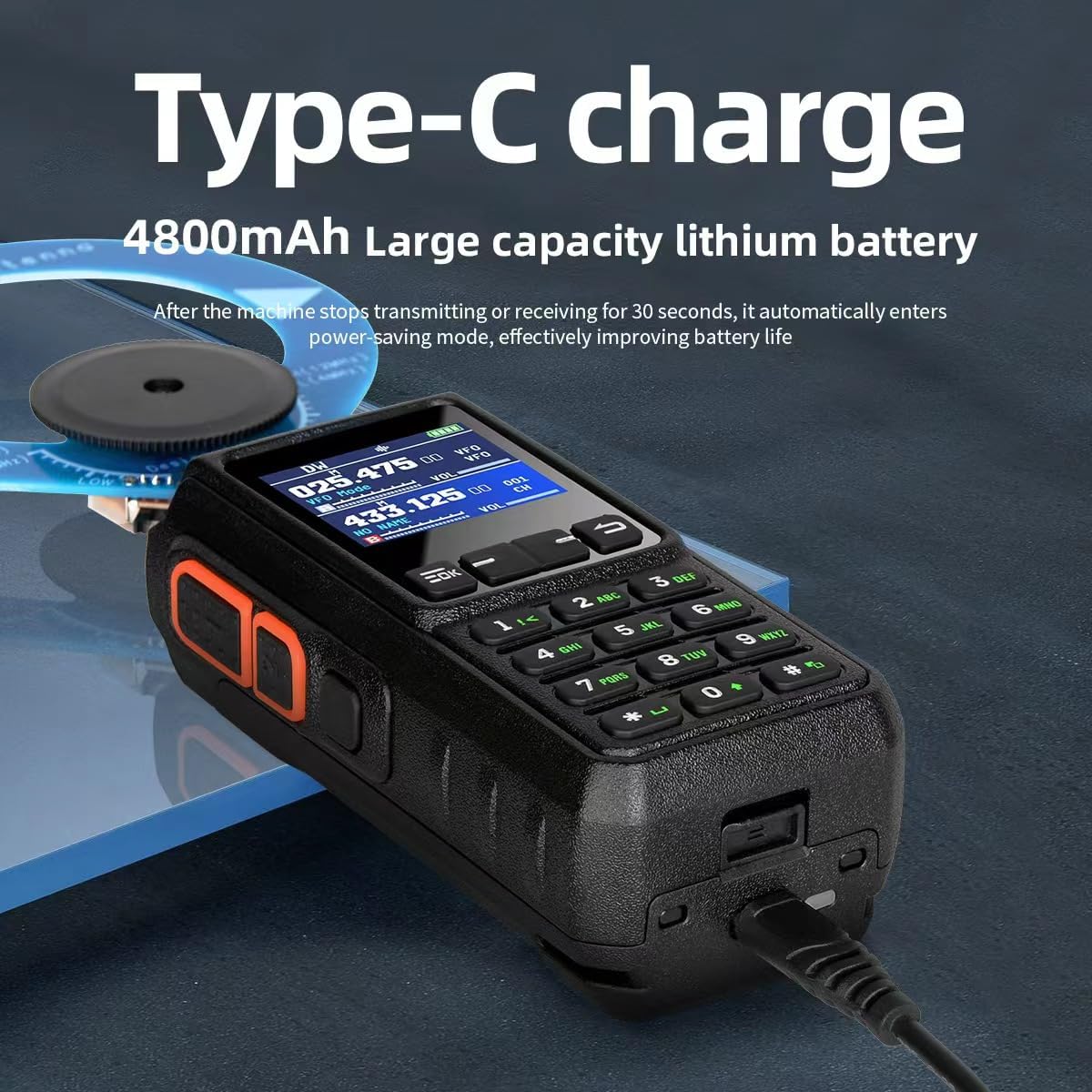
Image: The SHJ H28Y Pro radio with a Type-C charging cable inserted into its port, demonstrating the charging method. The radio features a 4800mAh large capacity lithium battery.
2. Antenna Installation
Proper antenna installation is crucial for optimal performance.
- Locate the SMA male shortwave antenna or medium-wave antenna from your package.
- Unscrew the protective cap from the antenna connector on top of the radio.
- Carefully screw the antenna clockwise onto the connector until it is finger-tight. Do not overtighten.

Image: A visual guide demonstrating how to install the shortwave antenna onto the SHJ H28Y Pro radio. It shows the detachable knob and the process of screwing in the SMA male shortwave antenna.
Operating Instructions
Power On/Off
To power on the radio, rotate the Volume Knob/Switch clockwise until you hear a click and the display illuminates. To power off, rotate it counter-clockwise until it clicks off.
Bluetooth App Programming & Wireless Frequency Management
The SHJ H28Y Pro supports wireless programming via a dedicated mobile application, eliminating the need for PC cables.
- Download the official SHJ H28Y app from your smartphone's app store.
- Enable Bluetooth on your radio and smartphone.
- Open the app and follow the on-screen instructions to pair your radio.
- Once connected, you can program CTCSS/DCS tones, manage 960 channels, create scan lists, and perform wireless firmware updates and frequency synchronization.

Image: The SHJ H28Y Pro radio with a prominent Bluetooth icon on its display, alongside a smartphone screen showing the dedicated mobile application for Bluetooth frequency writing and management.

Image: QR codes provided for downloading the official SHJ H28Y app from the Apple App Store and Google Play Store. This allows wireless programming of frequencies, tones, scan lists, and firmware updates.
Download for iOS: Apple App Store
Download for Android: Google Play Store
Multi-Band Coverage and Airband Monitoring
The H28Y Pro supports a wide range of frequencies and bands:
- CB Band: 27MHz RX
- FM Radio: 64-108MHz RX
- Shortwave (SW): 2.0-30MHz RX
- Medium Wave (MW): 520-1710KHz RX
- Long Wave (LW): 153-179KHz RX
- VHF/UHF TX/RX: 136-174MHz and 400-520MHz
- Airband Monitoring: 108-136MHz (receive-only) for aviation signals.
- Dual-band Standby: Allows simultaneous monitoring of two different frequencies.
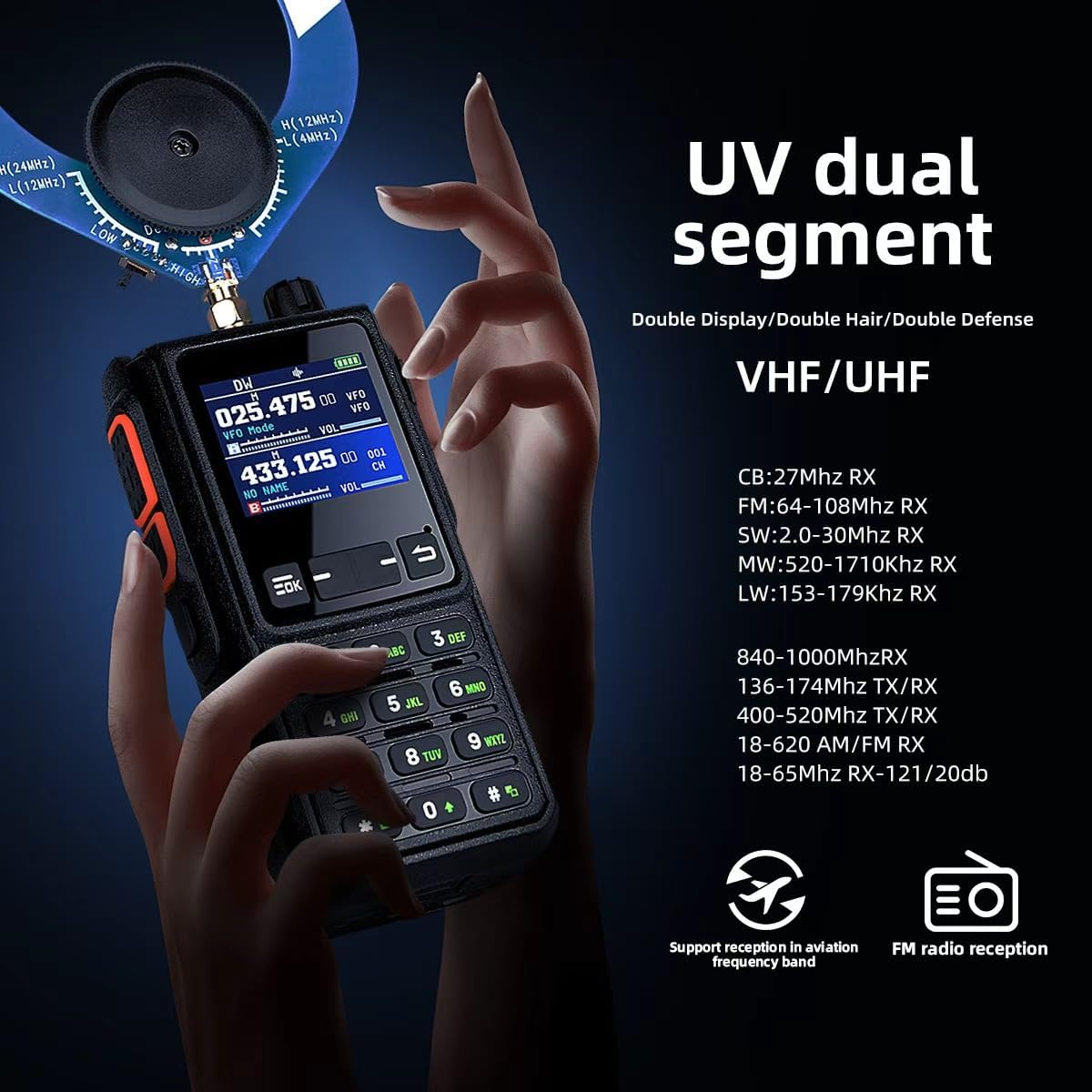
Image: The SHJ H28Y Pro radio highlighting its UV dual segment capabilities, including VHF/UHF, CB, FM, SW, MW, and LW reception ranges, along with support for aviation frequency band and FM radio reception.
DSP-Powered Active Noise Reduction (ANR)
The integrated DSP noise suppression technology filters out background noise, enhancing audio clarity in noisy environments.
- To activate or deactivate ANR, navigate to Menu > Setting > Noise Reduction on the radio's display.
Advanced Emergency Features
- SOS Alert: Features 3 modes (Local Alarm, Alarm Tone, Encoded Code) for emergency signaling. Refer to the menu for configuration.
- VOX Hands-Free: Voice-operated transmission with 9 sensitivity levels. Allows hands-free communication.
- PTT-ID Encoding: For secure team communication, transmitting an identification code with each transmission.
- NOAA Weather Alerts: Integration for receiving weather alerts (if available in your region).

Image: The SHJ H28Y Pro radio emphasizing its 10W output power, capacity for 960 channels, and the presence of an SOS function for emergencies.
One-Click Frequency Matching
The radio supports quick frequency matching for simplified operation.
- Utilize the frequency function combined with Bluetooth APP frequency writing for 2-second automatic frequency matching. This feature simplifies operations and reduces manual input.

Image: Two SHJ H28Y Pro radios shown together, illustrating the "One click frequency matching" feature, which combines frequency function and Bluetooth APP frequency writing for quick pairing.
Spectrum Function
To view the spectrum analysis, long press button 1 on the keypad.
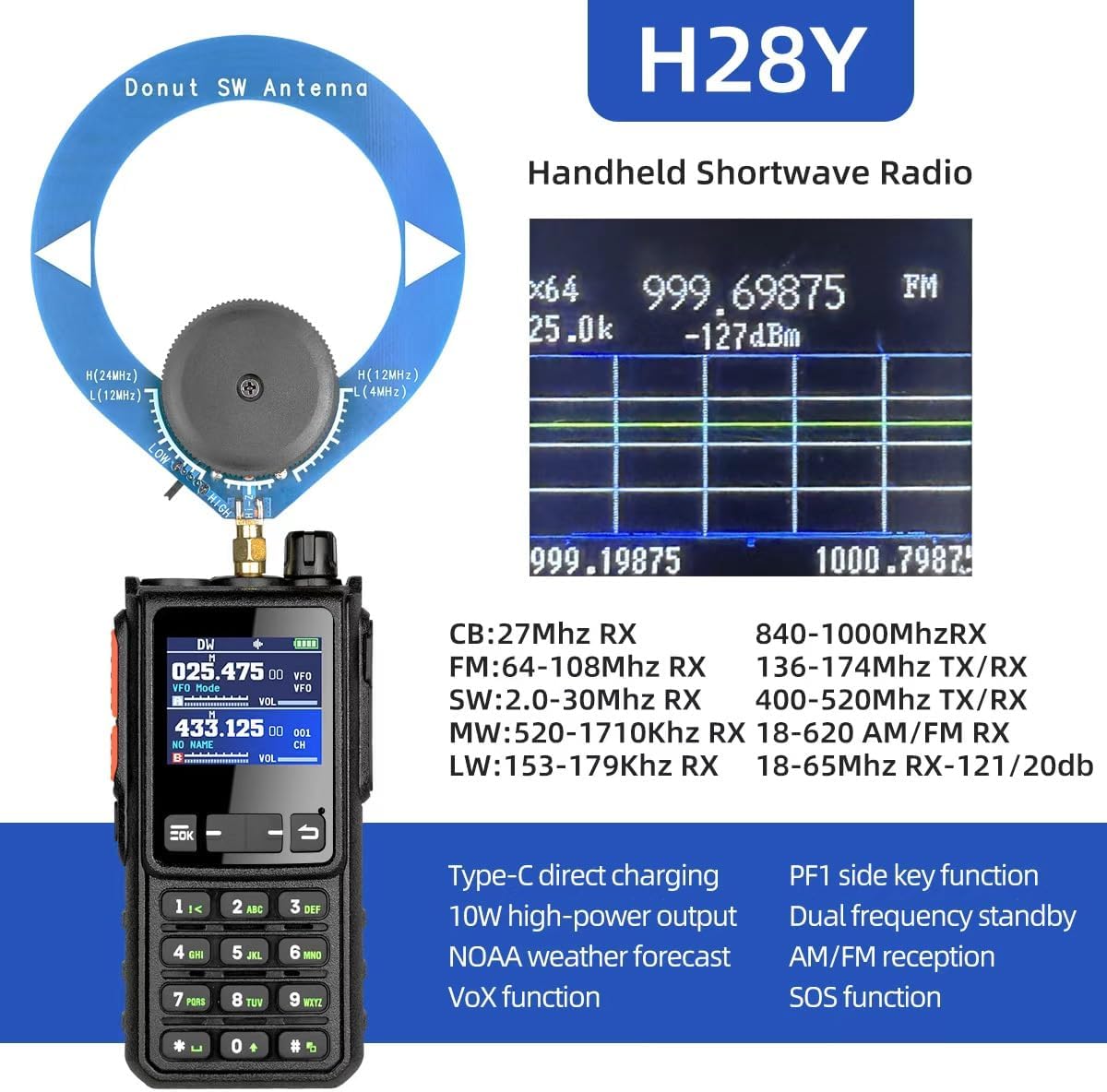
Image: The SHJ H28Y Pro radio displaying its spectrum function on the screen, indicating frequency analysis. This feature is activated by long-pressing button 1.
Specifications
| Feature | Detail |
|---|---|
| Model Number | H28Y |
| Brand | SHJ |
| Output Power | 10W |
| Number of Channels | 960 (via app programming) / 299 (listed in specs) Note: The product description states 960 channels via app, while specifications list 299. Please refer to the app for full channel capacity. |
| Frequency Coverage (TX/RX) | 136-174MHz, 400-520MHz |
| Frequency Coverage (RX Only) | CB: 27MHz, FM: 64-108MHz, SW: 2.0-30MHz, MW: 520-1710KHz, LW: 153-179KHz, Airband: 108-136MHz, 840-1000MHz, 18-620 AM/FM RX, 18-65MHz RX-121/20db |
| Battery Type | 1 Lithium Ion battery (included), 4800mAh |
| Charging Port | USB Type-C |
| Special Features | Bluetooth App Programming, DSP Noise Reduction, VOX, SOS, NOAA Weather Alerts, Dual Frequency Standby, PTT-ID Encoding, 4G POC (listed in specs) |
| Talking Range Maximum | 10 Kilometer |
| Water Resistance Level | Not Water Resistant (IP54-rated for dust/moisture resistance) |
| Compliance | FCC Part 90, ICNIRP (RF radiation limits) |
Maintenance
To ensure the longevity and optimal performance of your SHJ H28Y Pro radio, follow these maintenance guidelines:
- Cleaning: Wipe the radio with a soft, damp cloth. Do not use harsh chemicals or abrasive cleaners. Ensure the charging port and headphone jack are free of dust and debris.
- Battery Care:
- Avoid fully discharging the battery frequently.
- Store the radio in a cool, dry place when not in use for extended periods, with the battery partially charged (around 50%).
- If the radio will not be used for a long time, remove the battery.
- Antenna Care: Handle antennas carefully. Avoid bending or twisting them excessively, as this can damage the connector or the antenna itself.
- Environmental Protection: While the radio is IP54-rated for dust and moisture resistance, it is not fully waterproof. Avoid submerging the radio in water or exposing it to heavy rain.
Troubleshooting
If you encounter issues with your SHJ H28Y Pro radio, refer to the following common problems and solutions:
| Problem | Possible Cause / Solution |
|---|---|
| Radio does not power on. | Battery is low or depleted. Charge the battery. Ensure the battery is correctly installed. The power knob might not be fully turned. |
| No audio from speaker. | Volume is too low. Increase volume. Headphone might be connected. Disconnect headphones. Speaker might be damaged. |
| Cannot transmit or receive. | Antenna not properly connected. Ensure antenna is securely screwed in. Incorrect frequency or channel selected. Verify frequency settings. Battery is too low for transmission. Charge battery. |
| Bluetooth pairing fails. | Ensure Bluetooth is enabled on both radio and smartphone. Radio might be out of range. Move closer to the radio. Try restarting both devices. Ensure the correct app is installed. |
| Poor reception or static. | Weak signal in your area. Try moving to a different location. Antenna not suitable for the frequency. Ensure the correct antenna (shortwave/medium-wave) is used for the band. Interference from other electronic devices. Move away from sources of interference. Activate DSP noise reduction. |
Safety and Compliance
The SHJ H28Y Pro radio is designed with safety in mind and complies with relevant standards:
- FCC Part 90 Compliance: Meets FCC RF radiation limits for occupational use.
- ICNIRP Compliance: Adheres to ICNIRP guidelines with a 50% maximum transmission duty cycle and a 2.5cm body distance protocol to ensure safe RF exposure levels.
- IP54-Rated: Provides protection against dust ingress and splashing water from any direction. This rating does not imply full waterproofing.
- Battery Safety: Use only the specified Lithium Ion battery and charging accessories. Do not disassemble, puncture, or expose the battery to extreme temperatures or fire.
Warranty
The SHJ H28Y Pro Shortwave Radio comes with a 2-year warranty from the date of purchase. This warranty covers manufacturing defects and malfunctions under normal use. It does not cover damage caused by misuse, accidents, unauthorized modifications, or natural disasters. Please retain your proof of purchase for warranty claims.
Customer Support
For further assistance, technical support, or warranty inquiries, please contact SHJ customer service. Refer to the product packaging or the official SHJ website for the most current contact information.
Online Resources: Visit the official SHJ website for FAQs, updated manuals, and software downloads.