
Uvital B0FL28P85M
Contents
Uvital Big Button Corded Phone for Seniors (Model B0FL28P85M) - Instruction Manual
Model: B0FL28P85M | Brand: Uvital
Introduction
This manual provides comprehensive instructions for the Uvital Big Button Corded Phone for Seniors. Designed for ease of use, this landline phone features large buttons, one-touch dialing, an SOS emergency button, and adjustable volume settings. Please read this manual thoroughly before operating your new phone.
What's in the Box
- Big Button Phone
- Handset Cord
- Telephone Line Cord
- User Manual
Setup
1. Connecting the Phone
The Uvital Big Button Phone requires no batteries or external power. Simply connect it to your existing telephone line.
- Plug one end of the handset cord into the left side of the phone base unit.
- Plug the other end of the handset cord into the handset.
- Plug one end of the telephone line cord into the "TEL-LINE" jack on the side of the phone base.
- Plug the other end of the telephone line cord into your telephone wall socket.
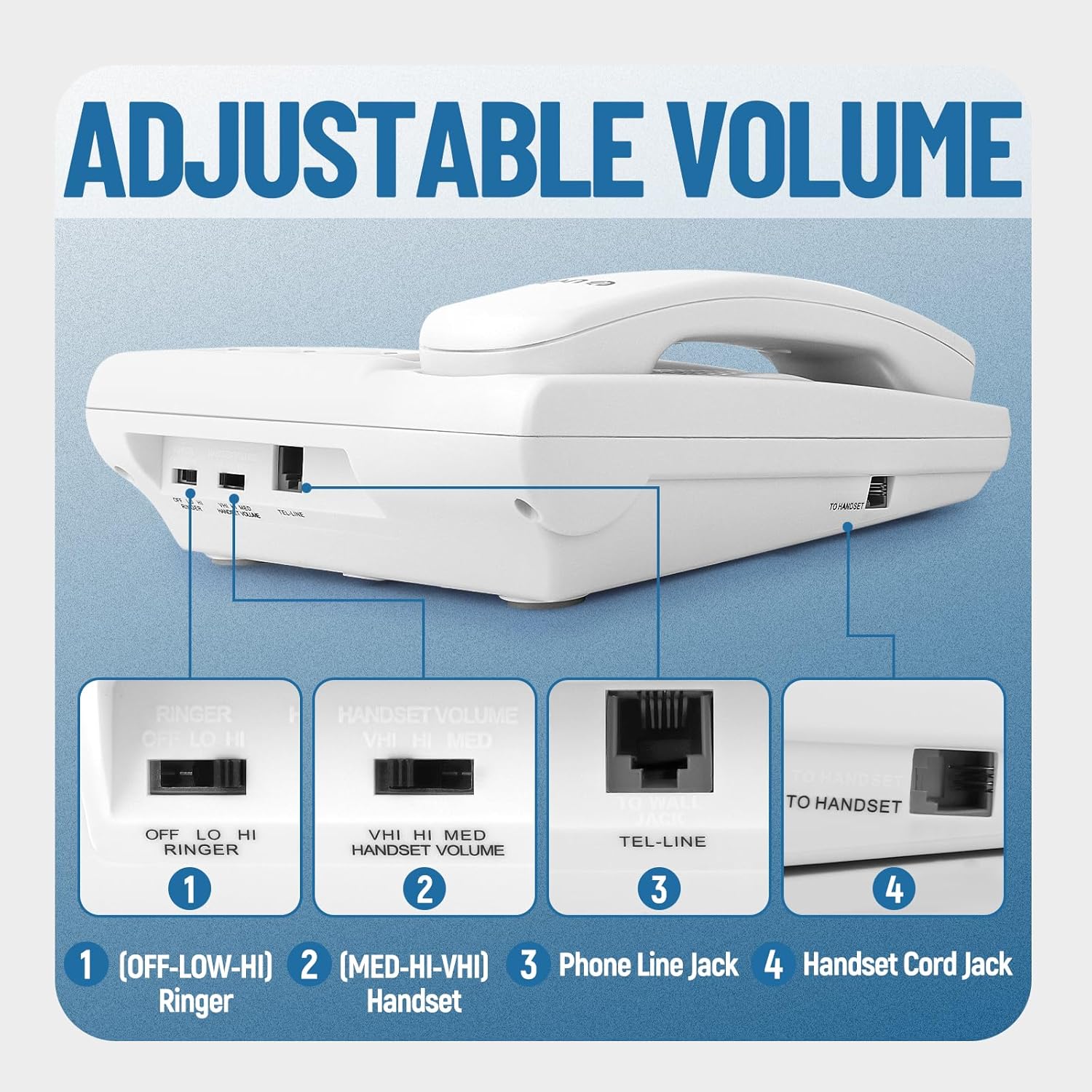
Image: Connection diagram for the Uvital Big Button Phone. It illustrates plugging the handset cord into the base and handset, and the telephone line into the base and wall jack.
2. Desktop or Wall Mounting
The phone can be placed on a desktop or mounted on a wall for convenience.
Video: This video demonstrates how to set up the Uvital Big Button Phone for either desktop use or wall mounting, showing the necessary adjustments for the handset cradle.
3. Inserting Pictures for One-Touch Dialing
The phone features 8 one-touch dialing buttons where you can insert pictures of your frequent contacts for easy recognition. The photo size is approximately 0.88 x 0.88 inches (2.23 x 2.23 cm).
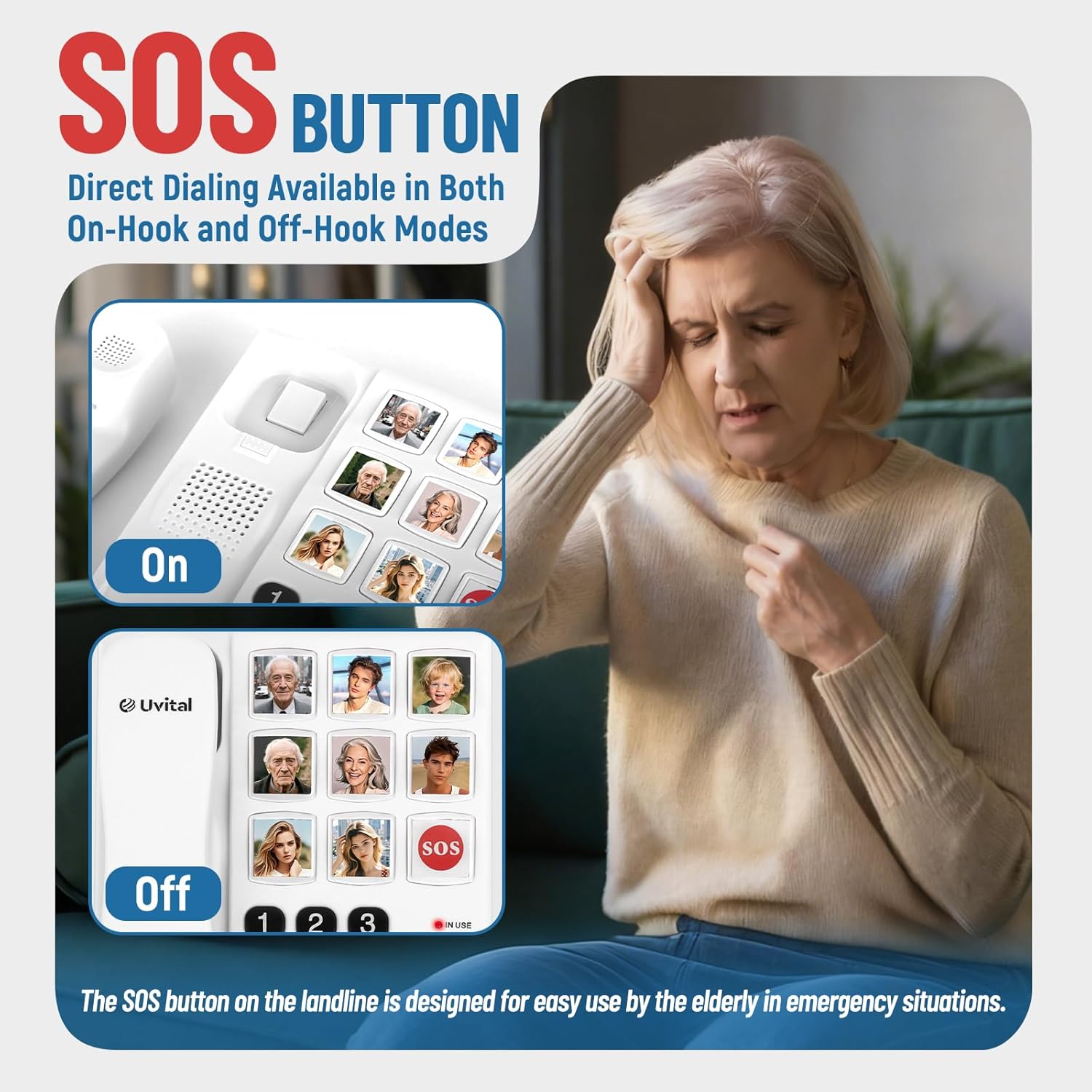
Image: The phone's one-touch buttons are designed to hold small photos, making it easy to identify contacts at a glance.
Video: This video demonstrates the process of replacing the pictures on the one-touch dialing buttons of the Uvital Big Button Phone.
4. Programming One-Touch Dialing Numbers
To program a phone number to a one-touch button:
- Pick up the handset or press the SPEAKER button.
- Press the STORE button.
- Input the desired phone number using the numeric keypad.
- Press the STORE button again.
- Press the desired picture button (1-8) to assign the number.
- Replace the handset or press the SPEAKER button to complete.
To program the SOS emergency button, follow the same steps, but press the SOS button in step 5.
Video: This video provides instructions on how to store numbers for one-touch dialing on the Uvital Big Button Phone.
Operating Instructions
1. Making a Call
- One-Touch Dialing: Pick up the handset or press the SPEAKER button, then press the desired picture button (1-8) or the SOS button.
- Standard Dialing: Pick up the handset or press the SPEAKER button, then dial the phone number using the numeric keypad.
- Redial: Press the REDIAL button to call the last dialed number.
Video: This video demonstrates the speakerphone function and how to use the one-touch dialing feature on the Uvital Big Button Phone.
2. Answering a Call
When the phone rings, pick up the handset or press the SPEAKER button to answer.

Image: The phone features a loud ringer (up to 110dB) and a flashing LED indicator to ensure incoming calls are not missed.
3. Using the SOS Emergency Button
The SOS button provides direct dialing to a pre-programmed emergency contact. This function is available in both on-hook and off-hook modes.

Image: The dedicated SOS button allows for quick emergency calls, designed for easy use by seniors.
4. Adjusting Volume
The phone offers adjustable volume settings for both the ringer and the handset.
- Ringer Volume: Use the switch on the side of the phone to select OFF, LOW, or HI. The maximum ringer volume is 110dB.
- Handset Volume: Use the switch on the side of the phone to select MED, HI, or VHI.
- Hands-Free Speaker Volume: The hands-free speaker volume can reach up to 110dB.

Image: Switches for adjusting ringer and handset volume are located on the side of the phone for easy access.
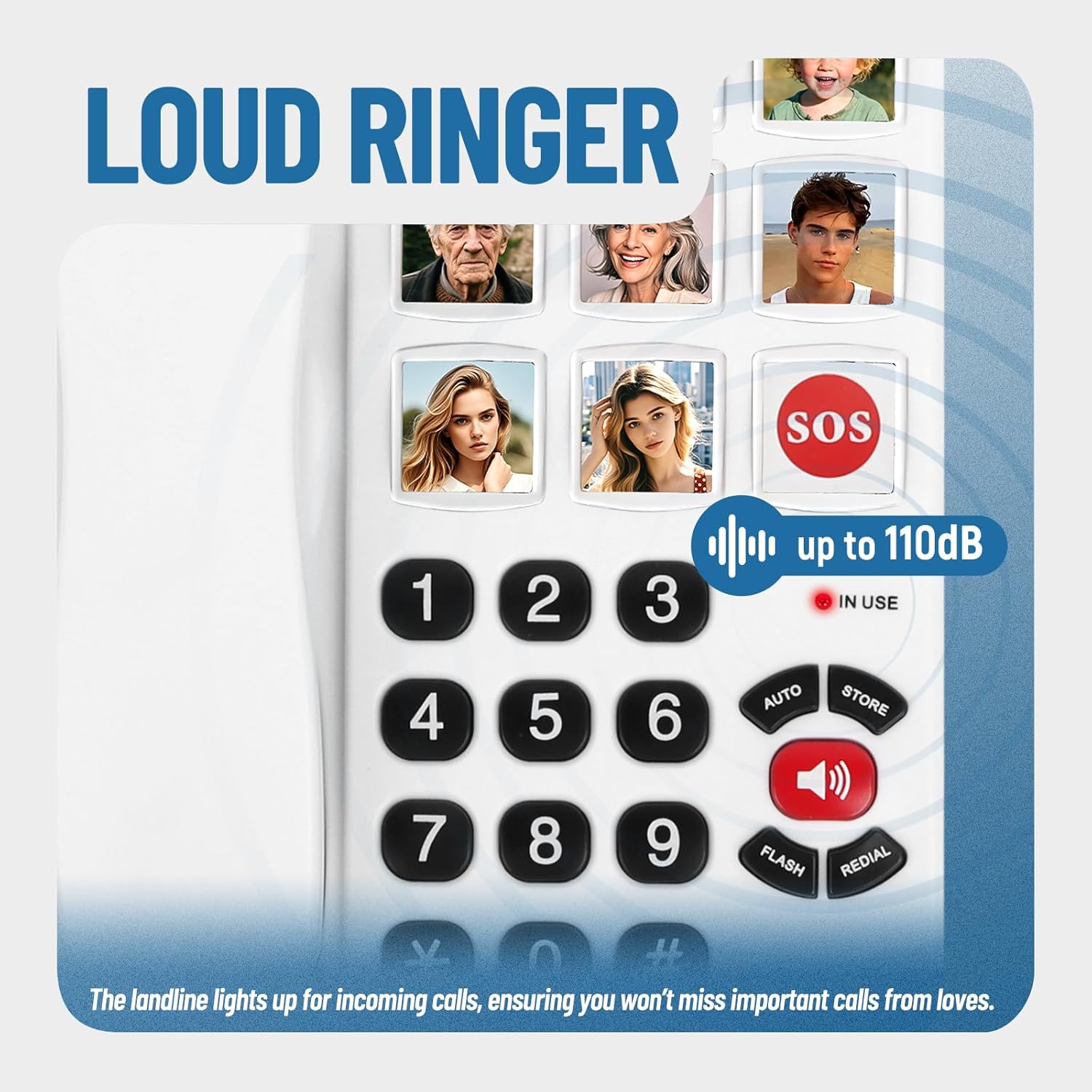
Image: The hands-free function allows for clear conversations without holding the handset, with an amplified speaker for better audibility.
5. LED Incoming Call Indicator
The phone is equipped with a bright LED light that flashes when there is an incoming call, making it more noticeable, especially in noisy environments. Please note that this phone does not have a display screen and therefore does not support caller ID functionality.
Maintenance
To ensure the longevity and optimal performance of your Uvital Big Button Phone, follow these maintenance guidelines:
- Cleaning: Wipe the phone's surface with a soft, damp cloth. Avoid using harsh chemicals or abrasive cleaners, as they may damage the ABS material.
- Storage: Store the phone in a cool, dry place away from direct sunlight and extreme temperatures.
- Handling: Handle the phone with care to prevent drops or impacts that could damage internal components.
Troubleshooting
If you encounter any issues with your Uvital Big Button Phone, please refer to the following common problems and solutions:
| Problem | Possible Solution |
|---|---|
| No dial tone |
|
| Phone not ringing |
|
| Cannot hear caller / Caller cannot hear me |
|
| One-touch dialing not working |
|
Specifications
| Feature | Detail |
|---|---|
| Model | B0FL28P85M |
| Brand | Uvital |
| Telephone Type | Corded |
| Color | White |
| Material | Acrylonitrile Butadiene Styrene (ABS) |
| Power Source | Corded Electric (No external power/batteries required) |
| Dialer Type | Single Keypad |
| Multiline Operation | Single-Line Operation |
| Caller Identification | No (No display screen) |
| Product Dimensions | 0.39 x 0.39 x 0.39 inches |
| Item Weight | 1.76 pounds |
| Ringer Volume | 3 adjustable levels (OFF, LOW, HI), max 110dB |
| Handset Volume | 3 adjustable levels (MED, HI, VHI) |
| Hands-Free Speaker Volume | Up to 110dB |
| Special Features | 8 One-Touch Dialing Buttons, 1 SOS Emergency Button, Flashing LED Indicator |
Warranty Information
Uvital products are manufactured to the highest quality standards. For specific warranty details and terms, please refer to the warranty card included with your product or contact Uvital customer support.
Customer Support
If you have any questions, require technical assistance, or need further support, please contact Uvital customer service through the contact information provided on the product packaging or the official Uvital website.
Ask a question about this manual
Ask about setup, troubleshooting, compatibility, parts, safety, or missing instructions. Manuals+ will review the question and use this page’s manual context to help answer it.