
1. Introduction
The Pecron F3000LFP is a high-capacity portable power station designed to provide reliable power for various applications, including home backup, RV use, camping, and off-grid living. Featuring a 3072Wh LiFePO4 battery and a 3600W pure sine wave AC output, it offers versatile charging options and multiple output ports to power a wide range of devices.
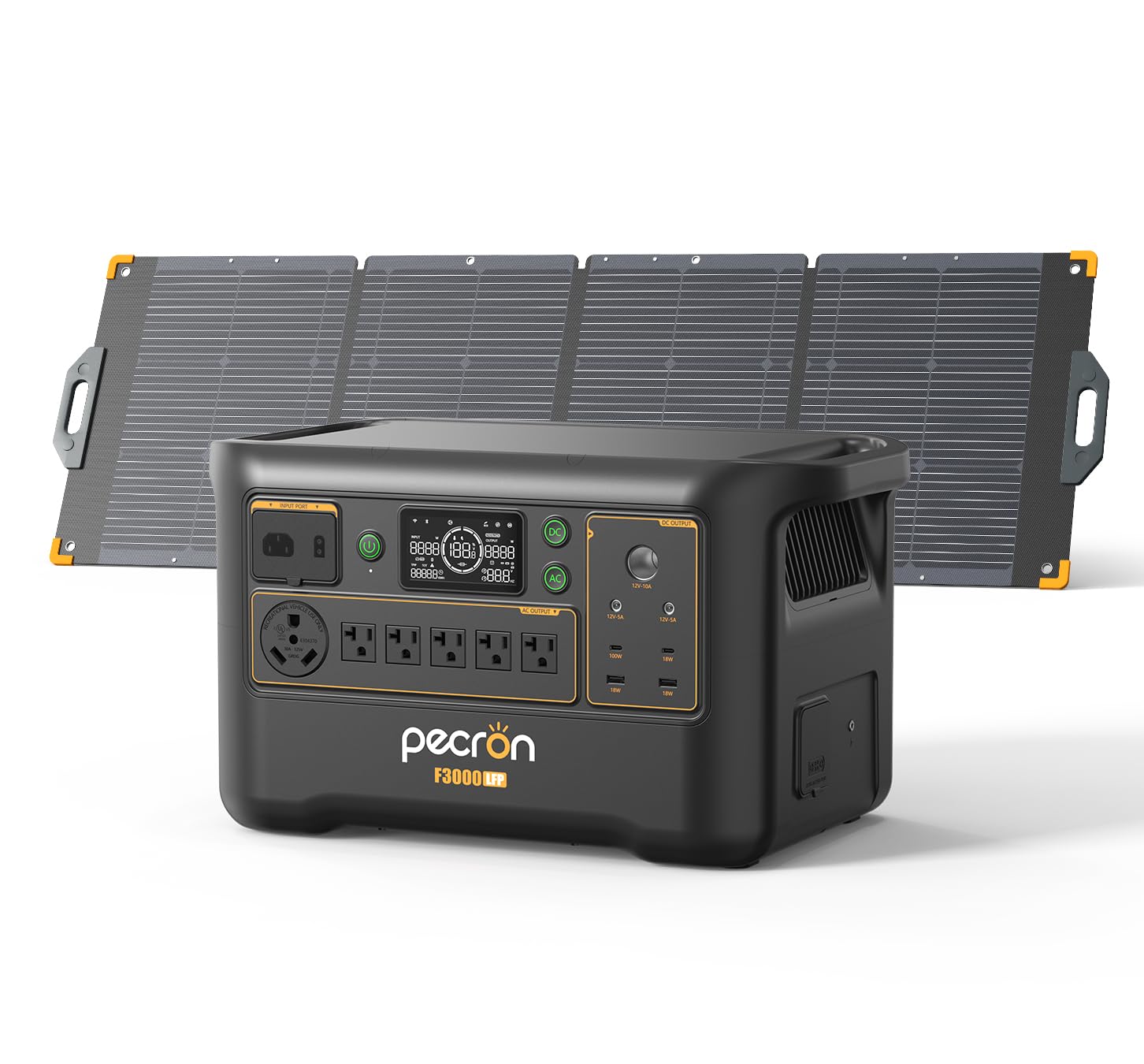
Image: The Pecron F3000LFP Portable Power Station, showcasing its robust design and front panel.
2. Safety Information
Please read all safety instructions carefully before operating the Pecron F3000LFP. Failure to follow these instructions may result in electric shock, fire, or serious injury.
- Do not disassemble, repair, or modify the unit.
- Keep the unit away from fire and direct sunlight.
- Do not use or store the unit in a bathroom or in areas exposed to water or moisture.
- Ensure proper ventilation during use to prevent overheating.
- Keep out of reach of children and pets.
- Use only original or certified accessories.
3. Package Contents
The Pecron F3000LFP package includes the following items:
- Pecron F3000LFP Power Station
- 200W Solar Panel (quantity: 1)
- AC Charging Cable
- Car Charging Cable
- User Manual
Note: The solar panel and power station may be delivered separately.
4. Product Overview
The F3000LFP features a comprehensive interface for power input and output, along with a clear display for monitoring status.
4.1 Front Panel Layout
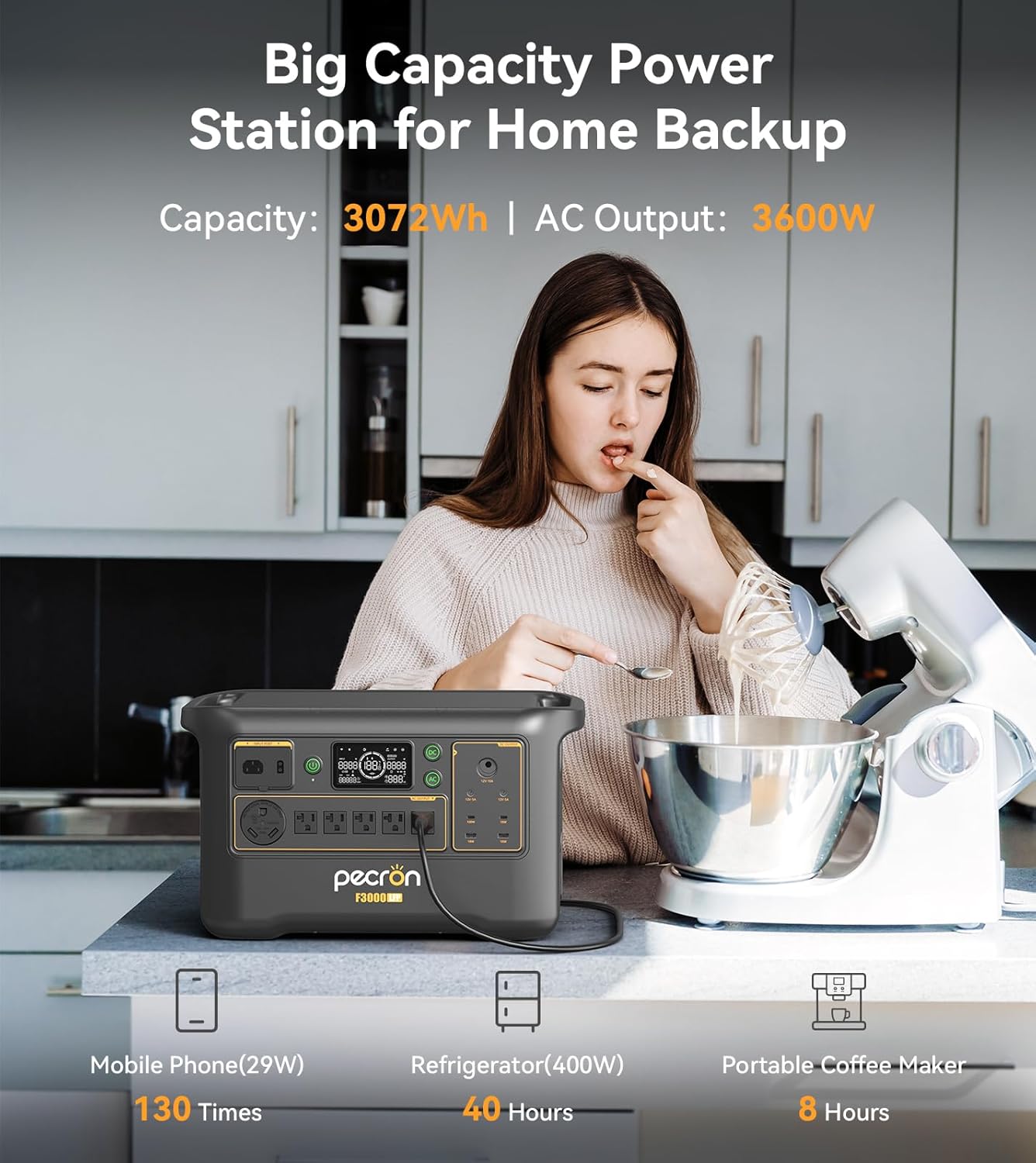
Image: Detailed view of the Pecron F3000LFP front panel, highlighting AC outlets, USB ports, and the display screen.
- AC Output Ports: 6 standard AC outlets (3600W total, 30A pure sine wave output).
- USB-C Ports: 1x 100W USB-C, 1x 18W USB-C.
- USB-A Ports: 2x 18W USB-A.
- DC Output Ports: 1x Car charging port, 2x DC5525 ports.
- Display Screen: Shows battery level, input/output wattage, remaining runtime, and error indicators.
- Power Button: Turns the unit on/off.
- AC/DC Buttons: Activates/deactivates respective output sections.
4.2 Cooling System
The F3000LFP incorporates an ultra-quiet cooling system to maintain optimal operating temperatures, ensuring efficient performance even under heavy loads. The noise level is below 30dB for 900W output.
5. Setup
5.1 Initial Charging
Before first use, fully charge the Pecron F3000LFP. Connect the AC charging cable to the input port on the power station and then to a wall outlet. The display will indicate charging status. The unit supports 1800W fast AC charging, reaching 0-100% in approximately 2 hours.

Image: The Pecron F3000LFP connected to an AC outlet for fast charging, demonstrating its rapid recharge capability.
5.2 Connecting Solar Panels
To charge using solar power, connect the included 200W solar panel to the solar input port on the F3000LFP. Ensure the solar panel is placed in direct sunlight for optimal charging efficiency. The F3000LFP can handle a solar input of up to 1600W.

Image: The Pecron F3000LFP connected to a solar panel in an outdoor setting, illustrating solar charging capability.
6. Operating Instructions
6.1 Powering On/Off
Press and hold the main power button for a few seconds to turn the unit on or off. The display will illuminate upon activation.
6.2 Using AC Outputs
Press the 'AC' button to activate the AC output ports. Plug your AC-powered devices into the available outlets. The F3000LFP provides a 3600W pure sine wave output, suitable for large appliances like air conditioners and cutting machines.
6.3 Using DC and USB Outputs
Press the 'DC' button to activate the DC and USB output ports. Connect your USB-powered devices (laptops, drones, phones) to the USB-A or USB-C ports. Use the car charging port or DC5525 ports for compatible DC devices.

Image: The Pecron F3000LFP highlighting its 30A output and multiple DC and USB ports for various devices.
6.4 Uninterruptible Power Supply (UPS) Function
The F3000LFP features an 8-20ms grade UPS function, providing seamless power during outages. Connect critical devices like CPAP machines or computers to the AC outlets while the power station is connected to grid power. In case of a power failure, the unit will automatically switch to battery power.

Image: The Pecron F3000LFP in a home setting, illustrating its use for CPAP and other home appliances during power outages.
6.5 App Control
Monitor power consumption, remotely start/stop devices, and customize charging/discharging strategies via the dedicated mobile app. This feature enhances power usage efficiency by up to 30%.

Image: A smartphone displaying the Pecron app interface, controlling the F3000LFP power station.
7. Charging Methods
The Pecron F3000LFP supports multiple charging methods:
- AC Charging: Connect to a standard wall outlet using the provided AC charging cable. Supports 1800W fast charging.
- Car Charging: Use a 500W smart car charger (not included) to charge the unit from your vehicle's 12V outlet.
- Solar Charging: Connect compatible solar panels (up to 1600W max input) to recharge the power station using sunlight.

Image: A visual guide to selecting suitable solar panels for pairing with the F3000LFP, including options for 200W and 300W panels, and expansion with an EP3000-48V extra battery.
8. Maintenance
To ensure the longevity and optimal performance of your Pecron F3000LFP, follow these maintenance guidelines:
- Storage: Store the unit in a cool, dry place, away from direct sunlight and extreme temperatures.
- Charging: Fully charge the unit at least once every 3-6 months to maintain battery health, even if not in use.
- Cleaning: Use a dry, soft cloth to clean the exterior of the unit. Do not use harsh chemicals or abrasive materials.
- Battery Life: The LiFePO4 battery retains 80% capacity after over 3,500 cycles, providing long-term electrical support.

Image: An X-ray style view of the Pecron F3000LFP, highlighting its internal LiFePO4 battery cells and various output ports.
9. Troubleshooting
If you encounter issues with your Pecron F3000LFP, refer to the following common problems and solutions:
- Unit Not Turning On: Ensure the battery is charged. If not, connect to an AC outlet for charging.
- No Output from Ports: Verify that the respective AC or DC output buttons are activated. Check if the device connected requires more power than the port can supply.
- Overload Warning: If an overload warning appears on the display, disconnect some devices to reduce the load. The unit will automatically reset after a short period.
- Solar Charging Not Working: Ensure solar panels are in direct sunlight and properly connected. Check for any obstructions or damage to the panels or cables.
For further assistance, please contact Pecron customer support.
10. Specifications
Detailed technical specifications for the Pecron F3000LFP Portable Power Station:
| Feature | Specification |
|---|---|
| Model Name | F3000LFP |
| Battery Capacity | 3072Wh (expandable to 9216Wh with EP3000-48V) |
| AC Output | 3600W (Pure Sine Wave), 6 outlets |
| Surge Power | 4500W (up to 5 seconds) |
| USB-C Output | 1x 100W, 1x 18W |
| USB-A Output | 2x 18W |
| DC Output | 1x Car Charging Port, 2x DC5525 |
| AC Charging Input | 1800W Fast Charging |
| Solar Charging Input | 1600W Max |
| UPS Function | 8-20ms Grade |
| Battery Type | LiFePO4 (3500+ cycles to 80% capacity) |
| Product Dimensions | 19.3"L x 11.6"W x 13.1"H |
| Material | Metals And Plastics |
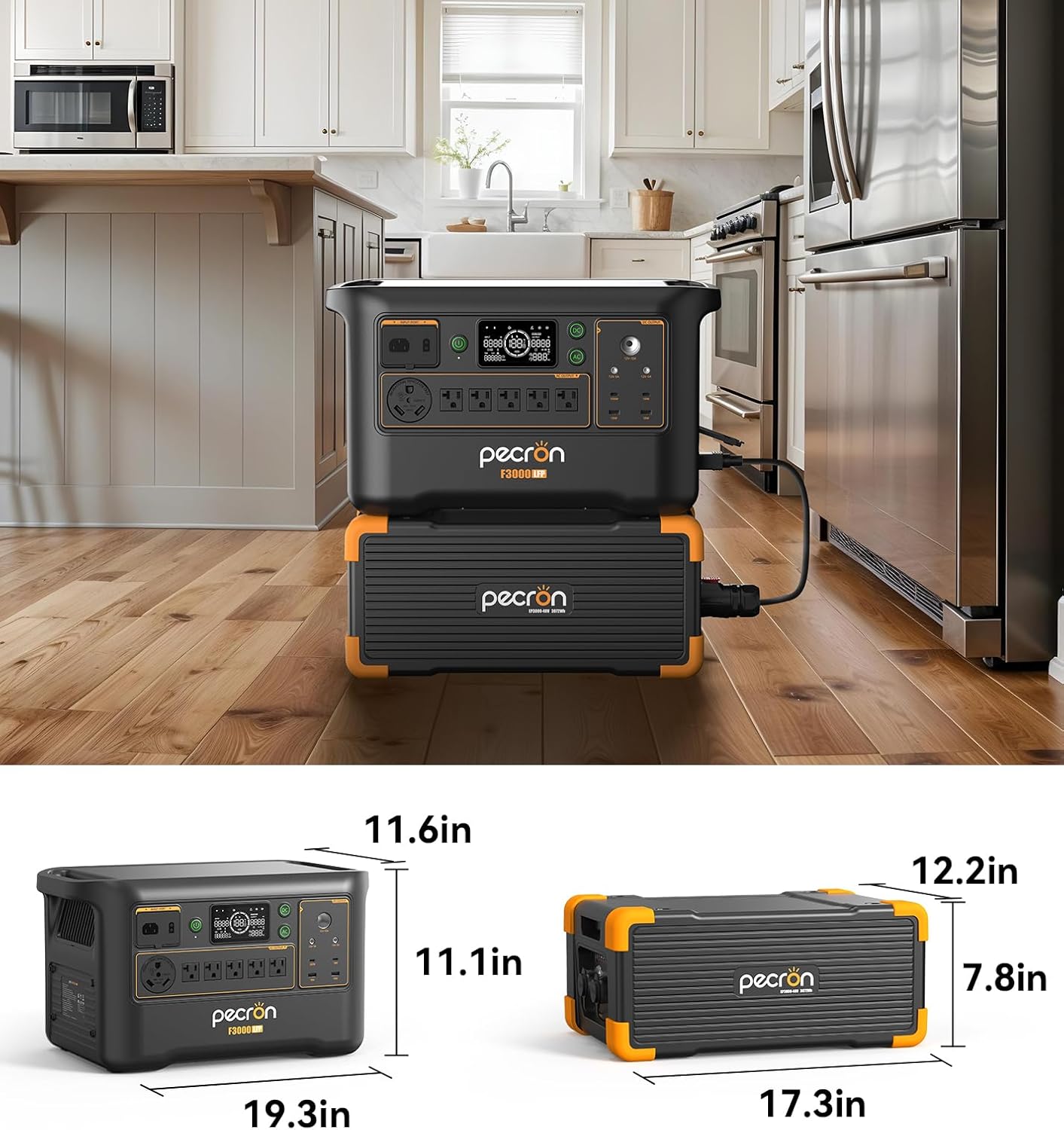
Image: Diagram illustrating the dimensions of the Pecron F3000LFP power station and its optional extra battery.
11. Warranty and Support
The Pecron F3000LFP comes with a 2+3 year warranty. For warranty claims, technical support, or any inquiries, please contact Pecron customer service through their official website or the retailer where the product was purchased.


