
LYNCAST X1Pro
LYNCAST X1Pro Mini Projector User Manual
Model: X1Pro (Netflix N300)
1. Introduction
Thank you for purchasing the LYNCAST X1Pro Mini Projector. This manual provides essential information for the safe and efficient use of your projector. Please read it thoroughly before operation and retain it for future reference.
2. Safety Information
- Do not look directly into the projector lens when the lamp is on.
- Ensure proper ventilation to prevent overheating. Do not block ventilation openings.
- Use only the power adapter provided with the projector.
- Keep the projector away from water or other liquids.
- Avoid placing the projector on unstable surfaces.
- Clean the lens regularly with a soft, lint-free cloth.
- If not used for a long time, seal the projector to avoid dust accumulation.
3. Package Contents
Verify that all items are present in your package:
- LYNCAST X1Pro Mini Projector
- Remote Control
- Power Adapter
- HDMI Cable
- User Manual
4. Product Overview
The LYNCAST X1Pro is a compact and portable mini projector designed for versatile entertainment and productivity. It features a 270° rotatable design, multiple connectivity options, and a built-in Android 13 operating system.

Image: The LYNCAST X1Pro Mini Projector, demonstrating its portable and lightweight design, easily held in one hand. Dimensions are approximately 13.6cm L x 8.54cm W x 11.15cm H, weighing 356g.
4.1. Interfaces
The projector is equipped with the following ports:
- HDMI Port: For connecting external devices such as TV sticks, laptops, PCs, game consoles (e.g., PS5), and TV boxes.
- USB Port: For connecting USB flash drives or other compatible USB devices.

Image: A visual representation of the LYNCAST X1Pro Mini Projector's multiple interfaces, highlighting the HDMI and USB ports and listing compatible devices for each.
5. Setup
5.1. Initial Placement
Place the projector on a stable, flat surface or mount it on a tripod. The 270° rotatable design allows for flexible projection angles, including ceiling projection. Ensure there is adequate space around the projector for ventilation.

Image: The LYNCAST X1Pro Mini Projector positioned to project an image onto a ceiling, illustrating its 270° rotatable design for flexible viewing positions.
5.2. Power Connection
- Connect the power adapter to the projector's power input port.
- Plug the power adapter into a wall outlet.
- Press the power button on the projector or remote control to turn it on.
5.3. Network Connection (Wi-Fi)
The projector supports Wi-Fi 6 for fast and stable internet connectivity.
- Navigate to the Settings menu on the projector.
- Select Network & Internet.
- Turn on Wi-Fi and select your desired network from the list.
- Enter the password if prompted and connect.

Image: The LYNCAST X1Pro Mini Projector demonstrating its Wi-Fi 6 connectivity, projecting content wirelessly from a smartphone.
5.4. Bluetooth Pairing
The projector features Bi-directional Bluetooth 5.4 for connecting external audio devices or using the projector as a Bluetooth speaker.
- Go to Settings and select Connected Devices.
- Turn on Bluetooth.
- Select Pair new device and choose your Bluetooth speaker or headphones from the list.
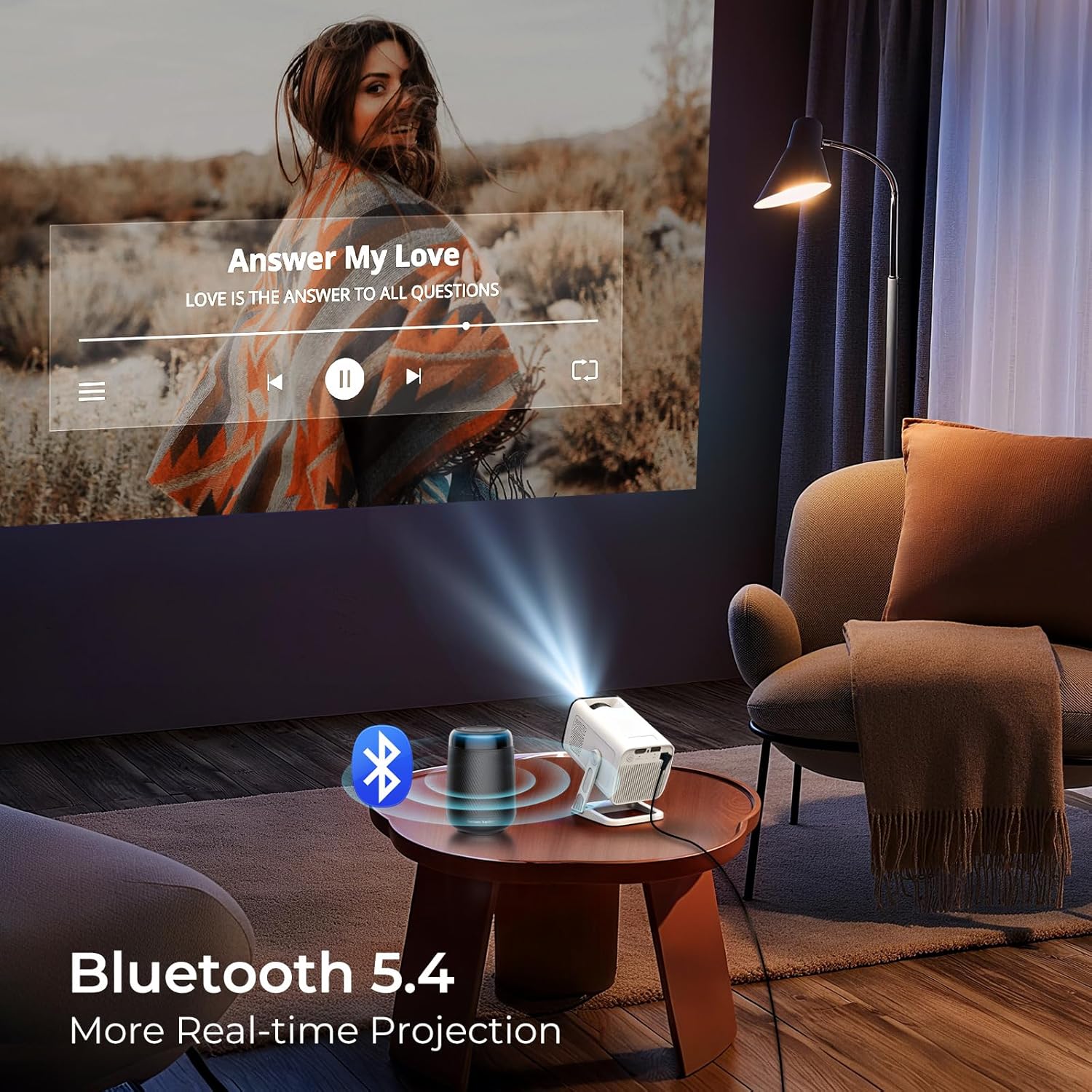
Image: The LYNCAST X1Pro Mini Projector utilizing Bluetooth 5.4 to connect to an external speaker, enhancing the audio experience for projected content.
6. Operating Instructions
6.1. Basic Operation
- Use the provided remote control to navigate the user interface.
- The projector runs on Android 13 OS, providing access to various applications.
6.2. Smart Features and Streaming Apps
The LYNCAST X1Pro comes with built-in streaming applications and access to the Play Store for additional apps.
- Pre-installed apps include Netflix, Prime Video, YouTube, Hulu, Disney+, and Tubi.
- Access the Play Store to download more applications.

Image: The LYNCAST X1Pro Mini Projector highlighting its compatibility with popular streaming services like Netflix, YouTube, Prime Video, and Crave.
6.3. Image Adjustment
- Manual Focus: Adjust the focus ring on the projector lens until the image is clear.
- Auto Keystone Correction: The projector automatically adjusts the image to correct trapezoidal distortion, ensuring a rectangular picture even when projected at an angle.

Image: A detailed projection of a parrot, illustrating the 1080P 4K HD clarity supported by the projector, along with its brightness and contrast specifications.
6.4. Installation Methods
The LYNCAST X1Pro supports various installation methods to suit your viewing environment.
- Front Projection (Tabletop): Place the projector on a table in front of the screen.
- Rear Projection: Place the projector behind a translucent screen.
- Ceiling Projection: Mount the projector upside down from the ceiling. The 270° rotatable design facilitates this.
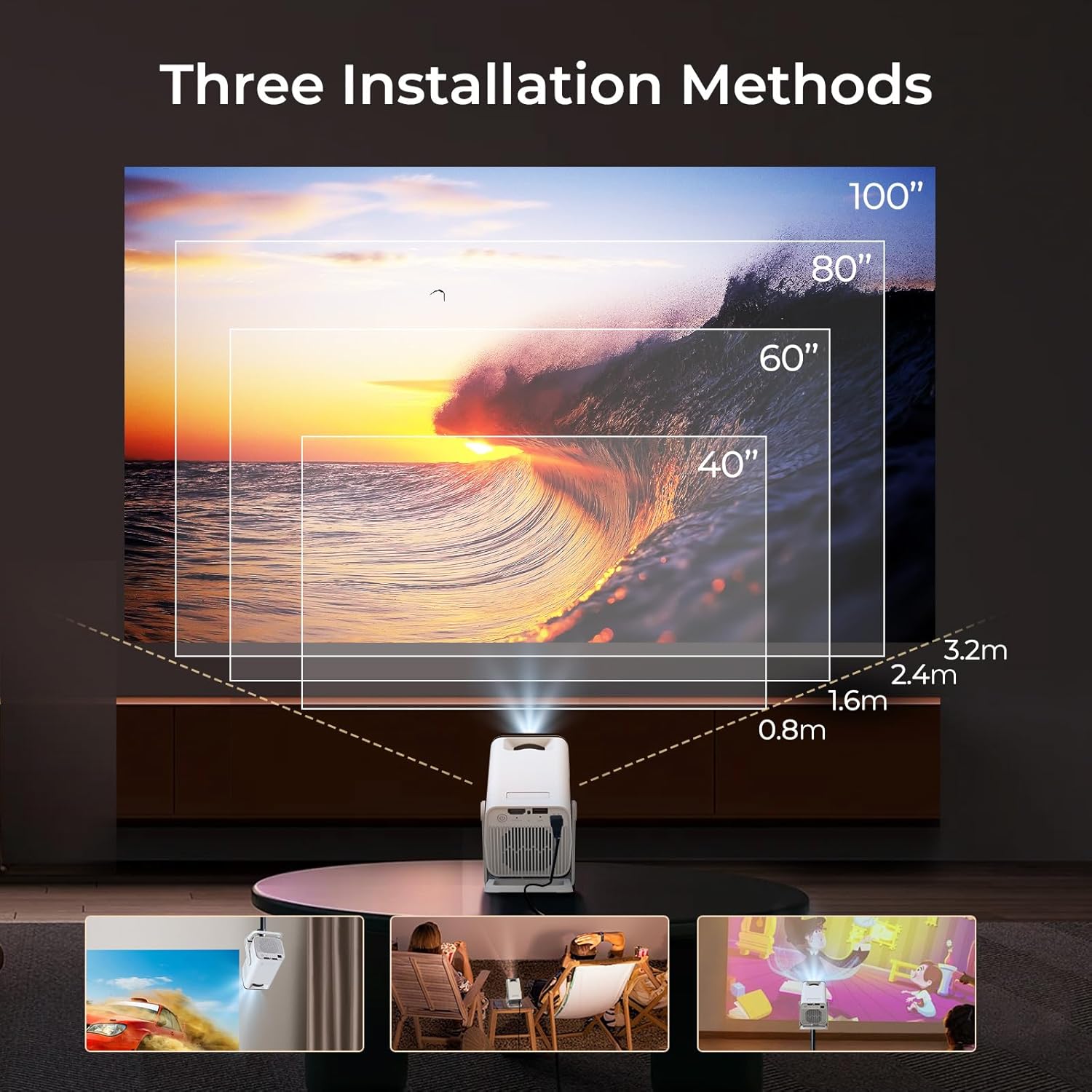
Image: A visual guide to the three primary installation methods for the LYNCAST X1Pro Mini Projector, including tabletop, outdoor, and ceiling setups, with corresponding projection distances and screen sizes.
7. Maintenance
- Lens Cleaning: Gently wipe the projector lens with a soft, non-abrasive cloth. Avoid using harsh chemicals.
- Dust Prevention: When not in use for extended periods, store the projector in a dust-free environment or cover it to prevent dust accumulation.
- Ventilation: Ensure the ventilation ports are clear of obstructions to maintain optimal operating temperature.
8. Troubleshooting
| Problem | Possible Cause | Solution |
|---|---|---|
| No Power | Power cable not connected; Power outlet faulty. | Check power cable connection; Try a different outlet. |
| Blurry Image | Focus not adjusted; Projector too far/close. | Adjust the manual focus ring; Reposition the projector within optimal throw distance. |
| No Sound | Volume too low; External audio device not connected/paired. | Increase volume; Check Bluetooth connection or external speaker cable. |
| Cannot Connect to Wi-Fi | Incorrect password; Router issue; Out of range. | Verify password; Restart router; Move projector closer to router. |
| Image is Trapezoidal | Projector not perpendicular to screen. | Auto keystone correction should activate; if not, check settings for manual adjustment options. |
9. Specifications
| Model Name | X1Pro |
| Item Model Number | Netflix N300 |
| Brand | LYNCAST |
| Native Resolution | 1280 x 720 pixels |
| Display Resolution Maximum | 3840 x 2160 pixels (4K Support) |
| Brightness | 600 Lumen (400 ANSI Lumens) |
| Contrast Ratio | 15000:1 |
| Operating System | Android 13 OS |
| Connectivity Technology | Bluetooth 5.4, HDMI, USB, Wi-Fi 6 |
| Light Source Operating Life | 50000 Hours |
| Maximum Image Size | 100 Inches |
| Minimum Image Size | 40 Inches |
| Maximum Throw Distance | 3 Meters |
| Minimum Throw Distance | 0.6 Meters |
| Product Dimensions (L x W x H) | 13.6 x 8.5 x 11 cm |
| Item Weight | 356 Grams |
| Special Features | Compatible with Netflix, Built-in Stream Apps Officially Licensed, Auto Keystone, Built-In Stereo Speakers, Portable Mini Size, 270° Rotatable Design |
| Chip | T950D4 |
10. Warranty and Support
10.1. Warranty Information
The LYNCAST X1Pro Mini Projector comes with a 2-Year Warranty and a 1-Year Free Replacement policy. Please retain your proof of purchase for warranty claims.
10.2. Manufacturer Contact
For technical support or warranty inquiries, please contact LYNCAST INC.
Contact details (e.g., email, website) would typically be provided here by the manufacturer.
Related documentsX1Pro


Ask a question about this manual
Ask about setup, troubleshooting, compatibility, parts, safety, or missing instructions. Manuals+ will review the question and use this page’s manual context to help answer it.