
1. Introduction
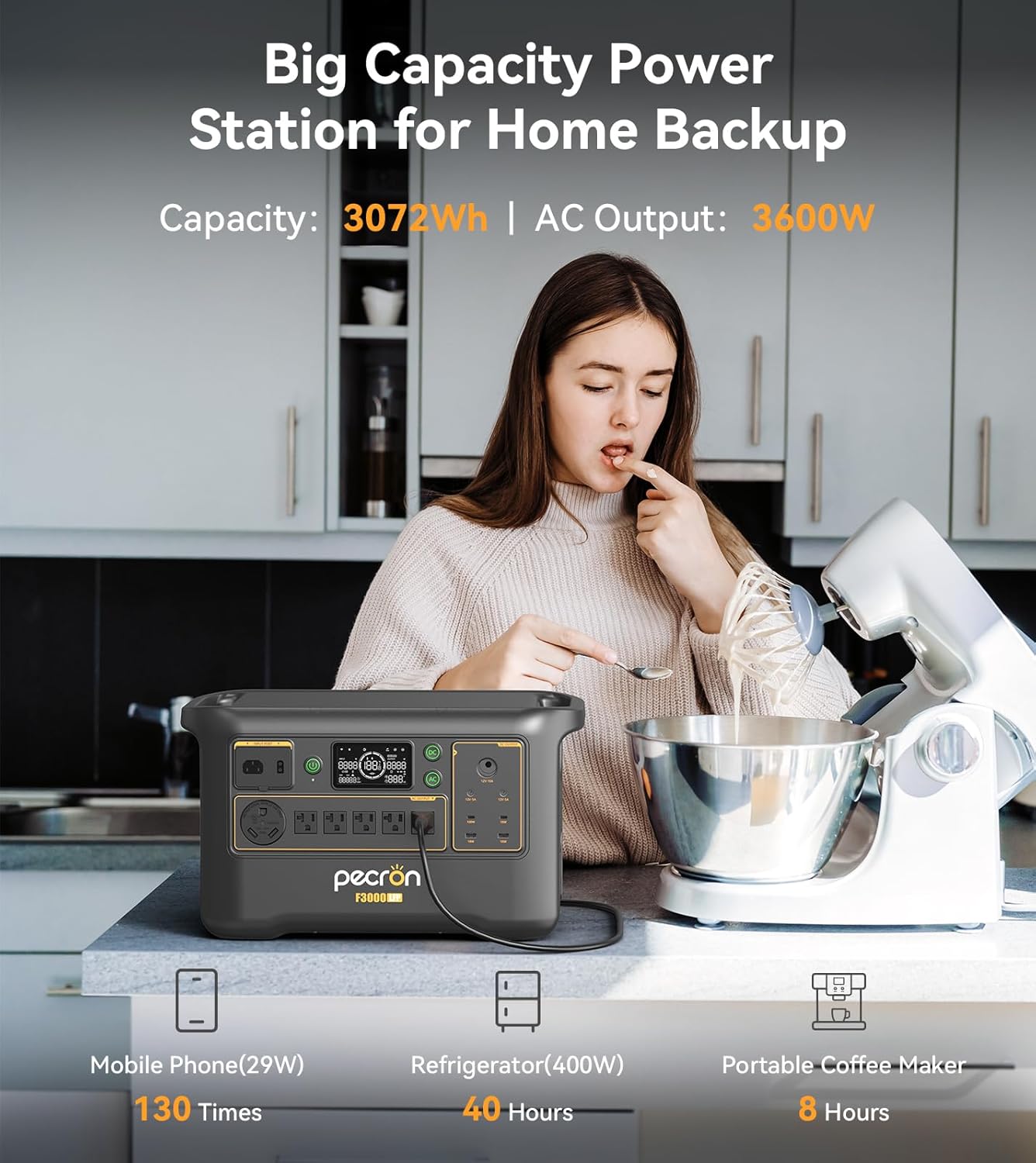
The Pecron F3000LFP Portable Power Station is a versatile and robust power solution designed for various applications, including home backup, RV use, camping, and off-grid living. This manual provides essential information for the safe and efficient operation of your device.
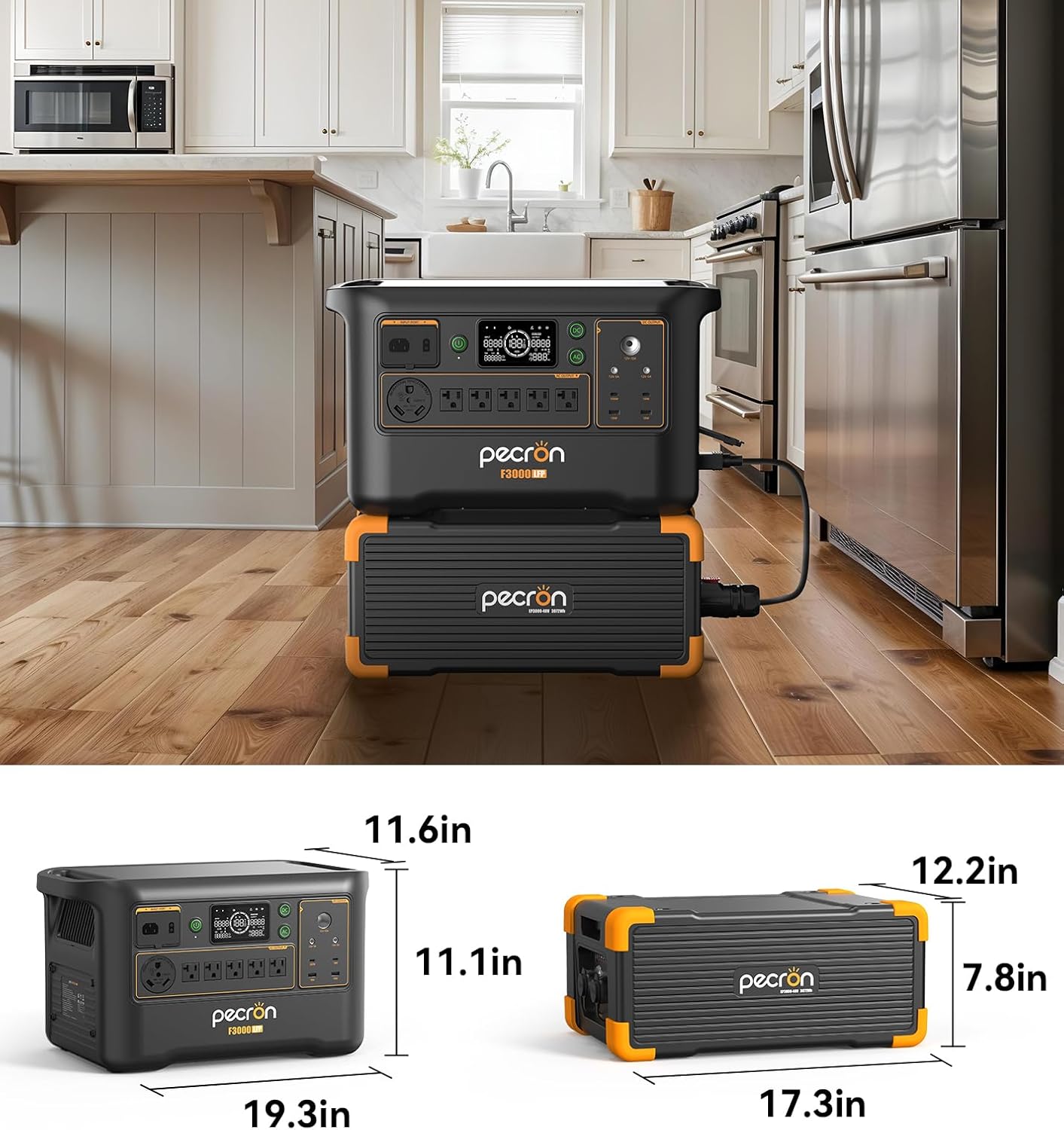
Key features include a substantial 3072Wh LiFePO4 battery capacity, a powerful 3600W pure sine wave AC output, and the ability to expand its capacity up to 9216Wh with additional EP3000-48V batteries. It supports multiple charging methods, including 1800W fast AC charging, and offers 13 output ports to power a wide range of devices. The integrated 8-20ms Uninterruptible Power Supply (UPS) function ensures seamless power during outages, making it suitable for sensitive electronics like CPAP machines and computers.
2. Setup
2.1 Unpacking and Initial Inspection
Carefully remove the Pecron F3000LFP from its packaging. Inspect the unit for any signs of damage during transit. Ensure all components listed in the packing list are present.
2.2 Charging Methods
The F3000LFP supports multiple charging options:
- AC Charging: Connect the power station to a standard wall outlet using the provided AC charging cable. The unit supports 1800W fast charging, allowing it to reach full capacity in approximately 2 hours.
- Car Charging: For on-the-go charging, use a 500W smart car charger (sold separately) to connect the power station to your vehicle's 12V outlet.
- Solar Charging: The F3000LFP can handle a solar input of up to 1600W. Connect compatible solar panels (e.g., Pecron 200W or 300W solar panels) to the designated solar input port. Ensure proper panel orientation for optimal sunlight exposure.


3. Operating Instructions
3.1 Powering On/Off
Press and hold the main power button to turn the unit on or off. The LCD display will illuminate, showing the battery status and output information.
3.2 Output Ports
The F3000LFP features 13 versatile output ports:
- 6x AC Ports: Provide 3600W pure sine wave output for large electrical appliances.
- 1x 100W USB-C Port: For fast charging laptops, drones, and other compatible devices.
- 2x 18W USB-A Ports: Standard USB charging for various devices.
- 1x Car Charging Port: 12V output for car accessories.
- 2x DC5525 Ports: For specific DC-powered devices.
Activate the desired output group (AC or DC) by pressing the corresponding button on the control panel before connecting your devices.

3.3 LCD Display
The integrated LCD display provides real-time information on input/output wattage, battery percentage, and remaining runtime. Monitor your power consumption and charging status at a glance.
3.4 App Smart Control
Manage your F3000LFP remotely using the dedicated mobile application. The app allows you to:
- Monitor power consumption in real-time.
- Remotely start and stop devices connected to the power station.
- Customize charging and discharging strategies to optimize power usage efficiency.

3.5 UPS Functionality
The 8-20ms grade UPS (Uninterruptible Power Supply) function provides effective protection against sudden power outages. When connected to an AC power source, the F3000LFP can automatically switch to battery power within milliseconds, ensuring continuous operation for critical devices like CPAP machines and computers.
4. Maintenance
4.1 Battery Care
The F3000LFP is equipped with a durable LiFePO4 battery, designed to retain 80% of its capacity after over 3,500 charge cycles. To maximize battery lifespan, avoid prolonged storage at extremely low or high charge levels. Store the unit in a cool, dry place.

4.2 Dust Filter
The power station features a removable and washable dust filter to maintain optimal cooling performance. Regularly check and clean the filter to prevent dust buildup, which can affect efficiency and lifespan.
5. Troubleshooting
If you encounter issues with your Pecron F3000LFP, consider the following general troubleshooting steps:
- No Power Output: Ensure the unit is powered on and the specific output group (AC/DC) is activated. Check if the battery level is sufficient.
- Charging Issues: Verify that the charging cable is securely connected and the power source is active. For solar charging, ensure panels are correctly positioned and receiving adequate sunlight.
- Overload Protection: If the unit shuts down, it may be due to an overload. Disconnect some devices and restart the power station.
- App Connectivity: Ensure your smartphone's Bluetooth or Wi-Fi is enabled and the Pecron app is up to date.
For persistent problems, refer to the detailed troubleshooting section in the full product manual or contact Pecron customer support.
6. Specifications
| Feature | Specification |
|---|---|
| Brand | pecron |
| Model Name | F3000LFP |
| Wattage | 3600 watts |
| Running Wattage | 3600 Watts |
| Fuel Type | Electric |
| Power Source | Battery Powered |
| Recommended Uses | Camping, Commercial, Residential |
| Special Feature | Fast Charging, Portable |
| Included Components | F3000LFP Power Station, Solar Panel |
| Product Dimensions (L x W x H) | 19.3"L x 11.6"W x 13.1"H |
| Engine Type | Solar |
| Total Power Outlets | 13 |
7. Warranty and Support
The Pecron F3000LFP Portable Power Station comes with a 2+3 Years Warranty. For warranty claims, technical support, or any product-related inquiries, please contact Pecron customer service through their official website or the contact information provided in your product packaging.


