
1. Introduction
The Babysense MVPRO-2CAM USA Full HD 5.5" Split Screen Baby Monitor is designed to provide parents with peace of mind through secure, high-quality monitoring of their children. This manual will guide you through the features and functions of your new baby monitor system.
This system utilizes FHSS non-WiFi technology for a private and secure connection, ensuring that only you can see and hear your little one. With a large 5.5" Full HD display and dual cameras, you can monitor multiple rooms or children simultaneously.
2. What's in the Box
Please check the package contents to ensure all items are present:
- Parent Unit (5.5” Full HD Monitor)
- 2 Full HD PTZ Cameras
- Mounting Screw
- 3 Power Adapters
- User manual

Image: All components included in the Babysense baby monitor package.
3. Setup Guide
3.1 Parent Unit Setup
- Connect the power adapter to the Parent Unit and plug it into a power outlet.
- Press and hold the Power button on the Parent Unit to turn it on.
- The screen will display the Babysense logo and then show the camera feed(s).
3.2 Camera Unit Setup
- Place the camera unit in a suitable location in your child's room, ensuring a clear view of the crib or play area.
- Connect the camera's power adapter and plug it into a power outlet.
- Ensure the camera is within range of the Parent Unit for optimal signal strength.
- For wall mounting, use the provided mounting screw and follow the instructions for secure installation.
3.3 Pairing Additional Cameras
Your Babysense monitor system can be expanded to connect up to four cameras. To pair an additional camera:
- Access the menu on your Parent Unit.
- Navigate to the camera settings and select the 'Pair' option.
- Follow the on-screen prompts to complete the pairing process for your new camera.
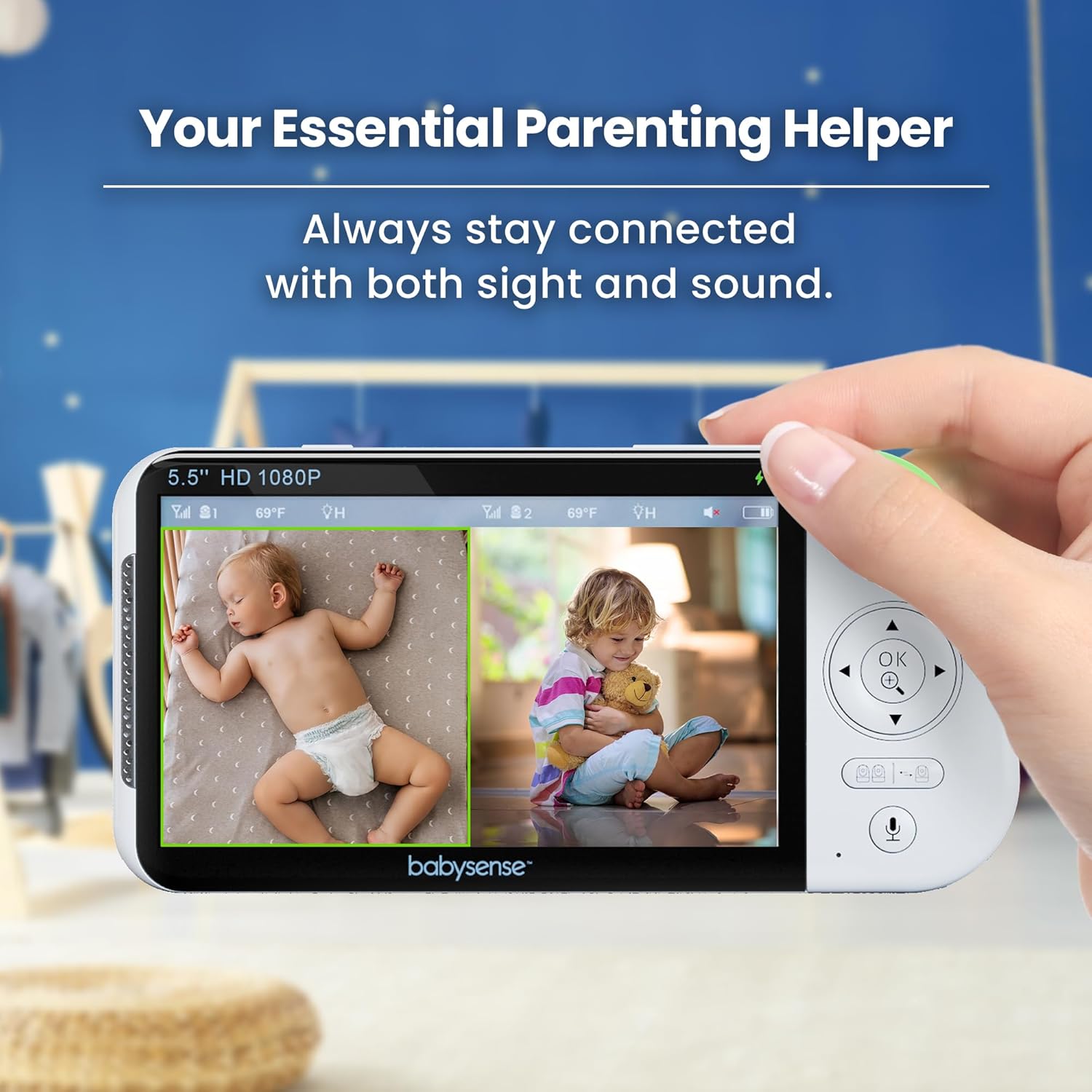
Image: The parent unit displaying a live feed from one of the cameras.
4. Operating Instructions
4.1 Power On/Off and Volume Control
- Power: Press and hold the Power button on the Parent Unit to turn it on or off.
- Volume: Use the volume buttons on the Parent Unit to adjust the audio level from the camera(s).
4.2 Viewing Modes
The monitor offers various viewing options:
- Single Camera View: Displays the feed from one camera at a time. Use the camera switch button to cycle between paired cameras.
- Split-Screen View: Simultaneously displays live feeds from two cameras side-by-side on the 5.5" screen. This is ideal for monitoring two children or different areas of a room.
- Scan Mode: Automatically cycles through all paired cameras, displaying each feed for a few seconds. Audio will follow the active camera.

Image: The monitor's split-screen feature showing two camera feeds simultaneously.
Video: Demonstration of the 2-camera baby monitor, including toggling between single and split-screen views.
4.3 Pan, Tilt, and Zoom
The camera units feature remote pan, tilt, and digital zoom capabilities:
- Use the directional buttons on the Parent Unit to remotely adjust the camera's viewing angle (pan and tilt).
- Press the zoom button to digitally zoom in on your child for a closer look. Note that digital zoom may reduce image clarity.
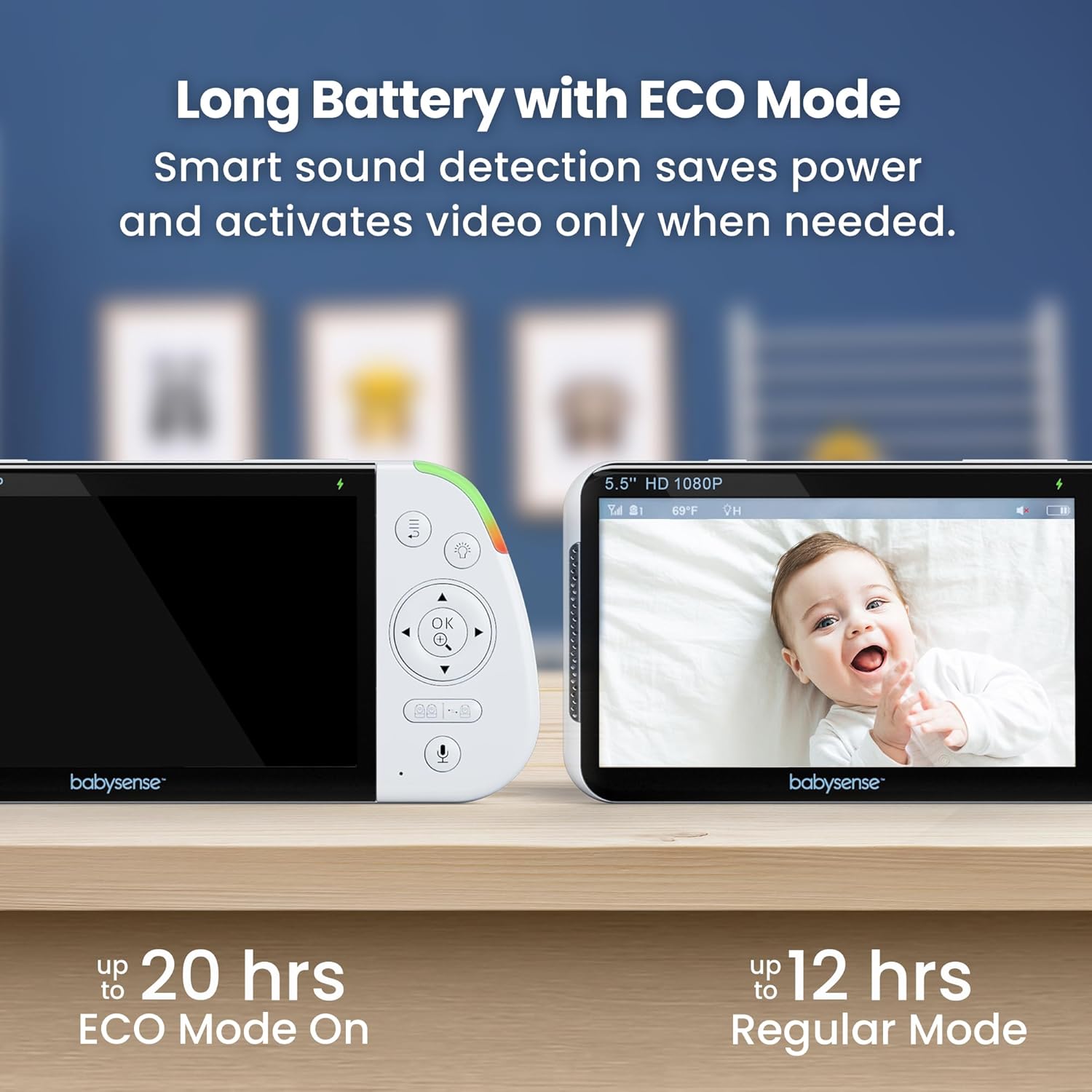
Image: The monitor's zoom function providing a closer view of the baby.
Video: A full demonstration of the monitor's features, including pan, tilt, and zoom.
4.4 Two-Way Talk
Use the two-way talk feature to soothe your baby from another room:
- Press and hold the microphone button on the Parent Unit to speak. Your voice will be transmitted through the camera unit.
- Release the button to stop speaking and resume listening.

Image: The two-way talk feature allowing communication with the baby.
4.5 Night Light, Lullabies, and White Noise
The camera units include integrated features to create a calming environment:
- Night Light: Activate the built-in 6-color night light from the Parent Unit. You can choose from various colors and brightness levels.
- Lullabies & White Noise: Select from a variety of pre-programmed lullabies or white noise sounds to play through the camera unit, helping your baby relax and sleep.

Image: The camera unit demonstrating its 6-color adjustable night light options.
Video: A user demonstrating the lullaby and night light features of the monitor.
4.6 Eco Mode
To conserve battery life, especially during extended monitoring periods, activate Eco Mode:
- In Eco Mode, the monitor's screen will turn off automatically when no sound is detected, but audio monitoring continues in the background.
- The screen will reactivate automatically when sound is detected from the camera unit, alerting you to your child's activity.
- This mode can extend battery life up to 20 hours.

Image: The monitor's Eco Mode feature for extended battery life.
5. Key Features
- Full HD 5.5" Split-Screen Display: View up to two cameras simultaneously with clear, detailed video.
- Hack-Proof Non-WiFi Secure Connection: Utilizes 2.4GHz FHSS wireless technology for a private, interference-free, and secure link.
- Dual Cameras Included: Comes with two adjustable cameras, expandable to four, for comprehensive coverage.
- 20-Hour Battery Life in Eco Mode: Long-lasting battery for continuous monitoring.
- 6-Color Night Light & Sound Machine: Integrated night light with adjustable colors and brightness, plus white noise and lullabies to soothe your baby.
- Remote Pan, Tilt, and Digital Zoom: Adjust camera angles and zoom in remotely from the Parent Unit.
- Temperature Sensor: Monitors the room temperature and provides alerts if it goes outside a set range.

Image: Ultra High Definition View showcasing the clarity of the monitor's display.
6. Maintenance
6.1 Cleaning
- Wipe the monitor and camera units with a dry, soft cloth.
- Do not use cleaning sprays or liquid cleaners directly on the units.
6.2 Battery Care
- To prolong battery life, avoid fully discharging the Parent Unit frequently.
- Charge the Parent Unit regularly, especially before extended use in Eco Mode.
7. Troubleshooting
If you encounter any issues with your Babysense monitor, refer to the following common solutions:
- No Signal/Poor Image: Ensure the camera and Parent Unit are within range and not obstructed by large objects or other electronic devices. Try repositioning the units.
- No Sound: Check the volume settings on the Parent Unit. Ensure the camera's microphone is not muted.
- Battery Not Charging: Verify that the power adapters are securely connected to both the unit and the power outlet. Use only the original power adapters provided.
- Screen Flickering: This may be due to interference. Try moving the units away from other electronic devices or adjusting the antenna.
8. Specifications
| Model Name | MVPRO-2CAM USA |
| Screen Size | 5.5 inches |
| Video Capture Resolution | 1080p Full HD |
| Connectivity Technology | 2.4GHz FHSS Wireless Technology (Non-WiFi) |
| Power Source | Cameras: Corded Electric; Parent Unit: Battery Powered |
| Battery Life (Parent Unit) | Up to 20 hours (Eco Mode) |
| Special Features | Split-Screen Display, Dual Cameras, 6-Color Night Light, White Noise, Lullabies, Two-Way Talk, Remote Pan/Tilt/Zoom, Temperature Sensor |
| Indoor/Outdoor Usage | Indoor |
| Item Dimensions L x W x H | 4 x 8 x 8 inches |
| Item Weight | 2.5 Pounds |
9. Warranty and Support
For warranty information, technical support, or any questions regarding your Babysense baby monitor, please refer to the contact information provided in your product packaging or visit the official Babysense website.
Babysense is committed to providing reliable products and excellent customer service to ensure your peace of mind.