
Introduction
This user manual provides essential information for setting up, operating, and maintaining your XIAOMI Redmi 15 5G smartphone. Please read this manual thoroughly to ensure optimal performance and longevity of your device. The Redmi 15 5G is designed for seamless connectivity and a rich user experience, featuring a powerful processor, high-resolution display, and advanced camera system.
Design Overview
The XIAOMI Redmi 15 5G features a quad-curved design for comfortable handling and an immersive visual experience. It is built with IP64 dust and water resistance for enhanced durability.
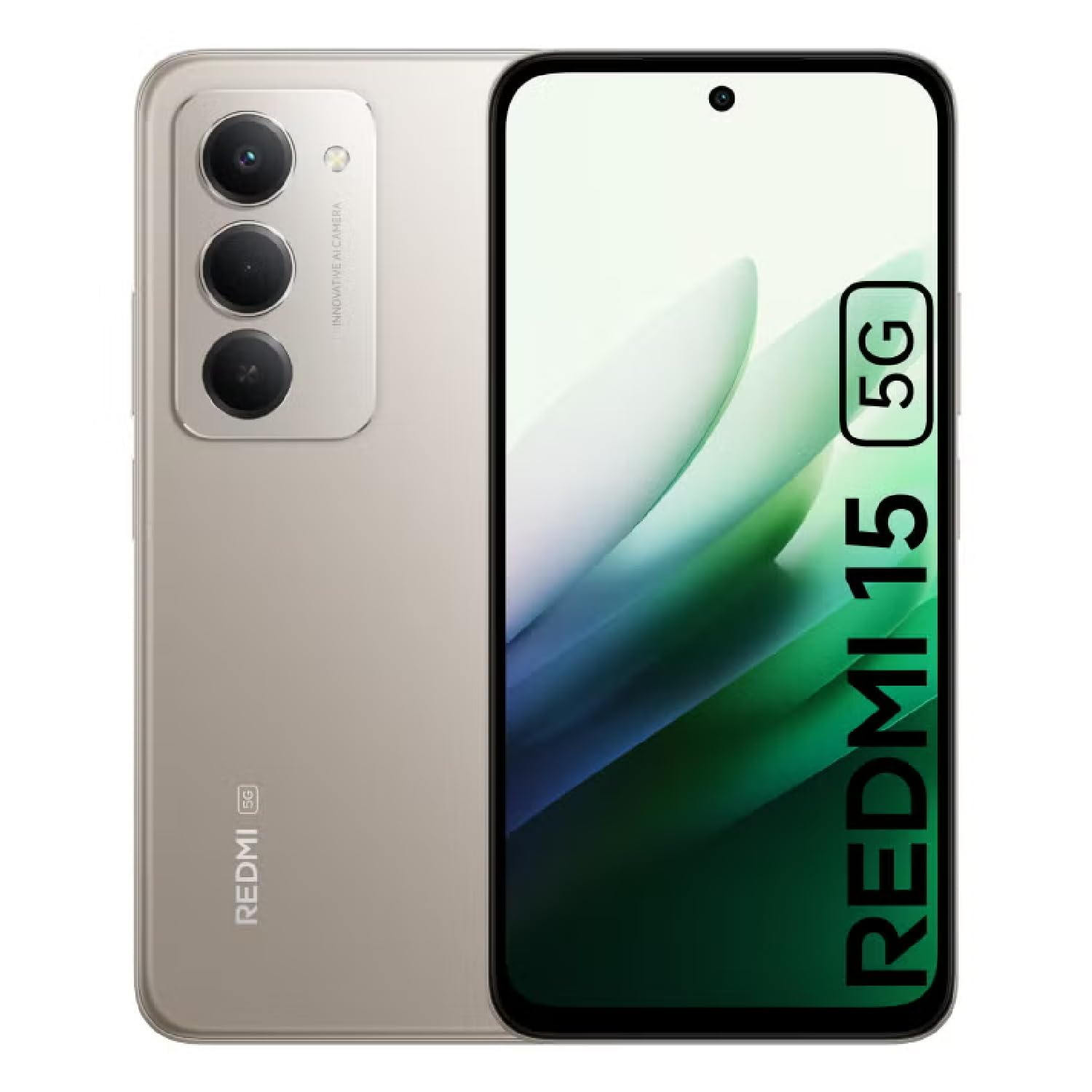
Image: Overview of XIAOMI Redmi 15 5G in multiple color variants (Titan Gray, Ripple Green, Midnight Black), showcasing the quad-curved design and camera module.

Image: Front view of the XIAOMI Redmi 15 5G smartphone, highlighting its immersive 6.9-inch FHD+ DotDisplay.
Setup
1. Unboxing
Upon opening the product box, you should find the following items:
- XIAOMI Redmi 15 5G Smartphone
- USB Cable
- Phone Case
Please ensure all components are present and undamaged. If any items are missing or damaged, contact customer support.
2. SIM Card Installation
The Redmi 15 5G supports Dual SIM functionality (SIM1 + Hybrid SIM or microSD). Follow these steps to install your SIM card(s):
- Locate the SIM tray on the side of your device.
- Insert the SIM ejector tool (not included, typically found with your network provider's SIM card) into the small hole on the SIM tray and push gently until the tray ejects.
- Place your Nano-SIM card(s) into the designated slots on the tray. If using a microSD card for expandable storage (up to 2TB), place it in the hybrid slot.
- Carefully reinsert the SIM tray into the device, ensuring it is flush with the phone's body.
Note: For USA users, this device is compatible with T-Mobile, Tello, and Mint networks. Ensure your previous SIM card is activated for proper functionality. FCC ID: 2AFZZRN2DL.
3. Initial Power On
To power on your device for the first time:
- Press and hold the Power button (located on the side of the device) until the XIAOMI logo appears on the screen.
- Follow the on-screen instructions to complete the initial setup, including language selection, Wi-Fi connection, and Google account setup.
Operating Your Device
1. Display Features
The Redmi 15 5G boasts an immersive 6.9-inch FHD+ DotDisplay with a resolution of 2340 x 1080 pixels (374 PPI). Key display features include:
- High Refresh Rate: Up to 144Hz for smooth scrolling and gaming. (Refresh rate can be adjusted for supported apps).
- Touch Sampling Rate: Up to 288Hz for responsive touch interactions.
- Brightness: 700 nits (typical) and 850 nits (HBM) for clear visibility in various lighting conditions.
- Eye-Care: Features DC dimming and TÜV Rheinland Low Blue Light (Software Solution) Certified, TÜV Rheinland Circadian Friendly Certified, and TÜV Rheinland Flicker Free Certified for a comfortable viewing experience.
- Wet Touch Technology 2.0: Ensures accurate response even with wet or oily fingers.
2. Performance
Powered by the Snapdragon® 6s Gen 3 5G Mobile Platform (6nm process, octa-core CPU up to 2.3GHz, Adreno GPU), the Redmi 15 5G delivers fast and reliable performance. It comes with 8GB of RAM and 256GB of internal storage, expandable up to 2TB via microSD.
- Memory Extension: Supports up to 16GB RAM with memory extension (based on the 8GB RAM version), utilizing ROM storage for smoother multitasking.
- Operating System: Runs on Xiaomi HyperOS based on Android 15.
3. Camera System
Capture stunning photos and videos with the 50MP AI dual camera system:
- Rear Camera: 50MP Main Camera + Auxiliary Lens
- Rear Video Recording: Supports 1080p (1920x1080) HD video recording at 30 fps and 720p (1280x720) HD video recording at 30 fps.
- Front Camera: 8MP front camera (f/2) with features like filmCamera, HDR mode, Soft-light ring, Portrait mode, and Time-lapse.
- Front Video Recording: Supports 1080p (1920x1080) HD video recording at 30 fps and 720p (1280x720) HD video recording at 30 fps.
4. Battery and Charging
The device is equipped with a massive 7000mAh (typical) battery, providing up to 2 days of worry-free use. It supports fast charging (charger not included in the box, but a USB cable is provided).
5. Connectivity and Sensors
- Network: 5G (SA & NSA), 4G (LTE FDD & TDD), 3G (WCDMA), 2G (GSM).
- Wireless: Wi-Fi, NFC.
- Navigation: GPS, Glonass, Galileo, Beidou.
- Sensors: Side fingerprint sensor, AI face unlock, Virtual proximity sensor, Ambient light sensor, Accelerometer, Electronic compass, IR blaster.
- Audio: 3.5 mm audio jack.
Maintenance
- Keep your device clean by wiping it with a soft, dry cloth.
- Avoid exposing the phone to extreme temperatures or direct sunlight for prolonged periods.
- Protect the screen with a screen protector and use the provided phone case to prevent scratches and damage.
- Regularly update the operating system to ensure optimal performance and security.
Troubleshooting
| Issue | Solution |
|---|---|
| Device not powering on | Ensure the battery is charged. Connect to a charger for at least 30 minutes. If the issue persists, perform a force restart by holding the Power button for 10-15 seconds. |
| Poor network connectivity | Check if your SIM card is properly inserted. Ensure you are within network coverage. Try restarting the device or resetting network settings. |
| Apps crashing or freezing | Clear the cache of the problematic app or reinstall it. Ensure your device's software is up to date. If multiple apps are affected, consider a factory reset (back up your data first). |
| Battery draining quickly | Reduce screen brightness, disable unnecessary background apps, and turn off Wi-Fi/Bluetooth when not in use. Check battery usage in settings to identify power-hungry apps. |
Specifications
| Feature | Detail |
|---|---|
| Model Name | 25057RN09E |
| Display | 6.9 Inches FHD+ DotDisplay, 2340 x 1080 Resolution, 144Hz Refresh Rate |
| Processor | Snapdragon® 6s Gen 3 5G Mobile Platform (Octa-core, up to 2.3GHz) |
| RAM | 8 GB (Up to 16GB with Memory Extension) |
| Storage | 256 GB (Expandable up to 2TB) |
| Rear Camera | 50MP Main Camera + Auxiliary Lens |
| Front Camera | 8MP |
| Battery | 7000mAh (typical) |
| Operating System | Xiaomi HyperOS based on Android 15 |
| Connectivity | 5G, 4G, 3G, 2G, Wi-Fi, NFC |
| Dimensions | 6.74 x 3.23 x 0.34 inches |
| Weight | 7.9 ounces (224 Grams) |
| Audio Jack | 3.5 mm |
Warranty and Support
For warranty information and customer support, please refer to the documentation included in your product box or visit the official XIAOMI website. Keep your proof of purchase for any warranty claims.
Return Policy: This product typically comes with a 30-day refund/replacement return policy. Please check with your retailer for specific terms and conditions.


