
Introduction
This manual provides essential information for the safe and efficient use of your Zevemomo Glass Display Cabinet. Please read these instructions carefully before assembly and operation. This 4-tier display cabinet features tempered glass construction, double doors, and integrated multi-color LED lighting, designed to showcase your collectibles and decor.

Image: The Zevemomo 4-Tier Glass Display Cabinet with LED Lights, showcasing its design in a living room environment.
Safety Information
Adherence to these safety guidelines is crucial for preventing injury and damage to the product.
- Do not exceed the maximum weight capacity of 110 lbs (50 kg) for the entire cabinet. Distribute weight evenly across shelves.
- Always use the provided anti-tip device to secure the cabinet to a wall. This prevents accidental tipping, especially in households with children or pets.
- Follow all assembly instructions precisely. Incorrect assembly can compromise the cabinet's stability and safety.
- Handle glass components with care to avoid breakage. Wear protective gloves during assembly if desired.
- Ensure the cabinet is placed on a flat, stable, and level surface.
Package Contents
Before beginning assembly, verify that all components listed below are present and undamaged. If any parts are missing or damaged, contact customer support.
- Glass doors
- LED lights and remote control
- Glass shelves (4 pieces)
- User Manual (this document)
- Wooden panels (top, bottom, and frame components)
- Assembly hardware (screws, connectors, adjustable feet, anti-tip device)

Image: Close-up view of various components, including adjustable feet, door hinges, and the LED light strip, which are part of the package contents.
Setup and Assembly Instructions
Assembly of the Zevemomo Glass Display Cabinet requires careful attention to detail. It is recommended that two people participate in the assembly process, especially when handling glass panels, to ensure safety and ease of construction. Refer to the detailed assembly instructions included in your package for step-by-step guidance.
General Assembly Tips:
- Clear a spacious area for assembly to prevent damage to components.
- Organize all hardware and components before starting.
- Do not overtighten screws, as this can damage the materials.
- Ensure all glass panels are securely seated in their connectors.
- Install the anti-tip device as the final step to secure the cabinet to a wall.
Installation Video Guide:
Video: An official installation guide demonstrating the assembly process for the Zevemomo Glass Display Cabinet. This video provides visual instructions to aid in setup.
Operating Instructions
LED Lighting System:
Your Zevemomo Glass Display Cabinet is equipped with multi-color LED lights, controlled by a wireless remote. The LED strip is typically installed along the top interior edge of the cabinet.
- Power On/Off: Press the 'ON' or 'OFF' button on the remote to activate or deactivate the lights.
- Color Selection: Use the color buttons on the remote to choose from various static colors (e.g., red, green, blue, white, etc.).
- Brightness Adjustment: Use the brightness up/down buttons to increase or decrease the light intensity.
- Mode Selection: The remote may include buttons for dynamic lighting modes such as 'FLASH', 'STROBE', 'FADE', or 'SMOOTH' for different effects.
Ensure the remote control has working batteries and is pointed towards the LED receiver for optimal functionality.
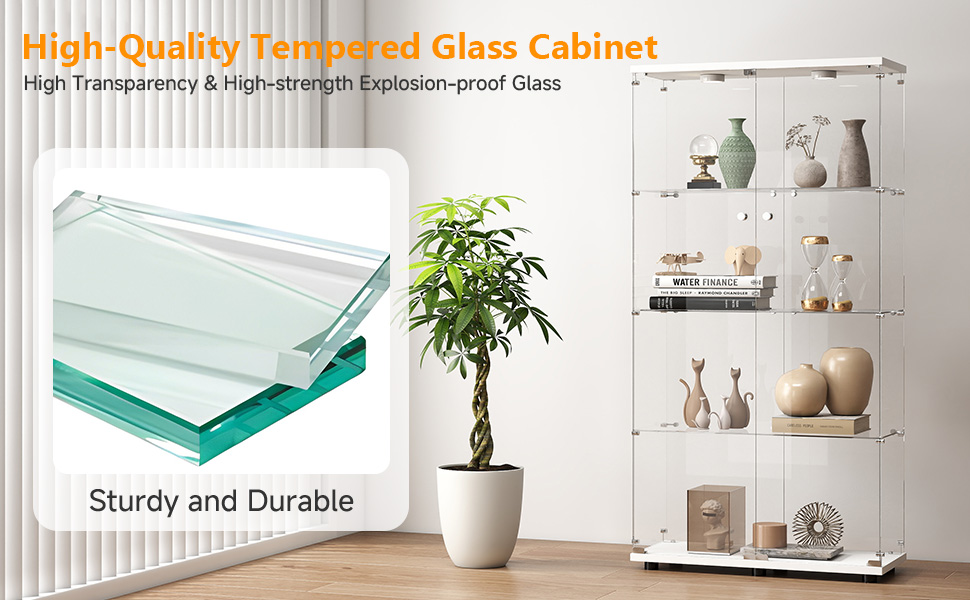
Image: The display cabinet illuminated by multi-color LED lights, with the remote control shown for easy operation.
Maintenance
Proper care will extend the life and appearance of your display cabinet.
- Cleaning Glass: Use a soft, lint-free cloth and a non-abrasive glass cleaner. Spray the cleaner onto the cloth, not directly onto the glass, to prevent liquid from seeping into crevices.
- Cleaning Wooden Panels: Wipe wooden surfaces with a soft, damp cloth. Avoid harsh chemicals or abrasive cleaners that can damage the finish.
- Dusting: Regularly dust all surfaces with a dry, soft cloth to prevent buildup.
- Inspecting Hardware: Periodically check all screws and connectors to ensure they remain tight. Retighten if necessary.
- LED Lights: The LED lights are designed for long-term use. If they malfunction, check the remote control batteries and connections before seeking professional assistance.
Troubleshooting
This section addresses common issues you might encounter with your display cabinet.
| Problem | Possible Cause | Solution |
|---|---|---|
| Cabinet feels wobbly or unstable. | Uneven floor; loose connections; anti-tip device not installed. | Adjust the cabinet's adjustable feet to level it. Check and tighten all assembly screws. Ensure the anti-tip device is securely fastened to the wall. |
| LED lights are not turning on. | Remote control batteries are dead; LED strip connection is loose; power adapter issue. | Replace remote control batteries. Check that the LED strip is properly connected to the power adapter and the power adapter is plugged into a working outlet. |
| Doors do not close properly or are misaligned. | Hinges are loose or misaligned; cabinet is not level. | Check and tighten the hinge screws. Ensure the cabinet is level using the adjustable feet. |
| Glass panel appears scratched or damaged. | Improper handling during assembly or use. | Contact customer support for replacement parts if damage is significant. Minor scratches may be polished with specialized glass repair kits. |
Specifications
Detailed technical specifications for your Zevemomo Glass Display Cabinet.

Image: A diagram showing the precise dimensions of the Zevemomo Glass Display Cabinet.
| Feature | Detail |
|---|---|
| Brand | Zevemomo |
| Model Name | Glass Display Cabinet |
| Color | White |
| Material | Glass, Wood |
| Product Dimensions (D x W x H) | 13.58" x 30.91" x 64.69" |
| Number of Shelves | 4 |
| Number of Doors | 2 |
| Weight Capacity (Maximum) | 110 lbs (50 kg) |
| Installation Type | Freestanding |
| Special Features | LED Lights with Remote Control, Adjustable Feet, Anti-tip Device |
| UPC | 990484105875 |
Warranty and Support
For warranty information, please refer to the documentation included with your purchase or contact Zevemomo customer service directly. If you require assistance with assembly, missing parts, or troubleshooting beyond what is covered in this manual, please reach out to the manufacturer's support team. Contact details can typically be found on the product packaging or the official Zevemomo website.


