1. Introduction
This manual provides essential instructions for the safe and effective use of your Sony Alpha a7 II ILCE-7M2/B Full-Frame Mirrorless Camera. Please read this manual thoroughly before operating the camera and retain it for future reference. The Sony Alpha a7 II is designed for high-quality photography and videography, featuring a 24.3MP full-frame sensor, 5-axis in-body image stabilization, and a fast hybrid autofocus system.
2. Product Overview
The Sony Alpha a7 II is a full-frame mirrorless camera body equipped with advanced features for capturing detailed images and smooth videos. Key features include:
- 24.3MP Full-Frame Exmor CMOS Sensor: Delivers high resolution and excellent low-light performance.
- 5-Axis SteadyShot INSIDE Image Stabilization: Compensates for camera shake across five axes, enhancing sharpness for both stills and video, even with non-stabilized lenses.
- Fast Hybrid Autofocus System: Combines 117 phase-detection and 25 contrast-detection points for quick and accurate subject tracking.
- Full HD 1080p Video Recording: Supports up to 60 fps with XAVC S compression and S-Log2 gamma for professional-grade video.
- BIONZ X Image Processor: Ensures rapid processing and high image quality.
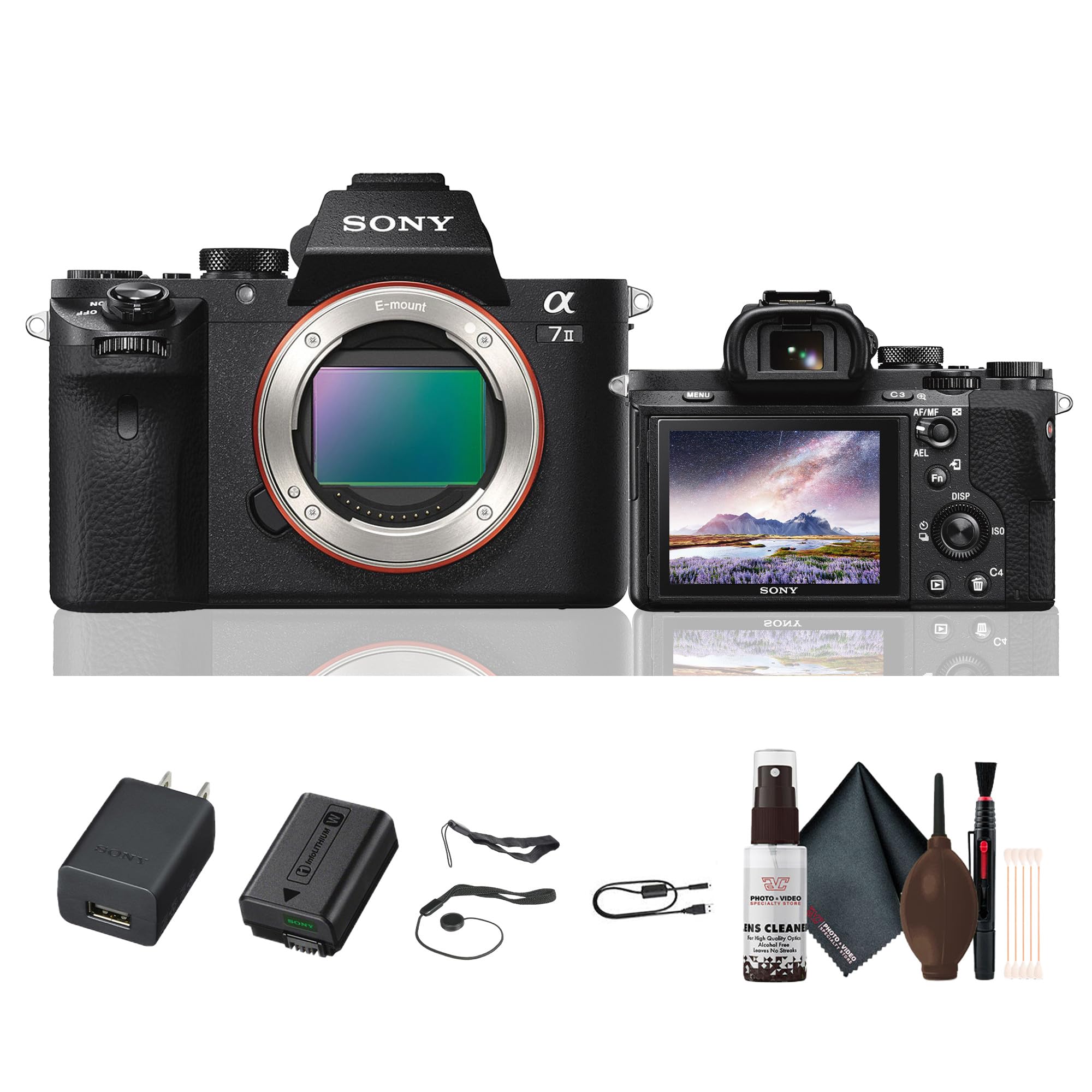
Figure 2.1: Rear view of the Sony Alpha a7 II camera with the LCD screen closed, showing the electronic viewfinder, control dials, and buttons.
3. Setup
3.1. Unpacking and Initial Inspection
Carefully remove all components from the packaging. Verify that all items listed below are present. If any items are missing or damaged, contact your retailer.
Included Items:
- Sony Alpha a7 II Mirrorless Digital Camera Body
- Rechargeable Battery Pack
- AC Adaptor
- USB Cable
- Shoulder Strap
- Body Cap
- Accessory Shoe Cap
- Eyepiece Cup
3.2. Attaching the Lens
- Remove the body cap from the camera and the rear lens cap from the lens.
- Align the white index mark on the lens with the white index mark on the camera body.
- Mount the lens by turning it clockwise until it clicks into place.
Note: The a7 II uses Sony E-mount lenses. A-mount lenses can be used with an optional adapter.
3.3. Inserting the Battery and Memory Card
- Open the battery/memory card cover located at the bottom of the camera.
- Insert the fully charged battery pack with the arrow pointing towards the camera, pushing it in until it locks.
- Insert a compatible memory card (SD card, Memory Stick PRO Duo) into the memory card slot with the notched corner facing the correct direction, pushing until it clicks.
- Close the battery/memory card cover securely.
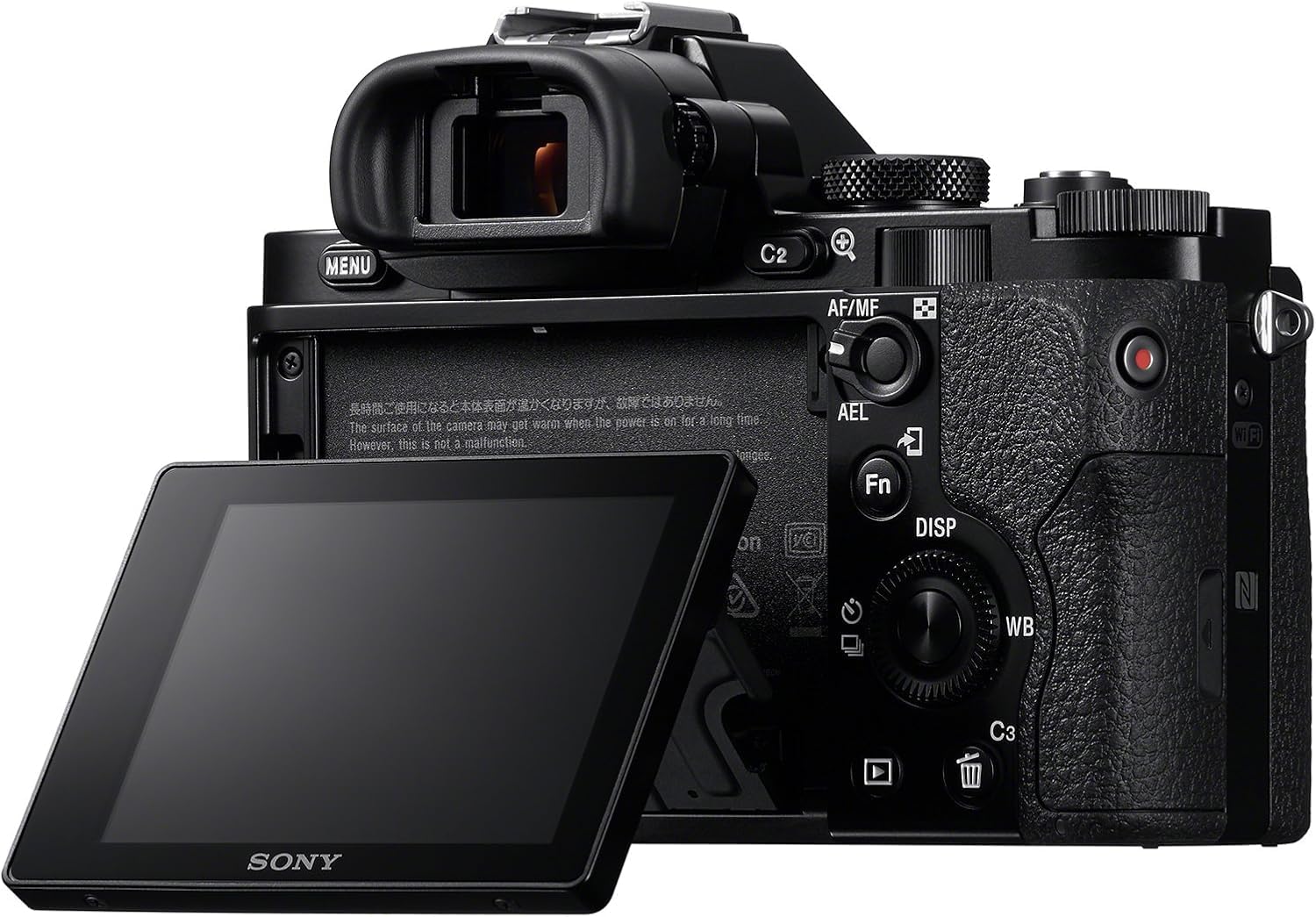
Figure 3.1: Rear view of the Sony Alpha a7 II camera with the LCD screen tilted outwards, showing the battery/memory card compartment.
3.4. Charging the Battery
Connect the camera to the AC adaptor using the supplied USB cable. The charging indicator lamp will light up during charging and turn off when charging is complete. A full charge typically takes approximately 150 minutes.
4. Operating the Camera
4.1. Power On/Off
To turn the camera on or off, slide the ON/OFF switch located around the shutter button.
4.2. Basic Shooting Modes
Rotate the Mode Dial (located on the top plate) to select your desired shooting mode:
- Automatic: Camera automatically adjusts settings for optimal results.
- Program Auto (P): Camera sets aperture and shutter speed, but you can adjust other settings.
- Aperture Priority (A): You set the aperture, camera sets shutter speed.
- Shutter Priority (S): You set the shutter speed, camera sets aperture.
- Manual (M): You control both aperture and shutter speed.
- Movie: For recording videos.
- Scene Selection: Pre-set modes for specific scenes (e.g., Landscape, Portrait, Sports).
4.3. Focusing
The a7 II features a Fast Hybrid Autofocus system. To focus, half-press the shutter button. The camera will automatically detect and focus on your subject. You can also manually select focus points or use manual focus (MF) by setting the focus mode switch on your lens or in the camera menu.
4.4. Image Stabilization
The camera's 5-axis SteadyShot INSIDE image stabilization system is active by default. This system helps reduce blur caused by camera shake, especially useful in low light or when using longer focal lengths. The system works with both native E-mount lenses and adapted lenses.
4.5. Recording Videos
To record video, set the Mode Dial to the Movie mode. Press the dedicated MOVIE button (usually located on the side or rear of the camera grip) to start and stop recording. The camera records Full HD 1080p video at various frame rates up to 60 fps.
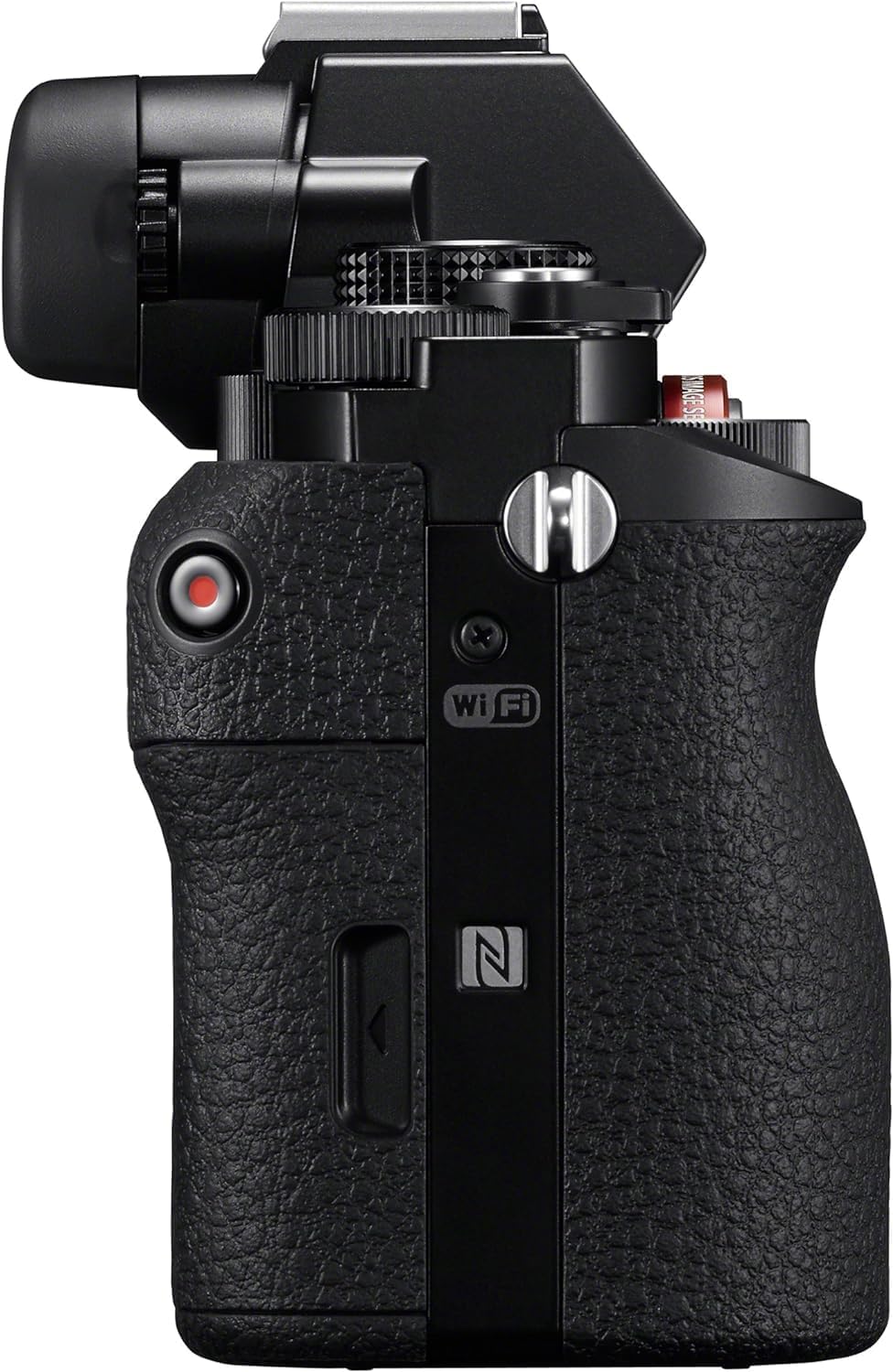
Figure 4.1: Side view of the Sony Alpha a7 II camera, highlighting the grip and movie record button.
4.6. Connectivity
The camera supports HDMI and USB connectivity. Use the HDMI output to view photos and videos on a compatible display. The USB port can be used for charging, data transfer to a computer, or connecting to other compatible devices.
5. Maintenance
5.1. Cleaning the Camera
- Camera Body: Wipe with a soft, dry cloth. For stubborn dirt, use a cloth lightly dampened with water. Avoid harsh chemicals.
- Lens: Use a lens brush or blower to remove dust. For smudges, use a lens cleaning solution and a microfiber cloth specifically designed for optics.
- Sensor: Sensor cleaning should only be performed by authorized service personnel or experienced users with appropriate tools to avoid damage.
- LCD Screen: Gently wipe with a soft, dry cloth.
5.2. Battery Care
- Always use genuine Sony battery packs.
- Charge the battery fully before first use and after extended periods of non-use.
- Store batteries in a cool, dry place. Do not expose to extreme temperatures.
5.3. Storage
When storing the camera for an extended period, remove the battery and memory card. Store the camera in a dry, well-ventilated area, preferably with a desiccant to prevent mold and mildew.
6. Troubleshooting
If you encounter issues with your camera, refer to the following common troubleshooting steps:
- Camera does not turn on:
- Ensure the battery is fully charged and correctly inserted.
- Try using a different, fully charged battery if available.
- Cannot take pictures:
- Check if a memory card is inserted and has sufficient free space.
- Ensure the lens cap is removed.
- Verify the camera is not in a mode that prevents shooting (e.g., playback mode).
- Images are blurry:
- Check focus settings (Autofocus vs. Manual Focus).
- Ensure shutter speed is fast enough for the shooting conditions to prevent motion blur.
- Verify image stabilization is active if shooting handheld in low light.
- Clean the lens if smudges are present.
- Battery drains quickly:
- Reduce LCD brightness.
- Turn off Wi-Fi/NFC when not in use.
- Limit continuous shooting or video recording.
- Ensure the battery is not old or damaged.
For more detailed troubleshooting, consult the comprehensive online manual available on the Sony support website.
7. Specifications
| Model Number | ILCE-7M2/B |
| Sensor Type | Full Frame (35mm) Exmor CMOS |
| Effective Still Resolution | 24.3 MP |
| Image Stabilization | 5-axis Sensor-shift (SteadyShot INSIDE) |
| Autofocus System | Fast Hybrid AF (117 phase-detection, 25 contrast-detection points) |
| Video Resolution | Full HD 1080p (up to 60 fps) |
| Video Format | XAVC S, AVCHD, MP4 |
| Image Format | JPEG, RAW |
| Compatible Mountings | Sony E-mount |
| Display Type | 3.0-inch Tilting LCD (1,228,800 dots) |
| Viewfinder | 0.5-inch XGA OLED Electronic Viewfinder (2,359,296 dots) |
| Connectivity | HDMI (Type A), USB 2.0, Wi-Fi, NFC |
| Battery Type | NP-FW50 Lithium-Ion Rechargeable Battery |
| Dimensions (W x H x D) | Approx. 126.9 x 95.7 x 59.7 mm (5 x 3 7/8 x 2 3/8 inches) |
| Weight (with battery and memory card) | Approx. 599 g (1 lb 5.2 oz) |
8. Warranty and Support
8.1. Warranty Information
Your Sony Alpha a7 II camera is covered by a manufacturer's limited warranty. Please refer to the warranty card included in your product packaging for specific terms and conditions, including warranty period and coverage details. Retain your proof of purchase for warranty claims.
8.2. Customer Support
For technical assistance, service, or additional product information, please visit the official Sony support website or contact Sony customer service in your region. Online resources often include FAQs, driver downloads, and comprehensive digital manuals.
Sony Support Website: www.sony.com/electronics/support


