
1. Introduction
Welcome to the realme Buds T200 True Wireless Earbuds user manual. This guide provides detailed instructions on how to set up, operate, maintain, and troubleshoot your earbuds. Please read this manual carefully before using the product to ensure optimal performance and longevity.

Image: realme Buds T200 True Wireless Earbuds and Charging Case in Mystic Grey.
2. What's in the Box
Upon opening your realme Buds T200 package, you should find the following items:
- realme Buds T200 Earbuds (Left and Right)
- Charging Case
- Eartips (various sizes)
- User Manual
- USB Charging Cable (Type-C)
3. Product Overview
The realme Buds T200 are designed for comfort and high-quality audio. Familiarize yourself with the components:
- Earbuds: Each earbud features a 12.4mm dynamic bass driver, multiple microphones for call noise cancellation, and touch control areas.
- Charging Case: Houses and charges the earbuds. It includes a charging port, an LED indicator for battery status, and a pairing button.
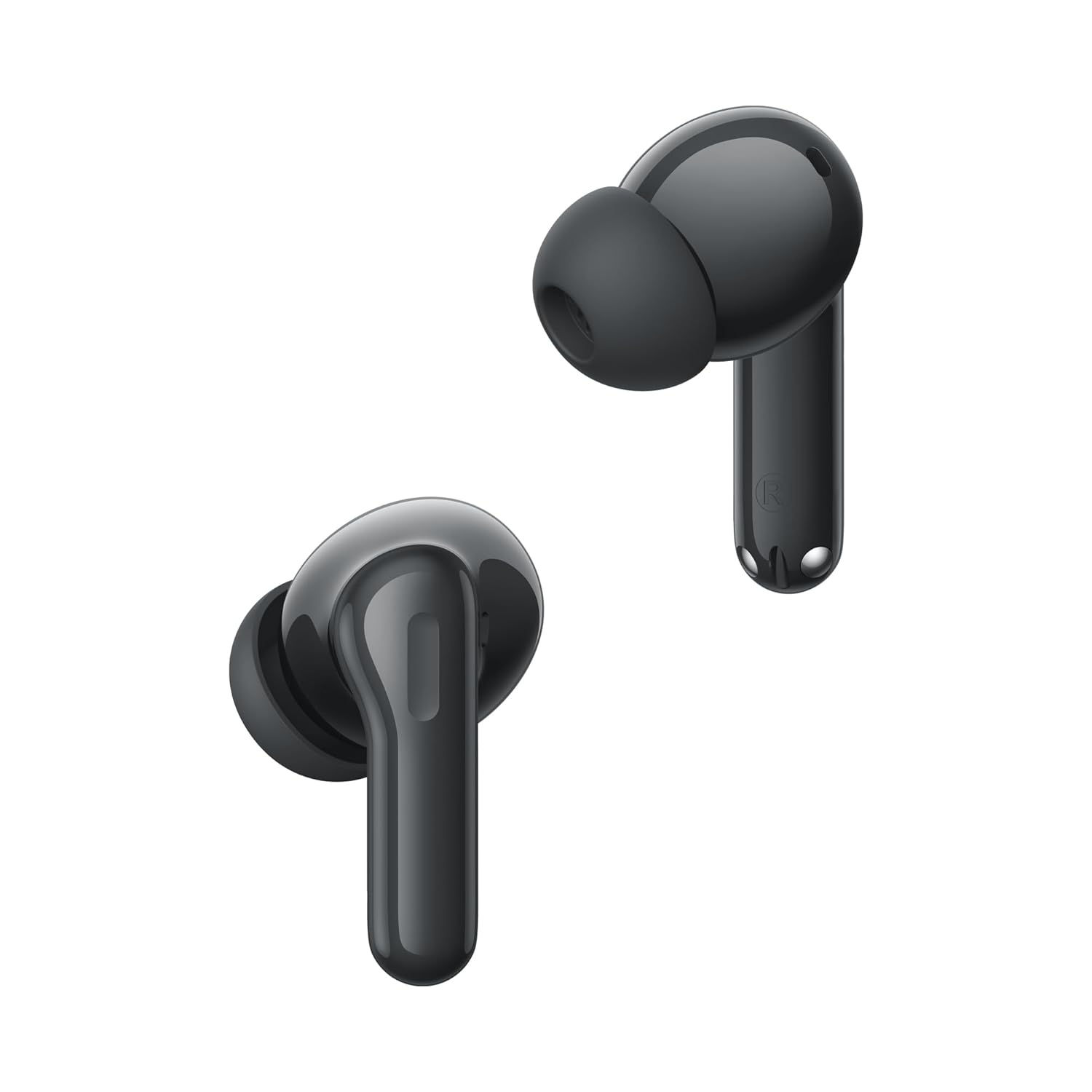
Image: Close-up view of the realme Buds T200 earbuds, highlighting their design.
Product Video Overview
Video: A brief overview showcasing the realme Buds T200 True Wireless Earbuds, their design, and key features.
4. Setup
4.1 Charging the Earbuds and Case
Before first use, fully charge the earbuds and charging case.
- Place the earbuds into the charging case. Ensure they are correctly seated.
- Connect the USB Type-C charging cable to the charging port on the case and to a power adapter.
- The LED indicator on the case will show charging status. A full charge typically takes about 2 hours.
4.2 Pairing with a Device
First-time Pairing:
- Open the charging case. The earbuds will automatically enter pairing mode, and the indicator light will flash.
- On your device (smartphone, tablet, laptop), enable Bluetooth.
- Search for available devices and select "realme Buds T200" from the list.
- Once connected, the indicator light on the case will turn solid.
Re-pairing or Connecting to a New Device:
- Place both earbuds in the charging case and leave the lid open.
- Press and hold the function button on the charging case for 3 seconds until the indicator light flashes rapidly. This indicates pairing mode.
- Follow steps 2-4 from the "First-time Pairing" instructions on your desired device.
5. Operating Instructions
The realme Buds T200 offer various features for an enhanced audio experience.
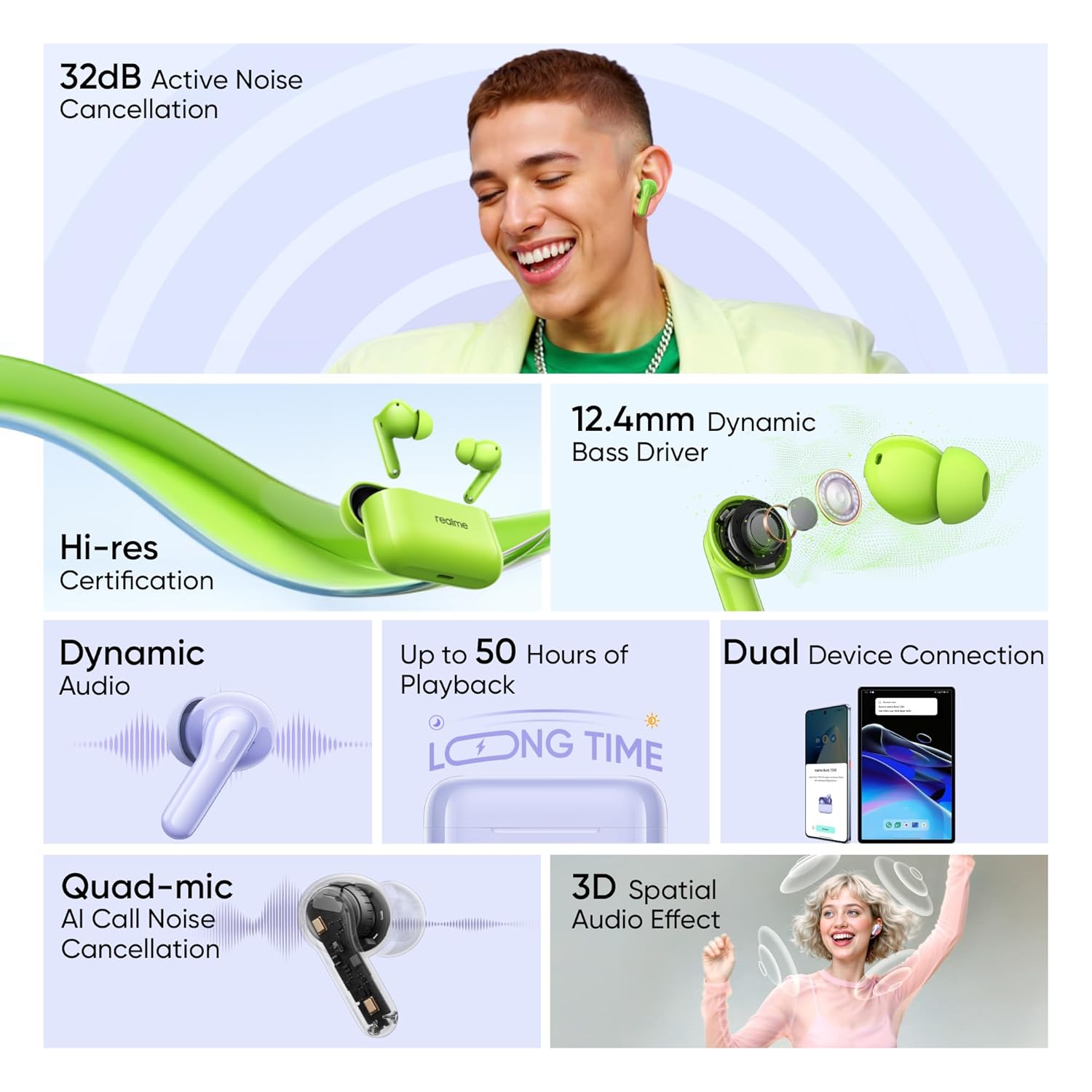
Image: Visual representation of key features: 32dB ANC, 12.4mm Dynamic Bass Driver, Hi-Res Certification, Dynamic Audio, up to 50 Hours of Playback, Dual Device Connection, Quad-mic AI Call Noise Cancellation, and 3D Spatial Audio Effect.
5.1 Touch Controls
The earbuds feature intuitive touch controls. The default controls are:
- Double Tap: Play/Pause music, Answer/End call.
- Triple Tap: Next song.
- Press and Hold (one earbud): Switch between Noise Cancellation modes (ANC On/Transparency/ANC Off).
- Press and Hold (both earbuds simultaneously): Enter/Exit Gaming Mode (Low Latency).
Note: These controls can often be customized via the realme Link app.
5.2 Active Noise Cancellation (ANC)
The realme Buds T200 feature 32dB Active Noise Cancellation to reduce ambient noise.
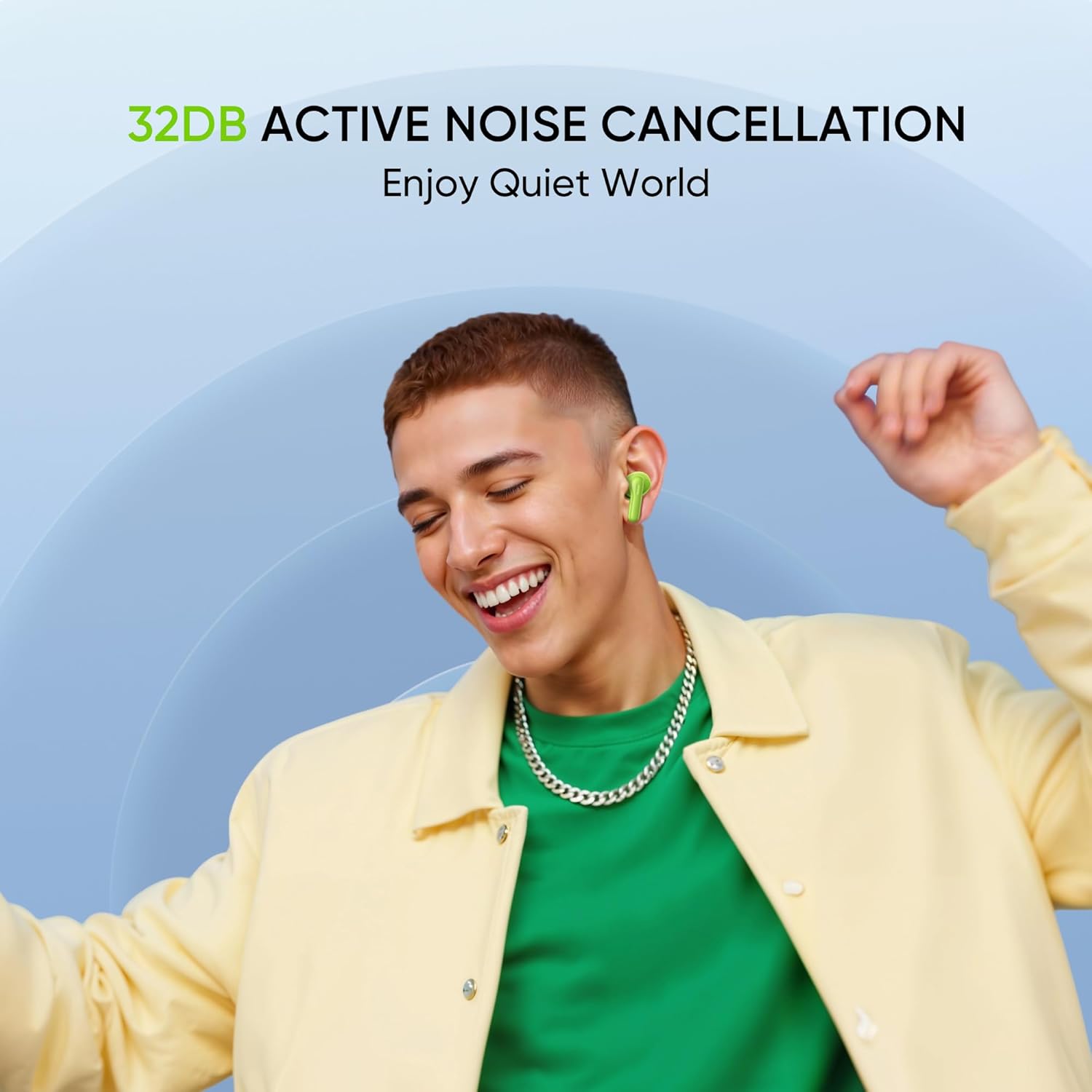
Image: A person smiling while wearing the earbuds, illustrating the benefit of 32dB Active Noise Cancellation for a quiet listening experience.
To cycle through ANC On, Transparency Mode, and ANC Off, press and hold the touch area on either earbud. Transparency Mode allows you to hear your surroundings while still enjoying your audio.
5.3 Call Functions
The Quad-mic AI Call Noise Cancellation ensures clear voice transmission during calls.
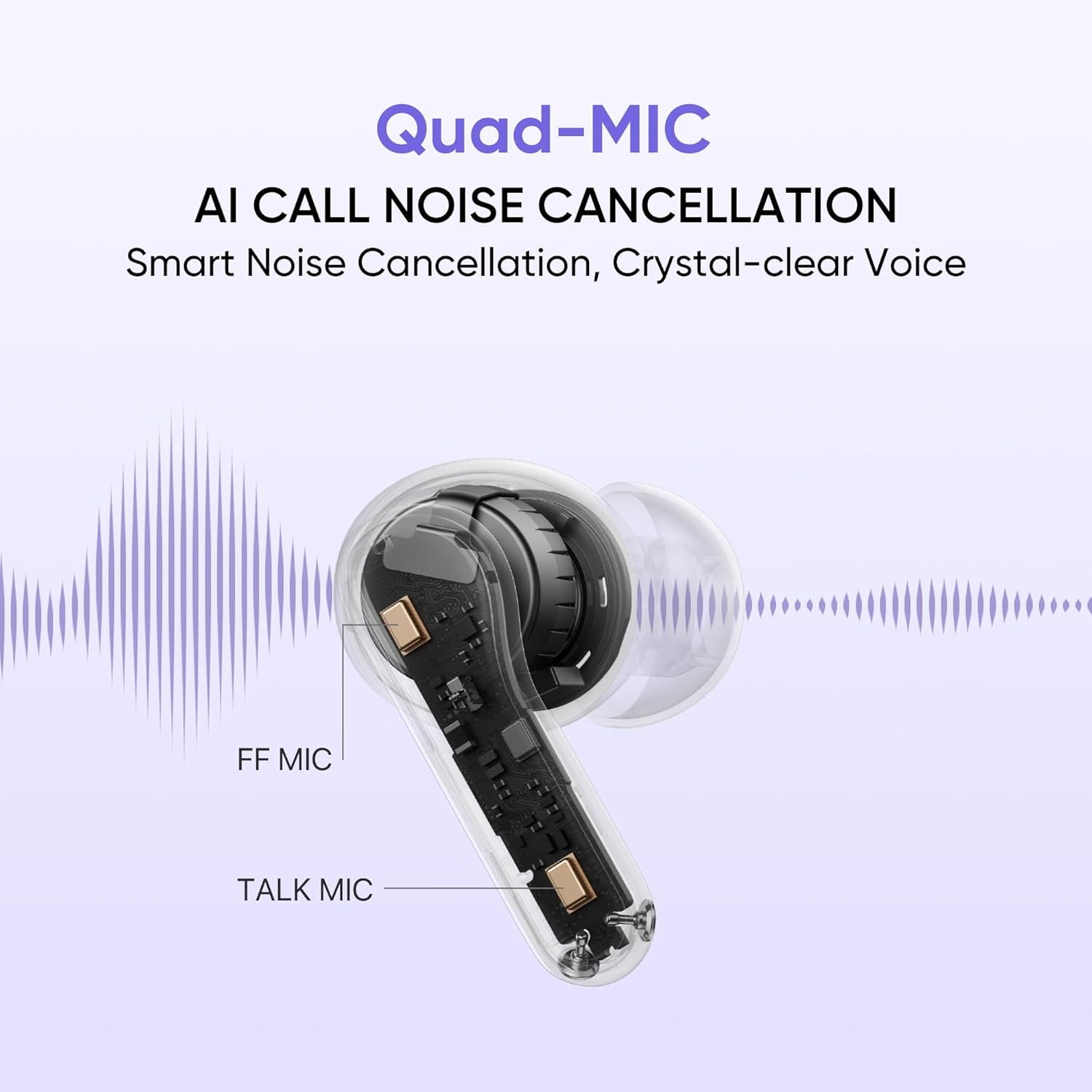
Image: An internal diagram of an earbud highlighting the FF Mic and Talk Mic, demonstrating the Quad-Mic AI Call Noise Cancellation technology for clear calls.
- Answer/End Call: Double tap either earbud.
- Reject Call: Press and hold either earbud for 2 seconds.
5.4 Battery Life and Fast Charging
The earbuds and charging case provide up to 50 hours of total playback.
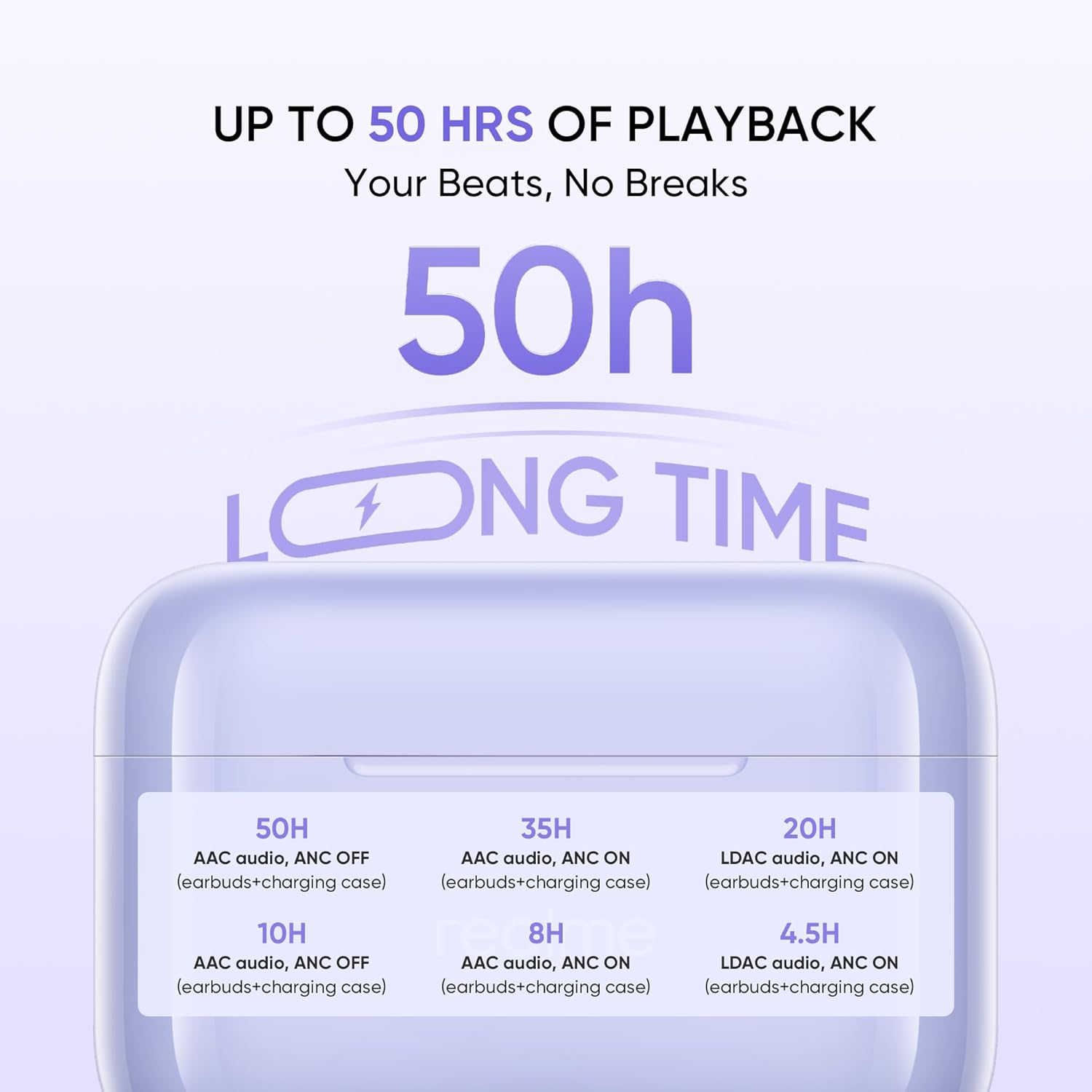
Image: A graphic detailing the battery life: 50H (AAC audio, ANC OFF with case), 35H (AAC audio, ANC ON with case), 20H (LDAC audio, ANC ON with case). Individual earbud playback times are also shown.
The fast charge feature allows for quick power-ups when you're short on time.
5.5 Hi-Res Audio
Experience superior sound quality with Hi-Res Audio certification.

Image: The realme Buds T200 earbuds and case with a 'Hi-Res Audio Wireless' and 'LDAC' logo, indicating professional audio certification for clear and detailed sound.
6. Maintenance
Proper maintenance ensures the longevity and performance of your realme Buds T200.
6.1 Cleaning
- Use a soft, dry, lint-free cloth to clean the earbuds and charging case.
- For stubborn dirt, slightly dampen the cloth with water or a mild, non-abrasive cleaner. Avoid excessive moisture.
- Gently clean the eartips and speaker mesh to prevent wax buildup, which can affect sound quality.
- Ensure all components are completely dry before placing earbuds back into the case or charging.
6.2 Storage
- Always store the earbuds in their charging case when not in use to protect them and keep them charged.
- Store the device in a cool, dry place, away from direct sunlight, extreme temperatures, and humidity.
7. Troubleshooting
If you encounter issues with your realme Buds T200, try the following solutions:
7.1 Earbuds Not Pairing or Connecting
- Ensure both earbuds are charged and placed correctly in the charging case.
- Open the case lid and press the function button for 3 seconds to enter pairing mode.
- Turn off and on Bluetooth on your device.
- Forget/delete "realme Buds T200" from your device's Bluetooth list and try pairing again.
- Ensure your device is within the Bluetooth range (10 meters).
7.2 No Sound or Low Volume
- Check the volume level on both your device and the earbuds.
- Ensure the earbuds are properly seated in your ears.
- Clean any debris or earwax from the speaker mesh.
- Try re-pairing the earbuds with your device.
7.3 Charging Issues
- Verify the charging cable is securely connected to both the case and the power source.
- Try using a different USB Type-C cable and power adapter.
- Ensure the charging contacts on the earbuds and inside the case are clean and free of obstruction.
7.4 Active Noise Cancellation Not Working
- Ensure ANC is activated via the touch controls (press and hold either earbud).
- Check if the earbuds are properly sealed in your ear. Try different sized eartips for a better fit.
- Ensure the earbuds are clean and free from debris.
8. Specifications
| Feature | Specification |
|---|---|
| Brand | realme |
| Model Name | Buds T200 |
| Model Number | RMA2410 |
| Colour | Mystic Grey |
| Ear Placement | In Ear |
| Form Factor | True Wireless |
| Impedance | 32 Ohms |
| Noise Control | Active Noise Cancellation (32 dB) |
| Audio Driver Type | Dynamic Driver |
| Audio Driver Size | 12.4 Millimetres |
| Audio Latency | 45 Milliseconds |
| Frequency Range | 20 - 20000 hertz |
| Bluetooth Version | 5.4 |
| Bluetooth Range | 10 Metres |
| Control Type | Touch Control |
| Control Method | App (realme Link) |
| Battery Average Life | 50 Hours (with charging case) |
| Battery Charge Time | 2 Hours |
| Water Resistance Level | Water Resistant (IP55 Rated) |
| Item Weight | 47 Grams |
| Manufacturer | Guang xi Tonly Electronics Technology Co., Ltd |
9. Warranty and Support
9.1 Warranty Information
The realme Buds T200 come with a 1 Year Manufacturer Warranty from the date of purchase. This warranty covers manufacturing defects under normal use. Please retain your purchase receipt as proof of purchase for warranty claims.
The warranty does not cover damage caused by:
- Accidental damage, misuse, or abuse.
- Unauthorized repairs or modifications.
- Normal wear and tear.
- Failure to follow the instructions in this manual.
9.2 Customer Support
For further assistance, technical support, or warranty claims, please contact realme customer service through their official website or the contact information provided in your product packaging.
Importer Contact Information: REALME MOBILE TELECOMMUNICATIONS (INDIA) PRIVATE LIMITED