
Introduction
The HomeSpot BA358 is a wireless Bluetooth 5.3 receiver designed to transform any wired 3.5mm headphones into a wireless audio solution. It features Auracast technology for connecting to public broadcasts, supports aptX Adaptive and HD codecs for high-quality audio, and includes a CVC microphone for clear calls. This manual provides instructions for setup, operation, maintenance, and troubleshooting.
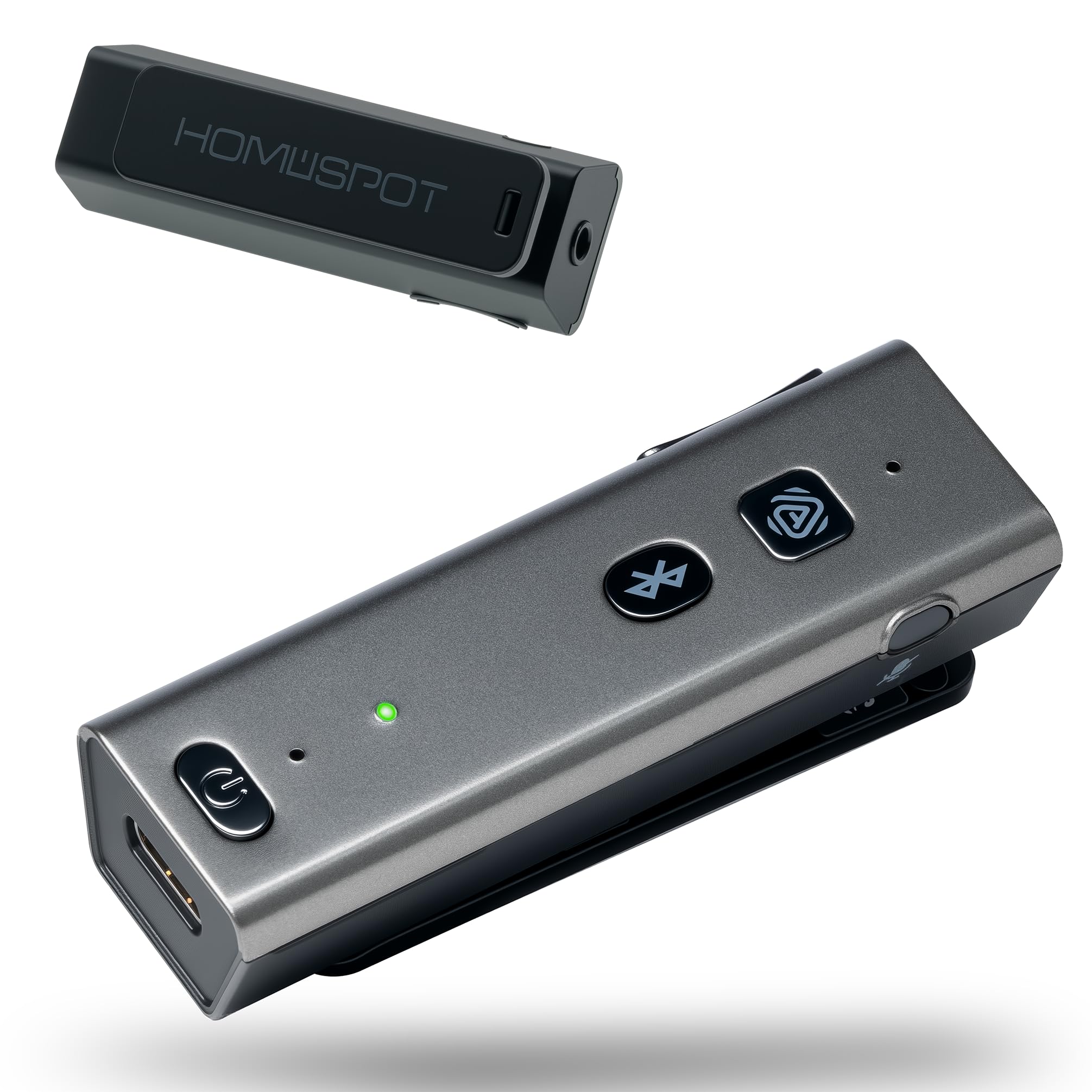
Image: The HomeSpot BA358 Wireless Bluetooth 5.3 Receiver, showcasing its compact design and included wired earbuds.
Product Overview
The BA358 receiver offers a range of features for an enhanced audio experience:
- Auracast Technology: Connect to nearby broadcast stations.
- Bluetooth 5.3: Stable and efficient wireless connection.
- aptX Adaptive & HD: High-resolution, low-latency audio.
- 25+ Hour Battery Life: Extended usage on a single charge.
- CVC Microphone: Clear calls with noise cancellation.
- Clip-On Design: Portable and convenient for on-the-go use.

Image: Diagram highlighting key features of the HomeSpot BA358, including Instant Auracast Listening, Low Latency, Crystal Clear Voice, Easy Clip Design, Long Battery Life, App Support (QK Audio), and Universal Compatibility.
Controls and Ports
Familiarize yourself with the device's layout:

Image: Detailed diagram of the HomeSpot BA358 receiver, labeling the Type-C Charging Port, POWER Button, LED Indicator, Pairing Button, Auracast Button, Volume Controls, Mute Button, Built-in Clip, and 3.5mm Headphone Output Port.
- Type-C Charging Port: For charging the device.
- POWER Button: To turn the device on/off.
- LED Indicator: Displays device status (pairing, charging, etc.).
- Pairing Button: Initiates Bluetooth pairing mode.
- Auracast Button: Activates Auracast features and switches stations.
- Volume Controls (+/-): Adjusts audio volume.
- Mute Button: Mutes the microphone during calls.
- Built-in Clip: For attaching the device to clothing or bags.
- 3.5mm Headphone Output Port: Connects to wired headphones.
Setup
1. Charging the Device
Before first use, fully charge the BA358. Connect the included USB Type-C cable to the charging port on the device and the other end to a USB power source (e.g., wall adapter, computer USB port). The LED indicator will show charging status and turn off or change color when fully charged.
2. Powering On/Off
- To Power On: Press and hold the POWER button for approximately 3 seconds until the LED indicator lights up.
- To Power Off: Press and hold the POWER button for approximately 3 seconds until the LED indicator turns off.
3. Bluetooth Pairing
- Ensure the BA358 is powered off.
- Press and hold the Pairing Button for 5-7 seconds until the LED indicator flashes rapidly (usually blue and red), indicating pairing mode.
- On your smartphone, tablet, or laptop, go to Bluetooth settings and enable Bluetooth.
- Search for available devices and select "HomeSpot BA358" from the list.
- Once connected, the LED indicator will stop flashing and remain solid blue or flash slowly.
4. Auracast Setup (Requires Compatible App)
To utilize Auracast features, download the dedicated mobile app (e.g., QK Audio app) from your device's app store. Follow the in-app instructions to discover and connect to nearby Auracast broadcast stations. You can save up to three favorite stations within the app.
Operating Instructions
1. Connecting Headphones
Plug your wired 3.5mm headphones into the 3.5mm Headphone Output Port on the BA358 receiver.
2. Audio Playback
Once paired with your device and headphones are connected, begin playing audio from your source device. The audio will stream wirelessly to the BA358 and through your wired headphones.
3. Volume Control
- Press the '+' button to increase volume.
- Press the '-' button to decrease volume.
4. Call Management
When a call comes in while connected via Bluetooth:
- Answer/End Call: Press the POWER button once.
- Reject Call: Press and hold the POWER button for 2 seconds.
- Mute Microphone: Press the Mute Button during a call. Press again to unmute.
5. Auracast Usage
After setting up Auracast via the mobile app:
- Press the Auracast Button once to switch between your saved favorite broadcast stations.
- Use the mobile app to discover new stations or manage your saved list.
Maintenance
- Battery Health: To maintain optimal battery health, fully charge the device every three months, even if not in regular use.
- Cleaning: Use a soft, dry cloth to clean the device. Avoid using harsh chemicals or abrasive materials.
- Storage: Store the device in a cool, dry place away from direct sunlight and extreme temperatures.
Troubleshooting
| Problem | Possible Cause | Solution |
|---|---|---|
| Device does not power on. | Low battery. | Charge the device fully. |
| Cannot pair with Bluetooth device. | Device not in pairing mode; Bluetooth off on source device; too far apart. | Ensure BA358 is in pairing mode (flashing LED). Turn on Bluetooth on your source device. Move devices closer. |
| No sound from headphones. | Headphones not properly connected; volume too low; BA358 not connected to source. | Check headphone connection. Increase volume on BA358 and source device. Ensure BA358 is paired and connected. |
| Auracast not working. | No compatible broadcast nearby; app not configured. | Check for available Auracast broadcasts using the mobile app. Ensure the app is correctly set up. |
| Device does not show 100% charged. | Minor display anomaly. | This can be a minor display anomaly. The device is likely fully charged if left for an extended period. |
| Device does not work while charging. | Designed not to operate during charging. | This device is not designed for simultaneous charging and operation. Disconnect from charger for use. |
Specifications
| Feature | Detail |
|---|---|
| Model Number | BA358 |
| Connectivity Technology | Bluetooth 5.3 |
| Audio Codecs | aptX Adaptive, Low Latency, HD |
| Special Features | Auracast, Built-In Microphone (CVC Noise Cancellation), Fast Charging, Low Latency |
| Compatible Devices | Desktop, Gaming Console, Laptop, Smartphone |
| Connector Type | 3.5mm Audio Jack, USB Type-C |
| Audio Output Mode | Stereo |
| Battery Life | 25+ Hours (continuous playback) |
| Item Weight | 27.5 Grams |
| Color | Black |
Warranty and Support
Warranty Information
The HomeSpot BA358 Wireless Bluetooth 5.3 Receiver comes with a 1-Year Manufacturer Warranty. Please retain your proof of purchase for warranty claims.
Customer Support
For further assistance, technical support, or warranty inquiries, please contact HomeSpot customer service. Refer to the product packaging or the official HomeSpot website for contact details.