
1. Product Overview
The TIMU S11 Portable Bluetooth Speaker delivers powerful 25W stereo sound with Enhanced Bass 3.0, ensuring a rich audio experience. Featuring Bluetooth 5.4 for stable connectivity, a long-lasting 30-hour battery, 8 RGB lighting modes, and IPX7 waterproof rating, it is designed for versatile use both indoors and outdoors.

Image: TIMU S11 Bluetooth Speaker with brand logo and key features.
Key Features:
- 25W Stereo Sound: Two independent 60MM full-range speakers with DSP digital audio processing.
- Enhanced Bass 3.0: Deep bass performance with reduced THD.
- Bluetooth 5.4: Fast and stable wireless connection with wide compatibility.
- 30-Hour Playtime: Powered by a 4000mAh rechargeable lithium battery.
- 8 RGB Modes: Customizable lighting effects.
- IPX7 Waterproof: Fully submersible up to 3.8 feet for 30 minutes.
- TWS Pairing: Connect two speakers for a stereo sound experience.
- Multiple Connectivity: Supports Bluetooth, SD card, and AUX connections.

Image: Visual representation of key features including 25W output, 30-hour playtime, Bass 3.0, RGB lighting, TWS, Bluetooth 5.4, 4 input modes, and IPX7 waterproof rating.
2. Setup Guide
2.1 What's in the Box
- 1 x TIMU S11 Portable Bluetooth Speaker
- 1 x Type-C Charging Cable
- 1 x AUX Connecting Cable
- 1 x Nylon Braided Hanging Rope
- 1 x User Manual (this document)
2.2 Charging the Speaker
Before first use, fully charge your TIMU S11 speaker. Use the provided Type-C charging cable.
- Locate the charging port on the side of the speaker, protected by a rubber flap.
- Open the rubber flap and insert the Type-C end of the charging cable into the speaker's port.
- Connect the USB-A end of the cable to a compatible USB power adapter (not included) or a computer's USB port.
- The charging indicator light will illuminate. A full charge typically takes about 3 hours.
- Once fully charged, the indicator light may change or turn off. Disconnect the cable and close the rubber flap to maintain waterproof integrity.

Image: The TIMU S11 speaker highlighting its 30-hour playtime and Type-C fast charging port.
2.3 Bluetooth Pairing
Follow these steps to connect your TIMU S11 speaker to a Bluetooth-enabled device:
- Press and hold the Power button (⏻) on the speaker for a few seconds until you hear an audible prompt and the Bluetooth indicator light starts flashing, indicating it's in pairing mode.
- On your device (smartphone, tablet, computer), go to the Bluetooth settings.
- Search for available devices and select "TIMU S11" from the list.
- Once connected, you will hear a confirmation sound, and the Bluetooth indicator light will become solid.
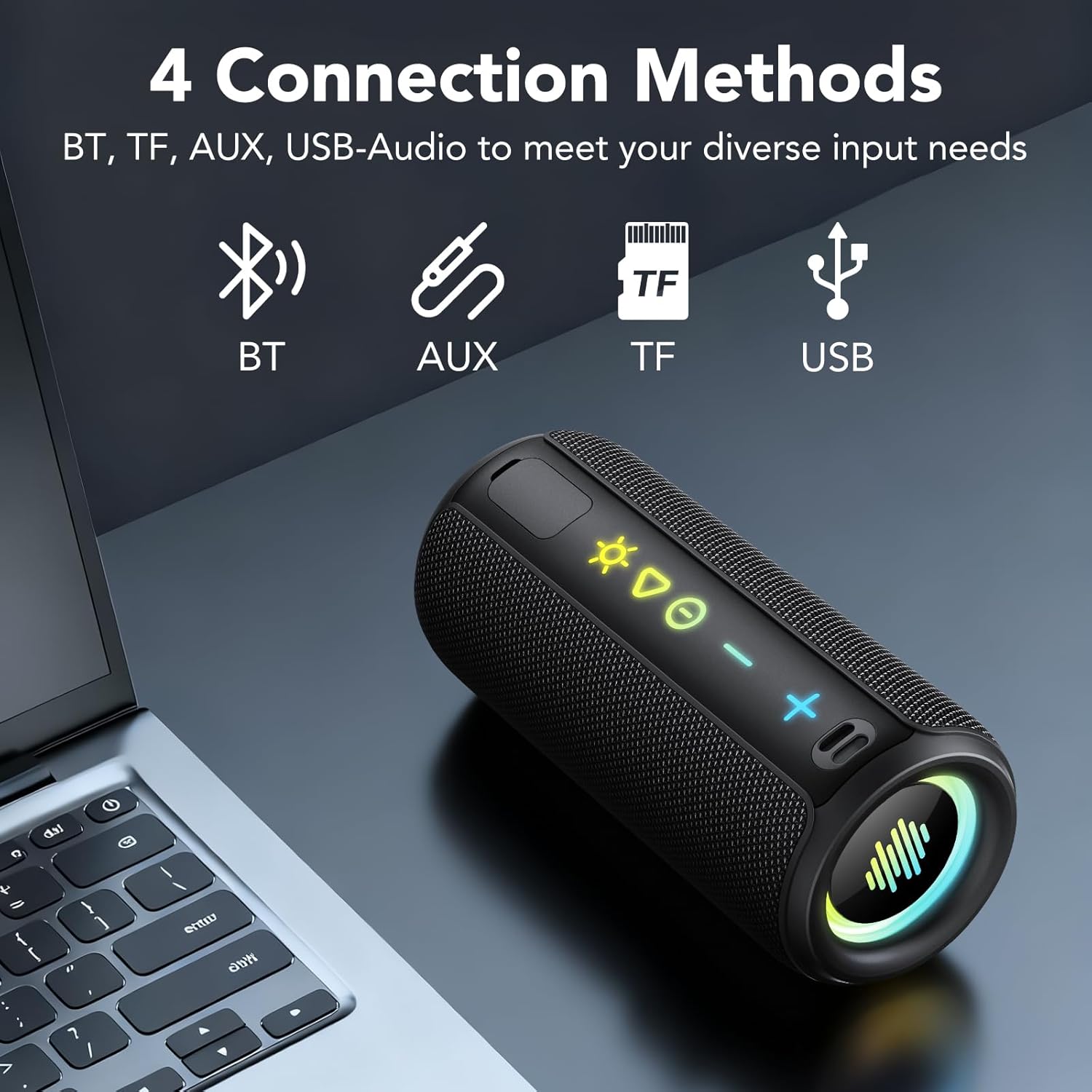
Image: The TIMU S11 speaker illustrating its four connection methods: Bluetooth, TF card, AUX, and USB-Audio.
2.4 True Wireless Stereo (TWS) Pairing
For an immersive stereo experience, you can pair two TIMU S11 speakers together:
- Ensure both TIMU S11 speakers are powered on and not connected to any other Bluetooth device.
- On one speaker (this will be the primary speaker), press the TWS button (often indicated by two interlocking circles or a similar icon). The TWS indicator light will flash.
- On the second speaker, press the TWS button. Both speakers will attempt to connect to each other.
- Once successfully paired, you will hear a confirmation sound, and the TWS indicator lights on both speakers will become solid.
- Now, connect your device to the primary speaker via Bluetooth as described in section 2.3. Audio will play in stereo through both speakers.
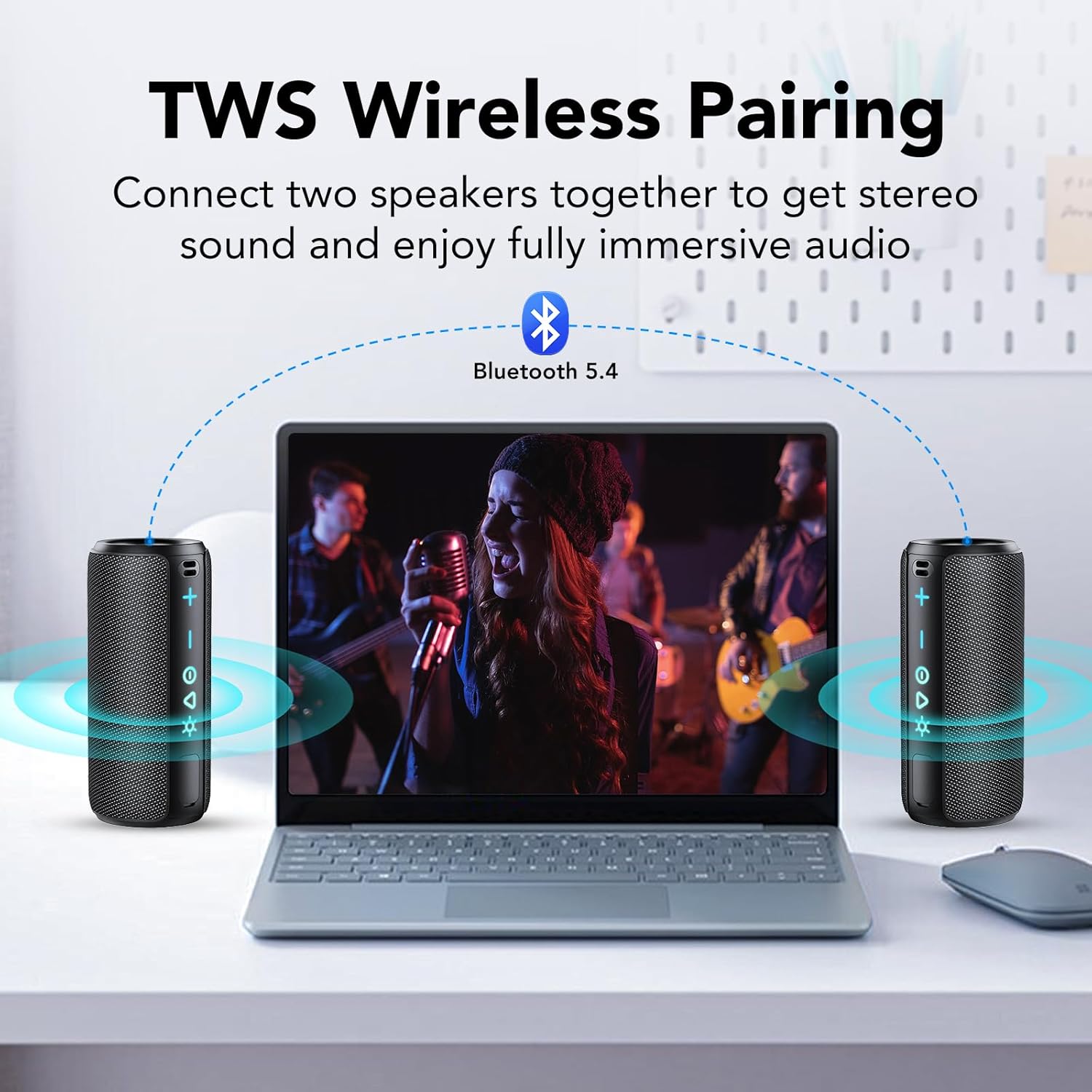
Image: Two TIMU S11 speakers connected via TWS to a laptop, demonstrating wireless stereo pairing.
3. Operating Instructions
3.1 Button Functions
The TIMU S11 speaker features intuitive controls for easy operation:
- Power Button (⏻): Press and hold to power on/off. Short press to play/pause music.
- Volume Up (+): Short press to increase volume. Long press to skip to the next track.
- Volume Down (-): Short press to decrease volume. Long press to go to the previous track.
- Light Mode Button (☀): Short press to cycle through 8 different RGB lighting modes. Long press to turn lights off/on.
- Play/Pause Button (▶): Short press to play or pause music.
- TWS Button (often two interlocking circles): Press to initiate TWS pairing (see section 2.4).
- Call Button (phone icon, if present): Short press to answer/end calls. Long press to reject calls.

Image: Detailed view of the TIMU S11 speaker's control panel, showing illuminated buttons for power, volume, play/pause, and light modes.
3.2 Audio Input Modes
The speaker supports multiple audio input options:
- Bluetooth Mode: Connect wirelessly to your device (see section 2.3).
- AUX Mode: Use the provided 3.5mm AUX cable to connect to devices without Bluetooth. Insert the cable into the AUX port (under the rubber flap).
- TF Card Mode: Insert a TF (MicroSD) card with music files into the designated slot (under the rubber flap). The speaker will automatically play music from the card.
- USB-Audio Mode: Connect via USB cable to a computer for audio playback.
3.3 RGB Lighting Modes
Enhance your listening experience with dynamic RGB lighting. Press the Light Mode button (☀) to cycle through 8 different lighting effects. Long press the button to turn the lights off or on.
Video: A short demonstration of the TIMU S11 Bluetooth Speaker, showcasing its design, controls, and dynamic RGB lighting effects.
4. Maintenance
4.1 Cleaning
- Wipe the speaker with a soft, damp cloth.
- Do not use abrasive cleaners, alcohol, or chemical solvents, as these may damage the surface.
- Ensure all ports are dry before charging or connecting cables.
4.2 Storage
- Store the speaker in a cool, dry place away from direct sunlight and extreme temperatures.
- If storing for an extended period, charge the battery to about 50% every few months to prolong battery life.
4.3 Waterproof Care (IPX7)
The TIMU S11 speaker is IPX7 waterproof, meaning it can be immersed in water up to 1 meter (3.3 feet) for up to 30 minutes. To maintain its waterproof integrity:
- Ensure the rubber flap covering the charging and AUX ports is securely closed before exposing the speaker to water.
- Do not expose the speaker to saltwater or chlorinated water for extended periods. Rinse with fresh water after exposure to such liquids.
- Avoid dropping the speaker, as physical damage can compromise its waterproof seal.
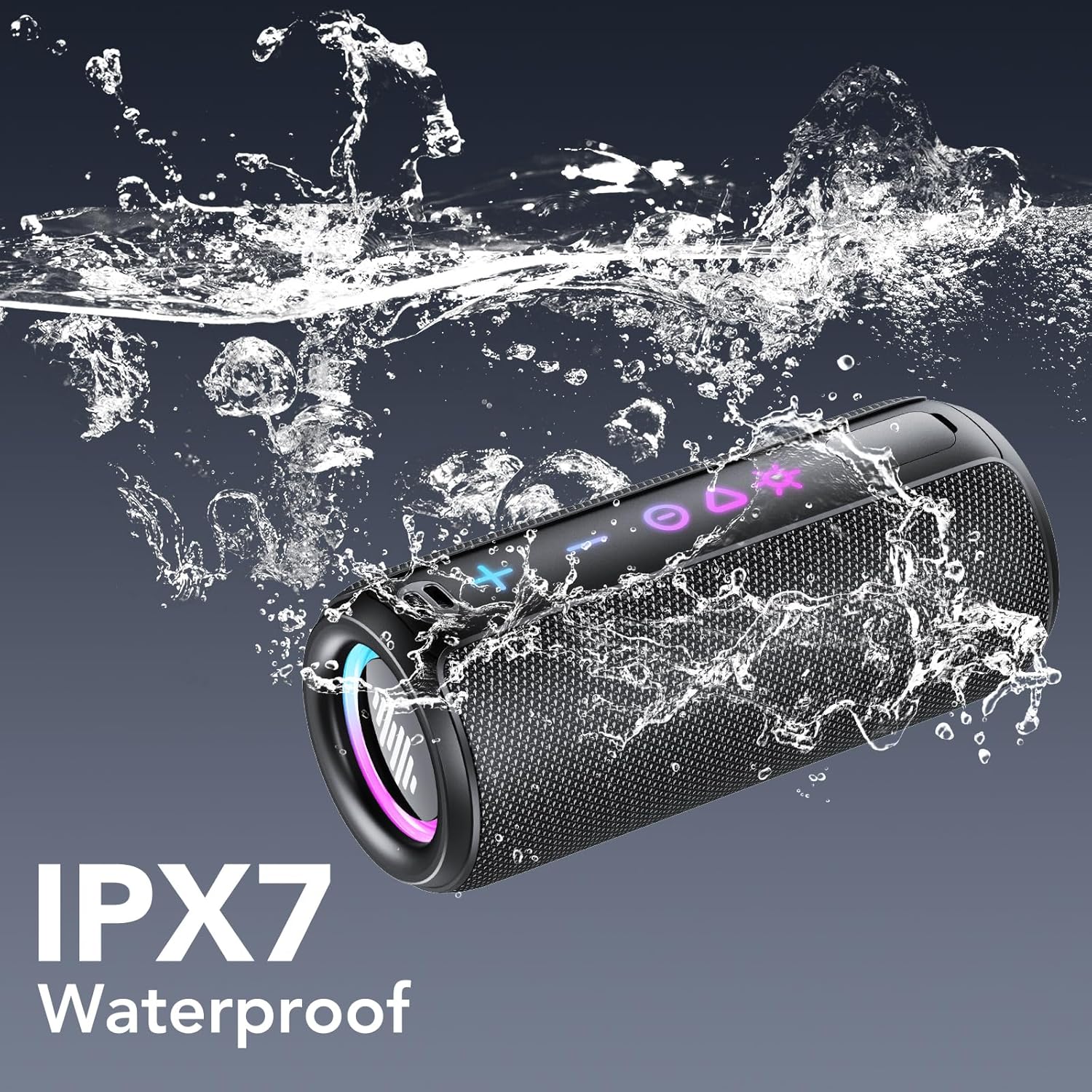
Image: The TIMU S11 speaker demonstrating its IPX7 waterproof capability with water splashing around it.
5. Troubleshooting
5.1 Speaker Not Turning On
- Ensure the battery is charged. Connect the speaker to a power source using the Type-C cable and allow it to charge for at least 15 minutes before attempting to power on again.
- Press and hold the Power button for 3-5 seconds.
5.2 Unable to Pair via Bluetooth
- Make sure the speaker is in Bluetooth pairing mode (flashing indicator light).
- Ensure your device's Bluetooth is enabled and within 10 meters (33 feet) of the speaker.
- Check if "TIMU S11" appears in your device's Bluetooth list. If it does, try forgetting the device and re-pairing.
- Restart both the speaker and your Bluetooth device.
- Ensure no other devices are currently connected to the speaker.
5.3 No Sound or Low Volume
- Increase the volume on both the speaker and your connected device.
- Ensure the speaker is properly connected via Bluetooth, AUX, or TF card.
- If using AUX, check the cable for damage and ensure it's fully inserted.
- If using a TF card, ensure the music files are in a supported format and the card is inserted correctly.
5.4 TWS Pairing Issues
- Ensure both speakers are TIMU S11 models and are not connected to any other Bluetooth devices.
- Follow the TWS pairing steps precisely (see section 2.4).
- Try resetting both speakers by powering them off and on, then attempt TWS pairing again.
6. Specifications
| Model Name | S11 |
| Brand | TIMU |
| Speaker Type | Outdoor, Portable Bluetooth Speaker |
| Speaker Maximum Output Power | 30 Watts (25W True Stereo) |
| Bluetooth Version | 5.4 |
| Bluetooth Range | Up to 20 meters (66 feet) |
| Battery Capacity | 4000mAh |
| Playtime | Up to 30 hours (at 30% volume, lights off) |
| Water Resistance Level | IPX7 (Submersible up to 1m for 30 min) |
| Connectivity Technology | Bluetooth, AUX, TF Card, USB-Audio |
| Special Features | Bass Boost, Built-in Microphone, Portable, Lightweight, LED Light (8 RGB Modes), Dustproof, Waterproof, Stereo Pairing (TWS) |
| Product Dimensions | 2.6"D x 2.6"W x 6.3"H |
| Item Weight | 1.63 pounds |
7. Warranty & Support
7.1 Warranty Information
The TIMU S11 Portable Bluetooth Speaker comes with a limited warranty. Please refer to the warranty card included in your packaging for specific terms and conditions. This warranty typically covers manufacturing defects and malfunctions under normal use.
Note: Physical damage, misuse, or unauthorized modifications are not covered under warranty.
7.2 Customer Support
For any questions, technical assistance, or warranty claims, please contact TIMU customer support through the following channels:
- Email: Refer to your product packaging or the official TIMU website for the most current contact email.
- Online Support: Visit the official TIMU website for FAQs, support articles, and online chat options.
- Amazon Store: You can also reach out to the seller, Selorr Direct, through your Amazon order history for assistance.
Please have your product model (S11) and purchase details ready when contacting support.