
1. Introduction
Thank you for choosing the OUPES Exodus 2400 Portable Power Station with 240W Solar Panel. This manual provides essential information for the safe and efficient operation of your device. Please read it thoroughly before use and retain it for future reference.
The OUPES Exodus 2400 is a high-capacity portable power station designed to provide reliable power for various applications, including RVs, home backup during outages, and professional outdoor use. It features a 2232Wh capacity, 2400W AC output (2600W boost, 4500W peak), APP control, and an Uninterruptible Power Supply (UPS) function.
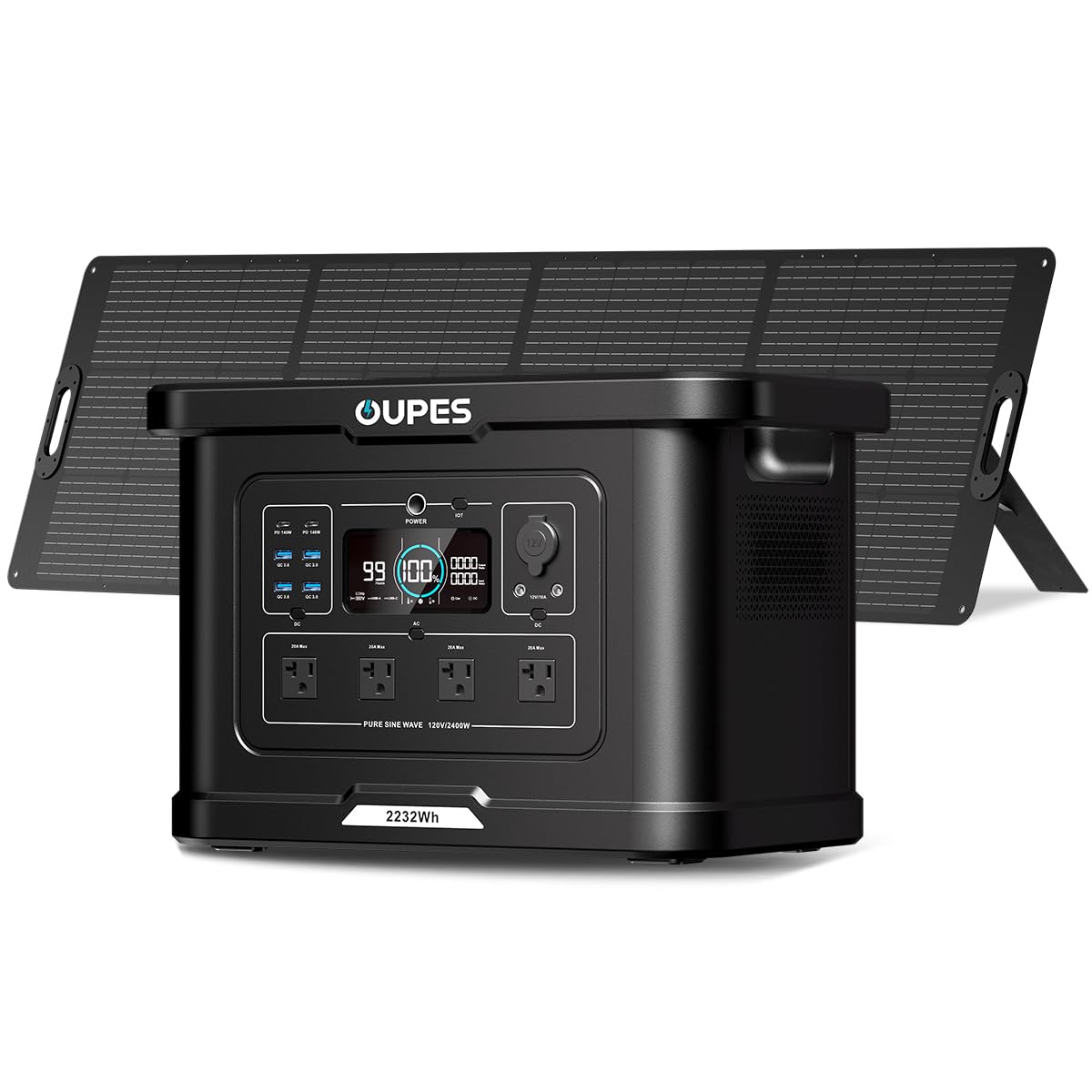
Image 1.1: OUPES Exodus 2400 Portable Power Station with 240W Solar Panel.
2. Safety Instructions
To ensure safe operation, always follow these guidelines:
- Do not disassemble, repair, or modify the unit.
- Keep the unit away from fire, heat sources, and direct sunlight.
- Avoid exposure to water, rain, or high humidity.
- Use only original or certified accessories.
- Ensure proper ventilation during use and charging.
- Keep out of reach of children and pets.
- In case of fire, use a dry powder fire extinguisher.
3. Package Contents
Verify that all items are present in your package:
- 1x OUPES Exodus 2400 Portable Power Station
- 1x 240W Foldable Solar Panel
- 1x AC Charging Cable
- 1x Car Charging Cable
- 1x User Manual
4. Product Overview
4.1. Ports and Interface
The Exodus 2400 offers a variety of output ports to power multiple devices simultaneously:
- AC Outlets: 4x Pure Sine Wave 120V/2400W (Max 2600W, Surge 4500W)
- USB-C Ports: 2x PD 140W
- USB-A Ports: 4x QC3.0 (18W)
- DC Output: 3x DC 12V/10A
- Car Output: 1x 12V/10A

Image 4.1: Overview of the OUPES Exodus 2400 output ports.
4.2. Smart Display
The integrated smart display provides real-time information about the power station's status, including remaining runtime, battery level, input/output power, and warning indicators.

Image 4.2: The smart display provides comprehensive operational data.
5. Setup and Charging
5.1. Initial Setup
Before first use, fully charge the power station. Connect the AC charging cable to the power station's input port and then to a wall outlet. The display will indicate charging status.
5.2. AC Charging
The Exodus 2400 supports 1400W fast AC charging, reaching 0-80% in approximately 1.2 hours. A 700W slow charge option is also available to reduce heat buildup and extend battery lifespan.

Image 5.1: AC charging of the power station.
5.3. Solar Charging
Connect the 240W foldable solar panel to the power station's solar input port. Position the solar panel in direct sunlight for optimal charging. The power station supports up to 800W MPPT solar input, allowing 0-80% charge in 2-4 hours under ideal conditions.

Image 5.2: Solar panel charging setup.
5.4. Car Charging
Use the provided car charging cable to charge the power station from your vehicle's 12V outlet. This method is suitable for on-the-go recharging.
6. Operation
6.1. Turning On/Off
Press and hold the main POWER button to turn the unit on or off. Individual AC and DC output buttons can be pressed to activate or deactivate specific output groups.
6.2. Connecting Devices
Plug your devices into the appropriate AC, USB, or DC ports. Ensure the total power consumption does not exceed the power station's rated output of 2400W (2600W boost, 4500W peak).
6.3. UPS Function
The Exodus 2400 features an Uninterruptible Power Supply (UPS) function with a switching time of less than 20ms. Connect the power station to a wall outlet and then plug your sensitive devices (e.g., computers, CPAP machines, refrigerators) into the power station's AC outlets. In case of a power outage, the power station will automatically switch to battery power, providing seamless operation.

Image 6.1: Illustrating the UPS function for uninterrupted power.
6.4. APP Control
Download the OUPES app to monitor and control your power station remotely via Wi-Fi or Bluetooth. The app allows you to check real-time power status, customize output settings, set AC timeout, and adjust AC recharging speed (fast or slow).

Image 6.2: OUPES app interface for smart control.
7. Maintenance and Storage
Proper maintenance ensures the longevity and performance of your power station:
- Clean the unit with a dry, soft cloth. Avoid using harsh chemicals.
- Store the power station in a cool, dry place, away from direct sunlight and extreme temperatures.
- For long-term storage, charge the unit to 50-80% every 3-6 months to preserve battery health.
- The LiFePO4 battery is designed for over 3500 cycles and has a 10-year lifespan.

Image 7.1: Internal structure highlighting the LiFePO4 battery.
7.1. Battery Management System (BMS)
The built-in BMS protects the battery from overcharging, overheating, deep discharges, over-voltage, over-current, and short circuits, ensuring optimal performance and safety.

Image 7.2: The Battery Management System (BMS) ensures safety and longevity.
8. Troubleshooting
If you encounter issues, refer to the following common problems and solutions:
| Problem | Possible Cause | Solution |
|---|---|---|
| Unit does not turn on | Low battery, faulty power button | Charge the unit. If issue persists, contact support. |
| AC output not working | AC output not enabled, overload, faulty device | Press AC button to enable. Reduce load. Check device. |
| Slow charging | High ambient temperature, 'Slow Charging' mode enabled | Move to cooler environment. Disable 'Slow Charging' in app. |
| App connection issues | Bluetooth/Wi-Fi off, app not updated, interference | Ensure Bluetooth/Wi-Fi is on. Update app. Restart unit. |
For issues not listed here, please contact OUPES customer support.
9. Specifications
| Feature | Detail |
|---|---|
| Model Name | Exodus 2400 + 240W Panel |
| Battery Capacity | 2232 Watt-hours |
| AC Output | 2400 Watts (Running), 2600 Watts (Boost), 4500 Watts (Peak) |
| Voltage | 120 Volts (AC) |
| Charging (AC) | 1400W (Fast), 700W (Slow) |
| Charging (Solar) | 800W MPPT Max |
| Charging (Car) | 12V |
| UPS Function | <20ms switching time |
| Total Power Outlets | 13 |
| Battery Type | LiFePO4 |
| Dimensions (L x W x H) | 17.9" x 10.6" x 12.2" |
| Item Weight | 45.7 Pounds |
| Material | ETFE, LiFePO4, Steel/Aluminum, Plastic/Rubber |
10. Warranty and Support
The OUPES Exodus 2400 Portable Power Station comes with a 5-year warranty, ensuring peace of mind for your investment.
For technical support, warranty claims, or any questions regarding your product, please contact OUPES customer service through the official website or your retailer.
Online Resources: Visit the OUPES Store on Amazon for additional product information and support.


