1. Introduction
Thank you for choosing the MUSTAR 88-Key Digital Piano Keyboard. This instrument is designed to provide a comprehensive and enjoyable musical experience for beginners and advanced players alike. It features semi-weighted keys, a versatile three-pedal unit, built-in speakers, and extensive connectivity options including USB/MIDI. This manual will guide you through the setup, operation, and maintenance of your new digital piano.
2. What's Included
Please verify that all items listed below are present in your package:
- MUSTAR 88-Key Digital Piano Keyboard
- Wooden Piano Bench with Storage
- Power Adapter
- Removable Music Stand
- Three-Pedal Unit
- Instruction Manual (this document)

Image: The complete MUSTAR 88-Key Digital Piano Keyboard set, including the piano, bench, and pedal unit.
3. Setup
3.1 Assembling the Piano and Bench
Follow the assembly instructions provided in the separate assembly guide for the piano and bench. Ensure all components are securely fastened before use.
3.2 Connecting the Components
- Connect the three-pedal unit to the 'Pedal Jack' on the piano's rear panel.
- Plug the power adapter into the 'DC Power' input on the piano, then into a wall outlet.
- Attach the removable music stand to the designated slot on the piano.
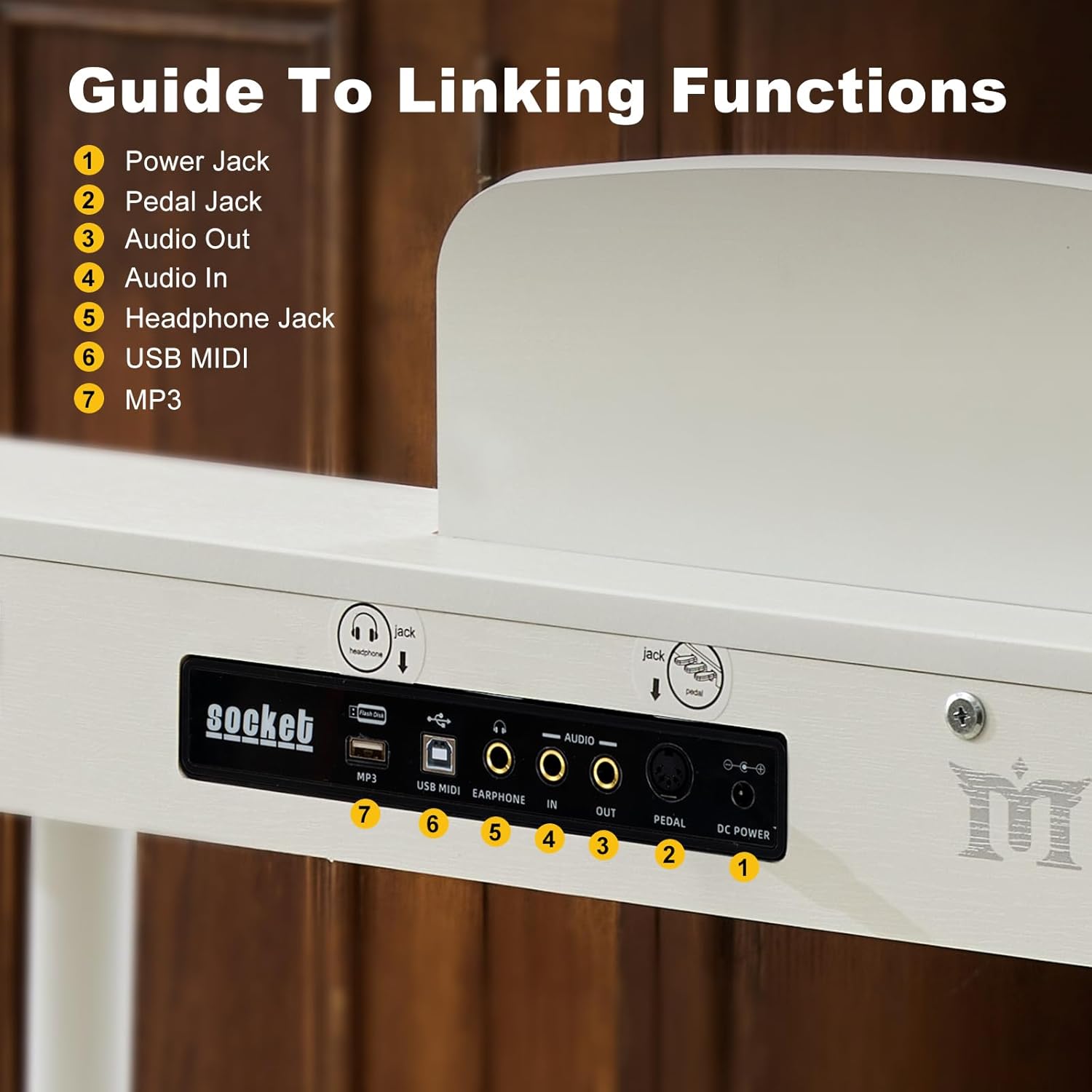
Image: Rear panel connections including Power Jack, Pedal Jack, Audio Out, Audio In, Headphone Jack, USB MIDI, and MP3 input.
3.3 Bench Features
The included piano bench features a PU leather seat with high-density foam for comfort. Its sturdy wooden legs and non-slip rubber feet ensure stability. The seat also lifts to reveal a storage compartment for sheet music and accessories.

Image: Dimensions of the MUSTAR digital piano and its accompanying bench, highlighting its compact and elegant design.
4. Operating Instructions
4.1 Basic Controls and Functions
The piano features an easy-to-operate control panel with an LED display and multifunction buttons. Use the volume control for comfortable listening levels.

Image: Detailed view of the control panel, illustrating the LED display, function buttons, and connectivity options.
4.2 Sound and Rhythm Selection
Explore 800 tones, 600 rhythms, and 80 demo songs. Use the dedicated buttons on the control panel to select and adjust these features.
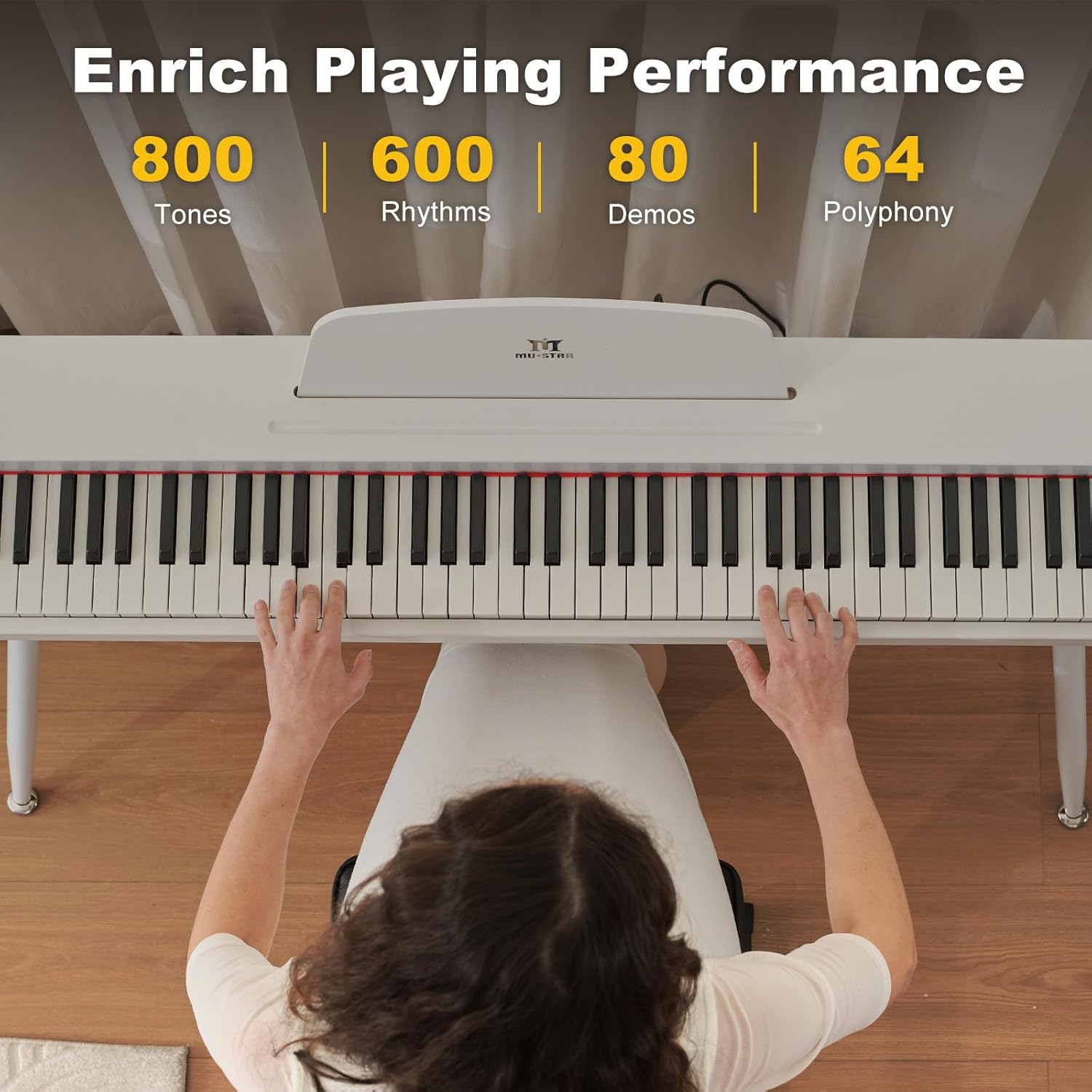
Image: Overview of the piano's extensive sound capabilities, including tones, rhythms, demos, and polyphony.
4.3 Pedal System
The three-pedal system includes Sustain, Soft, and Sostenuto pedals, allowing for expressive playing. Refer to the assembly guide for proper connection.

Image: Illustration of the three-pedal system and its individual functions.
4.4 Touch-Sensitive Keys
The 88 semi-weighted, touch-sensitive keys respond to your playing dynamics, making it suitable for developing proper piano technique.

Image: Visual representation of the semi-weighted keys and their touch-sensitive response.
4.5 Connectivity
- Headphone Jack: Practice privately by plugging headphones into the 3.5mm jack. This automatically mutes the built-in speakers.
- USB/MIDI: Connect to mobile phones or computers for interactive learning and composition.
- AUDIO INPUT: Play external audio through the piano's speakers.
- AUDIO OUTPUT: Connect external speakers for enhanced sound projection.
- Bluetooth: Utilize wireless options for seamless connectivity with compatible devices.
4.6 Special Modes
- Split Mode: Divide the keyboard into two sections for dual-player performance or practicing different parts simultaneously.
- Record/Playback: Easily record, review, and refine your musical performances.

Image: Demonstrates the Split Keyboard feature, allowing two players to use the piano simultaneously.
4.7 Product Video Overview
Video: An official product video from FlatsonsDirect (a seller of similar products) showcasing the features and performance of an 88-key fully weighted electric piano. This video provides a general overview of a high-performance digital piano.
5. Specifications
| Feature | Detail |
|---|---|
| Brand | MUSTAR |
| Model Number | U6010402100/U6010402200 |
| Number of Keys | 88 |
| Key Type | Semi-Weighted, Touch-Sensitive |
| Dimensions (Piano) | 10.6"D x 50.8"W x 28.7"H |
| Item Weight | 40 Pounds |
| Tones | 800 |
| Rhythms | 600 |
| Demo Songs | 80 |
| Pedals | 3 (Sustain, Soft, Sostenuto) |
| Connectivity | USB/MIDI, Bluetooth, 3.5mm Headphone Jack, Audio In/Out |
| Speakers | Built-In |
| Power Source | Corded Electric |
| Bench Seat Material | PU Leather with 3cm high-density foam |
6. Maintenance
6.1 Cleaning
To clean the piano and bench, use a soft, dry cloth. For stubborn dirt, lightly dampen the cloth with water and a mild soap solution, then wipe dry immediately. Avoid abrasive cleaners, solvents, or waxes, as these can damage the finish.
6.2 Storage and Care
- Keep the piano away from direct sunlight, heat sources, and excessive humidity to prevent damage to the electronic components and wooden parts.
- Avoid placing heavy objects on the keyboard or control panel.
- When not in use, consider covering the keyboard to protect it from dust.
7. Troubleshooting
7.1 No Sound
- Ensure the power adapter is securely connected and the piano is turned on.
- Check the volume level. Increase it if necessary.
- If headphones are plugged in, unplug them to enable the built-in speakers.
- Verify that external speakers (if connected) are powered on and properly connected to the AUDIO OUTPUT.
7.2 Keys Not Responding
- Ensure the piano is powered on.
- Check if any specific mode (e.g., demo mode) is active that might prevent manual playing.
- If only certain keys are not responding, contact customer support.
7.3 Connectivity Issues (USB/MIDI/Bluetooth)
- For USB/MIDI, ensure the cable is correctly connected to both the piano and your device. Check device drivers if necessary.
- For Bluetooth, ensure the piano's Bluetooth function is enabled and your device is in pairing mode.
- Consult your device's manual for specific connection instructions.
8. Warranty and Support
For warranty information, please refer to the warranty card included in your product packaging or visit the official MUSTAR website. For technical support, troubleshooting assistance, or inquiries about replacement parts, please contact MUSTAR customer service through their official channels.
Manufacturer: MUSTAR


