
Introduction
Thank you for choosing the Volam 9'' Carplay Screen. This portable infotainment system is designed to enhance your driving experience with wireless Apple CarPlay and Android Auto, built-in streaming applications, and an AHD backup camera. This manual will guide you through the setup, operation, and maintenance of your device to ensure optimal performance and enjoyment.
What's in the Box
- 1x 9-inch Carplay Screen
- 1x 21ft AHD Backup Camera
- 1x 5ft AUX Cable and Power Cord
- 1x Base Bracket
- 1x Suction Cup Bracket
- 1x Instruction Manual
- 1x Installation Tool

Image: Contents of the Volam 9-inch Carplay Screen package, showing the main screen, AHD backup camera, power cord, AUX cable, two types of mounting brackets, 3M tape, installation tool, and instruction manual.
Product Overview
The Volam 9'' Carplay Screen features a high-resolution display, dual-band Wi-Fi, dual Bluetooth, and multiple audio output options. It supports wireless Apple CarPlay and Android Auto, allowing seamless integration with your smartphone for navigation, calls, music, and messaging. Built-in streaming apps like Netflix and YouTube provide entertainment on the go. The included AHD backup camera enhances safety and convenience during parking and reversing maneuvers.

Image: The Volam 9-inch Carplay Screen mounted on a car dashboard, showing its large display with a movie playing, highlighting its entertainment capabilities.
Setup
1. Mounting Options
The device offers flexible mounting solutions to suit various vehicle dashboards and user preferences.
- Dashboard Mount: Use the provided base bracket with 3M adhesive tape. Ensure the dashboard surface is clean and allow the adhesive to set for 24 hours before mounting the screen for a secure installation.
- Suction Cup Mount: Attach the suction cup bracket to your windshield for an alternative mounting position.

Image: The Volam 9-inch Carplay Screen mounted on a car dashboard, displaying both Wireless CarPlay and Android Auto interfaces with navigation and media playback.
2. Power Connection
Connect the power cord to the USB Type-C port on the side of the screen and plug the other end into your car's 12-24V cigarette lighter socket. The power adapter also includes a pass-through USB port for charging other devices.
3. Bluetooth Pairing (CarPlay/Android Auto)
To enable wireless CarPlay or Android Auto, you need to pair your smartphone via Bluetooth.
- On the Carplay screen, navigate to the Bluetooth settings.
- On your smartphone, turn on Bluetooth and Wi-Fi.
- Search for the Carplay screen's Bluetooth name (e.g., T88-RXBED98) on your phone and select it to pair.
- Confirm the pairing code on both devices.
- Once paired, a prompt will appear on your phone to connect to CarPlay or Android Auto. Select 'Connect'.
Video: Demonstrates the step-by-step process of connecting an iPhone to the Volam Carplay Screen via Bluetooth for Wireless CarPlay functionality.
Video: Shows how to connect an Android phone to the Volam Carplay Screen via Bluetooth to activate Wireless Android Auto.
4. Audio Output Configuration
The device offers four ways to output audio to your car's sound system:
- Built-in Speaker: Audio plays directly from the screen's integrated speaker.
- Bluetooth Transmitter: Transmits audio wirelessly to your car's stereo via Bluetooth. Pair your car's Bluetooth with the screen.
- FM Transmitter: Transmits audio to your car's FM radio. Select an unused FM frequency on the Carplay screen (e.g., 102.7 MHz) and tune your car's radio to the same frequency.
- AUX Cable: Connect the provided AUX cable from the screen's audio output to your car's AUX input.
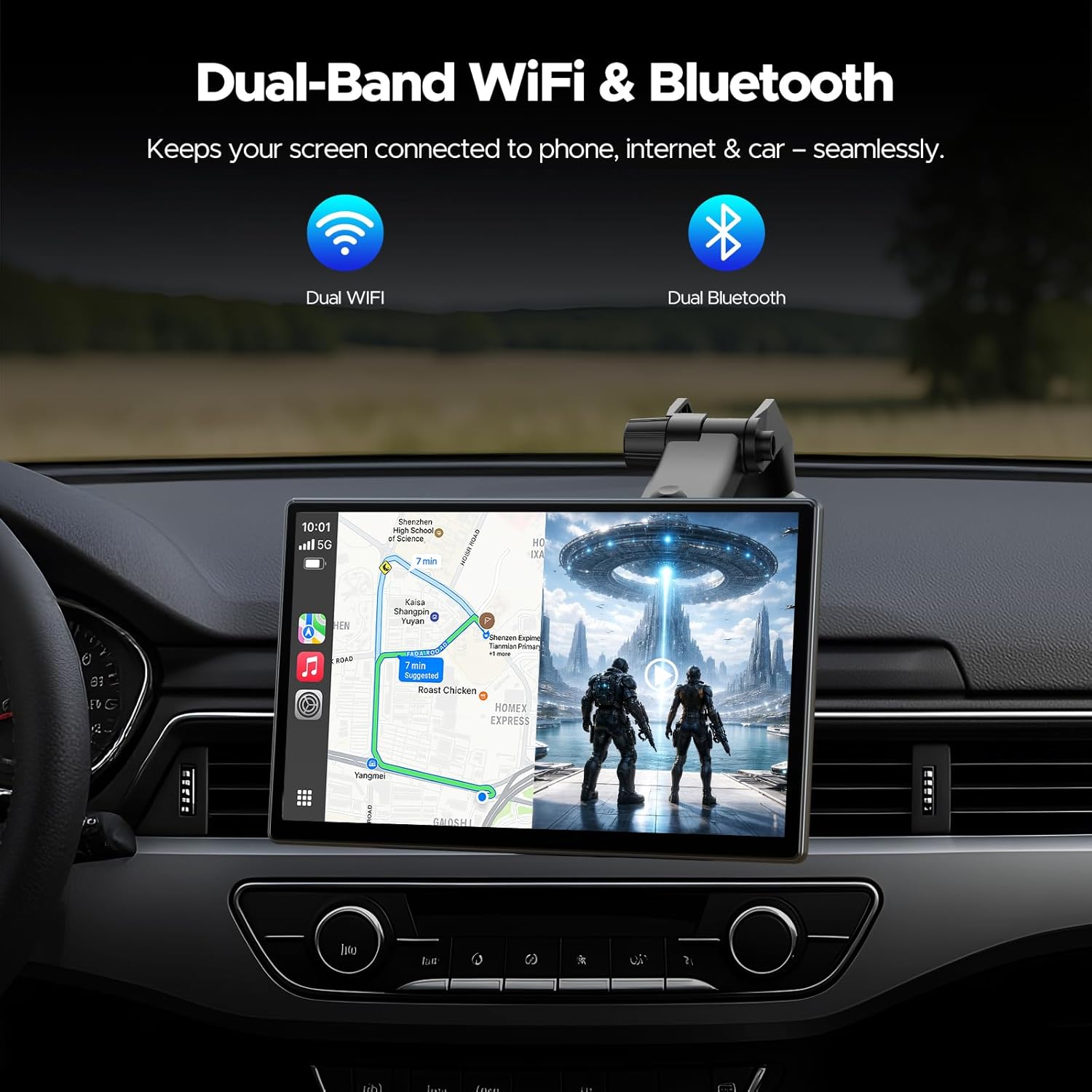
Image: The Volam 9-inch Carplay Screen showing its audio output settings, illustrating the four available modes: Bluetooth to Car Speaker, Built-in Speaker, Car Speaker via AUX, and FM transmission.
5. Wi-Fi/Hotspot Connection for Streaming Apps
To use built-in streaming apps like Netflix and YouTube, the device requires an internet connection.
- Go to the screen's settings and enable Wi-Fi.
- Connect to your phone's mobile hotspot or any available Wi-Fi network.
- Once connected, you can launch the streaming apps.

Image: The Volam 9-inch Carplay Screen showcasing its built-in streaming apps, including Netflix and YouTube, with icons for 5G WiFi and Mobile Hotspot connectivity.
6. AHD Backup Camera Installation
The included AHD backup camera provides a clear rear view. It connects to the AV input port on the side of the screen. The camera can be mounted using screws or 3M adhesive tape, typically near the license plate. A trigger wire connects to your car's reverse light to automatically activate the camera when reversing.

Image: The Volam 9-inch Carplay Screen displaying a clear rear view from the AHD backup camera, complete with dynamic parking lines, and a finger tapping the 'Reverse' icon on the screen.
Operating Instructions
1. Navigating the Interface
The touchscreen interface is intuitive. Swipe left or right to access different app pages. Tap on app icons to launch them. Use the home button (house icon) to return to the main menu.
2. Using CarPlay/Android Auto
Once connected via Bluetooth, tap the CarPlay or Android Auto icon on the main screen to launch the respective interface. This will mirror your phone's compatible apps, allowing access to navigation, music, calls, and messages directly from the Carplay screen.
3. Streaming Apps (Netflix, YouTube, TikTok)
After connecting to Wi-Fi or a mobile hotspot, tap the desired streaming app icon (e.g., Netflix, YouTube, TikTok) to launch it. Log in with your account credentials to start streaming content. Ensure a stable internet connection for uninterrupted playback.
4. Customizing Boot Logo & Wallpapers
Personalize your screen by setting a custom boot logo or wallpaper. Upload images via an SD card (not included) to the device's gallery. Access the display settings to select your preferred boot logo or wallpaper.

Image: The Volam 9-inch Carplay Screen showing options for custom wallpapers and boot logos, allowing users to personalize the device's appearance.
5. Using AHD Backup Camera
The AHD backup camera can be activated with a single tap on the 'Reverse' icon on the screen. The view can be adjusted directly on the screen, even if the camera is mounted upside down, eliminating the need for physical remounting. Parking lines are displayed to assist with maneuvering.
6. Voice Control
Utilize your smartphone's voice assistant (Siri for iOS, Google Assistant for Android) through the Carplay screen for hands-free control of navigation, calls, and other functions.
7. SD Card Support
The device supports SD cards up to 256GB. Insert an SD card into the dedicated slot to enjoy offline viewing of music, movies, and photos.

Image: The Volam 9-inch Carplay Screen highlighting its SD card support, allowing users to enjoy offline music, movies, and photos.
Maintenance
To ensure the longevity and optimal performance of your Volam Carplay Screen, follow these maintenance guidelines:
- Cleaning: Use a soft, lint-free cloth to gently wipe the screen. Avoid abrasive cleaners or solvents that could damage the display.
- Temperature: Avoid exposing the device to extreme temperatures, both hot and cold, for extended periods.
- Storage: If storing the device for a long time, disconnect it from power and store it in a cool, dry place.
- Software Updates: Keep your device updated with the latest OTA (Over-The-Air) firmware. This ensures you have the newest features, bug fixes, and performance improvements.
Troubleshooting
- No Power: Ensure the power cord is securely connected to both the screen and the car's cigarette lighter socket. Check if the car's power outlet is functioning.
- CarPlay/Android Auto Not Connecting: Verify that Bluetooth and Wi-Fi are enabled on your smartphone. Ensure the device is properly paired. If issues persist, try restarting both the screen and your phone.
- Streaming Apps Not Working: Check your Wi-Fi or mobile hotspot connection. Ensure the signal is strong. Close background apps on your phone to free up hotspot resources if streaming is slow.
- Poor Audio Quality: If using FM transmission, try a different unused FM frequency. If using Bluetooth, ensure your car stereo is properly paired. For optimal sound, Bluetooth connection to your car stereo is recommended.
- Backup Camera Not Displaying: Ensure the camera is securely connected to the AV input. Check the trigger wire connection to the reverse light.
Specifications
- Screen Size: 9 inches
- Connectivity: Auxiliary, Bluetooth, FM, Hotspot, Wi-Fi
- Controller Type: Android, iOS
- Compatible Devices: iPhone 6+ or iOS 10+ (CarPlay), Android 11+ (Android Auto). Does not support Huawei or Xiaomi devices.
- Connector Type: USB Type-C
- Audio Encoding: Surround
- Audio Output Mode: FM/AUX
- Surround Sound Channel Configuration: 5.1
- Video Encoding: H.264, H.265/HEVC
- Item Weight: 2.53 pounds
- Package Dimensions: 10.63 x 6.42 x 3.82 inches
Warranty & Support
The Volam 9'' Carplay Screen comes with a 1-Year Warranty. It is compatible with most 12-24V vehicles. For any issues or inquiries, please contact our 24-Hour Response Team for fast and dedicated solutions. Your satisfaction is our promise.