
1. Product Overview
This manual provides instructions for the installation, operation, and maintenance of the DRRSBRP 110V Automatic Roller Shutter Motor, Model MKH84651. This side-mount automatic rolling door opener is designed for various applications including garages, warehouses, stores, and barns, offering convenient and secure door automation.

Figure 1.1: Wide Applications of the Roller Shutter Motor
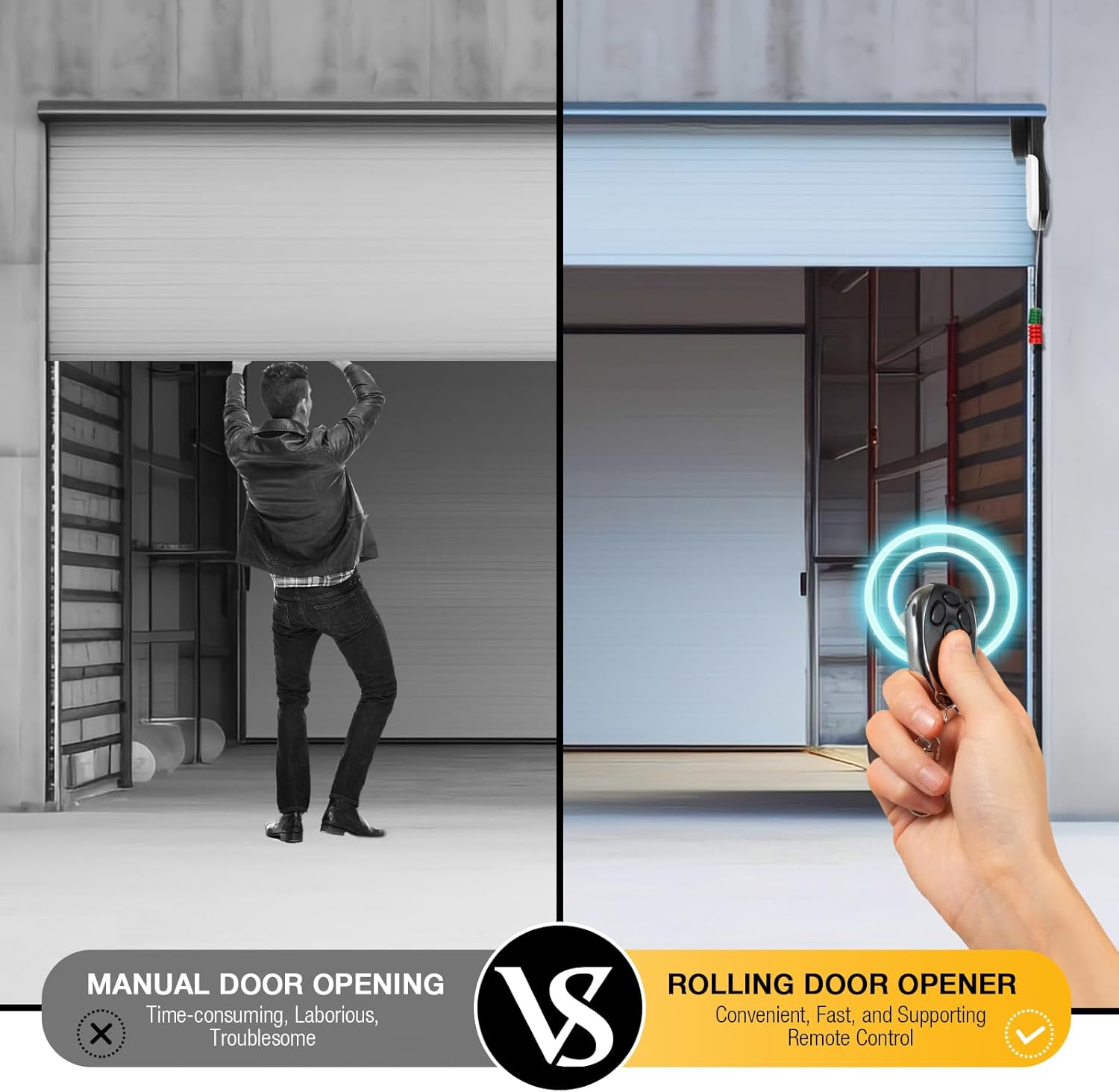
Figure 1.2: Convenience of Automatic Operation
2. Important Safety Information
Read all instructions carefully before installation and operation. Failure to follow these instructions may result in serious injury or property damage. Keep this manual for future reference.
General Safety Precautions:
- Ensure the power supply is disconnected before performing any installation, maintenance, or repair work.
- Installation must be performed by qualified personnel in accordance with local electrical codes and regulations.
- Keep children and pets away from the operating door and remote controls.
- Do not operate the door opener if it is damaged or malfunctioning.
- Regularly inspect the door and opener for signs of wear or damage.
- This product features automatic obstacle detection. Ensure the path of the door is clear during operation.
- The remote control uses rolling encryption for enhanced security.

Figure 2.1: Built-in Safety and Reliability Features
3. Package Contents
Verify that all components are present and undamaged upon unpacking.
- 1 x Rolling Door Opener
- 2 x Remote Controls
- 1 x English Manual

Figure 3.1: Package Contents
4. Product Specifications
| Feature | Specification |
|---|---|
| Model Number | MKH84651 |
| Manufacturer | HFSLENLS |
| Input Voltage | 110V |
| Pulling Force | 800N |
| Max. Door Area | 242 sq ft |
| Max. Door Height | 14.7 ft |
| Operating Noise Level | 55 dB |
| Motor Type | Copper Motor |
| Product Dimensions | 11.81 x 4.72 x 15.74 inches (30 x 12 x 40 cm) |
| Item Weight | 11.57 pounds |
| Color | White, Black, Red |
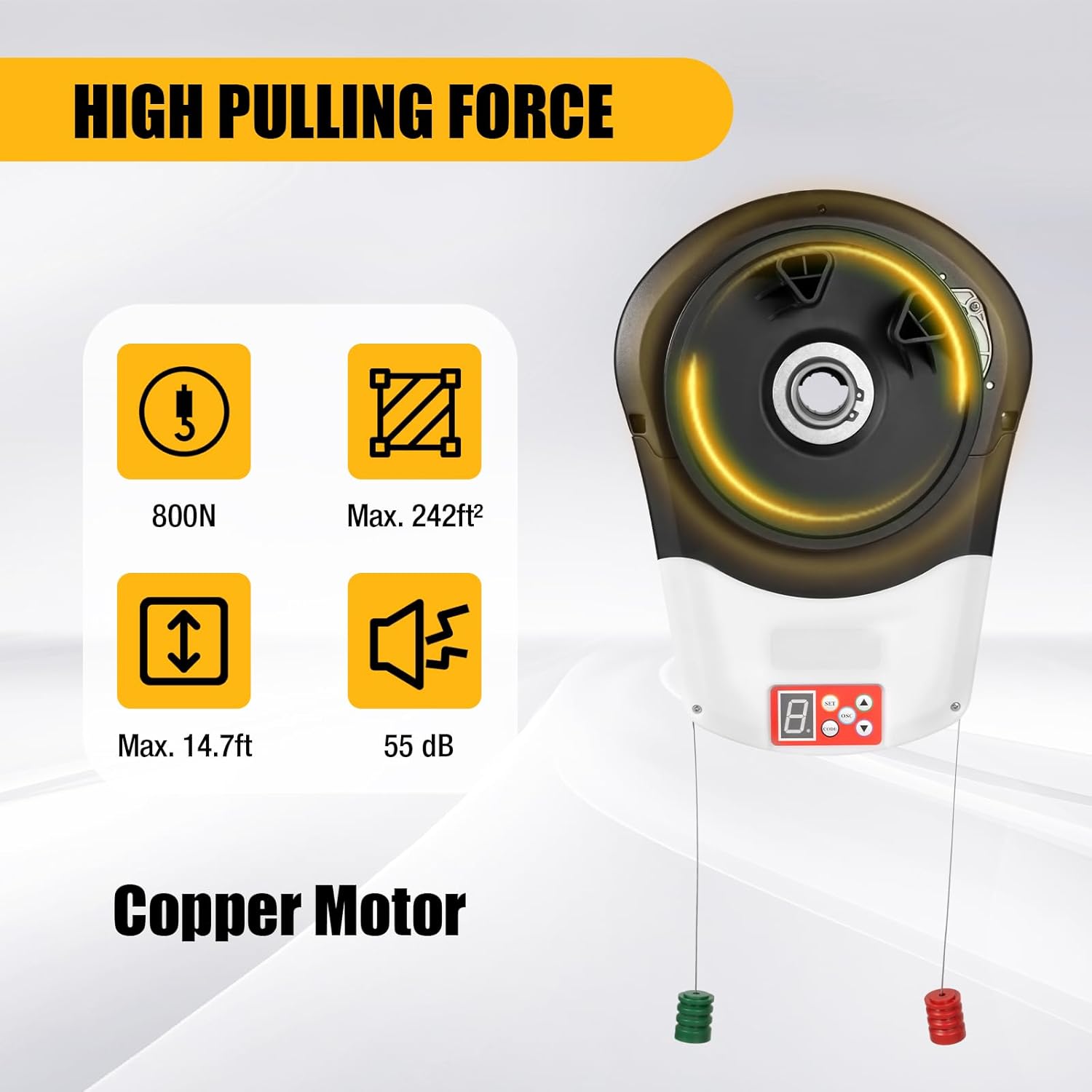
Figure 4.1: High Pulling Force and Quiet Operation

Figure 4.2: Dimensions and Automatic Shutdown Feature
5. Setup and Installation
This section provides general guidance for installing your DRRSBRP Automatic Roller Shutter Motor. For detailed, step-by-step instructions, please refer to the included English Manual.
Installation Considerations:
- The motor is designed for side-mount installation.
- Ensure adequate clearance for the motor unit, especially in narrow garage spaces.
- Verify that the door is balanced and operates smoothly manually before installing the opener.
- All electrical connections must comply with local codes.
Mounting the Opener:
Follow the diagrams and instructions in the dedicated installation manual for secure mounting to the door shaft and wall/ceiling structure. Proper alignment is crucial for smooth operation.
Electrical Connection:
Connect the opener to a 110V power supply. It is recommended to use a dedicated circuit and have a qualified electrician perform the wiring.
Limit Setting:
After physical installation, set the upper and lower travel limits of the door using the control panel. Refer to the detailed manual for specific programming steps.

Video 5.1: Overview of the 110V 100W Rolling Door Opener. This video demonstrates the physical appearance and basic components of the rolling door opener, providing a visual aid for understanding the product before installation.
6. Operating Instructions
The DRRSBRP Automatic Roller Shutter Motor offers simple and convenient operation via remote control and the integrated control panel.
Remote Control Operation:
- Press the remote control button to automatically open or close the door.
- When the door is closing, pressing the button will stop its downward movement and reverse it to open.
- When the door is opening, pressing the button will stop its movement.

Figure 6.1: Easy Operation with Remote Control
Control Panel Functions:
The integrated control panel provides direct access to functions and settings.
- SET Button: Used for function settings and programming.
- OSC Button: Likely for oscillation or specific mode selection (refer to detailed manual).
- CODE Button: For remote control learning and pairing.
- Up (Open) Button: Manually opens the door.
- Down (Close) Button: Manually closes the door.
- LED Display: Shows operating status and serves as lighting.

Figure 6.2: Detailed Control Panel and Remote Controls
Automatic Shutdown Functions:
The opener supports programmable automatic and delayed shutdown functions for added convenience.
- Automatic Shutdown: Program the opener to automatically close after a set period.
- Delayed Shutdown: Select a specific delay before the door automatically closes.
7. Maintenance
Regular maintenance ensures the longevity and safe operation of your roller shutter motor.
Recommended Maintenance Schedule:
- Monthly: Inspect the door for proper balance. The door should stay in place when stopped midway. If not, consult a professional for adjustment.
- Quarterly: Check all mounting hardware for tightness. Lubricate moving parts of the door (not the opener itself) as recommended by the door manufacturer.
- Annually: Test the safety reversal system. Place an object (e.g., a 2x4 board) in the door's path. The door should reverse upon contact. If it does not, discontinue use and contact support.
- Keep the motor unit clean and free from dust and debris.
Always disconnect power before performing any maintenance.
8. Troubleshooting
This section addresses common issues you might encounter. For more complex problems, contact customer support.
| Problem | Possible Cause | Solution |
|---|---|---|
| Motor does not respond to remote. | Dead remote battery, remote out of range, remote not paired, power outage. | Replace remote battery. Move closer to the opener. Re-pair remote (see Operation section). Check power supply to the opener. |
| Door does not open/close completely. | Travel limits incorrectly set, obstruction in door path, door balance issue. | Re-adjust travel limits (see Setup section). Clear any obstructions. Check door balance and adjust if necessary. |
| Door reverses unexpectedly. | Obstruction detected, safety sensor issue. | Clear door path. Inspect safety sensors for alignment or damage. |
| Unusual noise during operation. | Loose hardware, worn door components. | Check all mounting bolts and hardware. Lubricate door components as per door manufacturer's instructions. |
| LED display shows an error code. | Specific internal fault. | Refer to the detailed manual for specific error code meanings and solutions. If unavailable, contact support. |
9. Warranty and Support
For warranty information, please refer to the documentation provided at the time of purchase or contact the seller/manufacturer directly. The manufacturer of this product is HFSLENLS.
Customer Support:
If you have any questions, require technical assistance, or need to report an issue, please contact your retailer or the manufacturer, HFSLENLS, through their official support channels. Please have your model number (MKH84651) and purchase details ready when contacting support.