
1. Introduction and Product Overview
The Kinsa Smart Ear Thermometer is an advanced medical device designed for accurate and rapid body temperature readings for all ages. It provides results in one second and is FDA-cleared, meeting ASTM standards for thermometer devices. This thermometer can be used independently or connected to the free Kinsa app on your smartphone for enhanced features like symptom tracking and personalized health guidance.

Image: The Kinsa Smart Ear Thermometer shown alongside a smartphone displaying the Kinsa app interface, illustrating its connectivity and smart features.
Key features include a comfortable ear tip for non-invasive use, a simple one-button design, a large backlit display with fever indication icons, and an ergonomically designed handle for ease of use. A storage cover is included to keep the ear tip clean.

Image: A detailed view of the Kinsa Smart Ear Thermometer, pointing out its comfort-tip sensor, easy 1-touch button, backlit display, fever indication, and ergonomically designed handle.
2. Setup
2.1 Battery Installation
The Kinsa Smart Ear Thermometer comes with 2 AAA batteries pre-installed. If replacement is needed, open the battery compartment located on the back of the device, insert two new AAA batteries, ensuring correct polarity, and close the compartment securely.
2.2 App Download and Pairing (Optional)
While the thermometer functions independently, connecting it to the Kinsa app unlocks additional benefits. The app is available for free on iOS and Android devices.
- Download the Kinsa app from your device's app store.
- Open the app and follow the on-screen instructions to create an account or log in.
- Ensure your phone's Bluetooth is enabled.
- In the app, select the option to connect a new thermometer.
- Follow the app's prompts to pair your Kinsa Smart Ear Thermometer. This typically involves pressing the thermometer's button to activate Bluetooth pairing mode.

Image: The Kinsa Smart Ear Thermometer displaying 'APP' on its screen, indicating it is ready to connect to the Kinsa mobile application.
3. Operating Instructions
3.1 Taking a Temperature Reading
- Ensure the thermometer is clean and the probe cover is removed.
- Press the power button once to turn on the thermometer. The display will light up.
- Gently insert the ear tip into the ear canal. Ensure a snug fit for accurate measurement.
- Press the power button again to initiate the reading. The temperature will display in approximately one second.
- Remove the thermometer from the ear. The reading will remain on the display for a few seconds.

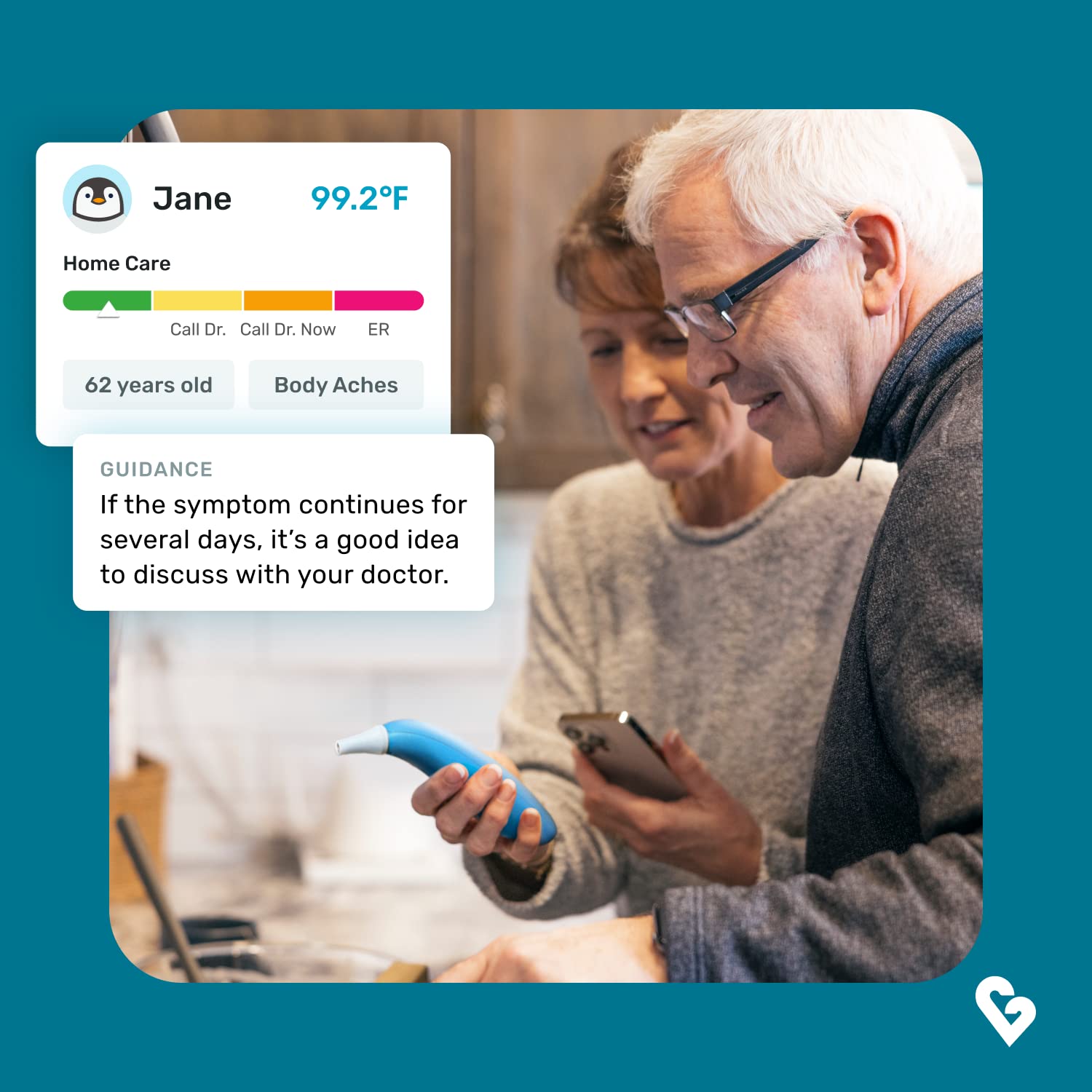
Image: Left: A woman gently taking a baby's temperature using the Kinsa Smart Ear Thermometer. Right: An older couple reviewing health information on a smartphone, with the Kinsa thermometer visible, demonstrating its use across different age groups.
3.2 Using with the Kinsa App
When connected to the Kinsa app, temperature readings are automatically stored and tracked. The app provides several features:
- Unlimited Profiles: Create individual profiles for all family members to track their health data separately.
- Symptom Tracking: Record symptoms, medication dosages, and timings.
- Personalized Guidance: Receive age- and symptom-specific illness guidance from board-certified clinicians.
- Reminders: Set reminders for medication doses.
- Illness History: Easily share illness history with caregivers or doctors for informed discussions.


Image: Left: A screenshot of the Kinsa app's timeline feature, displaying recorded temperatures, symptoms, and medication events. Right: A screenshot of the Kinsa app providing personalized illness guidance based on age and reported symptoms.
3.3 Using Without the Kinsa App
To use the thermometer without the app, simply double-tap the power button after turning it on. The thermometer will function as a standalone device, displaying temperature readings directly on its screen.
4. Maintenance
4.1 Cleaning the Thermometer
To ensure hygiene and accurate readings, wipe the thermometer clean after each use. Use a soft cloth dampened with rubbing alcohol (70% isopropyl alcohol) or soap and water. Do not submerge the thermometer in water or any other liquid.
4.2 Storage
Store the Kinsa Smart Ear Thermometer in a cool, dry place, away from direct sunlight and extreme temperatures. Always use the included probe cover to keep the ear tip clean and dust-free when not in use.
4.3 Battery Replacement
When the battery indicator on the display shows low power, replace the two AAA batteries. Refer to section 2.1 for battery installation instructions.
5. Troubleshooting
| Problem | Possible Cause | Solution |
|---|---|---|
| Inaccurate Readings | Improper ear tip placement; dirty sensor; low battery. | Ensure ear tip is snugly inserted. Clean the sensor. Replace batteries if low. |
| Thermometer not turning on | Dead batteries; incorrect battery installation. | Replace batteries. Check battery polarity. |
| Cannot connect to Kinsa App | Bluetooth off on phone; app not updated; thermometer not in pairing mode. | Ensure phone Bluetooth is on. Update Kinsa app. Double-tap thermometer button to enter pairing mode. Restart phone/thermometer. |
| Display shows 'ERR' | Measurement error; extreme ambient temperature. | Ensure proper technique. Allow thermometer to acclimate to room temperature (15-35°C / 59-95°F). |
6. Specifications
| Feature | Detail |
|---|---|
| Product Dimensions | 5.91 x 1.77 x 0.98 inches |
| Item Model Number | KET-005 |
| Weight | 2.87 ounces |
| Batteries | 2 AAA batteries (included) |
| Manufacturer | Kinsa |
| Special Feature | App Companion, Fast Reading System, High Accuracy, Large Display, Ultra Clear Screen |
| Color | Ear (Blue) |
| Age Range (Description) | Adult, Infant, Toddlers, Seniors |
| Outer Material | Plastic |
| Display Type | Digital |
| Connectivity Technology | Bluetooth |
| Product Care Instructions | Wipe Clean |
| Unit Count | 1.0 Count |
7. Warranty and Support
For specific warranty information regarding your Kinsa Smart Ear Thermometer, please refer to the documentation included with your product at the time of purchase or visit the official Kinsa website. Kinsa thermometers are FDA-cleared and meet ASTM standards for safety and accuracy.
For technical support, product inquiries, or assistance with the Kinsa app, please contact Kinsa Health, LLC directly through their official support channels, typically found on their website.

