
1. Important Safety Information
Before operating the Cult SmartSpinVolt Spin Bike, please read and understand all safety instructions. Failure to follow these instructions may result in injury or damage to the product.
- Consult a Physician: Always consult with a healthcare professional before starting any new exercise program.
- User Weight Limit: The maximum user weight for this spin bike is 140 kg. Ensure your weight is within this limit. It is recommended to choose a spin bike that can support at least 20 kg more than your current weight.
- Proper Footwear: Always wear appropriate athletic shoes while using the spin bike to ensure safety and stability.
- Stable Surface: Place the spin bike on a flat, stable surface to prevent tipping. Ensure adequate clearance around the bike.
- Children and Pets: Keep children and pets away from the spin bike during operation. This equipment is not a toy.
- Inspect Before Use: Before each use, inspect the spin bike for any loose parts, damage, or wear. Do not use if any issues are found.
- Emergency Stop: Familiarize yourself with the emergency brake function to stop the flywheel quickly if needed.
- Adjustments: Ensure all adjustable components (seat, handlebars) are securely tightened before beginning your workout.
2. Product Overview
The Cult SmartSpinVolt Spin Bike is designed to provide an effective and comfortable indoor cycling experience. It features a robust construction and user-friendly adjustments.
- Flywheel: 10 kg for a smooth and consistent ride.
- Resistance: 14-level magnetic resistance system for varied workout intensity.
- Drive System: Belt drive for quiet and low-maintenance operation.
- Adjustability: Fully adjustable handlebars and seat to accommodate various user heights (up to 200 cm).
- Console: LCD display tracks time, speed, distance, calories, and pulse.
- Pedals: Anti-slip aluminum pedals with straps for secure footing.
- Portability: Integrated transport wheels for easy relocation.

Image: The Cult SmartSpinVolt Spin Bike in an active setting, showcasing its design and key features like the 10kg flywheel, 140kg maximum weight capacity, and magnetic resistance system.

Image: Detailed view of the SmartSpinVolt Spin Bike's convenient add-ons, including a water bottle holder, anti-slip pedals for secure foot placement, and a dedicated phone/tablet holder for entertainment or workout tracking.
3. Setup and Assembly
The Cult SmartSpinVolt Spin Bike comes with a toolkit and user manual for assembly. Follow the detailed instructions provided in the included manual for proper setup. Below are general steps and considerations.
3.1 Unpacking
- Carefully remove all components from the packaging.
- Check the parts list against the included manual to ensure all components are present.
- Keep packaging materials until assembly is complete in case of returns or missing parts.
3.2 Assembly Steps (General)
- Attach the front and rear stabilizer bars to the main frame.
- Install the seat post and seat, adjusting to your preferred height.
- Attach the handlebar post and handlebars, securing them firmly.
- Install the left and right pedals. Note that pedals are typically marked 'L' for left and 'R' for right and thread in opposite directions.
- Connect the LCD console to the appropriate cables on the handlebar post.
- Ensure all bolts and nuts are securely tightened before first use.
3.3 Placement
Place the spin bike on a level surface. Use the leveling feet on the stabilizer bars to ensure the bike is stable and does not wobble.

Image: A woman demonstrating the ease of moving the SmartSpinVolt Spin Bike, highlighting the integrated wheels designed for effortless transport and storage after each workout session.
4. Operating Instructions
Follow these instructions for safe and effective operation of your Cult SmartSpinVolt Spin Bike.
4.1 Adjusting the Seat and Handlebars
- Seat Adjustment: Loosen the adjustment knob beneath the seat. Slide the seat forward or backward, and adjust the height of the seat post. Ensure the seat is at a height where your leg has a slight bend at the knee when the pedal is at its lowest point. Tighten the knob securely.
- Handlebar Adjustment: Loosen the adjustment knob on the handlebar post. Adjust the handlebar height to a comfortable position that allows for a slight bend in your elbows. Tighten the knob securely.

Image: A close-up view of the SmartSpinVolt Spin Bike's seat, emphasizing its fully adjustable design and soft cushioning for enhanced comfort during extended workout sessions.
4.2 Adjusting Resistance
The spin bike features 14 levels of magnetic resistance. The resistance is controlled by a tension control knob located on the main frame.
- Increase Resistance: Turn the knob clockwise to increase the resistance, making pedaling more challenging.
- Decrease Resistance: Turn the knob counter-clockwise to decrease the resistance, making pedaling easier.
- Emergency Brake: Push the knob down firmly to engage the emergency brake and quickly stop the flywheel.

Image: A close-up of the SmartSpinVolt Spin Bike's resistance control, illustrating the 14 adjustable levels and their recommended use for different workout types: Levels 1-3 for warm-up/recovery, 4-6 for cardio, 7-10 for strength training, and 11-14 for power workouts.
4.3 Using the LCD Display Console
The LCD display console tracks your workout progress. It is battery-powered and does not require an external power outlet.
- Functions: The console displays Time, Speed, Distance, Calories burned, and Pulse (if pulse sensors are used). It also has a Scan function that cycles through these metrics automatically.
- Operation: Press the button on the console to cycle through display modes or to reset values. Refer to the console's specific instructions in the main user manual for detailed operation.

Image: A detailed view of the SmartSpinVolt Spin Bike's LCD display console, showing how it tracks real-time workout data such as time, distance, speed, calories burned, and pulse, allowing users to monitor their progress effectively.
5. Maintenance
Regular maintenance ensures the longevity and safe operation of your Cult SmartSpinVolt Spin Bike.
- Cleaning: Wipe down the bike with a damp cloth after each use to remove sweat and dust. Avoid abrasive cleaners or solvents.
- Check Fasteners: Periodically check all bolts, nuts, and screws to ensure they are tight. Tighten any loose fasteners.
- Flywheel: Keep the flywheel clean and free of debris.
- Belt Drive System: The belt drive system is designed for low maintenance. Inspect the belt periodically for signs of wear or damage. No lubrication is typically required for belt drives.
- Pedals: Ensure pedals are securely attached and spin freely.
- Storage: Store the spin bike in a dry, cool place away from direct sunlight and extreme temperatures.
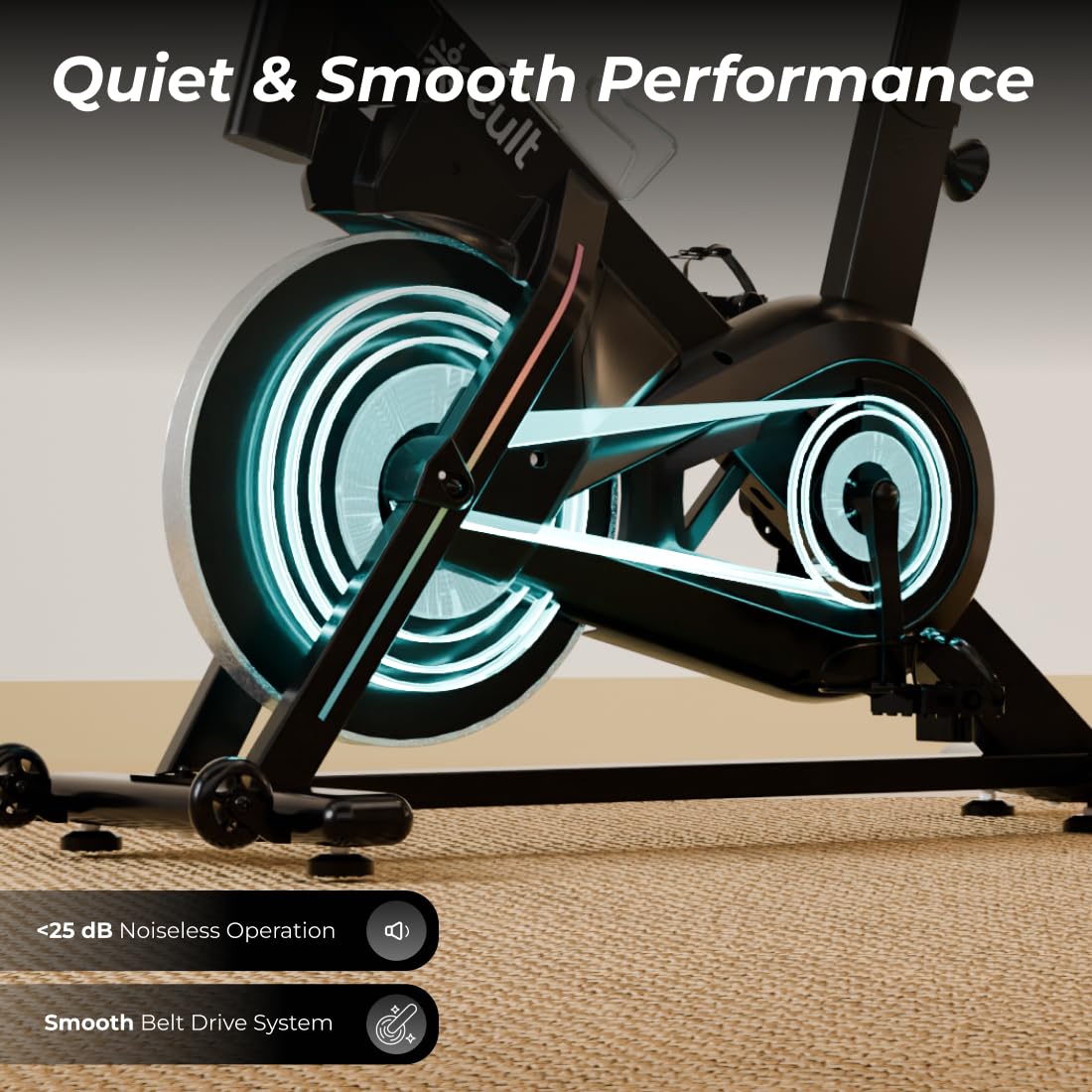
Image: A detailed view of the SmartSpinVolt Spin Bike's belt drive system and flywheel, illustrating its design for quiet and smooth performance with less than 25 dB noise during operation.
6. Troubleshooting
If you encounter issues with your Cult SmartSpinVolt Spin Bike, refer to the following common problems and solutions.
- LCD Display Not Working:
Solution: Check the batteries in the console. Replace them if necessary. Ensure all cable connections to the console are secure. - Unusual Noises During Operation:
Solution: Stop exercising immediately. Inspect all visible parts for looseness or damage. Tighten any loose bolts or screws. Check for any foreign objects near the flywheel or pedals. - Resistance Not Changing:
Solution: Ensure the tension control knob is functioning correctly and is not stuck. Check for any obstructions around the magnetic resistance mechanism. - Handlebars or Seat Wobble:
Solution: Re-tighten the adjustment knobs for the handlebars and seat post firmly. Ensure the posts are inserted to the minimum insertion line. - Pedals Feel Loose:
Solution: Ensure the pedals are securely threaded into the crank arms. Remember that the left pedal is reverse-threaded.
If the problem persists after attempting these solutions, please contact customer support.
7. Specifications
Detailed technical specifications for the Cult SmartSpinVolt Spin Bike.
| Feature | Specification |
|---|---|
| Brand | CULT |
| Model | SmartSpinVolt |
| Item Weight | 36.6 Kilograms |
| Colour | Black |
| Material | Alloy Steel |
| Product Dimensions (D x W x H) | 124.6D x 65W x 144.9H Centimeters |
| Flywheel Weight | 10 kg |
| Maximum Weight Recommendation | 140 Kilograms |
| Number of Resistance Levels | 14 (Magnetic) |
| Drive System | Belt Drive |
| Console Functions | Time, Speed, Distance, Calories, Pulse, Scan |
| Power Source (Console) | Self-Powered (Battery) |
| Manufacturer | CULTSPORT PRIVATE LIMITED |
| Country Of Origin | China |
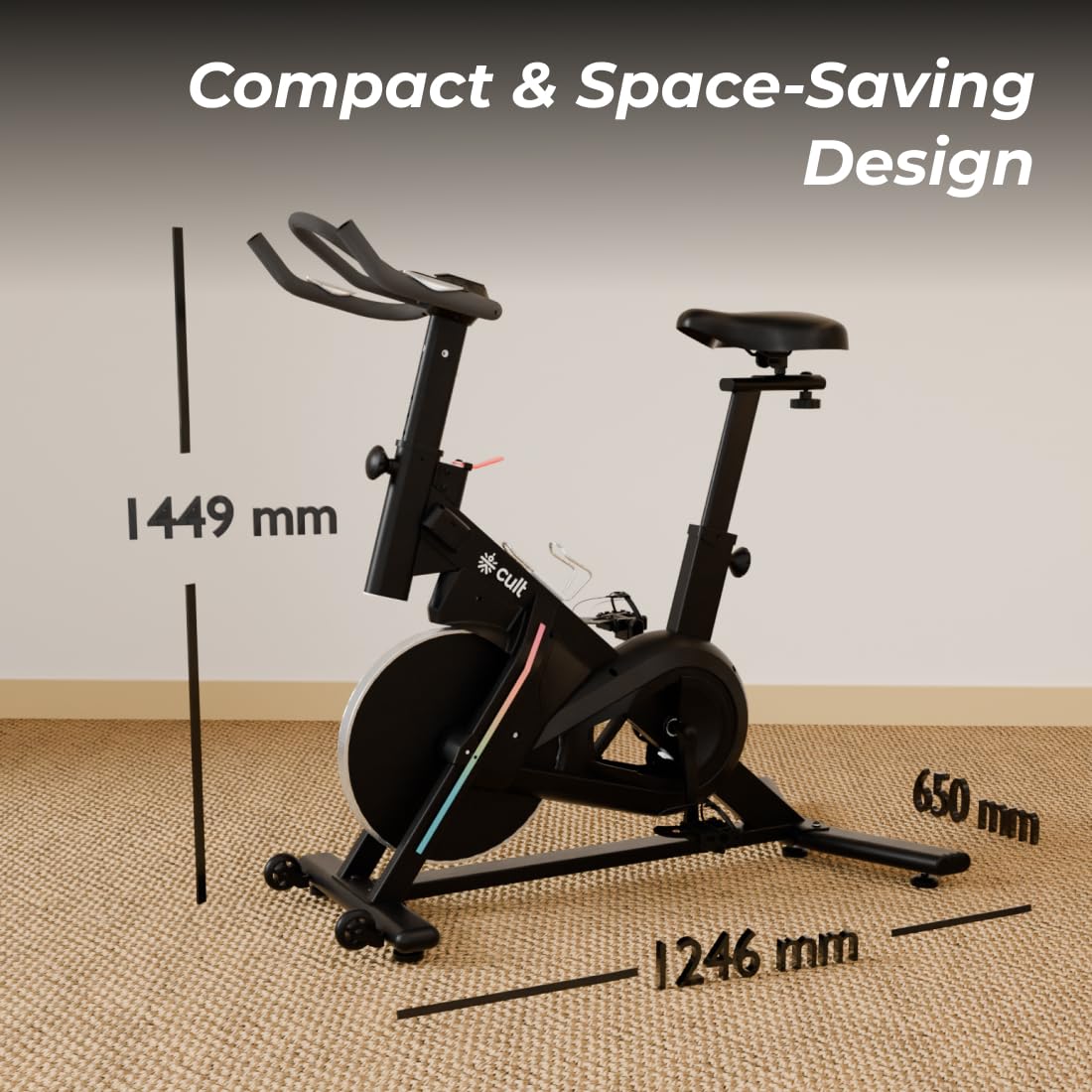
Image: A visual representation of the SmartSpinVolt Spin Bike's dimensions, indicating a depth of 1246 mm, width of 650 mm, and height of 1449 mm for planning placement.
8. Warranty and Support
This section provides information regarding the product warranty and how to obtain support.
8.1 Warranty Information
The Cult SmartSpinVolt Spin Bike comes with a 6-month warranty on the main frame from the date of purchase. Please retain your proof of purchase for warranty claims. The warranty covers manufacturing defects under normal use conditions. It does not cover damage due to misuse, accidents, unauthorized modifications, or normal wear and tear.
8.2 Customer Support
For any questions, technical assistance, or warranty claims, please contact Cult customer support using the information below:
- Manufacturer: CULTSPORT PRIVATE LIMITED
- Address: No 17 & 17C BDA, 3rd Sector, HSR Layout, Bangalore, Karnataka, India - 560102
- Refer to the warranty card or product packaging for specific contact details (phone number, email) if available.