
Introduction
This manual provides detailed instructions for the assembly, operation, and maintenance of your Marsail 55" x 28" Electric Standing Desk. Please read this manual thoroughly before assembly and use to ensure proper function and safety.
The Marsail Electric Standing Desk is designed to enhance your workspace with its adjustable height feature, integrated storage, and ergonomic design. It includes two drawers, an open storage compartment, and a monitor riser to help organize your essentials and reduce strain.
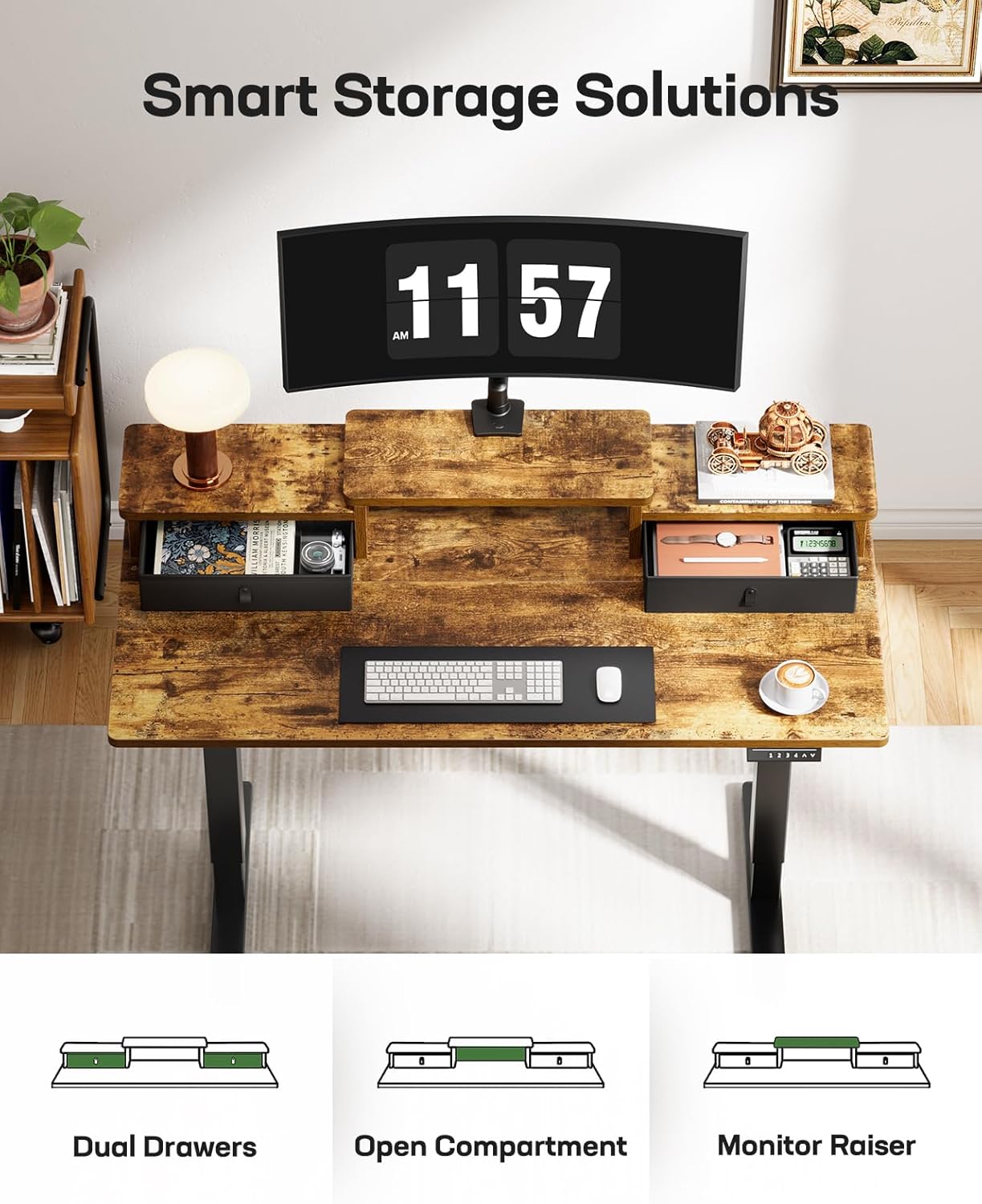
Image: Marsail Electric Standing Desk in a home office environment, showcasing its design and functionality.
Safety Information
- Always ensure the desk is properly assembled and stable before use.
- Do not exceed the maximum weight limit of 176 lbs (80 kg) to prevent accidents and damage.
- Keep the work area clear of obstacles to avoid tripping hazards when adjusting the desk height.
- Ensure no objects are obstructing the desk's movement during height adjustment.
- Keep children and pets away from the desk during operation.
- Do not sit or stand on the desk.
Package Contents
Your Marsail Electric Standing Desk is shipped in two separate boxes. Please verify that all components are present before beginning assembly.
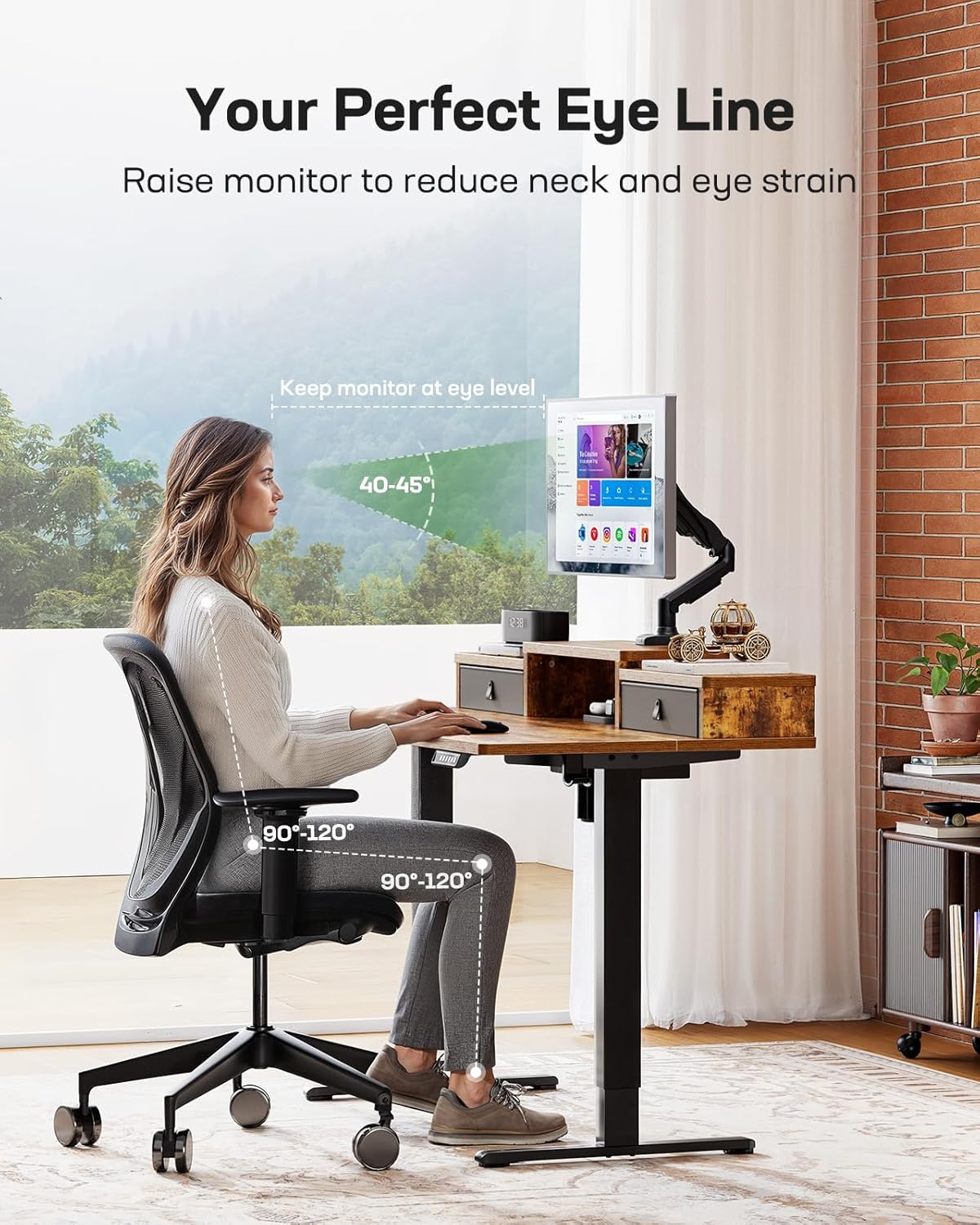
Image: Product dimensions diagram and illustration of the desk shipping in two boxes.
Included Components:
- Desktop sections
- Leg frames (2)
- Motor and control box
- Control panel
- Drawers (2)
- Monitor riser components
- Headphone hooks (2)
- All necessary screws, bolts, and tools for assembly
- Assembly instructions manual
Setup Instructions
Assembly typically takes approximately one hour for a single person. Follow the detailed instructions provided in the separate assembly manual included with your desk. Ensure you have adequate space for assembly.
General Assembly Steps:
- Unpack Components: Carefully remove all parts from the packaging and lay them out on a clean, soft surface to prevent scratches. Verify all parts against the included parts list.
- Assemble Desk Frame: Attach the crossbar to the lifting columns, then secure the feet to the lifting columns.
- Attach Desktop: Secure the desktop sections to the assembled frame using the provided screws.
- Install Control Box and Motor: Mount the control box and motor according to the instructions, ensuring all cables are connected correctly and routed neatly.
- Install Control Panel: Attach the control panel to the designated location on the desk edge.
- Assemble Storage Components: Construct and install the two drawers and the monitor riser.
- Attach Accessories: Install the headphone hooks on the sides of the desk.
- Cable Management: Utilize the open storage compartment and any included cable ties to manage and conceal power cords and peripheral cables.
For detailed visual guidance, refer to the assembly manual provided in your package.
Operating Instructions
Height Adjustment:
The desk features an electric height adjustment system with a range from 28.3 inches (71.9 cm) to 46.5 inches (118.1 cm).
- Raise Desk: Press and hold the UP arrow button (▲) to raise the desk to your desired height.
- Lower Desk: Press and hold the DOWN arrow button (▼) to lower the desk to your desired height.
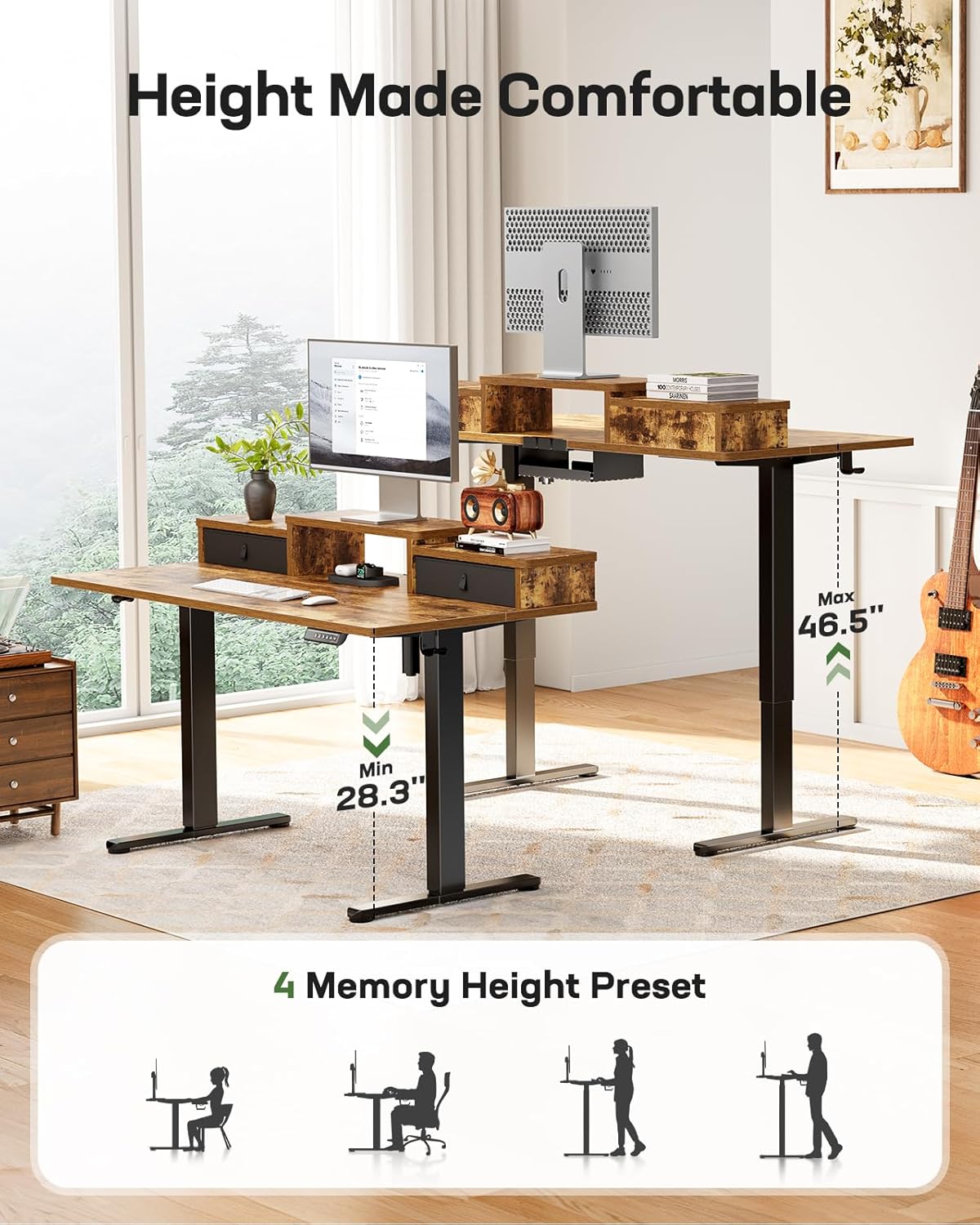
Image: The desk illustrating its adjustable height range from 28.3" to 46.5" and the control panel with memory presets.
Memory Height Presets:
The control panel includes four memory preset buttons (1, 2, 3, 4) to save and recall your preferred sitting and standing heights.
- To Save a Height: Adjust the desk to your desired height using the UP/DOWN buttons. Press the "M" button, then press one of the number buttons (1, 2, 3, or 4) within 3 seconds. The display will show "S-" followed by the number, indicating the height is saved.
- To Recall a Height: Press the corresponding number button (1, 2, 3, or 4). The desk will automatically move to the saved height.
Integrated Storage and Monitor Riser:
The desk features two 15.7" x 8.7" drawers for small items and an open compartment for keyboards, mice, or cable management. The monitor riser elevates your screen to an ergonomic eye level and is compatible with C-clamp monitor mounts.

Image: Overhead view highlighting the smart storage solutions: dual drawers, open compartment, and monitor riser.

Image: Detail of the monitor riser, demonstrating its suitability for clamping monitor arms.
Ergonomic Use:
To reduce neck and eye strain, adjust the monitor riser or desk height so your screen is at eye level. Maintain a posture where your elbows are at approximately 90-120 degrees when typing, and your feet are flat on the floor or a footrest.

Image: Ergonomic setup showing a user maintaining proper posture with the monitor at eye level.
Product Video:
Video: Official product video demonstrating the features and operation of the Marsail Standing Desk with Drawers.
Maintenance
- Cleaning: Wipe the desk surfaces with a soft, damp cloth. Avoid harsh chemicals or abrasive cleaners that may damage the finish.
- Inspection: Periodically check all screws and bolts to ensure they are tight. Retighten if necessary to maintain stability.
- Cable Management: Regularly inspect power cords and cables for any signs of wear or damage. Ensure cables are neatly managed to prevent entanglement during height adjustments.
- Weight Limit: Do not exceed the maximum weight capacity of 176 lbs (80 kg) to prevent strain on the motor and frame.
Troubleshooting
| Problem | Possible Cause | Solution |
|---|---|---|
| Desk does not move or respond to controls. | Power cable disconnected; control box error; motor overload. |
|
| Desk moves unevenly or makes unusual noises. | Uneven weight distribution; loose connections; obstruction. |
|
| Memory presets are not saving or recalling correctly. | Incorrect saving procedure; temporary control panel glitch. |
|
If you encounter issues not listed here or if the suggested solutions do not resolve the problem, please contact Marsail customer support.
Specifications
| Feature | Detail |
|---|---|
| Brand | Marsail |
| Model Number | MSESD78V-US |
| Desktop Dimensions | 55" x 28" (140 cm x 71 cm) |
| Height Adjustment Range | 28.3" - 46.5" (71.9 cm - 118.1 cm) |
| Maximum Weight Capacity | 176 lbs (80 kg) |
| Motor Noise Level | ≤ 50 dB |
| Memory Presets | 4 programmable heights |
| Drawer Dimensions (each) | 15.7" x 8.7" (40 cm x 22 cm) |
| Frame Material | Alloy Steel |
| Desktop Material | Engineered Wood |
| Color | Rustic Brown |
| Assembly Required | Yes |
Warranty and Support
The Marsail Electric Standing Desk comes with a limited warranty. Please refer to the warranty card included in your package for specific terms and conditions.
For technical support, replacement parts, or warranty claims, please contact Marsail customer service through the retailer where the product was purchased or visit the official Marsail website.
Manufacturer: Marsail
UPC: 840478838442