
Metz MUE7800Z
Metz Art TV Smart 65-inch QLED Television MUE7800Z User Manual
Model: MUE7800Z
1. Introduction
Welcome to the user manual for your Metz Art TV Smart 65-inch QLED Television, model MUE7800Z. This television is designed to seamlessly integrate advanced multimedia technology with sophisticated interior design. It functions as a high-quality display for entertainment and transforms into a piece of art when not in use, offering a customizable visual experience with digital artworks or personal photos.
2. Important Safety Information
Please read all safety instructions carefully before using your television. Keep this manual for future reference. Always ensure the television is installed on a stable surface or securely mounted to a wall. Do not expose the unit to rain or moisture to prevent fire or electric shock. Avoid blocking ventilation openings. Disconnect the power cord during lightning storms or when unused for long periods.
3. What's in the Box
Upon unpacking your Metz Art TV, please ensure all the following items are present:
- Remote Control
- Power Cable
- User Manual
- Bases (for tabletop installation)
4. Setup and Installation
4.1. Mounting Options
The Metz Art TV features an all-in-one design that eliminates the need for an external connection box, allowing for easy and flush wall mounting. Its slim profile integrates seamlessly into your living space.

Image: Metz Art TV mounted flush against a wall, highlighting its slim design.

Image: Side profile comparison showing the slimness of the Metz Art TV.
4.2. Connections
Connect your external devices using the available ports. The TV includes multiple HDMI and USB ports, along with Wi-Fi and Bluetooth connectivity for a versatile setup.

Image: Overview of the TV's input and output ports.
The TV features:
- 3 HDMI ports
- 2 USB ports
- Ethernet (LAN)
- Digital Audio Out (Optical)
- Wi-Fi and Bluetooth connectivity
- CI+ slot
- DVB-T/T2/C and DVB-S/S2 tuners
5. Operating Your Metz Art TV
5.1. Picture Quality
Experience stunning visuals with the Metz Art TV's advanced display technologies:
- QLED+ 4K: Utilizes the latest quantum dot technology for enhanced durability and a wider color gamut, delivering exceptional image and color quality.
- HDR and Dolby Vision: Bring your movies to life with breathtaking HDR and Dolby Vision image quality, offering vibrant colors and deep contrasts.
- Matte Screen: Minimizes reflections and glare, providing a comfortable viewing experience even in brightly lit rooms.
- EyeCare: Features flicker-free technology and low blue light emission to reduce eye fatigue and protect your vision.
- Adaptive Ambient Brightness: Automatically adjusts screen brightness and color temperature based on ambient light conditions for optimal viewing comfort.

Image: QLED+ 4K technology for vibrant colors.

Image: HDR and Dolby Vision for enhanced picture realism.

Image: Matte Screen technology reducing glare.
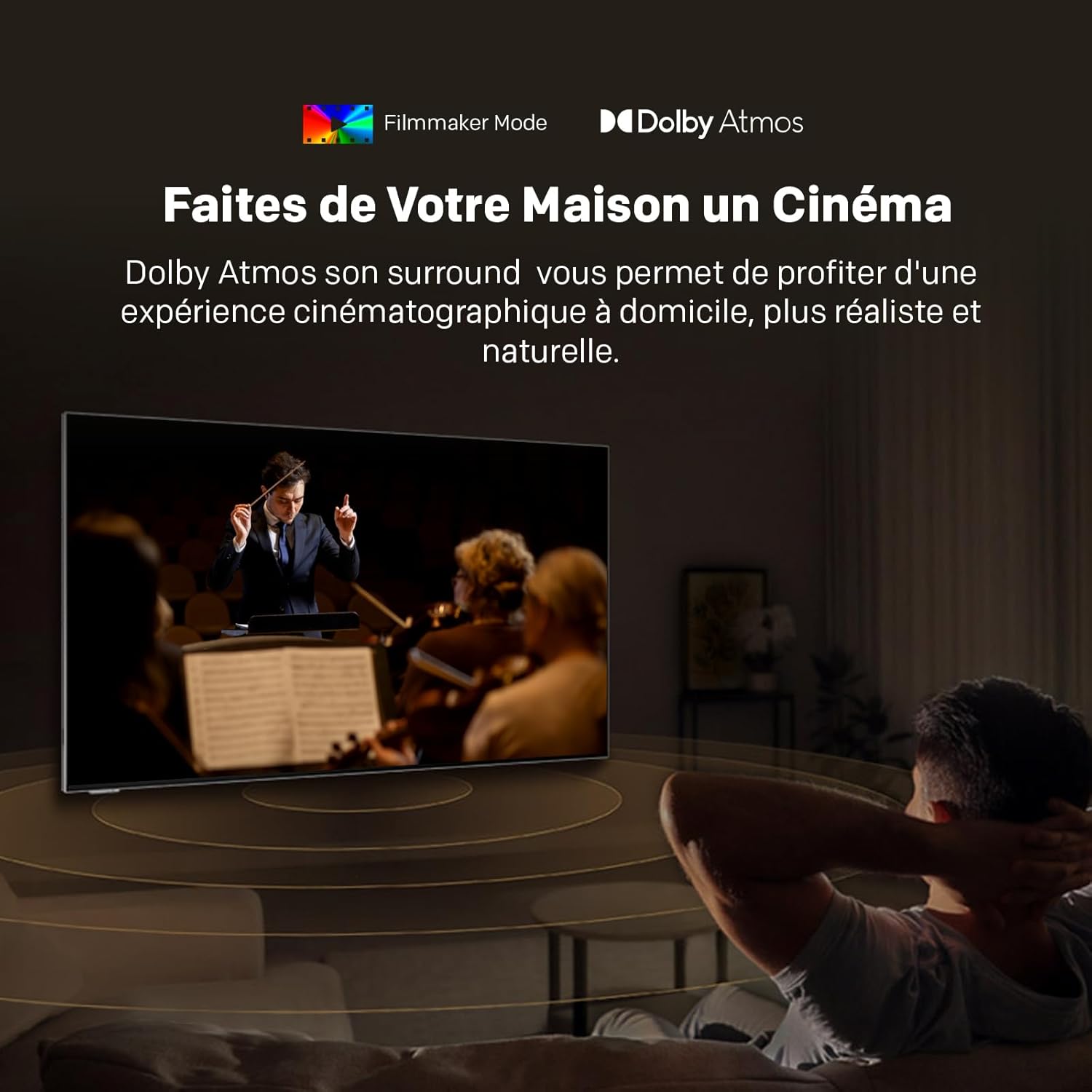
Image: EyeCare features for comfortable viewing.

Image: Adaptive Ambient Brightness in action.
5.2. Sound Quality
Immerse yourself in superior audio with Dolby Atmos, providing a surround sound experience that places you at the heart of the action.

Image: Dolby Atmos delivering immersive audio.
5.3. Smart TV Features
Your Metz Art TV comes equipped with Google TV and a unique Art Time mode:
- Google TV: Access a vast library of cinematic and television content, streaming services, and apps. Enjoy personalized recommendations and voice control with 'Hey Google'.
- Art Time: Transform your television into a stunning work of art. Choose from over 150 high-quality digital images or display your personal photos, seamlessly integrating the TV into your home decor.

Image: Google TV interface for easy content access.

Image: Art Time mode displaying classic artwork.
5.4. Official Product Video
Watch this video for an overview of features found in Metz QLED TVs with Google TV and EyeCare technology.
Video: Metz MQE7100Z TV overview, showcasing QLED+, Google TV, and EyeCare features.
6. Maintenance and Care
To ensure the longevity and optimal performance of your Metz Art TV, follow these maintenance guidelines:
- Screen Cleaning: Gently wipe the screen with a soft, lint-free cloth. For stubborn marks, use a screen-specific cleaning solution applied to the cloth, not directly to the screen.
- Dusting: Regularly dust the TV frame and back panel with a dry, soft cloth.
- Ventilation: Ensure the ventilation openings on the back of the TV are not obstructed to prevent overheating.
- Power: Unplug the TV from the power outlet before cleaning or if it will be unused for an extended period.
7. Troubleshooting Common Issues
If you encounter any issues with your Metz Art TV, refer to the following common solutions:
- No Power: Check if the power cable is securely connected to both the TV and the wall outlet. Try a different outlet.
- No Picture/Sound: Verify that the correct input source is selected. Check all cable connections (HDMI, audio).
- Remote Not Working: Replace the batteries in the remote control. Ensure there are no obstructions between the remote and the TV's IR sensor.
- Poor Picture Quality: Adjust picture settings (brightness, contrast, sharpness). Ensure your content source is high-quality.
- Network Connection Issues: Restart your router and modem. Check Wi-Fi settings on the TV and ensure the password is correct.
For more complex issues, please refer to the full user manual or contact customer support.
8. Technical Specifications

Image: Product Information Sheet with detailed technical specifications.

| Feature | Detail |
|---|---|
| Brand | Metz |
| Model | MUE7800Z |
| Screen Size | 65 Inches (164 cm) |
| Display Technology | QLED |
| Resolution | 4K (3840x2160 Pixels) |
| Refresh Rate | 60 Hz |
| Special Features | Auto Volume Leveller, Bezel-Less Design, Ambient Light Sensor, Chromecast, Eye Comfort Mode, Art Time Mode, Matte Screen |
| Connectivity | Bluetooth, USB, Wi-Fi |
| HDMI Ports | 3 |
| USB Ports | 2 |
| Tuner | DVB-T2/C/S/S2 |
| Dimensions (W x D x H) without base | 145.0 x 3.1 x 84.4 cm |
| Weight (with base) | 34 kg |

Image: Repairability Index for the Metz TV.
9. Warranty and Support
Your Metz Art TV MUE7800Z comes with a 2-year manufacturer's warranty. For warranty claims, technical support, or any inquiries, please contact Metz customer service. Refer to the contact information provided in your product packaging or visit the official Metz website for details.
Related documentsMUE7800Z


Ask a question about this manual
Ask about setup, troubleshooting, compatibility, parts, safety, or missing instructions. Manuals+ will review the question and use this page’s manual context to help answer it.