1. Introduction
This manual provides detailed instructions for the proper setup, operation, and maintenance of your Putikeeg RS-998 Wolf SDR 100W HF+UV All Mode Transceiver. Please read this manual thoroughly before using the device to ensure optimal performance and safety.
The RS-998 is a versatile Software Defined Radio (SDR) transceiver designed for amateur radio enthusiasts, offering 100W output on HF and 60W on VHF, with a wide receiving frequency range.
2. Package Contents
Verify that all items listed below are present in your package. If any items are missing or damaged, please contact your vendor.
- 1 x Putikeeg RS-998 Transceiver Main Unit
- 1 x Hand Microphone
- 1 x DC Power Cable
- 2 x Fuses
- 1 x Allen Key
- 1 x Hook for Hand Microphone
- 2 x Screws
- 1 x Carrying Box
- 2 x Keys (for carrying box)
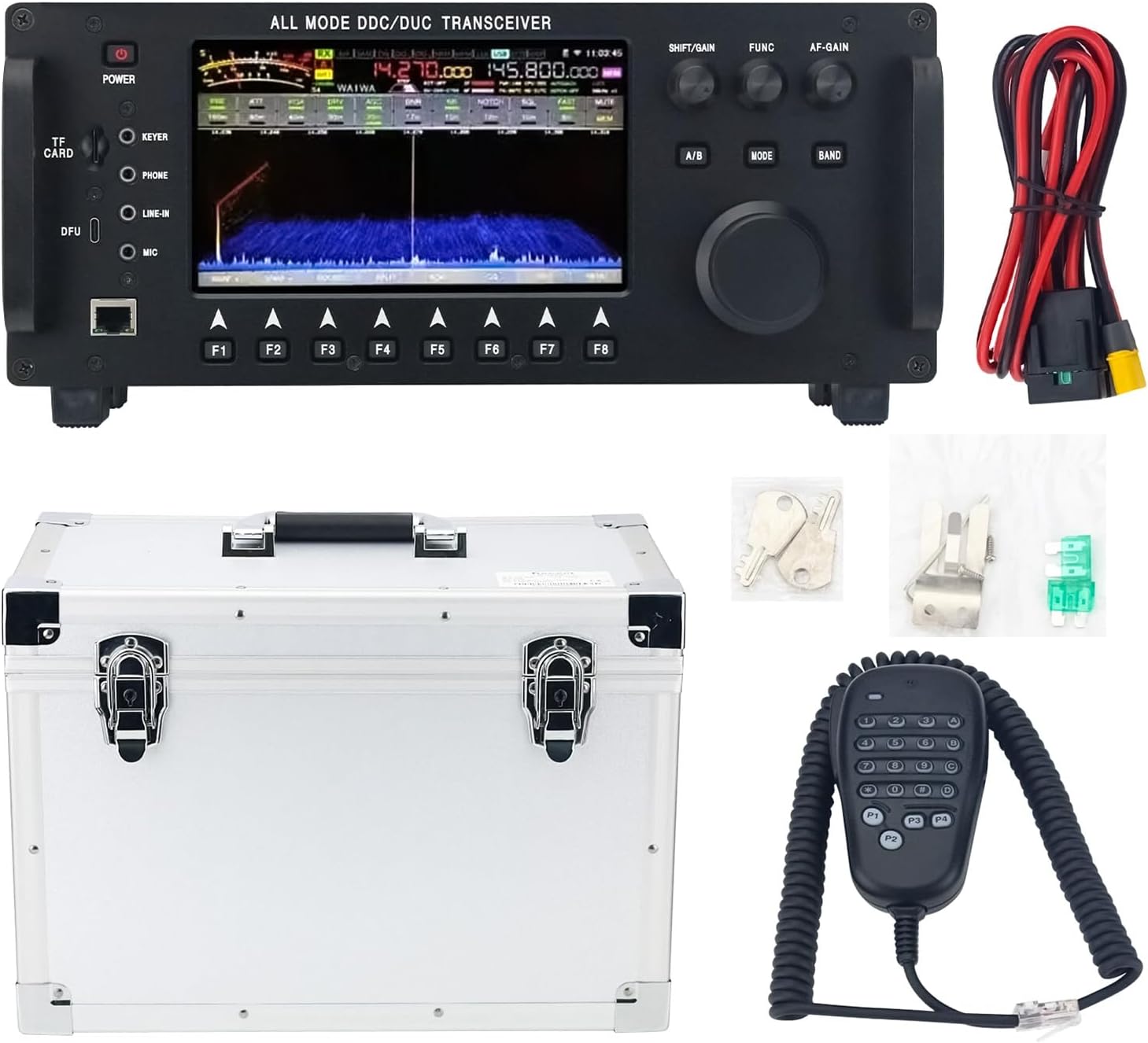
Figure 2.1: Contents of the Putikeeg RS-998 package, including the main unit, hand microphone, power cable, fuses, Allen key, microphone hook, screws, carrying box, and keys.
3. Setup
3.1 Physical Installation
Place the transceiver on a stable, flat surface with adequate ventilation. Ensure there is sufficient space around the unit for heat dissipation.
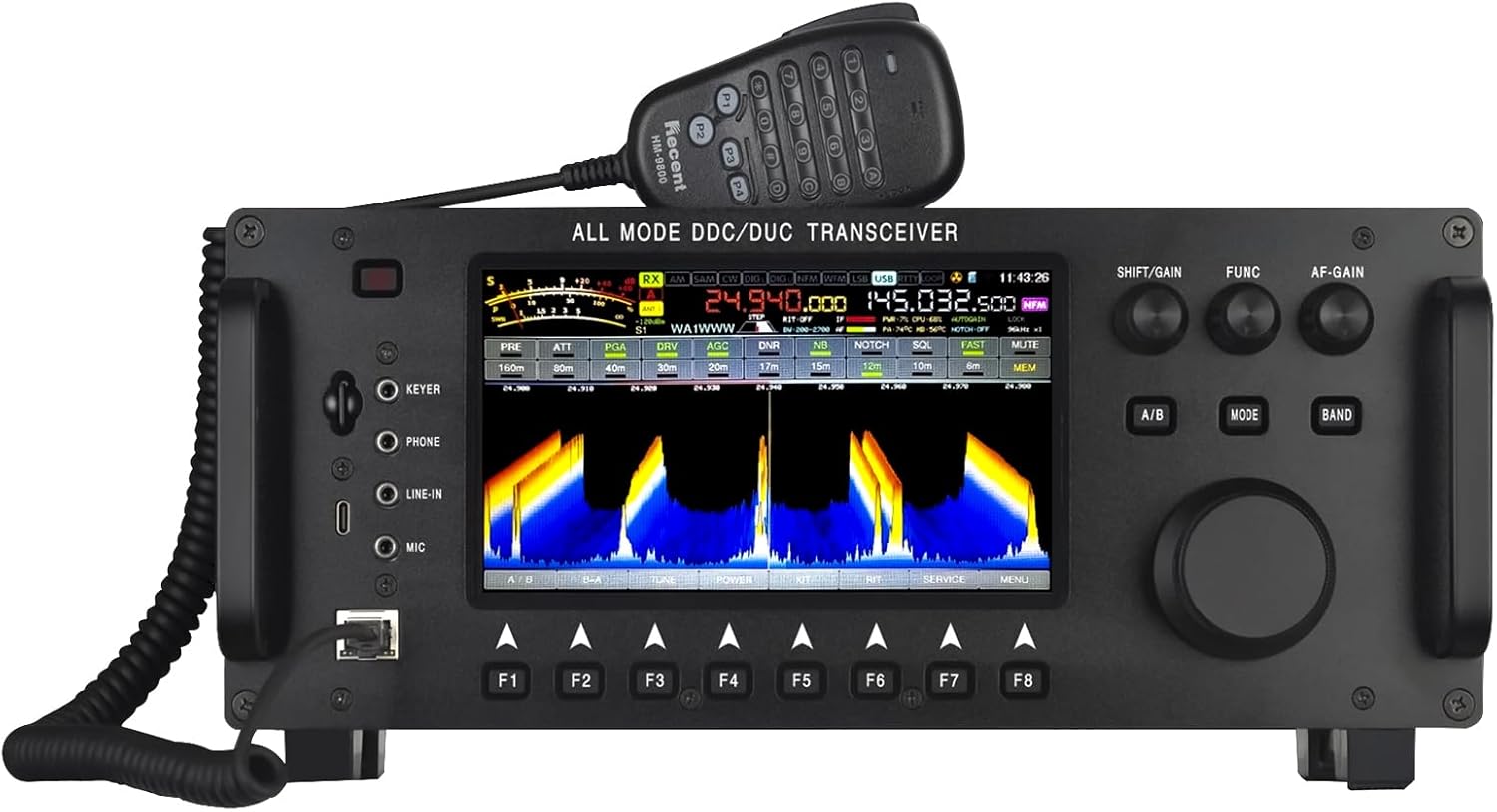
Figure 3.1: Front panel of the RS-998 transceiver, showing the main display, controls, and microphone connection.
3.2 Power Connection
- Connect the supplied DC power cable to the power input port on the rear of the transceiver.
- Connect the other end of the DC power cable to a stable 13.8V DC power supply (not included) capable of providing sufficient current for transmission (up to 20A).
- Ensure the power supply is switched off before connecting.
3.3 Antenna Connection
The RS-998 features two antenna input options with SL16 connectors and 50Ω impedance.
- Connect your HF antenna to the appropriate SL16 connector.
- Connect your VHF/UHF antenna to the other SL16 connector.
- Ensure all antenna connections are secure and properly grounded.
3.4 Hand Microphone Connection
Connect the hand microphone to the designated microphone port on the front panel of the transceiver.
4. Operating Instructions
4.1 Powering On/Off
- To power on: Press and hold the POWER button on the front panel.
- To power off: Press and hold the POWER button again until the unit shuts down.
4.2 Frequency Selection
The RS-998 supports a wide frequency range for both receiving and transmitting.
- Use the main tuning knob to adjust the frequency.
- Press the BAND button to cycle through different amateur radio bands.
- The 7-inch color LCD display will show the current frequency and spectrum waterfall.
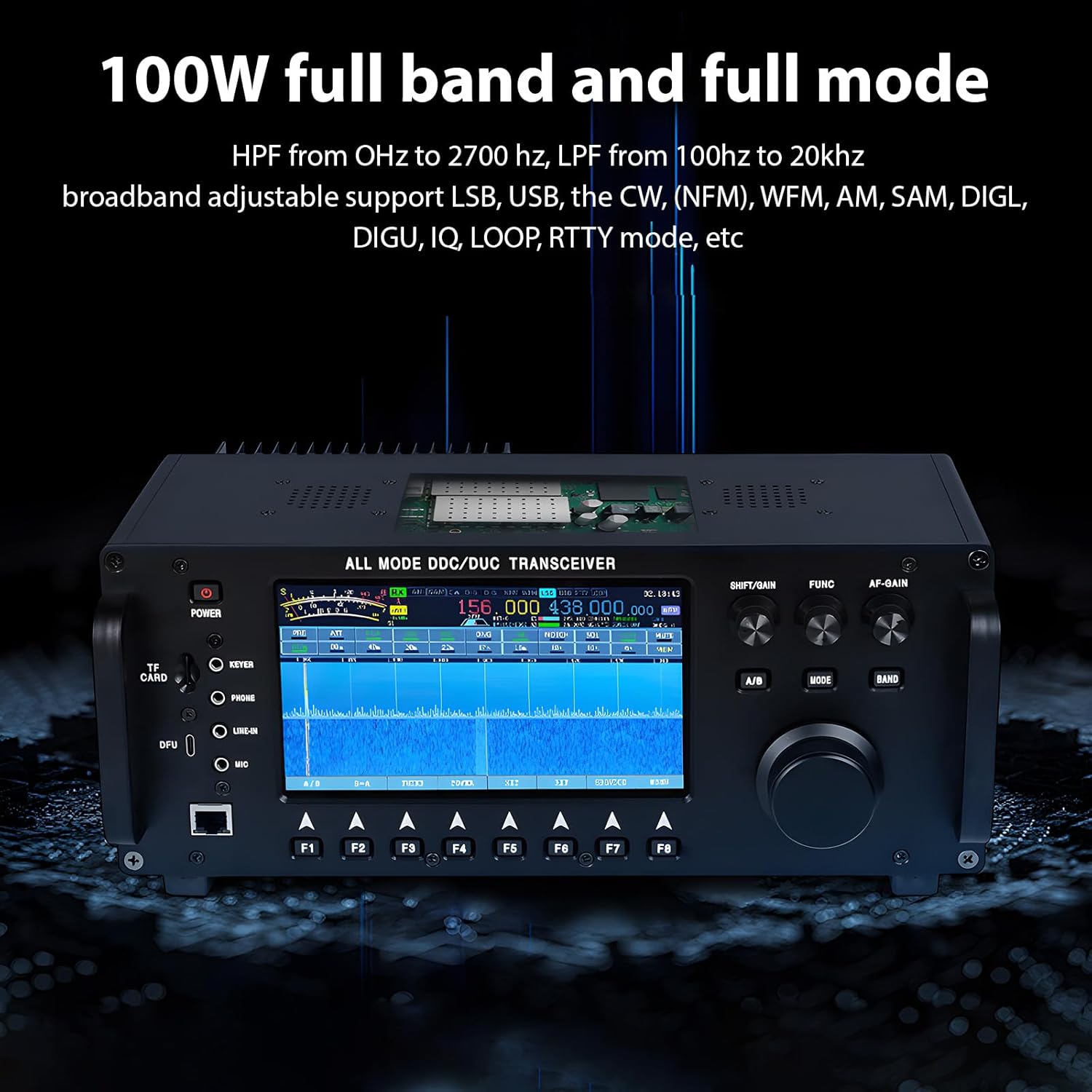
Figure 4.1: The transceiver's display illustrating full band and full mode capabilities, including the spectrum waterfall and various operational parameters.
4.3 Mode Selection
The transceiver supports multiple modulation types including CW, LSB, USB, AM, NFM, WFM, SAM, DIGL, DIGU, IQ, LOOP, RTTY, and more.
- Press the MODE button to cycle through available modulation modes.
- Refer to the on-screen indicators for the currently selected mode.

Figure 4.2: Overview of the RS-998's multifunctional SDR capabilities, including 3D waterfall spectrum, 100W output, full mode/band support, built-in antenna regulator, automatic CQ digital recording, and various decoders.
4.4 Transmitting
Before transmitting, ensure you have the necessary licenses and are operating within legal frequency allocations.
- Select the desired frequency and mode.
- Press the Push-To-Talk (PTT) button on the hand microphone to transmit.
- Release the PTT button to return to receive mode.
4.5 Advanced Features
- Digital Audio Recording: The transceiver supports 5-segment voice recording in automatic CQ and CW modes.
- TF Card Upgrade: Firmware updates and other data can be managed via a TF card.
- Antenna Tuner: The built-in antenna tuner assists in matching antenna impedance for optimal transmission.

Figure 4.3: Illustration of the RS-998's digital audio recording playback capability and support for TF card upgrades.
5. Maintenance
5.1 Cleaning
Regularly clean the exterior of the transceiver with a soft, dry cloth. Do not use abrasive cleaners or solvents, as these can damage the finish and internal components.
5.2 Ventilation
Ensure that the ventilation openings on the unit are not obstructed. Proper airflow is crucial for preventing overheating, especially during prolonged transmission.
5.3 Fuse Replacement
If the transceiver fails to power on, check the fuses in the DC power cable. Replace blown fuses with new ones of the same rating (supplied in the package).
6. Troubleshooting
| Problem | Possible Cause | Solution |
|---|---|---|
| Unit does not power on | No power from DC supply; Blown fuse; Loose power cable connection | Check power supply; Replace fuse; Secure power cable |
| No reception | Antenna not connected; Incorrect frequency/mode; Low squelch setting | Connect antenna; Verify frequency/mode; Adjust squelch |
| No transmission | Antenna not connected; High SWR; Microphone not connected or faulty | Connect antenna; Check SWR and use tuner; Verify microphone connection |
| Poor audio quality | Incorrect audio settings; Interference; Faulty microphone/speaker | Adjust audio settings; Check for interference sources; Test with different microphone/speaker |
7. Specifications
| Parameter | Value |
|---|---|
| Model | RS-998 |
| RX Frequency Range | 0.5 MHz - 750 MHz |
| TX Frequency Range | 0.5 MHz - 30 MHz (amateur only), 144 MHz - 148 MHz |
| Transmit Power (SW) | ≤ 100W |
| Transmit Power (VHF) | ≤ 60W |
| Receiving Sensitivity | -110dBm at 12dB SNAD |
| Antenna Impedance | 50Ω, SL16 connector (two options) |
| Working Voltage | DC13.8V ± 15% |
| Display Screen | 7-inch color LCD |
| Modulation Types | CW, LSB, USB, AM, NFM, WFM, SAM, DIGL, DIGU, IQ, LOOP, RTTY, etc. |
| Number of Storage Channels | 36 |
| Low-Noise Amplifier (LNA) | Yes |
| Adjustable Attenuator | 0-31dB |
| Launch Current | ≤ 20A |
| Receiving Current | ≤ 1.5A (speaker activated) |
| Working Temperature | -20°C ~ +60°C |
| Storage Temperature | -40°C ~ +85°C |
| Item Weight | 17.71 pounds (approx. 8.03 kg), 4020g (8.9lb) including handheld microphone |
| Package Dimensions | 16.89 x 12.6 x 10.08 inches |
| Water Resistance Level | Not Water Resistant |
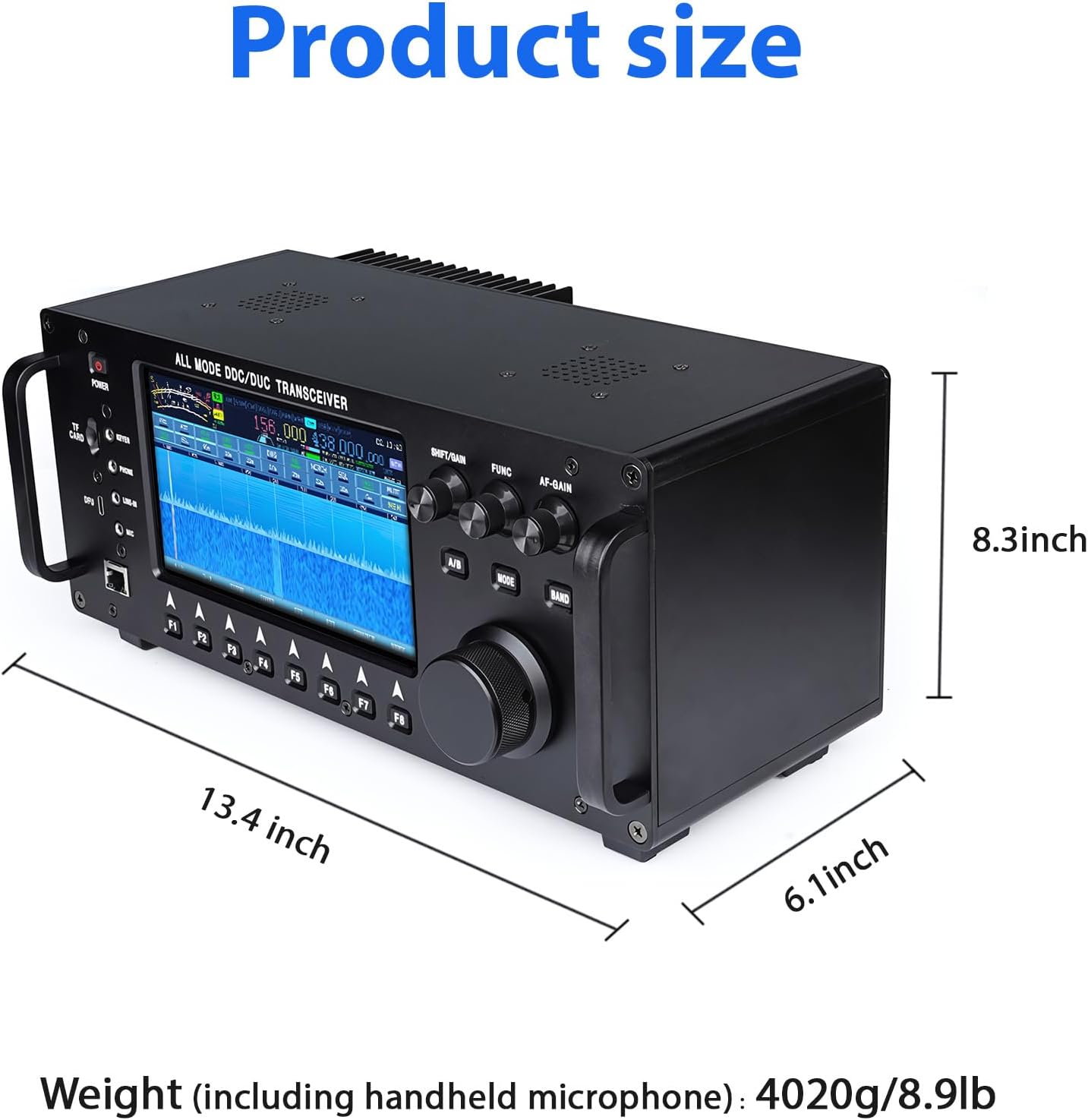
Figure 7.1: Physical dimensions of the RS-998 transceiver: 13.4 inches (length), 6.1 inches (width), 8.3 inches (height). Weight including handheld microphone is approximately 8.9 lbs (4020g).
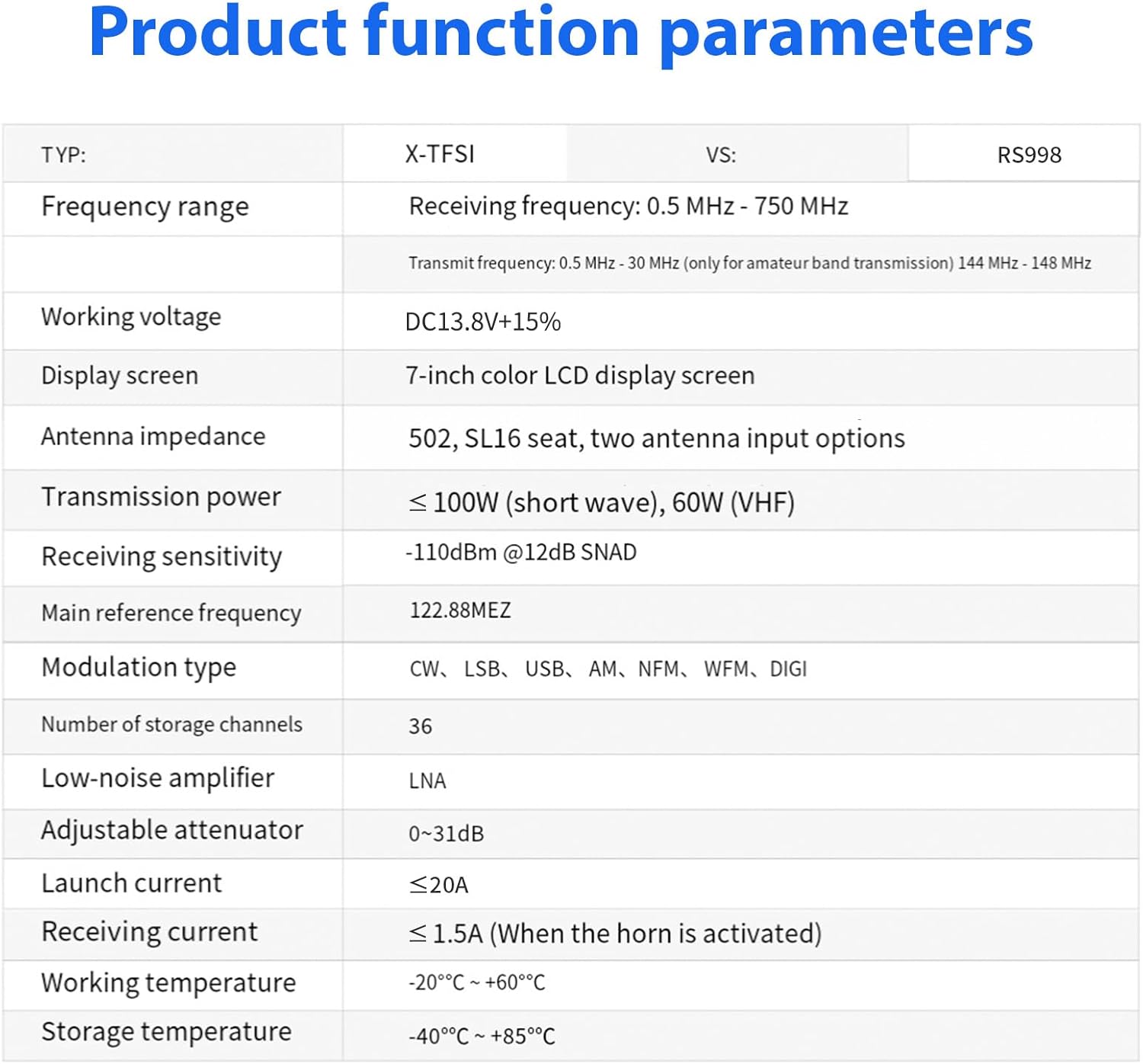
Figure 7.2: Detailed table of product function parameters, including frequency range, working voltage, display screen type, antenna impedance, transmission power, receiving sensitivity, main reference frequency, modulation types, number of storage channels, low-noise amplifier, adjustable attenuator, launch current, receiving current, working temperature, and storage temperature.
8. Warranty Information
The product specifications indicate "Warranty: No". Please refer to your purchase agreement or contact your retailer for details regarding any implied warranties or return policies.
9. Support
For technical assistance or inquiries, please contact your authorized Putikeeg dealer or the retailer from whom you purchased the product. Please have your model number (RS-998) and purchase details ready when contacting support.


