
1. Introduction
This manual provides essential information for the safe and efficient operation of your Anjfylque 3000W 24V Off-Grid Hybrid Inverter. This device integrates a 100A MPPT solar charger, pure sine wave inverter, and a battery charger into a single unit, designed for various applications including home backup and solar systems. Please read this manual thoroughly before installation and use.
2. Safety Information
Always observe safety precautions during installation and operation. This inverter is rated IP21 and includes a removable dust cover for protection. Key safety features include:
- Overload shutdown: Activates after 140% sustained load for 5 seconds.
- Overheat/Surge cutoff: Engages at DC ≤32V or AC ≤150V input.
- Configurable auto-restart post-fault.
- Multi-layer protection features overcharge/discharge prevention.
- External BMS support to extend battery life.
CAUTION: Electric shock hazard. Energy hazardous. Ensure all connections are secure and follow local electrical codes.
3. Product Overview
The Anjfylque Hybrid Inverter features a robust design with a user-friendly interface. Below is a diagram illustrating the key components and interfaces:

Key interfaces include:
- LCD Display: Shows real-time data and operational status.
- Status Indicator: Provides quick visual status alerts.
- Charging Indicator: Shows charging status.
- Fault Indicator: Alerts to system faults.
- Dry Contact Port.
- Function Buttons: For navigation and settings adjustment.
- Built-in WiFi: For remote monitoring.
- AC Input.
- AC Output.
- PV Input.
- Battery Input.
- Power On/Off Switch.
- RS485 Communication Port.
- Grounding Terminal.
4. Setup & Installation
Proper installation is crucial for the inverter's performance and safety. Ensure the inverter is fixed to a wall, leaving adequate space for heat dissipation.
4.1 Wiring Connections
Follow the wiring diagram carefully. It is recommended to install Surge Protection Devices (SPD) for utility input and Lightning Protection Devices for solar input to prevent damage from voltage fluctuations.

Connection Sequence:
- Connect the battery first.
- Connect the AC input.
- Connect the PV input.
Disconnection Sequence:
- Disconnect the PV input.
- Disconnect the AC input.
- Disconnect the battery last.
4.2 Wiring Demonstration Video
5. Operating Modes
The inverter offers four output priority modes to manage power supply to loads:

- UTL Mode (Utility Priority): Default mode. Utility power is the primary source for loads.
- SOL Mode (Solar Priority): Solar power is prioritized for loads. If solar is insufficient, utility power supplements.
- SBU Mode (Solar-Battery-Utility Priority): Solar power is prioritized. If solar is insufficient, battery power supplements. If both are insufficient, utility power is used.
- SUB Mode (Solar-Utility-Battery Priority): Solar power is prioritized. If solar is insufficient, utility power supplements. If both are insufficient, battery power is used.
These settings can be adjusted via the LCD display using the function buttons.
5.1 Setting Operating Modes Video
6. Charging Modes
The inverter supports three charging modes, adjustable via setting 16 on the LCD display:
- Hybrid PV+Utility Charging (Default): Utilizes both solar and utility power to charge the battery.
- PV Charging Only: Only solar power is used to charge the battery.
- PV-Only Option: (Potential duplication; refer to the full manual for specific prioritization details if different from 'PV Charging Only').
7. Monitoring & Control
The inverter offers comprehensive monitoring capabilities:
- Built-in WiFi: Connects to the SmartESS app for real-time tracking of power usage, PV input, and battery status. Settings can be adjusted remotely, and fault alerts (e.g., overload, high temp) are received.
- LCD Real-Time Monitoring & Diagnostics: The LCD displays real-time data, operational status, and auto-error codes for troubleshooting. Three LED indicators provide quick status alerts.

8. Battery Compatibility & Settings
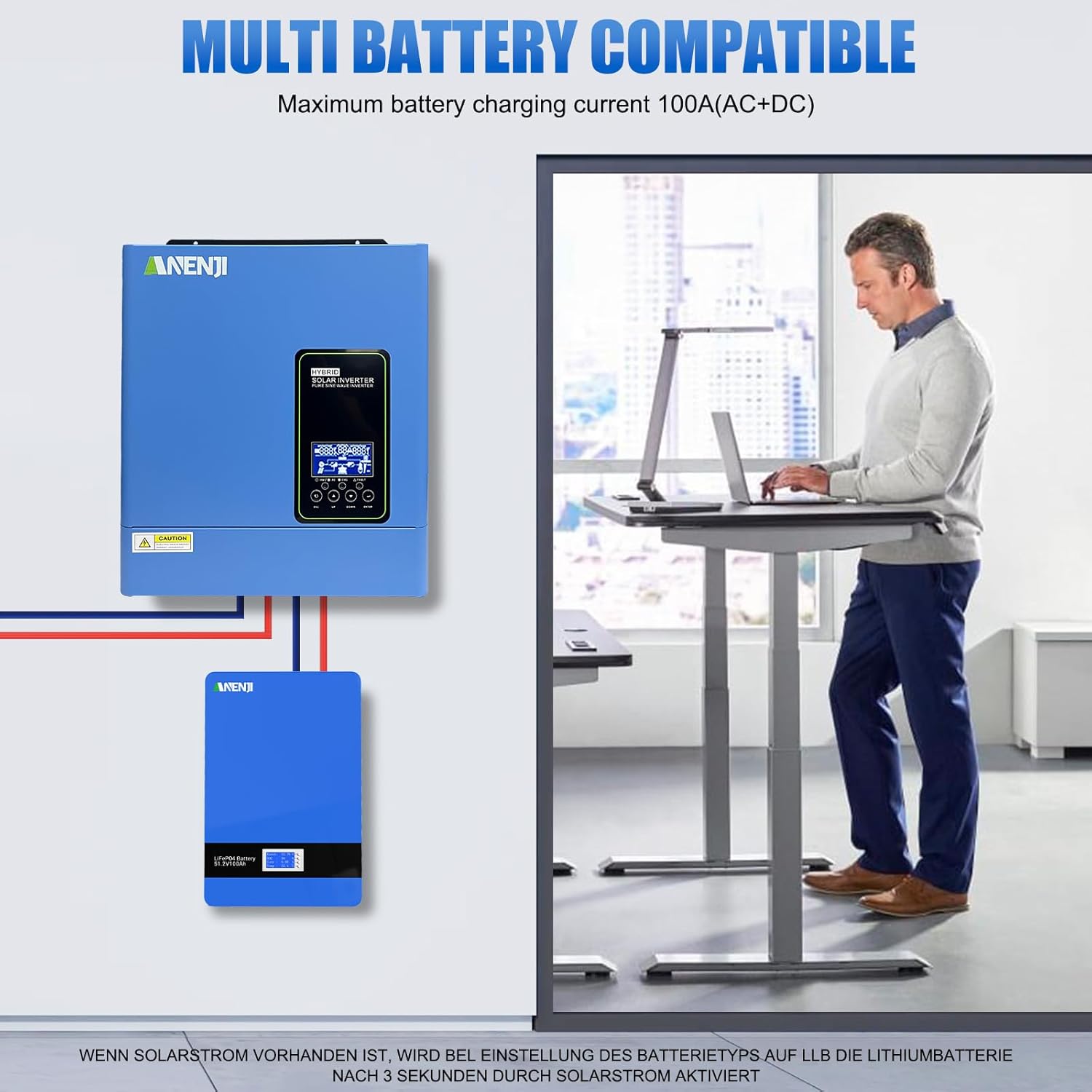
The inverter is designed for flexible battery integration:
- Battery Mode Flexibility: Supports standard battery operation and a No-Battery Mode (requires PV ≥130Vdc or utility power).
- Li-ion Battery Compatibility: Li-ion activation can be enabled via setting 42 (disabled by default).
- RS485 Protocol: Auto-syncs with PYLON US2000 batteries for real-time SOC and charge-discharge limits.
- User-Defined Settings: For non-communicating Li-ion batteries, user-defined settings prevent BMS conflicts.
9. Specifications
| Feature | Specification |
|---|---|
| Model Name | ANJ-3KW-24V-LV-WIFI |
| Wattage | 3000 watts |
| Power Source | Solar Powered |
| MPPT Solar Charger | 100A |
| Max PV Input Voltage | 500V |
| MPPT Voltage Range | 60V–450V |
| Max Solar Input | 4,000W |
| PV to AC Conversion Efficiency | 97% |
| Operating Temperature | -10°C to 50°C |
| Protection Rating | IP21 |
| Item Weight | 19.8 pounds |
| Package Dimensions | 18.7 x 15.35 x 7.09 inches |
10. Troubleshooting
The LCD display provides auto-error codes for quick troubleshooting. Refer to the full product manual for a comprehensive list of error codes and their solutions. Common issues may include:
- Overload: Reduce connected load.
- Overheat: Ensure proper ventilation and ambient temperature.
- Battery voltage issues: Check battery connections and charge level.
If issues persist, consult the detailed troubleshooting section in the complete manual or contact customer support.
11. Maintenance
To ensure optimal performance and longevity of your inverter:
- Regularly inspect all wiring connections for tightness and corrosion.
- Keep the inverter's ventilation openings clear of dust and debris. The removable dust cover can be cleaned as needed.
- Operate the inverter within the specified temperature range of -10°C to 50°C.
- Periodically check battery health and connections, especially if using user-defined Li-ion settings.
12. Warranty & Support
Anjfylque provides tiered technical support, including online real-time guidance and remote fault diagnosis. As the manufacturer, we can provide rapid supply of core components and professional repair services to ensure the long-term stable operation of your system.
For specific warranty details and to access support, please refer to the warranty card included with your product or visit the official Anjfylque website.