
1. Product Overview
The SABLUTE GKM21 Gaming Keyboard and Mouse Combo offers a comprehensive solution for gaming and office productivity. This wired set features dynamic RGB backlighting, a compact 98-key layout, a multimedia control knob, anti-ghosting capabilities, and an ergonomic design for enhanced comfort during extended use.

Image 1.1: SABLUTE GKM21 Gaming Keyboard and Mouse Combo (Black-grey variant).
2. What's in the Box
- SABLUTE GKM21 Gaming Keyboard
- Gaming Mouse
- Detachable PU Leather Wrist Rest
- USB Data Cable (for keyboard)
- User Manual

Image 2.1: Unboxed components of the SABLUTE GKM21 combo, including keyboard, mouse, wrist rest, and cables.
3. Setup and Installation
3.1 Connecting the Keyboard and Mouse
The SABLUTE GKM21 keyboard and mouse are wired devices. Connect the USB-C end of the provided data cable to the keyboard's port and the USB-A end to an available USB port on your computer. The mouse also connects via a USB-A cable directly to your computer. No additional drivers are typically required for basic functionality.

Image 3.1: Diagram illustrating the wired connection of the keyboard and mouse to a computer.
3.2 Attaching the Wrist Rest
The included PU leather wrist rest can be magnetically attached to the front edge of the keyboard for ergonomic support. Align the wrist rest with the keyboard's front edge until the magnets snap into place.

Image 3.2: Close-up view of the detachable wrist rest and its connection to the keyboard.
3.3 Adjusting Keyboard Height
The keyboard features two-step adjustable feet on its underside, allowing you to set the typing angle to your preference for improved comfort.

Image 3.3: Side view of the keyboard demonstrating the adjustable feet for different typing angles.
4. Operating Instructions
4.1 Keyboard Features
RGB Backlighting Control
The keyboard features dynamic RGB lighting with multiple modes. Use the multimedia knob and function keys to cycle through various lighting effects, adjust brightness, and control animation speed.
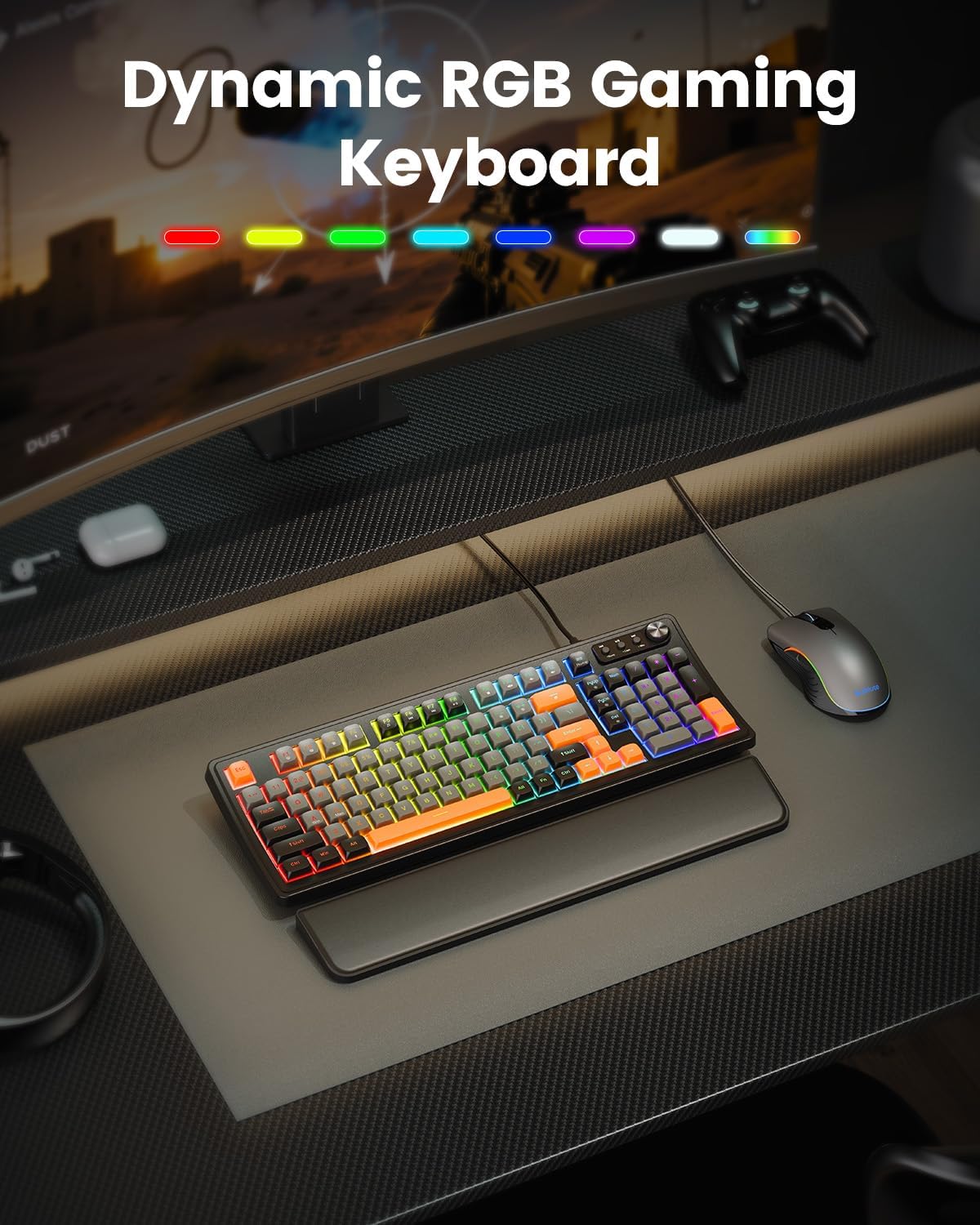
Image 4.1: The keyboard displaying its dynamic RGB lighting effects.
Multimedia Control Knob
The dedicated multimedia knob allows for quick volume adjustments. Pressing the knob can mute/unmute audio. Additional buttons next to the knob control media playback (previous track, play/pause, next track).

Image 4.2: Close-up of the multimedia control knob and media playback buttons.
Anti-Ghosting
The keyboard supports 19-key anti-ghosting, ensuring that multiple simultaneous key presses are registered accurately, which is crucial for gaming and fast typing.

Image 4.3: Visual representation of the 19-key anti-ghosting capability.
4.2 Mouse Features
DPI Adjustment
The included gaming mouse offers four adjustable DPI levels (800/1600/2400/3200) to suit different tasks and gaming styles. Use the DPI buttons located near the scroll wheel to cycle through the sensitivity settings.

Image 4.4: The gaming mouse showcasing its adjustable DPI settings.
Ergonomic Design
The mouse features an ergonomic grip designed for comfortable use during long sessions.
5. Maintenance
5.1 Cleaning
To clean the keyboard and mouse, disconnect them from your computer. Use a soft, dry cloth to wipe down surfaces. For stubborn dirt, a slightly damp cloth with mild soap can be used, ensuring no liquid enters the device. Do not use harsh chemicals or abrasive materials.
5.2 Storage
Store the keyboard and mouse in a cool, dry place away from direct sunlight and extreme temperatures when not in use for extended periods.
6. Troubleshooting
6.1 Keyboard/Mouse Not Responding
- Ensure both devices are securely plugged into active USB ports.
- Try connecting to different USB ports on your computer.
- Restart your computer.
- Test the devices on another computer to rule out a system-specific issue.
6.2 RGB Lighting Issues
- Refer to the user manual for specific key combinations to cycle through lighting modes and adjust brightness.
- Ensure the keyboard is properly connected and receiving power.
7. Specifications
| Feature | Specification |
|---|---|
| Brand | SABLUTE |
| Model | GKM21 |
| Connectivity Technology | Wired (USB-C for keyboard, USB-A for mouse) |
| Keyboard Description | Gaming keyboard with RGB backlit mechanical feel, quiet membrane switches, 98-key compact layout, multimedia knob, anti-ghosting, and ergonomic wrist rest |
| Mouse DPI Levels | 800/1600/2400/3200 |
| Anti-Ghosting | 19-Key Anti-Ghosting |
| Compatible Devices | PC, Laptop, Xbox, PS5 |
| Material | Leather, Plastic |
8. Official Product Videos
The following videos are provided by the seller to demonstrate product features and functionality.
8.1 Gaming Keyboard and Mouse Overview by KM-TECH
Video 8.1: A brief overview of the SABLUTE gaming keyboard and mouse combo, highlighting its design and features. (Source: KM-TECH)
8.2 SABLUTE GKM21: RGB Gaming Gear by Gadget Guy's Smart Home
Video 8.2: A detailed review of the SABLUTE GKM21, focusing on its RGB lighting and overall value for gamers. (Source: Gadget Guy's Smart Home)
8.3 Unboxing the Sablute Gaming Keyboard and Mouse by Alex Media Creations
Video 8.3: An unboxing experience of the SABLUTE gaming keyboard and mouse, showcasing the packaging and initial impressions. (Source: Alex Media Creations)
8.4 SABLUTE Gaming Keyboard and Mouse Review by Tech Closet
Video 8.4: A comprehensive review of the SABLUTE gaming keyboard and mouse, detailing its features and performance. (Source: Tech Closet)
8.5 RGB Keyboard that will last you forever! by Shop with Scott
Video 8.5: A video highlighting the durability and long-term performance of the RGB keyboard. (Source: Shop with Scott)
9. Warranty and Support
The SABLUTE GKM21 Gaming Keyboard and Mouse Combo is backed by a 1-year replacement warranty. For any support inquiries or warranty claims, please contact SABLUTE customer service.
Return Policy: 30-day refund/replacement policy from the date of purchase.
Contact Email: sabluteservices@outlook.com

Image 9.1: SABLUTE customer service details for support and inquiries.