
1. Introduction
Thank you for choosing the CIQILY 15W Fast Wireless Charging Pad. This device provides a convenient and efficient way to charge your compatible smartphones and other wireless charging-enabled devices. Please read this manual carefully before use to ensure proper operation and to maximize the lifespan of your product.

Image 1.1: Two CIQILY 15W Fast Wireless Charging Pads.
2. Product Overview
The CIQILY 15W Fast Wireless Charging Pad is designed for high-speed, safe, and reliable wireless charging. It features intelligent protection technologies to safeguard your devices during charging. The slim and compact design makes it suitable for various environments, including home, office, and travel.

Image 2.1: Illustration of 15W Fast Wireless Charging.
Key Features:
- 15W High-Speed Charging: Delivers optimal charging speeds (5W, 7.5W, 10W, 15W) based on device compatibility.
- Advanced Safety Protections: Built-in safeguards against overheating, overcurrent, overcharging, and short-circuits.
- Sleep-Friendly LED Indicator: A soft, non-distracting LED light indicates charging status.
- Non-Slip Design: A 360-degree non-slip TPU coating and rubber pad ensure stability.
- Case Compatibility: Charges through protective cases up to 5mm thick.
3. Package Contents
Please verify that all items are present in the package:
- 2 x CIQILY 15W Fast Wireless Charging Pad
- 2 x USB-A to USB-C Cable (3ft)
- 1 x User Manual
4. Specifications
| Feature | Detail |
|---|---|
| Model Number | CWD-V053 |
| Input | 5V-3A / 9V-2A / 12V-1.5A |
| Output | 5W / 7.5W / 10W / 15W |
| Input Interface | Type-C |
| Item Weight | 0.25 ounces |
| Material | Thermoplastic Polyurethane (TPU) and Plastic |
| Special Features | Braided Cable, Charging Indicator, Fast Charging, Short Circuit Protection, Wireless Charging |
Compatible Devices:
This wireless charging pad is compatible with a wide range of devices that support wireless charging, including but not limited to:
- iPhone: 17/17 Pro/17 Pro Max, 16/16 Pro/16 Pro Max/16 Plus, 15/15 Pro/15 Pro Max/15 Plus, 14/14 Pro/14 Pro Max/14 Plus, 13/13 mini/13 Pro/13 Pro Max, 12/12 Pro/12 Pro Max/12 Mini, 11/11 Pro/11 Pro Max, SE, XS/XS Max/XR/X, 8/8 Plus.
- Samsung Galaxy: S25 Ultra/S25 Edge/S25 Plus, S24 Ultra/S24+/S24 Plus, S23/S23+/S23 Ultra, S22+/S22 Ultra, S21/S21 FE/S21+, S20/S20+/S10/S10E/S10+, S9/S8/S7, Z Fold 6/5/4, Z Flip 6/5/4, Note 20 Ultra/Note 10/10+/Note 9.
- Google Pixel: 10/10 Pro XL, 9a/9/9 Pro/9 Pro XL, 8a/8 Pro, 7a/7/7 Pro, 6/6 Pro, 5/5XL, 4/4XL, 3/3XL.
- Motorola: Razr+/Razr 50 Ultra/Razr 2024, Moto Edge 2024/Edge 50 Ultra/Edge 50 Pro, G Stylus 5G/G Power 2025/2024, Moto X50 Ultra/X40/X30 Pro/Edge 30 Ultra.
- LG, Sony, and other Qi-enabled devices.

Image 4.1: Device Compatibility and Charging Modes.
5. Setup Instructions
Follow these steps to set up your CIQILY 15W Fast Wireless Charging Pad:
- Connect to Power: Use the provided USB-A to USB-C cable to connect the charging pad to a compatible power adapter. For optimal fast charging performance, a QC2.0/3.0 Fast Adapter (not included) is recommended.
- Power On: Once connected, the LED indicator on the charging pad will illuminate, signifying that the pad is powered on and ready for use. The weak light is designed not to disturb sleep.
- Placement: Place the charging pad on a flat, stable surface. The rubber pad on the bottom ensures stability.

Image 5.1: Connecting the Charging Pad to a Power Source.
6. Operating Instructions
To charge your device wirelessly:
- Ensure Compatibility: Confirm that your mobile phone or other electric device has a wireless charging function.
- Place Device: Carefully place your phone on the center of the wireless charging pad. The LED indicator will change or blink to confirm that charging has begun.
- Optimal Charging: For stable and efficient charging, ensure your device is centered on the pad. Misalignment may result in intermittent or no charging.
- Case Compatibility: The charging pad can charge directly through protective cases up to 5mm thick. However, cases made of metal and attachments such as magnets, cards, and grips will interfere with charging and should be removed.

Image 6.1: Case Compatibility Guidelines.
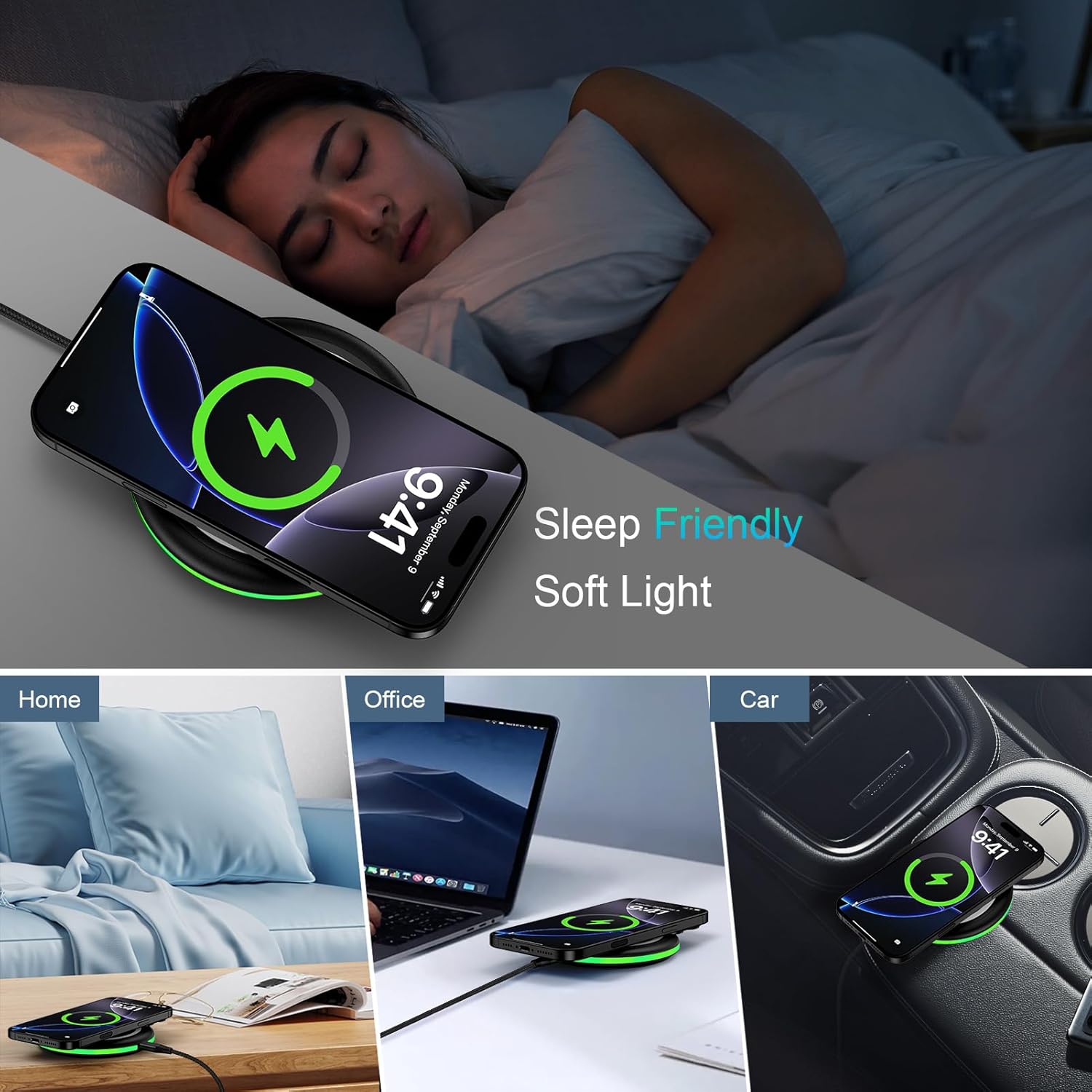
Image 6.2: Sleep-Friendly Design and Versatile Use.
7. Safety Information
Your safety is paramount. The CIQILY 15W Fast Wireless Charging Pad incorporates multiple safety features:
- Official Certifications: The charging pad has passed CE, FCC, and RoHS official authorizations, ensuring compliance with safety standards.
- Intelligent Protection: Built-in smart chipset provides protection against over-current, over-voltage, over-temperature, and short-circuiting.
- Automatic Interruption: Charging is automatically interrupted if the temperature becomes too high, preventing damage to your device and the charger.
- Foreign Object Detection: The charger can detect foreign metallic objects placed on its surface, preventing potential hazards.

Image 7.1: Official Certifications and Safety Features.
8. Troubleshooting
If you encounter issues with your wireless charging pad, please refer to the following common solutions:
- No Charging or Intermittent Charging:
- Ensure your device supports wireless charging.
- Verify that the charging pad is properly connected to a working power source using the provided cable.
- Make sure your phone is placed directly on the center of the charging pad. Slight adjustments may be needed to find the optimal charging position.
- Check if your phone case is thicker than 5mm or contains metal, magnets, cards, or grips. Remove such cases or attachments.
- Try using a different QC2.0/3.0 fast adapter if available, as some standard adapters may not provide sufficient power for fast charging.
- Slow Charging:
- Ensure you are using a QC2.0/3.0 fast charging adapter.
- Confirm your device is centered on the pad.
- Close unnecessary background applications on your phone.
- LED Indicator Not Lighting Up:
- Check the power connection to the charging pad and the wall outlet.
- Try a different USB-A to USB-C cable.
9. Maintenance
To ensure the longevity and optimal performance of your CIQILY 15W Fast Wireless Charging Pad:
- Keep the charging pad clean and free from dust. Use a soft, dry cloth for cleaning.
- Avoid exposing the device to extreme temperatures, direct sunlight, or humid environments.
- Do not disassemble or attempt to repair the device yourself.
- Store the charging pad in a cool, dry place when not in use.
10. Warranty and Support
For any questions, concerns, or support needs regarding your CIQILY 15W Fast Wireless Charging Pad, please contact our customer service team. We are committed to providing assistance and will respond to your inquiries within 24 hours.
Please refer to your purchase documentation for specific warranty details, as terms may vary.