
Product Overview
The Lifepro VibraAI Thermo Heated Vibration Plate is an advanced fitness device designed to enhance your workout routine and support recovery. It features vertical vibration technology, voice control capabilities, and a heated platform for therapeutic benefits.

Image: The Lifepro VibraAI Thermo Heated Vibration Plate, showcasing its design and potential uses in a home setting.
Key Features:
- Advanced Voice Control: Adjust settings hands-free using voice commands.
- Ergonomic Heated Platform: Provides heat therapy to enhance circulation and soothe muscles, with a curved design for comfort.
- Innovative Technology: Features linear vibration movement, controlled via a stylish watch remote or voice.
- High-Quality Construction: Built with durable materials for reliability and seamless integration into home environments.
- Effective and Versatile: Suitable for various exercises, from quick workouts to extended sessions, catering to all fitness levels.

Image: Benefits of vibration and heat therapy, including increased blood circulation, faster muscle recovery, and enhanced flexibility.
Setup Guide
- Unboxing: Carefully remove the vibration plate and all accessories from the packaging. Ensure all components are present: Heated Vibration Plate, Remote Watch, Power Cable, and User Manual.
- Placement: Place the vibration plate on a flat, stable, and non-slip surface. Ensure there is adequate space around the unit for safe operation and movement. Avoid placing it on thick carpets that might obstruct ventilation or stability.
- Power Connection: Connect the power cable to the designated port on the vibration plate and then plug it into a standard electrical outlet.
- Initial Power On: Locate the power switch, usually on the side or back of the unit, and turn it to the 'ON' position. The display screen should illuminate.
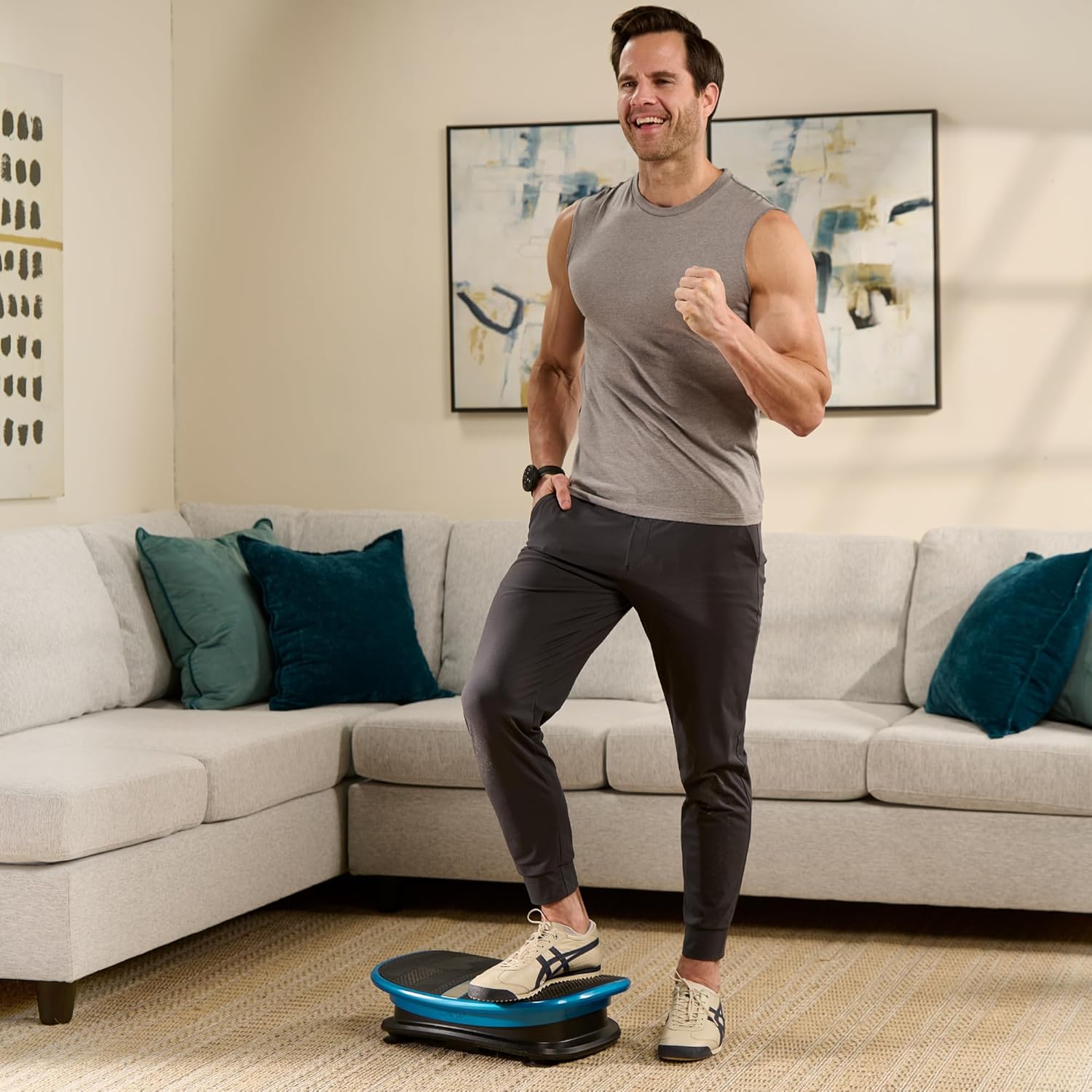
Image: The compact design of the vibration plate allows for easy storage under furniture when not in use.
Operating Instructions
Controls:
- Voice Control: The VibraAI Thermo responds to voice commands for hands-free operation. Activate by saying "Hi Lifepro!" followed by your command (e.g., "Start program one," "Increase speed to level five").
- Remote Watch: A sleek wrist-worn remote allows for convenient adjustment of settings during your workout.
- Touch Screen Display: The integrated LCD display on the unit provides manual control options and shows current settings.

Image: Demonstrating the voice control feature for easy program selection.
Operation Modes and Programs:
- Manual Mode: Allows for custom adjustment of vibration speed (30 levels available).
- Automatic Programs: Features 4 preset programs designed for specific benefits such as lymphatic drainage, weight loss, and muscle relaxation.
- Heated Mode: Activates the heated platform for added therapeutic benefits.
Basic Usage:
- Step On: Carefully step onto the vibration plate with both feet, ensuring a balanced stance.
- Select Mode/Program: Use the voice control, remote watch, or touch screen to select your desired mode (Manual/Automatic) and program or speed level.
- Adjust Intensity: Increase or decrease the vibration speed as needed. Start with lower speeds and gradually increase as you become comfortable.
- Incorporate Exercises: Perform various exercises on the plate, such as squats, lunges, or planks, to maximize muscle engagement.

Image: Examples of full-body exercises that can be performed on the vibration plate to enhance workout effectiveness.

Image: The vertical movement of the plate helps engage more muscles, improve circulation, and enhance lymphatic drainage.
Maintenance
- Cleaning: Regularly wipe down the surface of the vibration plate with a soft, damp cloth. Avoid using abrasive cleaners or solvents that could damage the finish. Ensure the unit is unplugged before cleaning.
- Storage: When not in use, store the vibration plate in a cool, dry place away from direct sunlight and extreme temperatures. Its compact design allows for convenient storage under beds or sofas.
- Inspection: Periodically inspect the power cable for any signs of damage. If any damage is found, discontinue use and contact customer support.
Troubleshooting
| Problem | Possible Cause | Solution |
|---|---|---|
| Unit does not power on. | Power cable not securely plugged in; Power switch is off; No power from outlet. | Ensure power cable is fully inserted. Turn the power switch to 'ON'. Test the outlet with another device. |
| Vibration is weak or inconsistent. | Incorrect program/speed selected; Unit not on a flat surface; Overload. | Adjust speed/program settings. Ensure unit is on a firm, level surface. Check maximum weight recommendation (265 lbs). |
| Voice control not responding. | Microphone obstructed; Commands unclear; Unit not in voice control mode. | Ensure no obstructions near the microphone. Speak clearly and at a normal volume. Refer to the manual for specific voice commands. |
| Remote watch not working. | Battery low/dead; Out of range; Not paired. | Replace battery in remote watch. Ensure remote is within operating range. Refer to pairing instructions in the full user manual. |
Specifications
- Model Name: VibraAI Thermo Heated Vibration Plate Exercise Machine
- Model Number: LP-VBRAI-HTD-BLK
- Brand: LifePro
- Maximum Weight Recommendation: 265 Pounds
- Controls Type: Voice Control, Remote Watch
- Display Type: LCD
- Motor Horsepower: 0.6 Horsepower
- Operation Mode: Automatic, Manual, Heated
- Power Source: Corded Electric (AC Power)
- Item Dimensions (LxWxH): 18.8 x 5.3 x 12.3 inches
- Item Weight: 14.8 Pounds
- Material: Plastic
- Color: Black
- UPC: 810161332212

Image: Key features and dimensions of the vibration plate, highlighting its compact size and capabilities.
Warranty and Support
The Lifepro VibraAI Thermo Heated Vibration Plate comes with Lifetime Support from LifePro. For any questions, issues, or support needs, please refer to the official user manual or contact LifePro customer service.
Official User Manual (PDF): For detailed instructions and additional information, please download the official user manual from the manufacturer's website or via this link: Lifepro VibraAI Thermo User Manual PDF
Online VIP Community: Access exclusive training videos and live support by joining the LifePro online VIP community. Details on how to join can be found in the full user manual.