
PSOS 112233
PSOS Dehumidifier 112233 User Manual
Model: 112233
1. Introduction
Thank you for choosing the PSOS Dehumidifier 112233. This manual provides important information for the proper operation, maintenance, and troubleshooting of your new dehumidifier. Please read this manual thoroughly before using the appliance and retain it for future reference. This dehumidifier is designed to effectively reduce humidity levels in your indoor environment, contributing to a more comfortable and healthier living space.

Image 1.1: The PSOS Dehumidifier 112233, a compact and efficient unit designed to remove excess moisture from the air.
2. Safety Information
Always follow basic safety precautions when using electrical appliances to reduce the risk of fire, electric shock, and injury.
- Ensure the dehumidifier is placed on a stable, level surface.
- Do not operate the unit with a damaged cord or plug.
- Keep the air inlet and outlet grilles clear of obstructions.
- Do not immerse the unit, power cord, or plug in water or other liquids.
- Unplug the dehumidifier before cleaning or performing any maintenance.
- This appliance is for indoor use only.
3. Product Overview
The PSOS Dehumidifier 112233 features a user-friendly design with intuitive controls and efficient moisture removal capabilities.
3.1 Components
- Control Panel with Digital Display
- Air Inlet Grille
- Air Outlet Grille
- Removable Water Tank
- Power Cord
3.2 Control Panel
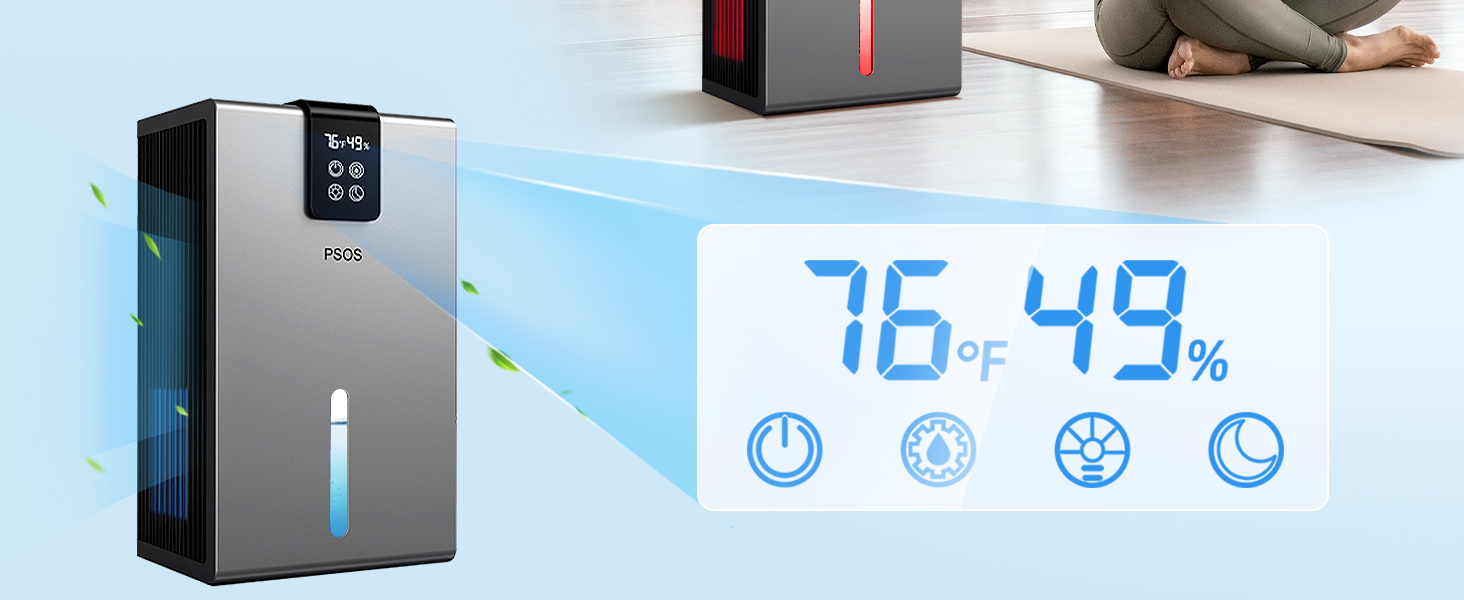
Image 3.1: Close-up of the digital control panel, displaying current temperature and humidity levels (e.g., 76°F, 49%).
The control panel allows you to monitor and adjust settings:
- Power Button: Turns the unit on or off.
- Mode Button: Cycles through different operating modes (e.g., Dehumidify, Continuous, Sleep).
- Fan Speed Button: Adjusts fan speed (High, Low).
- Timer Button: Sets a timer for automatic shut-off.
- Humidity Setting Buttons: Adjusts desired humidity level.
- Night Light Button: Activates or changes the colorful atmosphere lights.
4. Setup
Follow these steps for initial setup of your dehumidifier:
- Unpack: Carefully remove the dehumidifier from its packaging. Retain packaging for future storage or transport.
- Placement: Place the unit upright on a firm, level surface in the desired room. Ensure there is at least 8 inches (20 cm) of space around the air inlet and outlet for proper airflow. Avoid placing it near heat sources or in direct sunlight.
- Power Connection: Plug the power cord into a grounded electrical outlet.
- Water Tank: Ensure the water tank is correctly inserted into the unit.
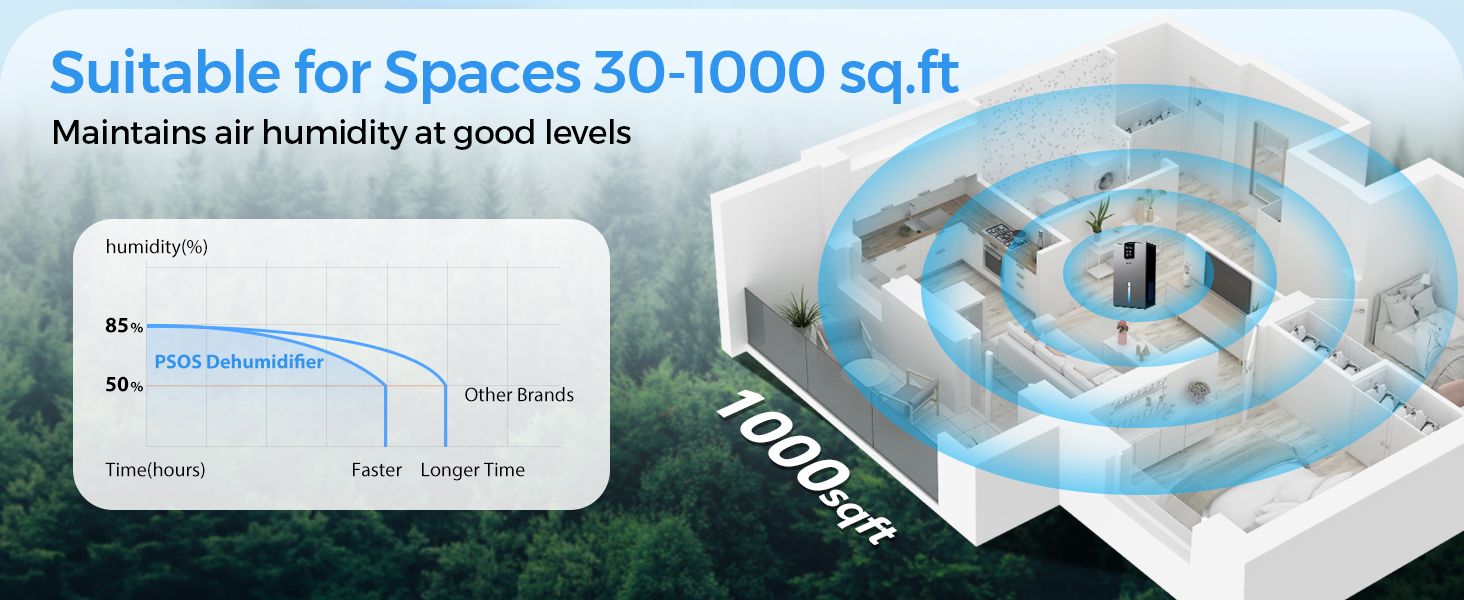
Image 4.1: The dehumidifier is suitable for various spaces up to 1000 sq.ft, including bedrooms, bathrooms, living rooms, and RVs, maintaining optimal humidity levels.
5. Operating Instructions
Learn how to operate your PSOS Dehumidifier for optimal performance.
5.1 Turning On/Off
- Press the Power button to turn the unit on. The digital display will show the current room temperature and humidity.
- Press the Power button again to turn the unit off.

Image 5.1: The dehumidifier features real-time monitoring of temperature and humidity, displayed on its integrated screen.
5.2 Setting Desired Humidity
- With the unit on, press the Humidity Setting buttons (Up/Down arrows) to set your desired humidity level (e.g., 40% - 60% is generally recommended).
- The unit will operate until the set humidity level is reached, then cycle on and off to maintain it.
5.3 Operating Modes
- Press the Mode button to cycle through available modes.
- Dehumidify Mode: Standard operation to reduce humidity to the set level.
- Continuous Mode: The unit will run continuously regardless of humidity level, ideal for very damp conditions.
- Sleep Mode (Quiet Mode): Reduces fan speed and dims display lights for quiet operation, suitable for bedrooms.
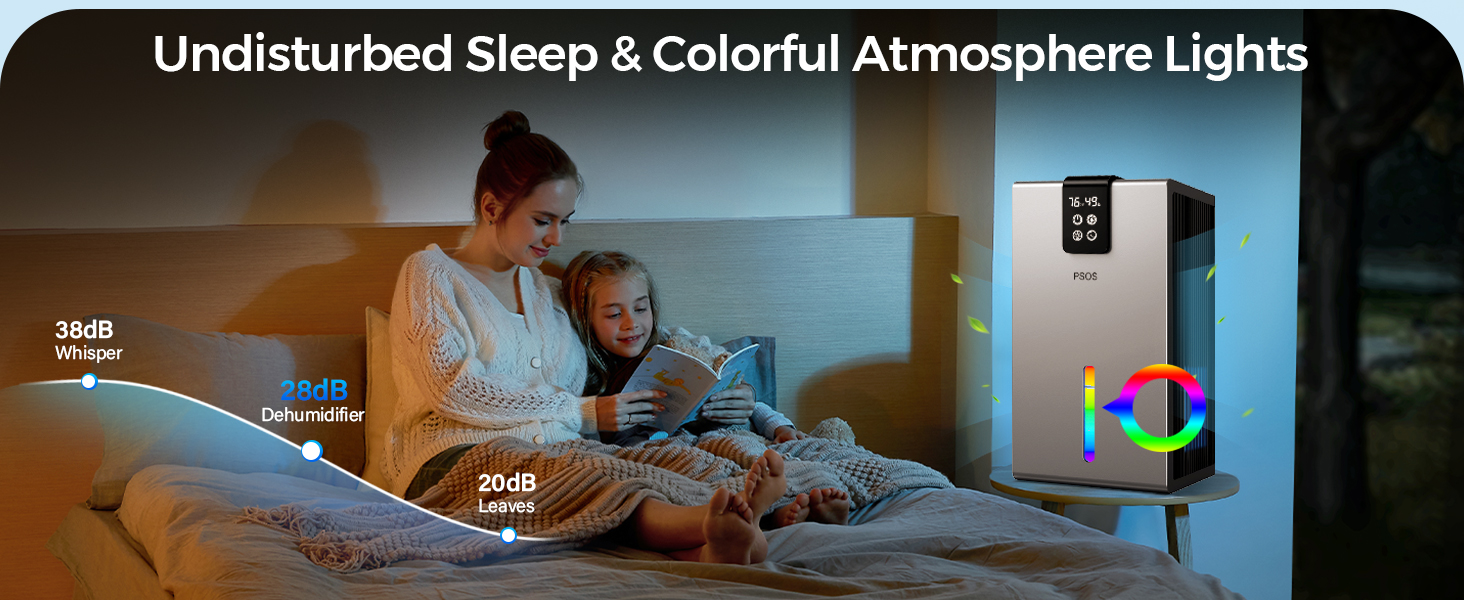
Image 5.2: Enjoy undisturbed sleep with the dehumidifier's low noise level (28dB) and customizable colorful atmosphere lights.
5.4 Timer Function
- Press the Timer button to set a desired operating time (e.g., 2, 4, 8 hours). The unit will automatically turn off after the set time.
5.5 Night Light
- Press the Night Light button to turn on the colorful LED light. Press again to cycle through colors or turn off.
6. Maintenance
Regular maintenance ensures the longevity and efficiency of your dehumidifier.
6.1 Emptying the Water Tank
When the water tank is full, the unit will automatically shut off and an indicator light will illuminate. The tank may also turn red.

Image 6.1: The dehumidifier features an automatic shut-down function when the water tank is full, indicated by the tank turning red.
- Gently pull out the water tank from the unit.
- Carefully empty the collected water into a sink or drain.
- Rinse the tank with clean water periodically to prevent mold or mildew growth.
- Reinsert the empty water tank firmly into the dehumidifier until it clicks into place. The unit will resume operation.
6.2 Cleaning the Air Filter
The air filter should be cleaned every two weeks or more frequently depending on usage and air quality.
- Unplug the dehumidifier from the power outlet.
- Locate and remove the air filter (typically behind the air inlet grille).
- Use a vacuum cleaner to remove dust and debris from the filter. For heavy dirt, wash the filter with warm, soapy water.
- Allow the filter to air dry completely before reinserting it. Do not use a dryer or direct heat.
- Reinsert the dry filter and plug the unit back in.
6.3 General Cleaning
- Wipe the exterior of the unit with a soft, damp cloth.
- Do not use harsh chemicals, abrasives, or solvents.
7. Troubleshooting
Before contacting customer support, please refer to the following troubleshooting guide for common issues.
| Problem | Possible Cause | Solution |
|---|---|---|
| Unit does not turn on. | No power; Power cord not plugged in; Power outage. | Check power outlet; Ensure cord is securely plugged in; Check circuit breaker. |
| Unit is running but not collecting water. | Humidity level is already low; Room temperature is too low; Air filter is clogged. | Increase desired humidity setting; Ensure room temperature is above 41°F (5°C); Clean the air filter. |
| Water tank is full indicator is on, but tank is not full. | Water tank not properly inserted. | Remove and reinsert the water tank firmly. |
| Unit is noisy. | Unit not on a level surface; Air filter clogged. | Place unit on a flat, stable surface; Clean the air filter. |
| Airflow is weak. | Air inlet/outlet blocked; Air filter clogged. | Clear obstructions; Clean the air filter. |
8. Specifications
Technical details for the PSOS Dehumidifier 112233.
| Specification | Detail |
|---|---|
| Brand | PSOS |
| Model Name | 112233 |
| Color | White |
| Capacity | 14 Cubic Feet |
| Tank Volume | 98 Fluid Ounces (approx. 2.9 Liters) |
| Product Dimensions | 32"D x 63"W x 29"H |
| Item Weight | 5.74 pounds |
| Coverage Area | Up to 1000 sq.ft |
| UPC | 777816474928 |
9. Warranty and Support
PSOS is committed to providing high-quality products and excellent customer service.
9.1 Warranty Information
Your PSOS Dehumidifier 112233 comes with a manufacturer's warranty. Please refer to the warranty card included in your product packaging for specific terms and conditions. Keep your purchase receipt as proof of purchase.
9.2 Customer Support
For any questions, technical assistance, or warranty claims, please contact PSOS customer support. We aim to provide quick responses and lifetime technical support.

Image 9.1: PSOS offers 24-hour quick response, 30-day return for exchange, and lifetime technical customer support.
You can visit our official website or contact us via the details provided on the product packaging or warranty card.
Ask a question about this manual
Ask about setup, troubleshooting, compatibility, parts, safety, or missing instructions. Manuals+ will review the question and use this page’s manual context to help answer it.