
Introduction
This manual provides essential instructions for setting up, operating, maintaining, and troubleshooting your DOOGEE Note 56 smartphone. Please read this guide thoroughly to ensure proper use and to maximize the device's capabilities.
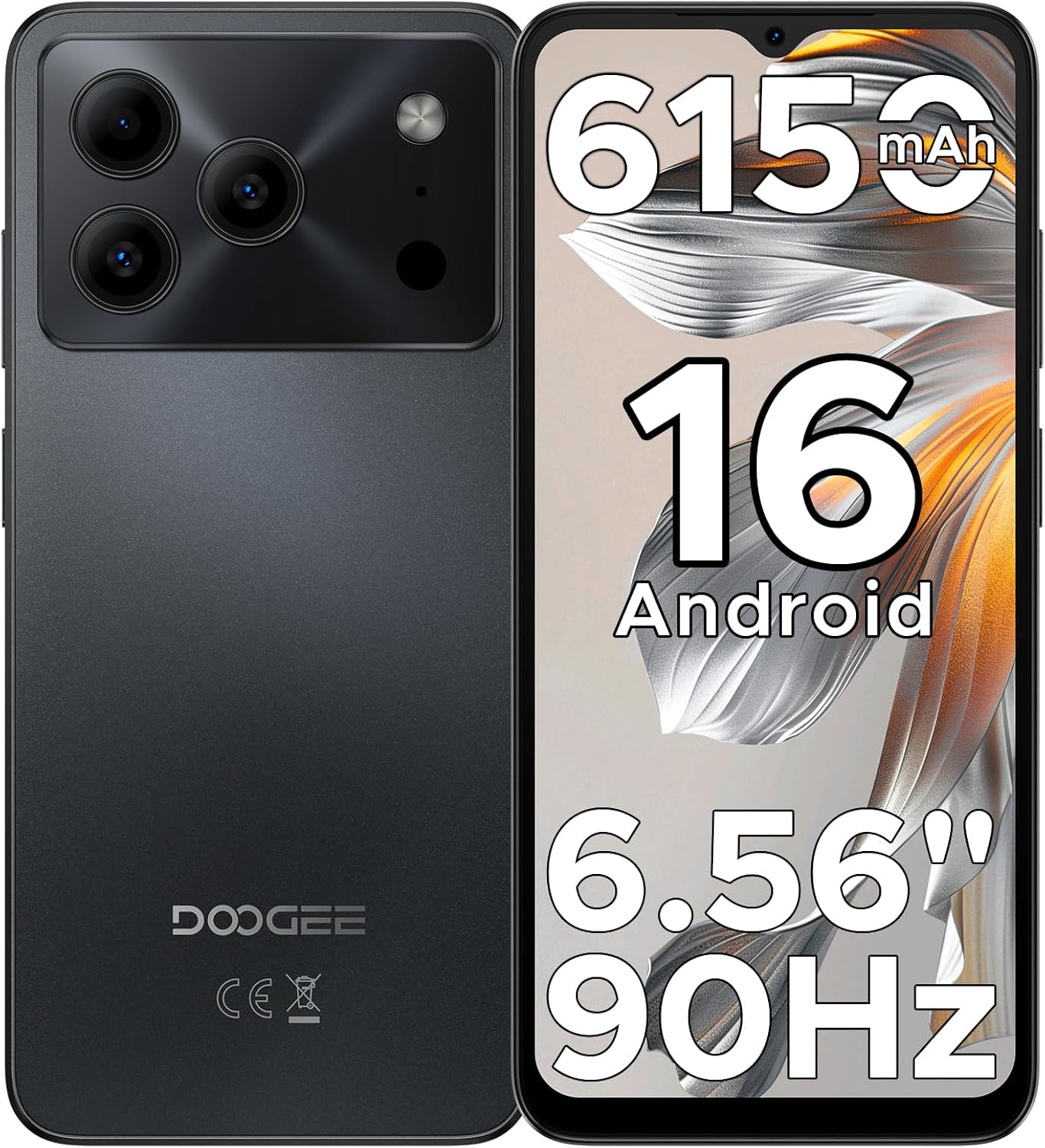
Figure 1: DOOGEE Note 56 Smartphone Overview
1. Setup
1.1 Package Contents
Verify that all items are present in your product package:
- 1 x DOOGEE Note 56 Cellphone
- 1 x Type-C Port Cable
- 1 x Charger
- 1 x Protective Film (Pre-applied)
- 1 x SIM Card Pin
- 1 x Packing Box
- 1 x Manual (this document)
- 1 x Warranty Card
- 1 x TPU Protective Case
1.2 Inserting SIM Cards and TF Card
- Locate the SIM card tray on the side of the phone.
- Insert the SIM card pin into the small hole next to the tray to eject it.
- Place your Nano-SIM cards (up to two) and/or a TF card (microSD) into the designated slots on the tray. Ensure the gold contacts face downwards.
- Carefully reinsert the tray into the phone.

Figure 2: SIM Card Tray Location (Illustrative)
1.3 Charging the Battery
Before first use, fully charge the phone's battery. Connect the Type-C cable to the phone's charging port and the charger to a power outlet.
- The phone features a 6150mAh Silicon-Carbon Battery.
- It supports 5W reverse charging, allowing you to charge other devices using your phone (requires an OTG cable, sold separately).

Figure 3: 6150mAh Battery Feature
1.4 Powering On/Off
- To power on: Press and hold the Power button until the DOOGEE logo appears.
- To power off: Press and hold the Power button, then select "Power off" from the options on the screen.
2. Operating Instructions
2.1 Android 16 Operating System
The DOOGEE Note 56 runs on the latest Android 16 OS, providing a secure and user-friendly experience. Navigate through the interface using gestures and on-screen controls.

Figure 4: Android 16 OS Interface
2.2 Display and Interaction
- Screen: The device features a 6.56-inch HD+ IPS waterdrop screen with a 90Hz refresh rate for smooth visuals.
- Face Unlock: Utilize the front camera for quick and secure access to your device.
- 3.5mm Headphone Jack: Connect wired headphones for audio playback.

Figure 5: 6.56" HD+ 90Hz Display
2.3 Camera Functions
The DOOGEE Note 56 is equipped with an 8MP main camera and a 5MP front camera. The camera app includes various modes to enhance your photography:
- AI Scene Recognition: Automatically detects 12 scenes and optimizes settings for improved photos.
- HDR: High Dynamic Range for balanced exposure in challenging lighting.
- Night Mode: Enhances photos taken in low-light conditions.
- Beauty Mode: Applies enhancements for portraits.
- Portrait Mode: Creates a depth-of-field effect.
- Pro Mode: Manual control over camera settings.
- Smile Capture, Panoramas, Burst Shots, Fun Filters.

Figure 6: Camera Features and AI Scene Recognition
2.4 Connectivity
- 4G Dual SIM: Supports two SIM cards for flexible network usage.
- Wi-Fi: Connect to wireless networks for internet access.
- Bluetooth 4.2: Pair with compatible accessories.
- GPS: For navigation and location services.
- FM Radio: Listen to local radio stations.

Figure 7: Supported Network Connections
2.5 Storage and Performance
- Processor: UNISOC SC9863A Octa-Core processor for efficient operation.
- RAM: 24GB RAM (3GB physical + 21GB virtual expansion) for smooth multitasking.
- Internal Storage: 64GB for apps and media.
- Expandable Storage: Supports up to 2TB via TF (microSD) card (sold separately).

Figure 8: Storage and RAM Configuration
2.6 Smart OS Features
The Android 16 OS includes several smart features:
- Dual System Mode: Allows for separate user profiles or environments.
- Super Clipboard: Enhanced clipboard functionality.
- Memory Expansion: Software-based RAM expansion.
- Screen Optimization: Adjusts display settings for various content.
- Customize Screen Colors: Personalize your display's color profile.
- Smart Body Sensing: (Details not specified, likely related to gestures or proximity).

Figure 9: Smart OS Features Overview
3. Maintenance
3.1 Battery Care
- Avoid extreme temperatures, which can degrade battery life.
- Do not leave the phone fully charged or fully discharged for extended periods.
- Use only the provided charger and cable for optimal charging.
3.2 Software Updates
Regularly check for and install system updates to ensure your device has the latest security patches and features. You can usually find this option in Settings > System > System update.
3.3 Cleaning the Device
- Use a soft, lint-free cloth to clean the screen and body of the phone.
- Avoid using harsh chemicals or abrasive materials.
- Do not expose the phone to excessive moisture.
3.4 Storage Management
To maintain optimal performance, regularly manage your phone's storage. Delete unnecessary files, uninstall unused apps, and utilize the TF card for additional storage.
4. Troubleshooting
If you encounter issues with your DOOGEE Note 56, try the following common troubleshooting steps:
| Problem | Solution |
|---|---|
| Phone does not turn on | Ensure the battery is charged. Connect the charger and wait a few minutes before attempting to power on again. |
| Battery drains quickly | Close unused apps, reduce screen brightness, disable Wi-Fi/Bluetooth when not in use. Check battery usage in settings to identify power-consuming apps. |
| Apps are slow or crashing | Clear app cache (Settings > Apps > [App Name] > Storage > Clear cache). Restart the phone. Ensure sufficient free storage space. |
| Cannot connect to Wi-Fi/Mobile Data | Toggle Wi-Fi/Mobile Data off and on. Restart the phone. Check router/network settings. Ensure SIM cards are correctly inserted and activated. |
| Face Unlock not working | Ensure your face is well-lit and clearly visible to the front camera. Re-register your face data in security settings if the issue persists. |
For more complex issues, refer to the DOOGEE support website or contact customer service.
5. Specifications
| Feature | Detail |
|---|---|
| Model Name | NOTE56 |
| Operating System | Android 16 |
| CPU | UNISOC SC9863A Octa-Core, 1.6 GHz |
| RAM | 24 GB (3GB physical + 21GB virtual) |
| Internal Storage | 64 GB |
| Expandable Storage | Up to 2 TB via TF card (microSD) |
| Display Size | 6.56 Inches |
| Display Type | HD+ IPS Waterdrop Screen, 90Hz Refresh Rate |
| Rear Camera | 8 MP |
| Front Camera | 5 MP |
| Battery Capacity | 6150 mAh |
| Connectivity | 4G Dual SIM, Wi-Fi, Bluetooth 4.2, GPS, USB Type-C |
| Audio Jack | 3.5 mm |
| Special Features | Face Unlock, OTG Reverse Charging, Expandable Memory, Dual SIM |
| Dimensions | 7.63 x 4.09 x 2 inches (Package Dimensions) |
| Item Weight | 14.6 ounces |
6. Warranty and Support
Your DOOGEE Note 56 smartphone comes with a warranty. Please refer to the included Warranty Card in your package for detailed information regarding warranty terms, conditions, and duration.
For technical support or further assistance, please visit the official DOOGEE website or contact their customer service department. Contact information can typically be found on the warranty card or the manufacturer's website.


