
1. Product Overview
The VOWNER File Cabinet with Charging Station (Model RS-164) is a versatile office furniture unit designed to enhance organization and functionality in your home or office. It features two file drawers, a built-in charging station, and a mobile shelf for a shredder or computer tower.
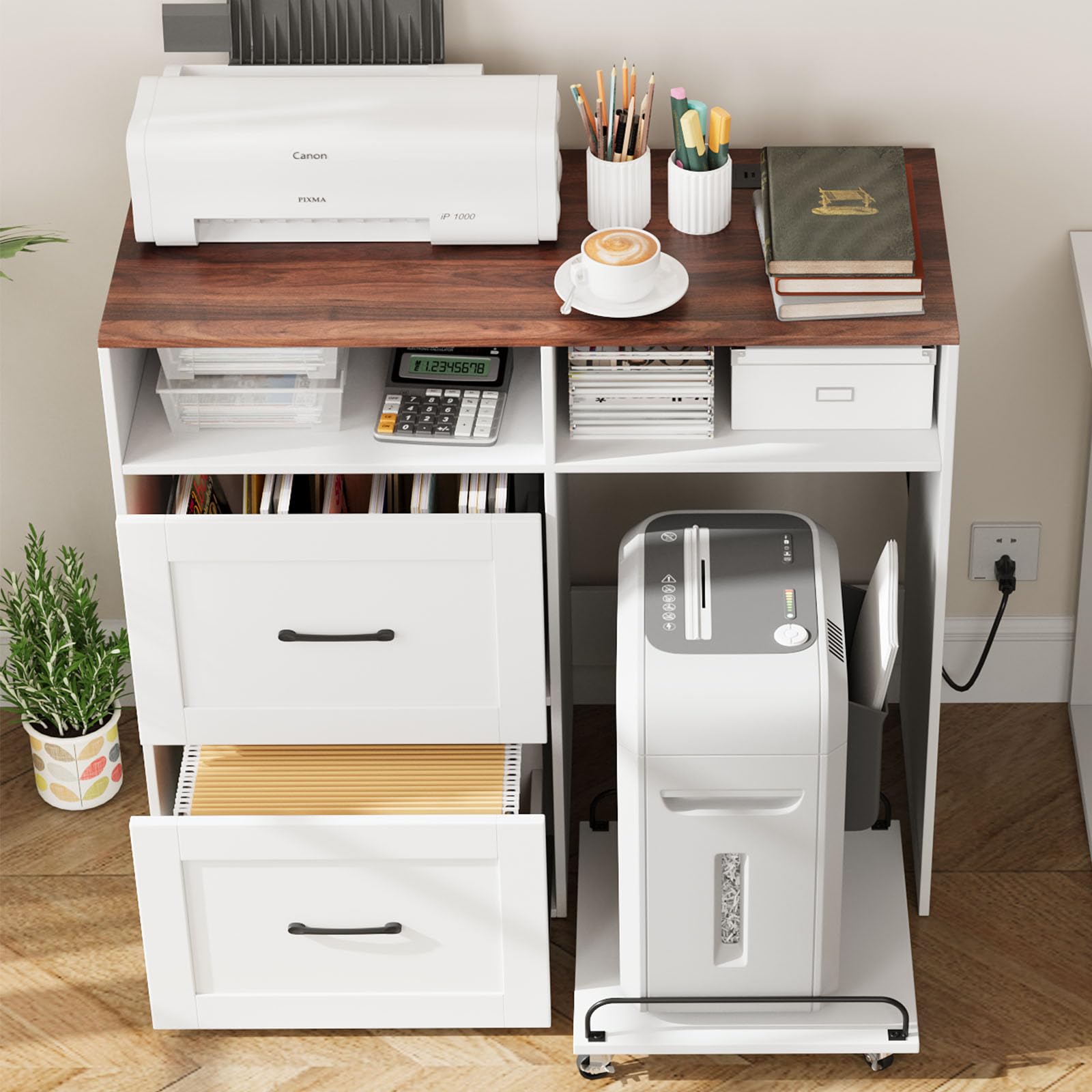
Figure 1: VOWNER File Cabinet with Charging Station (Model RS-164).
2. Safety Information
Important Safety Instructions:
- Always ensure the cabinet is properly assembled and stable before use.
- Secure the casters to prevent movement, especially if there are small children or pets in the area.
- Do not overload drawers or shelves beyond the specified weight capacity (220 lbs for the top surface).
- Keep liquids away from the charging station to prevent electrical hazards.
- Ensure all electrical connections are secure and meet local safety standards.
- Do not allow children to climb on or play with the cabinet.
3. Package Contents
Verify that all components are present before beginning assembly. If any parts are missing or damaged, contact customer support.

Figure 2: Product dimensions and individual component sizes.
The package includes all necessary parts and accessories, which are labeled for easy identification. Tools required for assembly are also included.
4. Assembly Instructions
Assembly is required for this product. Follow the included step-by-step pictorial instructions carefully. It is recommended to have an electric screwdriver for easier assembly.
- Unpack Components: Carefully remove all parts from the packaging and lay them out on a clean, soft surface to prevent scratches. Verify against the parts list in the manual.
- Assemble Frame: Connect the main panels according to the diagrams. Ensure all screws are tightened securely.
- Install Drawer Slides: Attach the drawer slides to the cabinet frame and the drawer boxes. Pay close attention to the orientation of the slides as indicated in the instructions.
- Assemble Drawers: Construct the two file drawers. Insert the adjustable hanging bars into the drawers.
- Install Charging Station: Secure the charging station unit into its designated slot on the top surface.
- Assemble Mobile Shredder Stand: Attach the 4 metal casters to the base of the pull-out shelf. Ensure two of the casters are lockable and positioned correctly.
- Insert Drawers and Stand: Slide the assembled drawers into their respective slots. Place the mobile shredder stand into its compartment.
- Final Checks: Ensure all connections are tight and the cabinet is stable. Lock the casters on the shredder stand if not in use.
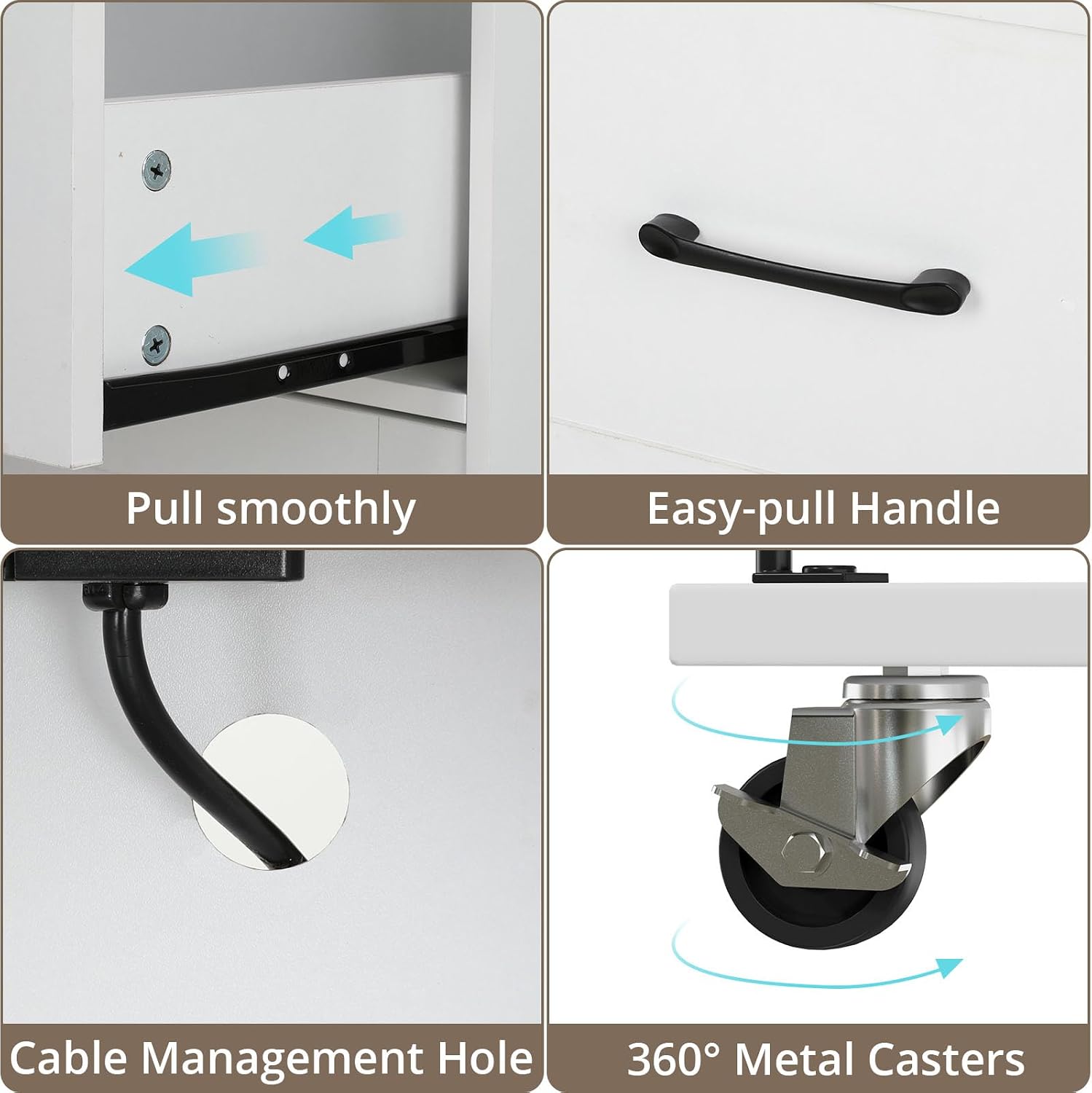
Figure 3: Key assembly details including drawer slides, handles, cable management, and casters.
5. Operating Instructions
5.1. Using the Charging Station

Figure 4: Integrated charging station with various ports.
The integrated charging station provides convenient power access for your electronic devices. It includes:
- 2 UL-certified power outlets for standard plugs.
- 1 USB-A port for charging compatible devices.
- 1 Type-C port for modern devices requiring USB-C power.
To use, simply plug the cabinet's power cord into a wall outlet. Then, connect your devices to the appropriate ports on the charging station.
5.2. Utilizing File Drawers
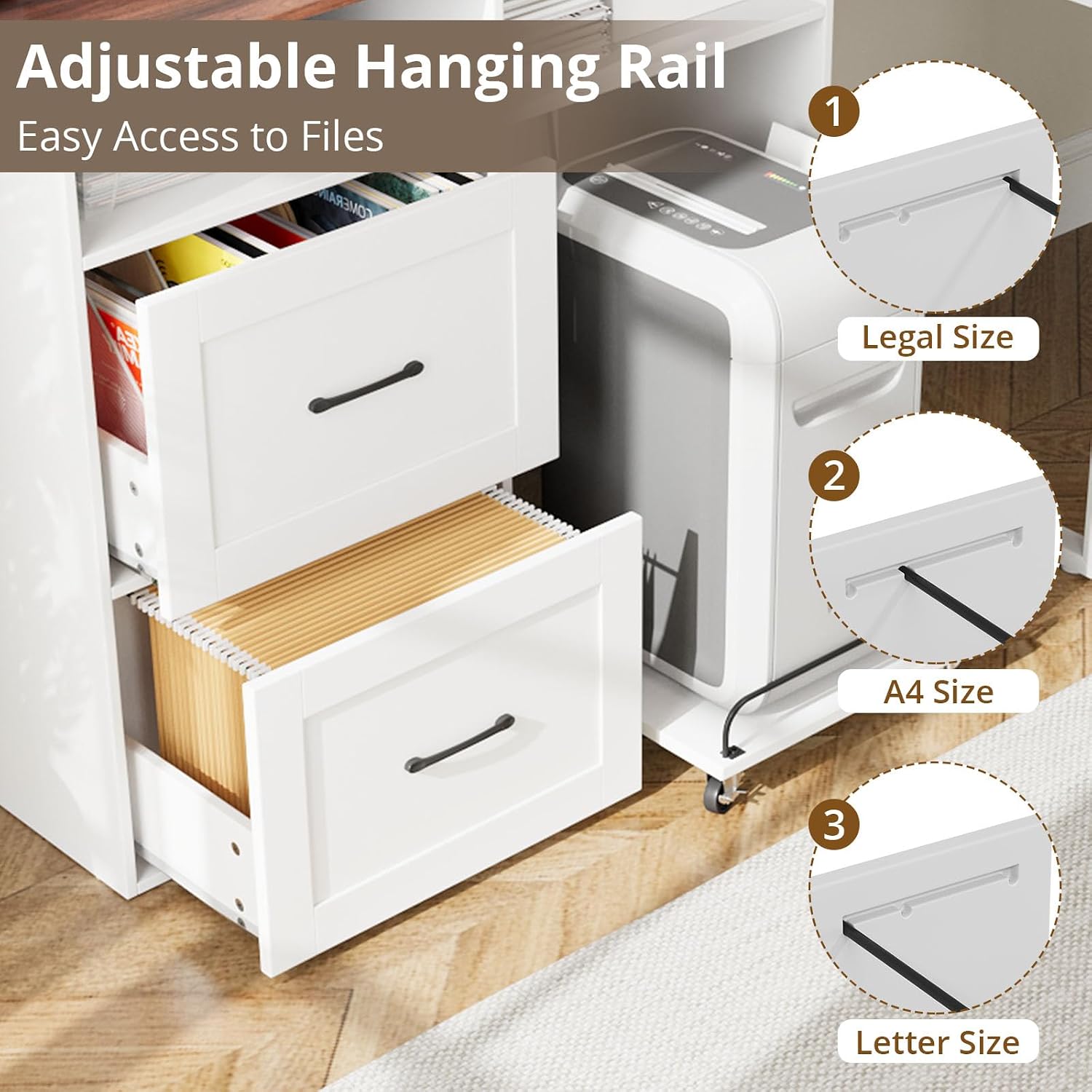
Figure 5: File drawers with adjustable hanging rails.
The two file drawers are equipped with adjustable hanging bars to accommodate various file sizes:
- Legal Size: Adjust the hanging bars to the widest setting.
- A4 Size: Adjust the hanging bars to the middle setting.
- Letter Size: Adjust the hanging bars to the narrowest setting.
Ensure files are evenly distributed to prevent tipping and to allow smooth drawer operation.
5.3. Mobile Shredder/Computer Tower Stand
The pull-out shelf located beneath the file drawers is designed for a shredder or computer tower. It features 4 metal casters for easy movement.
- To move the stand, unlock the two lockable casters.
- To secure the stand in place, lock the two lockable casters.
This design allows for convenient access to your shredder or computer while keeping it neatly stored when not in use.
6. Maintenance
- Cleaning: Wipe surfaces with a soft, damp cloth. Avoid harsh chemicals or abrasive cleaners that may damage the finish.
- Drawer Slides: Periodically check drawer slides for smooth operation. If they become stiff, a small amount of silicone-based lubricant can be applied.
- Hardware: Regularly inspect all screws and fasteners to ensure they remain tight. Retighten as necessary to maintain stability.
- Electrical Components: Keep the charging station free of dust and debris. Do not attempt to repair electrical components yourself; contact qualified personnel if issues arise.
7. Troubleshooting
| Problem | Possible Cause | Solution |
|---|---|---|
| Cabinet feels unstable or wobbly. | Loose fasteners; uneven floor. | Check and tighten all assembly screws. Ensure the cabinet is on a level surface. |
| Drawers do not slide smoothly. | Overloaded drawer; debris in slides; misaligned slides. | Reduce drawer contents. Clean drawer slides. Re-check slide installation for correct alignment. |
| Charging station not working. | Cabinet not plugged in; power outlet issue; device cable fault. | Ensure the cabinet's power cord is securely plugged into a working wall outlet. Test the wall outlet with another device. Try a different charging cable for your device. |
| Shredder stand casters not locking. | Caster lock mechanism not fully engaged. | Ensure the lock levers on the casters are fully pressed down. |
8. Product Specifications
| Feature | Detail |
|---|---|
| Brand | VOWNER |
| Model Number | RS-164 |
| Material | Engineered Wood |
| Color | White+Walnut |
| Product Dimensions (D x W x H) | 15.4"D x 35.1"W x 31.9"H |
| Weight Capacity (Maximum) | 220 Pounds (top surface) |
| Number of Drawers | 2 (File Drawers) |
| File Sizes Supported | A4, Letter, Legal Size |
| Charging Station | 2 UL Outlets, 1 USB Port, 1 Type-C Port |
| Shredder Stand | Mobile, with 4 metal casters (2 lockable) |
| Assembly Required | Yes |
9. Warranty & Support
This VOWNER product comes with a manufacturer's warranty of 2 years from the date of purchase.
The warranty covers defects in materials and workmanship under normal use. It does not cover damage resulting from improper assembly, misuse, accidents, or unauthorized modifications.
For warranty claims, missing parts, assembly assistance, or any other product-related inquiries, please contact VOWNER customer support. Refer to your purchase documentation for specific contact details or visit the official VOWNER website.