
Livatro LVHD8001
Contents
Livatro LVHD8001 8L Evaporative Humidifier User Manual
Model: LVHD8001 | Brand: Livatro
Introduction
Thank you for choosing the Livatro LVHD8001 8L Evaporative Humidifier. This manual provides essential information for the safe operation, maintenance, and troubleshooting of your new humidifier. Please read it thoroughly before use and retain it for future reference. This evaporative humidifier is designed to provide invisible, mist-free moisture, enhancing air quality in large rooms up to 1000 sq. ft. It features UV disinfection, a high-efficiency filter, and smart AI humidity control for a comfortable and healthy environment.
Important Safety Instructions
- Always place the humidifier on a firm, flat, water-resistant surface at least 6 inches (15 cm) away from walls and appliances.
- Do not place the humidifier directly on carpet, rugs, or absorbent surfaces.
- Ensure the power cord is not pinched or placed under heavy objects.
- Unplug the humidifier before filling, cleaning, or moving it.
- Do not operate the humidifier with a damaged cord or plug.
- Keep out of reach of children and pets. The child-lock feature helps prevent accidental changes to settings.
- Use only clean tap water. Do not add essential oils or other additives to the water tank.
- Do not block air vents or outlets.
- This appliance is for household use only.
Product Overview
The Livatro LVHD8001 Evaporative Humidifier is designed for efficiency and ease of use. Key components include the top control panel, evaporating fan, UV antibacterial light, enhanced wick filter, 8L water tank, and a pump with auto water level detection.

Figure 1: Humidifier Components. This diagram illustrates the internal structure of the Livatro LVHD8001 humidifier, highlighting the top pour refill, touch panel, evaporating fan, UV antibacterial light, enhanced wick filter, 8L water tank, and pump with auto water level detection.
Key Features:
- 360° Invisible-Mist Moisture: No wet floors, foggy windows, or white dust. Uses cool evaporation with UV disinfection and a high-efficiency filter.
- Large Capacity & Output: 8L tank for up to 35 hours of operation, 900ml/h output for rooms up to 1000 ft².
- Smart AI Comfort Control: Automatically adjusts output based on room temperature and humidity to maintain set levels.
- Ultra-Quiet Operation: Operates as quietly as 28dB, suitable for bedrooms and nurseries.
- Convenient Top-Fill Design: Easy refilling without removing the tank, with a horizontal water-level bar.
- Safety Features: Electronics placed on top for added safety, includes a child-lock function.
Setup Guide
1. Unpacking and Placement:
- Carefully remove all packaging materials from the humidifier.
- Place the humidifier on a flat, stable surface. Ensure it is at least 6 inches (15 cm) away from walls and furniture to allow for proper airflow.
2. Filter Installation:
- Lift the top section of the humidifier to reveal the water tank and filter assembly.
- Remove the blue wick filter from its packaging.
- Place the wick filter into the filter housing within the water tank. Ensure it is seated correctly.
- Reattach the top section of the humidifier, ensuring it clicks securely into place.

Figure 2: Humidifier Placement. The Livatro LVHD8001 humidifier is shown in a living room, demonstrating ideal placement for optimal performance.
3. Filling the Water Tank:
- Locate the top-fill opening on the humidifier.
- Slowly pour clean tap water directly into the opening until the water level reaches the 'MAX' indicator. The horizontal water-level bar on the display will indicate the current level.
- Avoid overfilling.
Video 1: How to Use. This video demonstrates the process of disassembling the humidifier for cleaning and refilling the water tank. It also shows the basic operation of the control panel.
Operating Your Humidifier
1. Power On/Off:
- Plug the humidifier into a standard electrical outlet.
- Press the Power button (
 ) on the touch panel to turn the unit on or off. The display will show the current humidity level.

Figure 3: Power Button. The power button is located on the touch panel for easy access.
2. Mode Selection:
Press the Mode button ( ) to cycle through the available operating modes:
- AI Mode: The humidifier automatically adjusts its output to maintain a comfortable humidity level based on ambient conditions.
- Sleep Mode: Operates at the lowest fan speed for quiet operation, ideal for nighttime use.
- Manual Fan Speeds (Low, Medium, High): Select your desired fan speed for continuous humidification.

Figure 4: Mode Button. The mode button allows selection between AI, Sleep, and manual fan speed settings.
3. Timer Function:
- Press the Timer button (
 ) to set an auto-off timer from 1 to 12 hours. Each press increases the timer by one hour.
4. UV Sterilization:
- Press and hold the UV button (
 ) for 3 seconds to turn the UV sterilization function on or off.
5. Child Lock:
- Press and hold the Child Lock button (
 ) for 3 seconds to enable or disable the child lock. This prevents accidental changes to settings.
6. Low Water Reminder:
- When the water level is low, the progress bar on the display will disappear, and the low-water indicator light will illuminate. The humidifier will automatically activate the drying program. Refill the tank to resume normal operation.
7. Dry Mode (Filter Drying):
- Short press the Filter Drying button (
 ) once to activate a 45-minute drying cycle for the filter. Press again to exit. This helps prevent mold and odors.
Maintenance
Regular cleaning and maintenance are crucial for optimal performance and hygiene of your humidifier.
1. Cleaning the Water Tank:
- Unplug the humidifier and remove the top section.
- Remove the filter assembly.
- Gently wash the water tank with clean water. For stubborn mineral deposits, use a soft brush and a mild descaling solution (e.g., white vinegar diluted with water).
- Rinse thoroughly to remove any cleaning solution residue.
2. Cleaning the Wick Filter:
- The wick filter is washable. For best results, clean every 3-7 days with room-temperature water.
- Allow the filter to air dry completely before reinserting it, or use the Dry Mode function.
- Do not use harsh chemicals or abrasive cleaners on the filter.
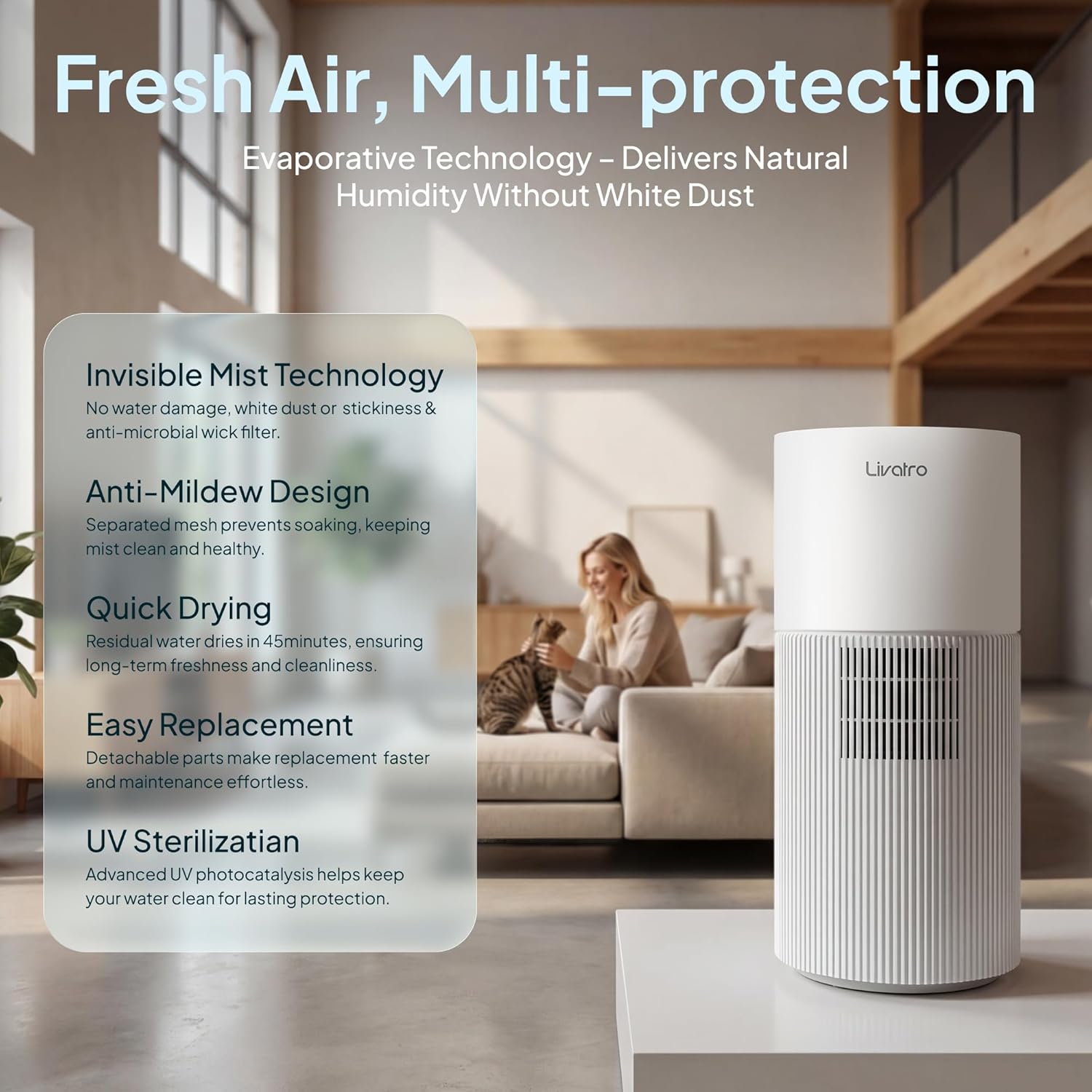
Figure 5: Easy Cleaning. This image shows the wick filter being cleaned under running water, highlighting the ease of maintenance.
Video 2: How to Clean Humidifier. This video provides a step-by-step guide on how to disassemble and clean the various components of the humidifier, including the filter and water tank.
3. Filter Replacement:
- The wick filter should be replaced every 3-6 months, depending on usage and water quality.
- Replacement filters can be purchased using ASIN: B0G633QH38.
Troubleshooting
| Problem | Possible Cause | Solution |
|---|---|---|
| Humidifier does not turn on. | Not plugged in; power outage; low water level. | Ensure unit is plugged in; check power supply; refill water tank. |
| No humidity output. | Water tank empty; filter is dry or clogged; unit is in Dry Mode. | Refill water tank; clean or replace filter; exit Dry Mode. |
| Unusual odor. | Dirty water or filter; new unit odor. | Clean water tank and filter thoroughly; initial odors should dissipate after a few uses. |
| Low Water Reminder light stays on after refilling. | Sensor issue; water not properly detected. | Ensure the water tank is correctly seated and filled to the appropriate level. If the issue persists, contact customer support. |
Specifications
| Feature | Detail |
|---|---|
| Brand | Livatro |
| Model Name | LVHD8001 |
| Capacity | 8 Liters |
| Product Dimensions | 10"D x 22"W x 10"H |
| Item Weight | 14.02 pounds (6.37 Kilograms) |
| Color | White |
| Special Features | Healthy and Clean Steam Mist, Dishwasher Safe (certain parts), Auto Clean Function, Auto Shut Off, UV Disinfection, Smart AI Humidity Control, Top-Fill Design, Ultra-Quiet 28dB |
| Humidity Output | 900ml/h |
| Coverage Area | Up to 1000 ft² |
| Timer | 1-12 hours |
Warranty and Support
Livatro products are designed for durability and performance. For specific warranty details, please refer to the warranty card included with your product or visit the official Livatro website.
If you encounter any issues or have questions regarding your Livatro LVHD8001 Evaporative Humidifier, please contact Livatro customer support. You can often find contact information on the product packaging, the official brand website, or through your retailer.
Ask a question about this manual
Ask about setup, troubleshooting, compatibility, parts, safety, or missing instructions. Manuals+ will review the question and use this page’s manual context to help answer it.