1. Introduction
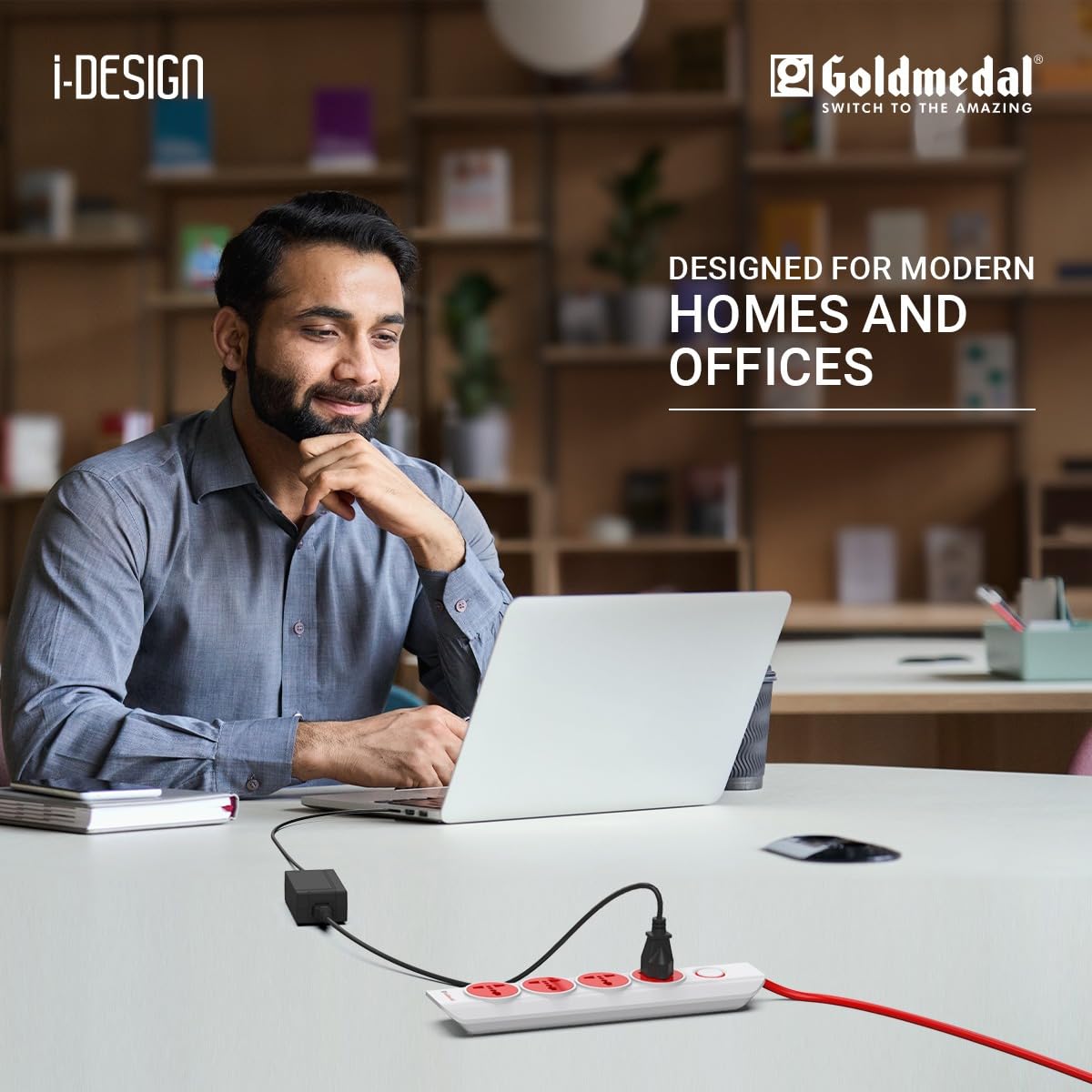
The Goldmedal i-Design 4x1 Extension Board is designed to provide convenient power access for multiple electronic devices from a single wall socket. This extension board features four universal sockets, a master switch with an LED indicator, and a durable 2-meter cord, making it suitable for various home and office applications.
2. Product Features
- Compact and Sleek Design: The i-Design 4x1 Power Strip is engineered for seamless integration into any environment, offering both functionality and aesthetic appeal for home, office, or travel use.
- Versatile Universal Sockets: Equipped with four universally compatible outlets, this extension board accommodates various plug types, ensuring broad connectivity for your devices.
- Long and Durable Cable: A robust 2-meter cable provides extended reach and flexibility, enhancing convenience in placement and use.
- Master Switch with LED Indicator: All four outlets are controlled by a single master switch, which includes a dedicated LED indicator to show the power status.
- High-Grade ABS Plastic Body: Constructed from high-quality ABS plastic for durability and safety.
- 3-Pin Plug: Features a standard 3-pin plug for secure connection to wall outlets.
3. Setup Instructions
- Unpack the Extension Board: Carefully remove the extension board from its packaging. Inspect for any visible damage.
- Choose a Location: Place the extension board on a stable, dry surface, away from water sources, heat, and direct sunlight. Ensure the 2-meter cord can reach the wall outlet without being stretched or obstructed.
- Plug into Wall Outlet: Insert the 3-pin plug of the extension board firmly into a grounded wall socket. Ensure the wall socket is in good condition and provides the correct voltage (240 Volts).
- Power On: Press the master switch on the extension board. The integrated LED indicator should illuminate, signifying that power is supplied to the universal sockets.

4. Operating Instructions
- Connecting Devices: Once the extension board is powered on (LED indicator lit), insert the plugs of your electronic devices into any of the four universal sockets.
- Master Switch Function: The master switch controls power to all connected devices simultaneously. Press the switch to turn power ON or OFF. The LED indicator will light up when power is ON.
- Overload Protection: The extension board is designed with surge protection. Avoid connecting devices that collectively exceed the maximum current rating of 6 Amps (or 10 Amps, refer to specifications for precise details) to prevent overloading and potential damage.
- Disconnecting Devices: To safely disconnect a device, first turn off the master switch on the extension board, then carefully remove the device's plug from the socket.

5. Maintenance
- Cleaning: Ensure the extension board is unplugged from the wall outlet before cleaning. Use a soft, dry cloth to wipe the surface. Do not use liquid cleaners, sprays, or abrasive materials.
- Inspection: Periodically inspect the cord, plug, and sockets for any signs of wear, damage, or loose connections. If any damage is observed, discontinue use immediately and contact customer support.
- Storage: When not in use for extended periods, unplug the extension board and store it in a cool, dry place, away from dust and moisture.
6. Troubleshooting
| Problem | Possible Cause | Solution |
|---|---|---|
| No power to devices / LED indicator off | 1. Extension board not plugged in correctly. 2. Master switch is off. 3. Wall outlet has no power. 4. Overload protection activated. | 1. Ensure the 3-pin plug is fully inserted into the wall outlet. 2. Press the master switch to the ON position. 3. Test the wall outlet with another device. Check your home's circuit breaker. 4. Unplug some devices to reduce the load. Reset the extension board by turning the master switch off and then on again. |
| Devices not charging/powering on | 1. Device's plug not fully inserted. 2. Device itself is faulty. 3. Extension board is faulty. | 1. Ensure the device's plug is fully inserted into the extension board's socket. 2. Test the device by plugging it directly into a working wall outlet. 3. If other devices work, the issue might be with the specific socket or the extension board. Contact support if multiple sockets fail. |
| Extension board feels hot | Overload due to too many high-power devices connected. | Immediately unplug some devices to reduce the load. Ensure the total wattage of connected devices does not exceed the extension board's maximum capacity. |
7. Specifications
| Brand | Goldmedal |
| Model Number | 205103_1 |
| Colour | White (with Red accents) |
| Total Power Outlets | 4 Universal Sockets |
| Voltage | 240 Volts |
| Maximum Current | 6 Amps |
| Amperage | 10 Amps (Note: Max current for individual sockets may vary, refer to product label) |
| Plug Type | Type M (Indian Standard) |
| Special Feature | Surge Protection, Master Switch with LED Indicator |
| Cable Length | 2 Meters |
| Compatible Devices | Fax Machine, Home Theater, Laptop, Printer, Speaker, and other home/office appliances |
| Smart Energy Saving | Yes |
| Item Dimensions (L x W) | 6.3L x 30W Centimeters |
| Item Weight | 361 Grams |
| Enclosure Material | Plastic (High-Grade ABS) |
| Country of Origin | India |
| Box Contents | 1 N Power Strip Adaptor |
8. Warranty Information
This Goldmedal i-Design 4x1 Extension Board comes with a 1-year warranty provided by the manufacturer from the date of purchase. If the product was sold by Cloudtail India, the warranty is directly covered by the manufacturer. If purchased from another seller, the warranty claim should be directed to that specific seller.
Please retain your purchase receipt as proof of purchase for any warranty claims.
9. Support
For any product-related queries, complaints, or technical assistance, please contact Goldmedal Electricals Pvt Ltd using the details below:
- Manufacturer: Goldmedal Electricals Pvt Ltd
- Address: Bldg No 2, Shripal Ind Estate, Valiiw, Vasai East - 401208, India
- Toll-Free Number: 18002090234
- Customer Care: +91 9711 09 09 09
- Email: info@goldmedalindia.com
- Website: www.goldmedalindia.com